sleepyboy/countdown-timers
A self-hostable grid of countdown timers, configured by a single YAML file.
486
sleepyboy/countdown-timers repository overview
🕰️ countdown-timers
A self-hostable wall of countdown timers, driven by one YAML file. Edit, refresh, done.





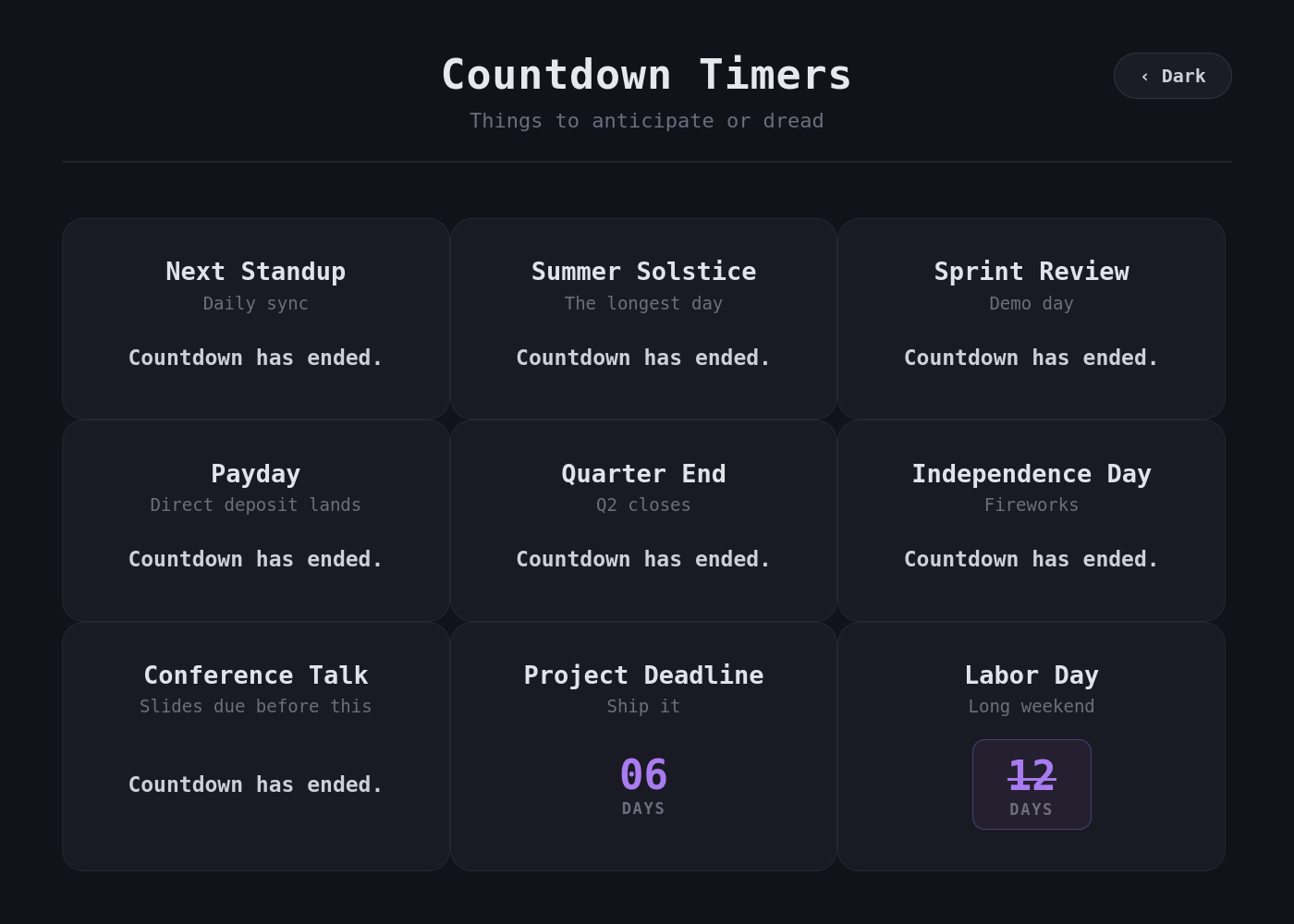
countdown-timers is a tiny static web app for a home server: a responsive grid of
countdown cards — the next deploy, a lease renewal, a birthday, a vacation — described
entirely in countdown_timers.yml. The container reads that file at runtime, so you
edit it on the host and refresh the page. No rebuild, no restart, no database, no admin
UI. Ships as a ~22 MB nginx image with light/dark themes and its font baked in, so it
works fully offline.
Timer cards are rendered by sleepy-countdown,
a React component from the same author.
Quick start
# Grab a config to start from, then run it.
curl -O https://raw.githubusercontent.com/anthonybench/countdown-timers/main/countdown_timers.yml

docker run -d --name countdown-timers -p 7070:80 \
  -v "$(pwd)/countdown_timers.yml:/usr/share/nginx/html/countdown_timers.yml:ro" \
  --restart unless-stopped \
  sleepyboy/countdown-timers:latest
Open http://localhost:7070. Edit countdown_timers.yml, refresh the page, and the
timers change.
docker compose
services:
  countdown-timers:
    image: sleepyboy/countdown-timers:latest
    container_name: countdown-timers
    ports:
      - '7070:80'
    volumes:
      - ./countdown_timers.yml:/usr/share/nginx/html/countdown_timers.yml:ro
    restart: unless-stopped
docker compose up -d and you're running. Tags 1.0.0 onward publish a multi-arch
manifest for linux/amd64 and linux/arm64, so an x86 box and an ARM home server
(Raspberry Pi, Apple Silicon) each pull the right image automatically.
No config mounted? The image ships the sample
countdown_timers.ymlabove, so it boots and shows something either way. Mount your own over it when you're ready.
Configure
One file. One mapping. timers is the only required key.
title: Countdown Timers                  # optional (default: "Countdown Timers")
subtitle: Things to anticipate or dread  # optional (default: "Things to anticipate or dread")
order: soonest                           # optional: config | soonest | latest (default: config)

timers:                                  # required: at least one timer
  - title: New Year 2027
    description: Counting down to the new year
    target: '2027-01-01T00:00:00'        # required: when the countdown ends
    type: modern                         # modern | classic | minimal (default: modern)
    resolution: second                   # day | hour | minute | second (default: day)
    end_message: Happy New Year!         # optional: shown once the timer ends
Top-level keys
| Key | Required | Default | Description |
|---|---|---|---|
timers | yes | — | List of timer objects (see below); must be non-empty. |
title | no | Countdown Timers | Page heading. |
subtitle | no | Things to anticipate or dread | Text under the title. |
order | no | config | config (as written), soonest (nearest first), or latest (furthest first). |
Timer keys (per entry) — these map straight onto the
sleepy-countdown props:
| Key | Required | Default | Description |
|---|---|---|---|
target | yes | — | When the countdown ends. Any string new Date() accepts — '2027-01-01T00:00:00' (local time) or '2027-01-01T00:00:00Z' (UTC). |
title | no | — | Heading on the card. |
description | no | — | Muted text under the title. |
type | no | modern | Visual style: modern (rounded accent cards), classic (flip-clock), or minimal (bare digits). |
resolution | no | day | Finest unit shown: day, hour, minute, second. Coarser units always stay visible. |
end_message | no | Countdown has ended. | Replaces the timer once target passes. |
Mixing types across cards is fine — every style renders in an identically sized frame, so the grid stays aligned no matter what you pick.
Bad config fails loudly, not silently. The YAML is validated in the browser on load, and the page shows you exactly what's wrong instead of rendering an empty grid:
Could not load the configuration:
Timer #3 has an unparseable `target`: "next tuesday".
Unparseable YAML, a missing or empty timers list, a bad order value, or a timer
without a valid target are all reported this way. Fix the file, refresh.
Features
- Runtime config — the app
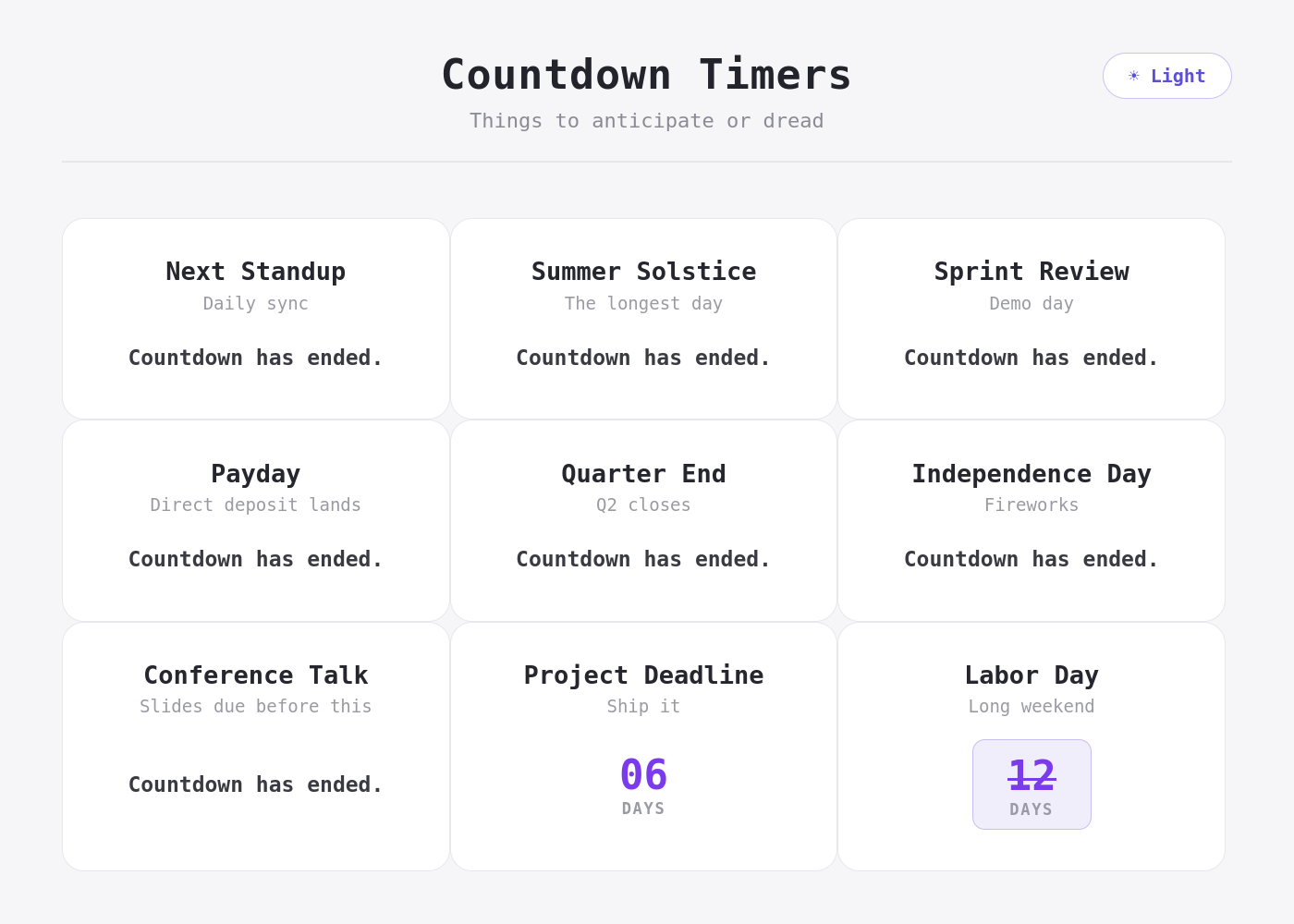
fetches the YAML on load withno-cache, so a refresh always re-reads the mounted file. Editing config never means rebuilding an image. - Light / dark theme toggle, defaulting to dark (Catppuccin
Mocha). Your choice persists in
localStorage, and the timer cards recolor with the page rather than staying dark. - Ordering — display in config order, or let the app sort by soonest/latest target.
- Self-contained — JetBrains Mono is bundled into the image. No CDN calls, no telemetry, no outbound network at all. Runs on an air-gapped LAN.
- Static + tiny — a multi-stage build leaves only nginx and pre-compiled assets; there's no Node runtime in the shipped image.
How it works
countdown_timers.yml  (mounted, read-only)
        │
        │  fetch('/countdown_timers.yml', { cache: 'no-cache' })
        ▼
   nginx (static)  ──►  React app  ──►  <SleepyCountdown/> × N
The container is a pre-built static bundle. If the YAML were imported at build time
its values would be frozen into the JS, and every edit would need a new image — so
instead it's served as a plain static asset alongside the app and parsed in the browser.
nginx sets Cache-Control: no-cache, no-store, must-revalidate on just that one path
(hashed assets are still cached hard for a year), which is what makes edit-and-refresh
work.
The practical consequence: the timers tick in the visitor's timezone, not the
server's — the countdown is computed client-side. Use a Z-suffixed target if you
want a fixed instant regardless of who's looking.
Local development
npm install
npm run dev       # Vite dev server, default http://localhost:5173
npm run build     # tsc + vite build → dist/
npm run preview   # serve the production build locally
In dev, the config is read from public/countdown_timers.yml (the repo-root
countdown_timers.yml is the sample that gets baked into the image).
To build and run the container from source:
docker compose up --build # http://localhost:7070
Documentation
- Specification — what the app does
- Project outline — repository layout and architecture
- Test drive — running and verifying the app
- Publishing — release the image to Docker Hub
License
Tag summary
Content type
Image
Digest
sha256:3e2d637b7…
Size
20.2 MB
Last updated
about 2 months ago
docker pull sleepyboy/countdown-timers