slurvdjur/legejo
Self-hosted library for EPUB books, with Kobo, KOReader and OPDS sync.
1.8K
slurvdjur/legejo repository overview
Legejo
Legejo is a self-hosted library for EPUB books. Upload your books, organize them on shelves and read them in the browser, on a Kobo, in KOReader or in any OPDS reading app, with your reading position following you between devices.
It runs as a single container with SQLite or PostgreSQL and is built with Rust (Axum) and SvelteKit.
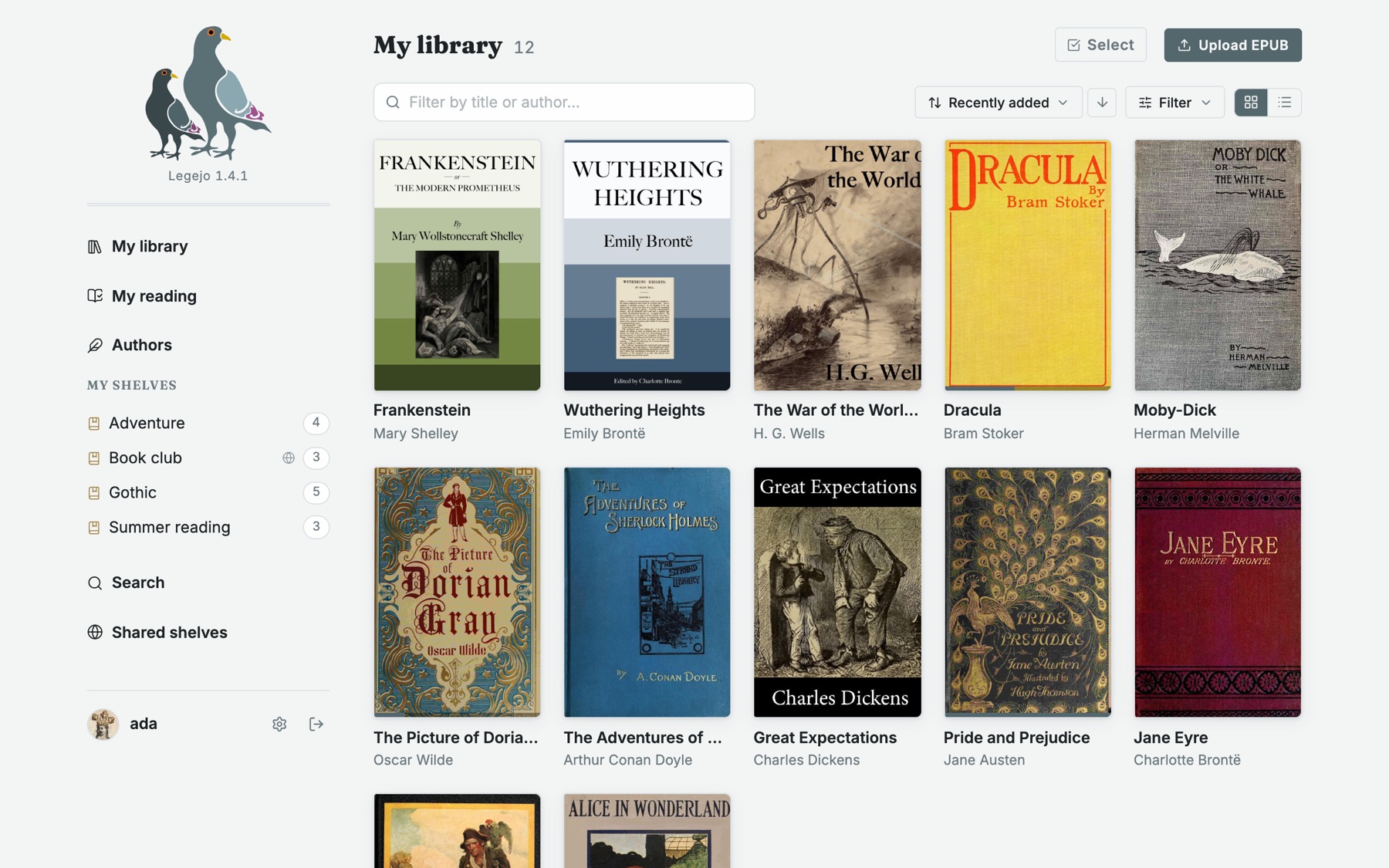
- Source code and full documentation: https://github.com/jularboolean/legejo
- License: AGPL-3.0
- Architectures:
linux/amd64,linux/arm64
Why Legejo?
- Fast. Built from the ground up in Rust and SvelteKit, not a web front end on top of an existing e-book manager.
- Light. One small container that idles at around 30 MB of memory, at home on a Raspberry Pi or the smallest VPS.
- Easy to self-host. SQLite is built in and needs no configuration. PostgreSQL is there if you want it.
- Made for e-readers. Kobo sync, KOReader sync and OPDS are core features, and your reading position follows you between them.
- Fediverse ready. Shelves of free books can be followed from other Legejo instances and from Mastodon, over ActivityPub.
- MCP server built in. Let the AI assistant you already use search your library and read your books, read-only. Off until you turn it on.
- Free. No paid tier and no telemetry.
Legejo does one thing: EPUB. It does not handle PDF, comics or audiobooks.
Quick start
docker run -d --name legejo -p 3000:3000 -v legejo-data:/data slurvdjur/legejo:1
docker logs legejo | grep -A3 Bootstrap
Open http://localhost:3000 and log in as admin with the password printed in
the log. Books and the database are stored in the legejo-data volume.
Docker Compose
services:
  legejo:
    image: slurvdjur/legejo:1
    ports:
      - "3000:3000"
    volumes:
      - legejo-data:/data
    environment:
      LEGEJO_ADMIN_USER: admin
      # LEGEJO_ADMIN_PASSWORD: change-me   # otherwise generated and printed once
      # LEGEJO_PUBLIC_URL: https://books.example.org
    restart: unless-stopped

volumes:
  legejo-data:
For PostgreSQL, set DATABASE_URL=postgres://user:password@host/db; a complete
example is in
docker-compose.postgres.yml.
Put Legejo behind a reverse proxy that terminates TLS, and set
LEGEJO_PUBLIC_URL to the address users reach it on. Kobo sync, links in
emails and federation depend on it.
Tags
| Tag | Meaning |
|---|---|
1.2.1 | An exact release; never changes |
1.2 | The latest patch release of 1.2 |
1 | The latest 1.x release; recommended |
latest | The latest release |
Running it
| Port | 3000 |
| Data | a volume at /data (book files, covers and the SQLite database) |
| Health check | built into the image |
The image fits platforms that deploy a container behind their own reverse
proxy, such as Coolify and Dokploy: route your domain to port 3000 and mount
a persistent volume at /data.
Configuration
Everything is configured with environment variables, and all of them are
optional. Any variable can be read from a file by appending _FILE to its name
(for example LEGEJO_ADMIN_PASSWORD_FILE=/run/secrets/admin).
| Variable | Default | Description |
|---|---|---|
DATABASE_URL | SQLite in /data | postgres://user:password@host/db or sqlite://path |
LEGEJO_PUBLIC_URL | The public https:// address of the instance | |
LEGEJO_ADMIN_USER | admin | Initial admin account, created when the database is empty |
LEGEJO_ADMIN_PASSWORD | generated | Its password; printed once in the log when generated |
LEGEJO_MAX_UPLOAD_MB | 200 | Largest accepted upload |
LEGEJO_LOG_FORMAT | text | json for one JSON object per line |
LEGEJO_MCP | false | true turns on the MCP endpoint for AI assistants |
Mail, single sign-on (OpenID Connect), login throttling, the watched import folder and Prometheus metrics are configured the same way. The README lists every variable.
Issues
Report bugs and ask questions at https://github.com/jularboolean/legejo/issues.
Tag summary
Content type
Image
Digest
sha256:5d45bd488…
Size
45 MB
Last updated
about 5 hours ago
docker pull slurvdjur/legejo