starleydev/youtube-proxy
Create a proxy for youtube, becouse the youtube return erro 153 in ios apps, like Ionic and react.
1.7K
starleydev/youtube-proxy repository overview
YouTube Proxy
A simple YouTube proxy streaming application built with TypeScript and Express. This service allows you to embed YouTube videos through a proxy endpoint, supporting both video IDs and full YouTube URLs.
Screenshot
Features
- Video ID Support: Access videos directly using their YouTube video ID
- Full URL Support: Accept complete YouTube URLs and automatically extract the video ID
- Multiple URL Formats: Supports both
youtube.comandyoutu.beURL formats - Simple API: Clean and straightforward REST API endpoints
Installation
- Clone the repository:
git clone https://github.com/starleyDev/youtube-proxy.git
cd youtube-proxy
- Install dependencies:
npm install
Usage
Development Mode
Run the application with hot-reload enabled:
npm run dev
Production Mode
Build and run the application:
npm start
The server will start on http://localhost:3000
Docker Deployment
Using Docker Compose (Recommended for Casa OS)
docker-compose up -d
Build the Docker image
docker build -t youtube-proxy .
Run the container
docker run -p 3000:3000 youtube-proxy
Run in detached mode
docker run -d -p 3000:3000 --name youtube-proxy-server youtube-proxy
View logs
docker logs youtube-proxy-server
Stop the container
docker stop youtube-proxy-server
Casa OS Deployment
Method 1: Using Docker Compose
- Upload the project files to your Casa OS server
- Navigate to the project directory
- Run:
docker-compose up -d
- Access the service at
http://<your-casa-os-ip>:3000
Method 2: Using Casa OS Web UI
- Open Casa OS dashboard
- Go to App Store → Docker Compose
- Click Create and paste the
docker-compose.ymlcontent - Deploy the application
- Access via Casa OS services panel
API Endpoints
GET /
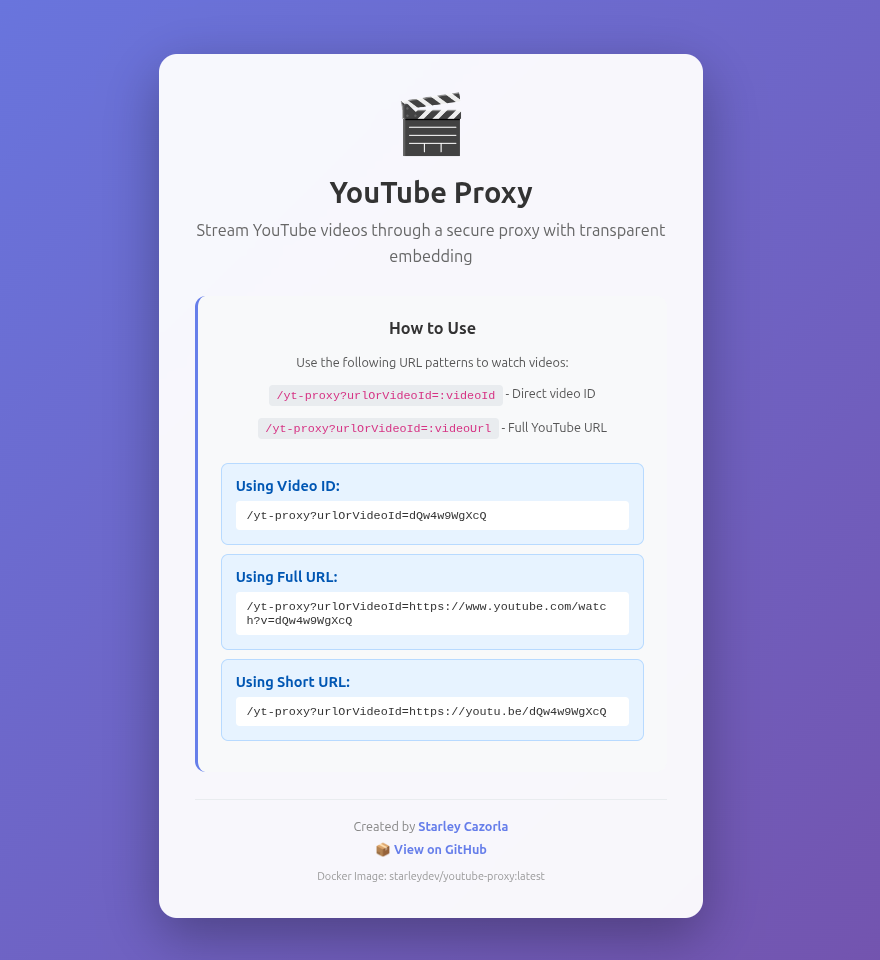
Returns a welcome page with usage instructions and examples.
Response: Returns a modern HTML landing page with gradient background and usage instructions.
GET /yt-proxy
Proxy endpoint for embedding YouTube videos using query parameters.
Query Parameters:
urlOrVideoId(required): Either a YouTube video ID or full YouTube URL
Supported Input Formats:
- Video ID:
dQw4w9WgXcQ - YouTube URL:
https://www.youtube.com/watch?v=dQw4w9WgXcQ - Short URL:
https://youtu.be/dQw4w9WgXcQ
Response: Returns an HTML page with an embedded YouTube video iframe with transparent background.
Examples:
# Using video ID
curl http://localhost:2536/yt-proxy?urlOrVideoId=dQw4w9WgXcQ

# Using full YouTube URL
curl http://localhost:2536/yt-proxy?urlOrVideoId=https://www.youtube.com/watch?v=dQw4w9WgXcQ

# Using short URL
curl http://localhost:2536/yt-proxy?urlOrVideoId=https://youtu.be/dQw4w9WgXcQ
Note: The service automatically extracts the video ID from full YouTube URLs.
Development
Project Structure
youtube-proxy/
├── src/
│   └── index.ts       # Main application entry point
├── package.json       # Project dependencies and scripts
├── tsconfig.json      # TypeScript configuration
└── README.md          # This file
Scripts
npm start- Run the compiled JavaScript versionnpm run dev- Run with TypeScript and hot-reload using nodemon
Technologies
- TypeScript - Type-safe JavaScript
- Express - Web framework
- nodemon - Development tool with auto-reload
- ts-node - TypeScript execution environment
Author
Starley Cazorla
- GitHub: @starleyDev
License
This project is licensed under the MIT License - see the LICENSE file for details.
Tag summary
Content type
Image
Digest
sha256:62dd3af81…
Size
59.3 MB
Last updated
5 months ago
docker pull starleydev/youtube-proxy