starofall/crowdnavgui-docker
A version of CrowdNav (see other project) that allows to see the sumo-gui graphical interface
Image
0
441
starofall/crowdnavgui-docker repository overview
CrowdNavGUI for Docker
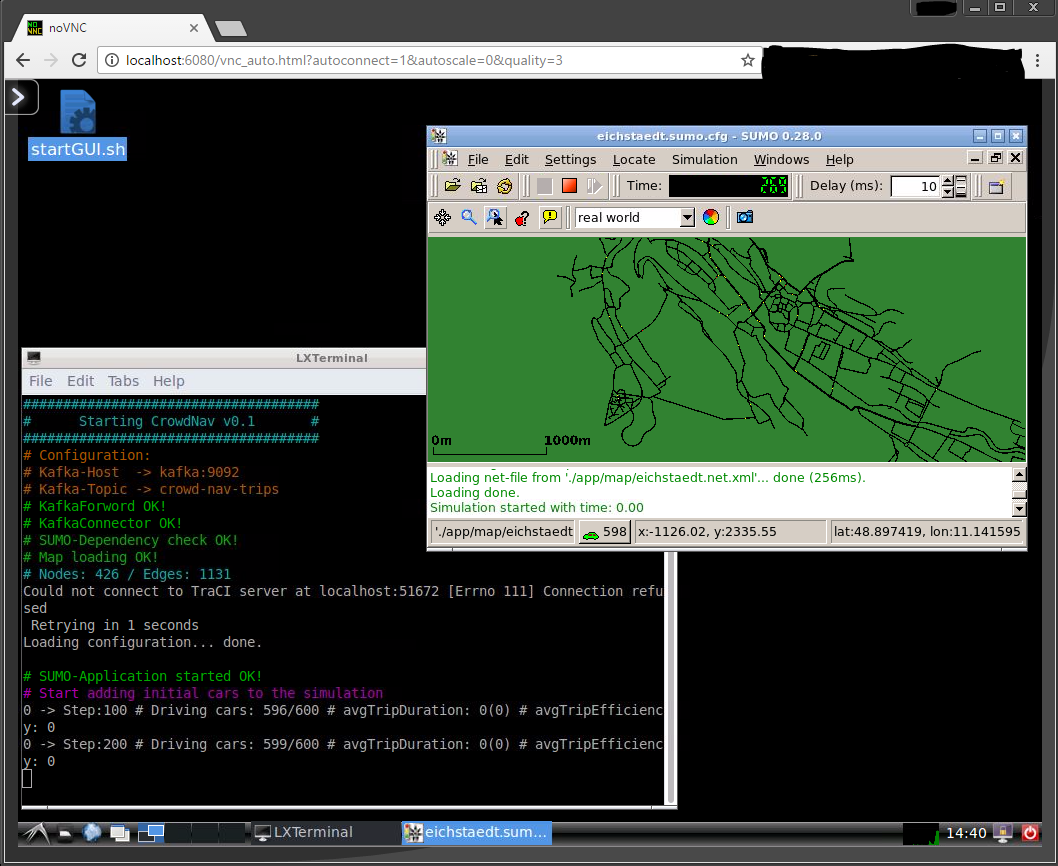
Description
To see the graphical user interaface of sumo used in CrowdNav even with docker, this special docker container bundles a VNC server and a graphical interface.
Docker Setup
- First start kafka
docker run --name kafka --hostname kafka -p 2181:2181 -p 9092:9092 --env ADVERTISED_HOST=kafka --env ADVERTISED_PORT=9092 spotify/Kafka
- Start CrowdNavGUI for Docker
docker run -i -t --link kafka:kafka -p 6080:6080 starofall/crowdnavgui-docker
- Open your browser and goto either
localhost:6080 or (IP of your Boot2Docker):6080
-
A VLC session opens. Here click on
startGUI.shand thenExecute in Terminal -
Now SUMO and CrowdNav is loaded and can be started with the play button
Tag summary
Content type
Image
Digest
Size
564.6 MB
Last updated
almost 10 years ago
docker pull starofall/crowdnavgui-docker