statianzo/que-web repository overview
que-web 
que-web is a web UI to the Que job queue.
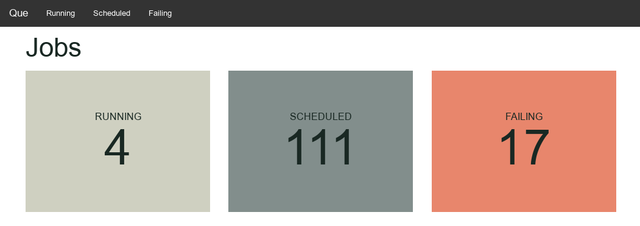
Installation
Add this line to your application's Gemfile:
gem 'que-web'
And then execute:
$ bundle
Or install it yourself as:
$ gem install que-web
Usage
With config.ru
Add in config.ru:
require "que/web"

map "/que" do
  run Que::Web
end
Rails
In config/routes.rb:
require "que/web"
mount Que::Web => "/que"
Rails 5.0
You must use the master branch of Sinatra for que-web.
In your gemfile:
gem 'que-web'
gem 'sinatra', git: 'https://github.com/sinatra/sinatra'
See https://github.com/sinatra/sinatra/issues/1071
Authentication
Devise
# config/routes.rb
authenticate :user do
  mount Que::Web, at: 'que'
end
Basic HTTP auth
In config/initializers/queweb.rb:
Que::Web.use(Rack::Auth::Basic) do |user, password|
  [user, password] == [ENV["QUEWEB_USERNAME"], ENV["QUEWEB_PASSWORD"]]
end
Then add the two environment variables to your production environment.
Docker
Run:
docker run -e DATABASE_URL=postgres://username:password@hostname/db_name -p 3002:8080 joevandyk/que-web
Or use docker/Dockerfile to build your own container.
Tag summary
Content type
Image
Digest
sha256:bfd42d225…
Size
159.6 MB
Last updated
almost 11 years ago
docker pull statianzo/que-web