sumit0058/stickynotes repository overview
A Web-Based Sticky Notes
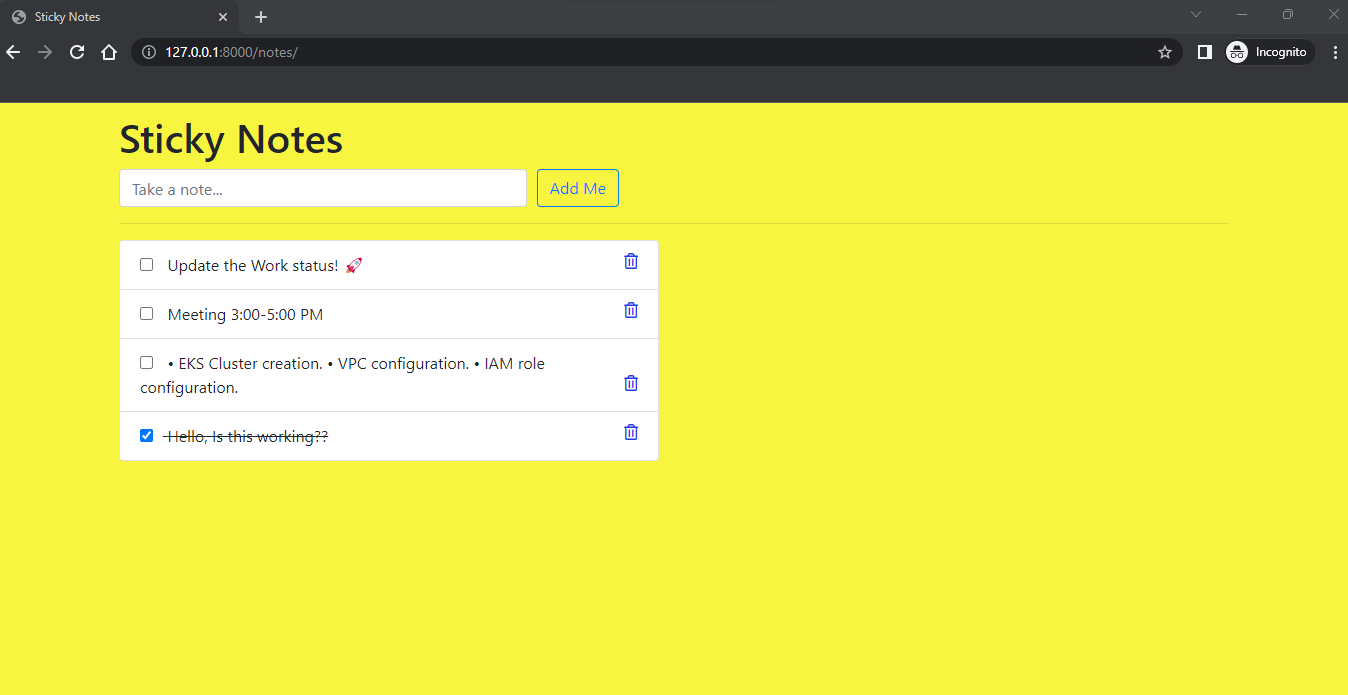
A Few features of this project include
- Adding the note ✍️
- ✔️ the note
- Deleting the note 🗑️
This Sticky Notes app is similar to Windows Sticky Notes App and follows Reverse chronological order for taking notes. The only exception is that once NOTE is added you can't edit it. Alternatively, you can add the NOTE again with your latest data and remove the old one.
Instructions to run this project locally
- Create a project directory called Sticky Notes
- cd to Sticky Notes
- Clone this project using the command
git clone https://github.com/sumitNITS/WebStickyNotes.git
- Install virtual environment to run this project locally using the command
pip install virtualenv
- Create a virtual environment for this project using the command
python -m virtualenv <name>
- Activate the virtual environment to work with this project using the command
.\<name>\Scripts\activate
- cd to WebStickyNotes
- Install python django framework using the command
pip install django
- Run the below commands
python manage.py makemigrations notes
python manage.py migrate
python manage.py runserver
Now visit the URL http://127.0.0.1:8000/ and explore the Sticky Notes application 🚀
Instructions to run this project as Docker container
- Clone this project using the command
git clone https://github.com/sumitNITS/WebStickyNotes.git
- cd to WebStickyNotes
- Build an image out of Dockerfile using the command
docker build . -t <image-name>
- Start the container with the docker image using the command
docker run -d -p <port>:8000 --name stickynotes <image-name>
Now access the Sticky Notes application using "localhost":"port" OR "ip-of-machine":"port" 🚀
Instructions to run this project using dockerhub image
- Access the Sticky Notes application using the command
docker run -d -p <port>:8000 --name stickynotes sumit0058/stickynotes:1.0
Instructions to run this project in local Kubernetes minikube
- Start minikube
- Clone this project using the command
git clone https://github.com/sumitNITS/WebStickyNotes.git
- cd to WebStickyNotes
- Run the below commands
kubectl apply -f stickynotes-deployment.yml
kubectl apply -f stickynotes-service.yml
kubectl port-forward service/stickynotes-deployment <port>:8000
Now access the Sticky Notes application using "localhost":"port" OR "ip-of-machine":"port" 🚀
Tag summary
Content type
Image
Digest
sha256:0407cde75…
Size
354.9 MB
Last updated
over 3 years ago
docker pull sumit0058/stickynotes:1.0