suwey/streamer
Include logitech media server, roon and hqplayer embedded like ropieee, great for music streaming.
8.9K
suwey/streamer repository overview
中文直接移步:绿坛
Inspired by ropieee, upgrade to ropieee xl will contain squeezelite/roon bridge/hqplayer naa installed, recommend to use if you have a raspberry pi. If you still need your pi to other things, try my new image which include all the clients and named bridger .
BASIC USAGE:
First same as logitechmediaserver, you can just mount "/config:rw" "/music:ro" "/playlist:rw" and select host network, then start container to use, When use in Synology nas, DO NOT MOUNT /music folder, mount a subfolder of /music instead. Recommend to add --cap-add=sys_nice for hqplayer change its system nice value.
unless you know all roon's ports and add "-p xx:roon port" to start command maybe can try bridge network, besides I think host is sound better than bridge mode,
lms is version 8.2.1 stable. Open http://ip:9000 to use it, first time start or update packages need to wait a bit longer.
Roon server is version 1.8(795) cracked, the app is easy to use, sometimes it will take longer to discover roon core, if take too long, restart router.
Hqplayer embedded is version 4.28.0, installed with debian deb package libgmpris.deb and hqplayerd.deb , no gpu support, and not cracked because I can't find one, need to restart per 30 minutes.
Hqplayer Usage: Open http://ip:8088, start your naa, sign in web and change backend to network audio and apply, confirm your usb dac showed in page then click library tab and enter path "/music" and click scan, find one music and click play button.
Hqplayer user and password is set by ENV HQ_USER=hq and HQ_PASS=hq and your can change it before start container, there are three params hackHost=1,roonOn=1,hqOn=1 and can overwrite with docker run command, NOTICE change ENV or command line will cause rerun container, which means all the packages will be reinstalled.
There is a way to change params and only need to restart container, name a file params and put in /config folder with content like:
hackHost=1
roonOn=0
hqOn=1
and restart container, roonOn=0 means not start/install roon, hqOn=0 means not start/install hqplayer,.
Param hackHost is for roon crack, change to 0 if you want to use a payed version: you can first download RoonServer_linuxx64.tar.bz2, then run tar xf RoonServer_linuxx64.tar.bz2 in Synology or linux machine and move folder RoonServer to /pkgs in container and restart, will install when roonOn=1.
Get hqplayer debian packages and rename as libgmpris.deb and hqplayerd.deb then move to /pkgs in container and restart will update hqplayer when hqOn=1.
You can mount a folder to /pkgs and move files in, or you can move files to the folder mounted to /config first then get into container and move them to /pkgs, then restart container.
2021.11.25 changelog:
- add param
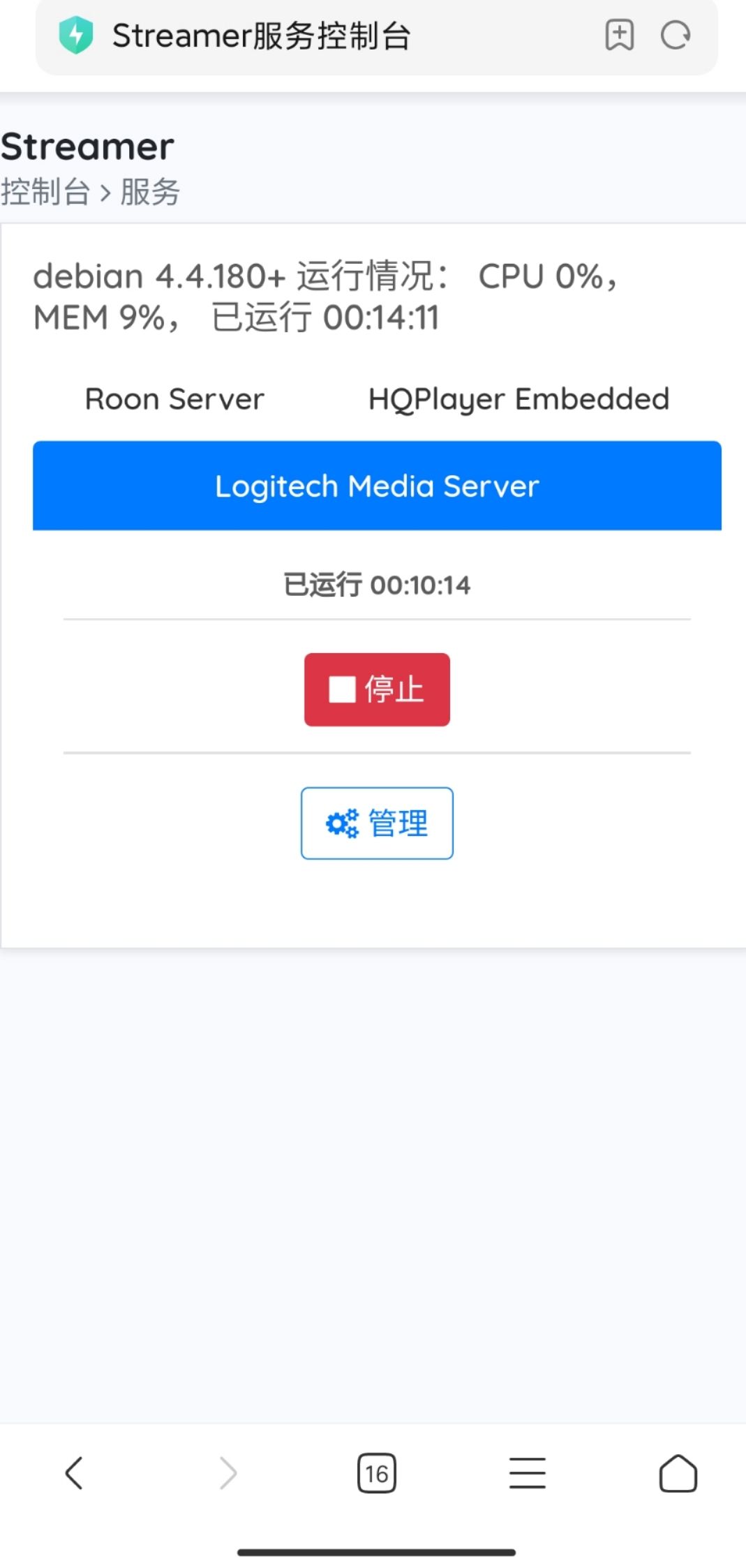
lmsOnto control logitech media server start - I wrote an admin server for mobile , open http://ip:8080 and use your mobile to manage service
- add param
adminPortto control admin server port, default 8080
Now we can just remember port 8080 and use mobile to enjoy music, it won't do anything unless you refresh page or click button.
Tag summary
Content type
Image
Digest
Size
439.3 MB
Last updated
almost 5 years ago
docker pull suwey/streamer