t5750/poi repository overview
Apache POI


Docs
Getting Started
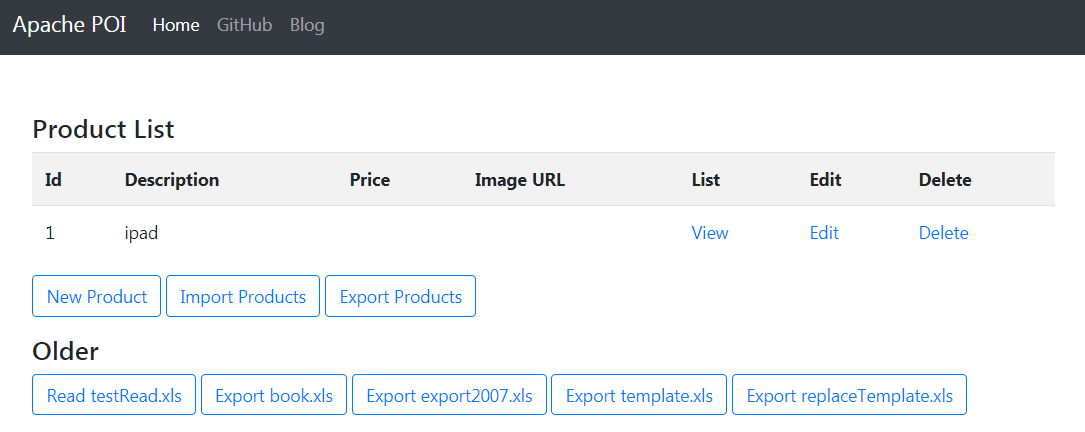
Step 1: Download
git clone https://github.com/T5750/poi.git
cd poi
Step 2: Start Server
docker-compose up -d
# or
mvn clean spring-boot:run
Test
TestReadExcel,TestReadExcelDemoTestExportExcel,TestExportExcel2007,TestWriteExcelDemoTestTemplate,TestExcelReplaceCalendarDemoTestExcelFormulaDemo,TestExcelStylingDemo,TestAll
Runtime Environment
- Java 8
- Spring Framework 5.x
- Spring Boot 2.x
- Derby 10.x
- Hibernate ORM 5.x
- POI 5.x
- Bootstrap 4.3.1
- Docker 19.x
Classes
- HSSF, XSSF and XSSF classes
Apache POI main classes usually start with either HSSF, XSSF or SXSSF.
- HSSF – is the POI Project’s pure Java implementation of the Excel ’97(-2007) file format. e.g. HSSFWorkbook, HSSFSheet.
- XSSF – is the POI Project’s pure Java implementation of the Excel 2007 OOXML (.xlsx) file format. e.g. XSSFWorkbook, XSSFSheet.
- SXSSF (since 3.8-beta3) – is an API-compatible streaming extension of XSSF to be used when very large spreadsheets have to be produced, and heap space is limited. e.g. SXSSFWorkbook, SXSSFSheet. SXSSF achieves its low memory footprint by limiting access to the rows that are within a sliding window, while XSSF gives access to all rows in the document.
- Row and Cell
Apart from above classes, Row and Cell are used to interact with a particular row and a particular cell in excel sheet.
- Style Classes
A wide range of classes like CellStyle, BuiltinFormats, ComparisonOperator, ConditionalFormattingRule, FontFormatting, IndexedColors, PatternFormatting, SheetConditionalFormatting etc. are used when you have to add formatting in a sheet, mostly based on some rules.
- FormulaEvaluator
Another useful class FormulaEvaluator is used to evaluate the formula cells in excel sheet.
Write an excel file
- Create a workbook
- Create a sheet in workbook
- Create a row in sheet
- Add cells in sheet
- Repeat step 3 and 4 to write more data
Read an excel file
- Create workbook instance from excel sheet
- Get to the desired sheet
- Increment row number
- iterate over all cells in a row
- repeat step 3 and 4 until all data is read
Getting Help
Having trouble with T5750's POI? We’d like to help!
- Ask a question on CSDN.
- Report bugs at https://github.com/T5750/poi/issues.
Branch
View servlet branch at https://github.com/T5750/poi/tree/servlet.
References
- Java POI导出EXCEL经典实现 Java导出Excel弹出下载框
- Java POI读取Office excel (2003,2007)及相关jar包
- HSSF and XSSF Examples
- Apache POI – Read and Write Excel File in Java
License
This project is Open Source software released under the Apache 2.0 license.
Tag summary
Content type
Image
Digest
sha256:4cf615e33…
Size
277.5 MB
Last updated
over 4 years ago
docker pull t5750/poi