tarekcheikh/cloudstorm
cloudstorm - Distributed load testing across AWS regions
71
tarekcheikh/cloudstorm repository overview

cloudstorm
Distributed load testing across AWS regions with Locust, k6, JMeter or Artillery.
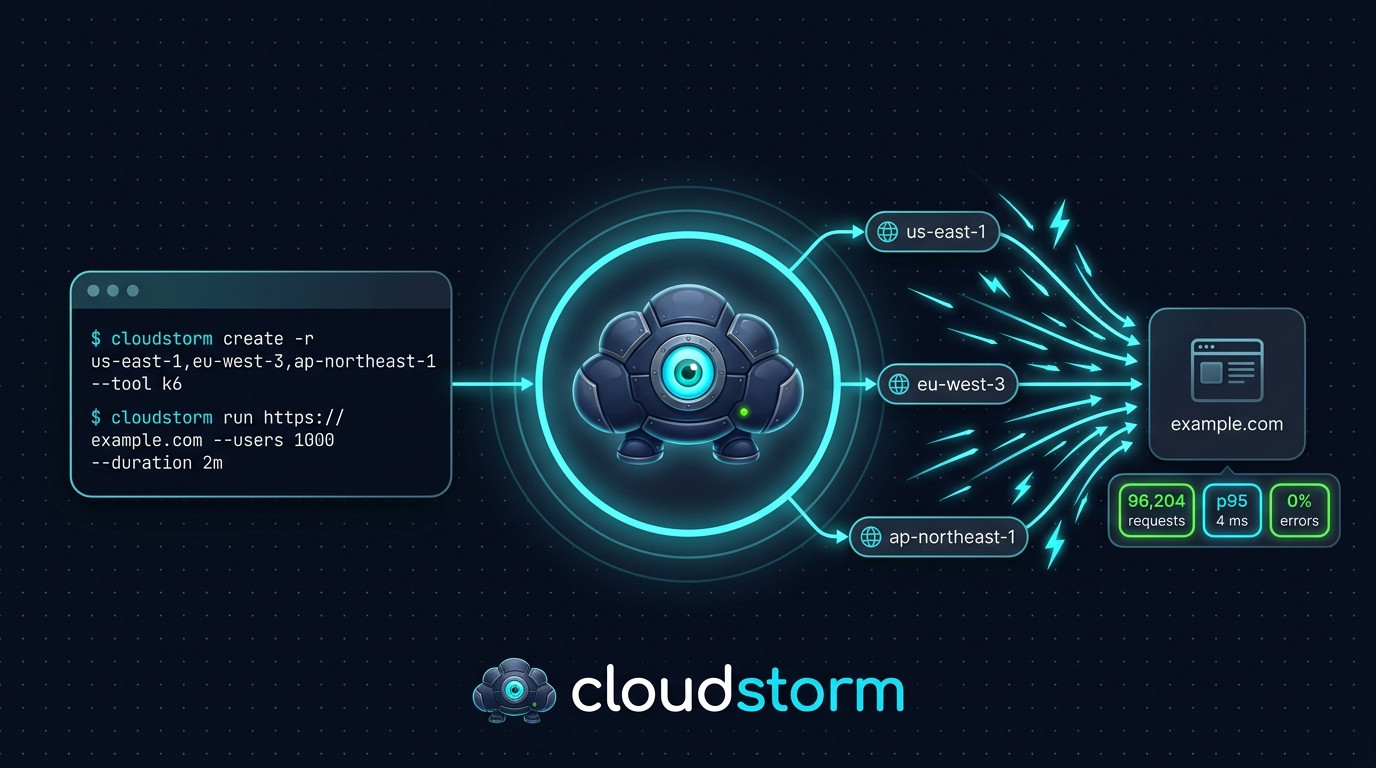
cloudstorm launches EC2 instances in the regions you choose, installs the load testing tool you pick (Locust, k6, JMeter or Artillery) on them through AWS Systems Manager (SSM), runs the test from every instance, merges the results into one report, and removes what it created.
Disclaimer
Only test systems you own or have written authorization to test. Load testing can overwhelm servers and networks, and testing systems without permission is illegal in most jurisdictions and violates cloud provider terms of service. The authors are not responsible for any misuse of this tool.
Install
Python 3.10 or newer:
pip install cloudstorm
Docker:
docker run --rm \
  -v ~/.aws:/home/cloudstorm/.aws:ro \
  -v ~/.cloudstorm:/home/cloudstorm/.cloudstorm \
  -v "$PWD":/work \
  tarekcheikh/cloudstorm auth -p my-profile
Create ~/.cloudstorm on the host first and use the same three mounts for every command. ~/.aws gives the container your credentials, ~/.cloudstorm keeps the state written by create, and /work is where result files are written and read.
Quick start
# Check AWS credentials
cloudstorm auth -p my-profile

# Create 2 instances in each of 3 regions with Locust
cloudstorm create -p my-profile -r us-east-1,eu-west-1,ap-northeast-1 -n 2 --tool locust

# Run the test
cloudstorm run https://example.com -p my-profile -u 1000 -s 50 -d 5m -o results.json

# Generate an HTML report
cloudstorm report results.json -f html -o report.html

# Remove everything cloudstorm created
cloudstorm cleanup --all -p my-profile -y
Commands
| Command | Description |
|---|---|
auth | Check AWS credentials and permissions |
create | Create the instances (-r regions, -n instances per region, -t instance type, --tool) |
add | Add instances to existing infrastructure |
run | Run a load test against a URL |
status | Show existing cloudstorm infrastructure |
cleanup | Terminate instances and delete the resources cloudstorm created (-r regions or --all) |
report | Generate a JSON, CSV or HTML report from a results file |
tools | List the available tools |
Use cloudstorm COMMAND --help for every option. The default instance type is t3.medium.
Options of run:
| Option | Description | Default |
|---|---|---|
-u, --users | Total number of users, shared across all instances | 100 |
-s, --spawn-rate | Users started per second | 10 |
-d, --duration | Test duration, for example 60s, 5m, 1h | 5m |
-e, --endpoints | Comma-separated endpoints | / |
--tool | Tool to use, taken from the last create if not set | |
--script | Custom test script | |
--threshold | Pass/fail threshold, repeatable | |
-o, --output | JSON results file | |
-y, --yes | Skip the confirmation |
Tools
| Tool | Language | Website |
|---|---|---|
| Locust | Python | https://locust.io |
| k6 | Go | https://k6.io |
| JMeter | Java | https://jmeter.apache.org |
| Artillery | Node.js | https://www.artillery.io |
Tested at 100,000 users
Each test used 100,000 users for 2 minutes, spread over 4 regions, against three real sites.
| Tool | Instances | Users per instance | Errors |
|---|---|---|---|
| k6 | 20 | 5,000 | 0% |
| Locust | 15 | about 6,700 | 0% to 0.0001% |
| JMeter | 20 | 5,000 | 0.2% to 1.9% |
| Artillery | 16 (c5.xlarge) | 6,250 | 0% to 0.0006% |
- JMeter at 5,000 users per instance is above its safe limit and some instances timed out. Use more instances or a larger instance type for it
- Artillery runs on one Node.js thread, so one instance sends at most about 300 requests per second whatever its size. New users arrive at no more than 400 per second per instance, and each user keeps one connection open. Above about 6,000 users per instance, extra users add no load and the test lasts much longer than requested. Add instances instead
- Total test times were longer than the requested 2 minutes: about 2.3 minutes for Artillery, about 3 minutes for k6 and Locust, and 3.5 to 10 minutes for JMeter
cloudstorm run warns when the users per instance exceed a memory-based limit for the tool and instance type.
Custom scripts
--script runs your own script instead of the default GET requests. One example per tool is in custom_scripts_examples/.
cloudstorm run https://example.com --tool k6 --script custom_scripts_examples/k6_api_with_checks.js -u 5000 -d 60s
The script receives the environment variables TARGET_URL, USERS, DURATION, SPAWN_RATE and ENDPOINTS. A script file can be at most 48,000 bytes, and cloudstorm run refuses larger files. The script is base64-encoded and sent inside an AWS SSM command, which AWS limits to 97 KB in total (parameters and document). Measured on AWS, the largest script accepted was about 65,700 bytes with JMeter, the tool with the biggest run script, so 48,000 bytes keeps a safety margin for every tool.
Thresholds
If a threshold is breached, cloudstorm run exits with code 1, which makes it usable in CI.
cloudstorm run https://example.com --tool k6 -u 10000 -d 60s \
  --threshold "p95 < 500" \
  --threshold "error_rate < 1" \
  -y
| Metric | Description | Unit |
|---|---|---|
p90, p95, p99 | Response time percentiles | ms |
avg, median, min, max | Response time | ms |
error_rate | Failed requests | % |
rps | Requests per second | req/s |
total_requests | Total requests | count |
Operators: <, >, <=, >=. Use -q / --quiet before the command to reduce the output.
Cost
cloudstorm uses on-demand EC2 instances and shows an estimated hourly cost before creating them. Prices used for the estimate (USD per hour):
| Instance type | Price |
|---|---|
| t3.micro | 0.0104 |
| t3.small | 0.0208 |
| t3.medium | 0.0416 |
| t3.large | 0.0832 |
| t3.xlarge | 0.1664 |
| t3.2xlarge | 0.3328 |
| m5.large | 0.096 |
| m5.xlarge | 0.192 |
| m5.2xlarge | 0.384 |
| c5.large | 0.085 |
| c5.xlarge | 0.17 |
| c5.2xlarge | 0.34 |
T3 instances in unlimited mode are billed extra for sustained CPU above the baseline. Always run cleanup after a test.
IAM permissions
{
  "Version": "2012-10-17",
  "Statement": [
    {
      "Effect": "Allow",
      "Action": [
        "ec2:RunInstances",
        "ec2:TerminateInstances",
        "ec2:DescribeInstances",
        "ec2:DescribeVpcs",
        "ec2:DescribeSubnets",
        "ec2:DescribeSecurityGroups",
        "ec2:CreateSecurityGroup",
        "ec2:DeleteSecurityGroup",
        "ec2:AuthorizeSecurityGroupEgress",
        "ec2:CreateTags",
        "ec2:DescribeImages",
        "ec2:CreateVpc",
        "ec2:ModifyVpcAttribute",
        "ec2:DeleteVpc",
        "ec2:CreateSubnet",
        "ec2:ModifySubnetAttribute",
        "ec2:DeleteSubnet",
        "ec2:CreateInternetGateway",
        "ec2:AttachInternetGateway",
        "ec2:DetachInternetGateway",
        "ec2:DeleteInternetGateway",
        "ec2:CreateRouteTable",
        "ec2:CreateRoute",
        "ec2:AssociateRouteTable",
        "ec2:DisassociateRouteTable",
        "ec2:DeleteRouteTable",
        "ec2:DescribeRouteTables",
        "ec2:DescribeInternetGateways",
        "ec2:DescribeRegions",
        "ssm:SendCommand",
        "ssm:ListCommands",
        "ssm:CancelCommand",
        "ssm:GetCommandInvocation",
        "ssm:DescribeInstanceInformation",
        "iam:CreateRole",
        "iam:AttachRolePolicy",
        "iam:CreateInstanceProfile",
        "iam:AddRoleToInstanceProfile",
        "iam:PassRole",
        "iam:GetRole",
        "iam:GetInstanceProfile",
        "iam:RemoveRoleFromInstanceProfile",
        "iam:DeleteInstanceProfile",
        "iam:DetachRolePolicy",
        "iam:DeleteRole",
        "sts:GetCallerIdentity"
      ],
      "Resource": "*"
    }
  ]
}
How it works
createuses the default VPC of each region, or creates a minimal VPC if there is none. It creates a security group and an IAM role with an instance profile for SSM, then launches the instances- The chosen tool is installed on every instance with SSM Run Command
runstarts the test on every instance with SSM and collects the output of each one- The results of all instances and regions are merged into one report
cleanup -r REGIONSterminates the instances and deletes the security groups and the VPCs that cloudstorm created in those regions.cleanup --alldoes this in every region where it finds cloudstorm resources, then deletes the IAM role and instance profile
Adding a tool
A tool is a folder in cloudstorm/tools/ with __init__.py (TOOL_INFO, install(), run_test(), parse_output()), install.sh and run.sh. Then:
- Import it and add it to
_TOOL_MODULESincloudstorm/tools/__init__.py - Add its name to
SUPPORTED_TOOLSandTOOL_USERS_PER_GIBincloudstorm/constants.py
Real-World Example: Taking Down a WordPress Site
cloudstorm was tested by its author against a WordPress site deployed for this purpose on a domain they own, running on a t3.small (2 GiB RAM) EC2 instance with nginx + PHP-FPM + MariaDB.
Test setup:
- 10 JMeter instances (t3.large) across us-east-1 and eu-west-3
- 50,000 concurrent users for 60 seconds
- Target: WordPress on nginx with HTTPS (Let's Encrypt)
Results:
- 609,199 total requests sent
- 99.89% failure rate, only 676 requests succeeded
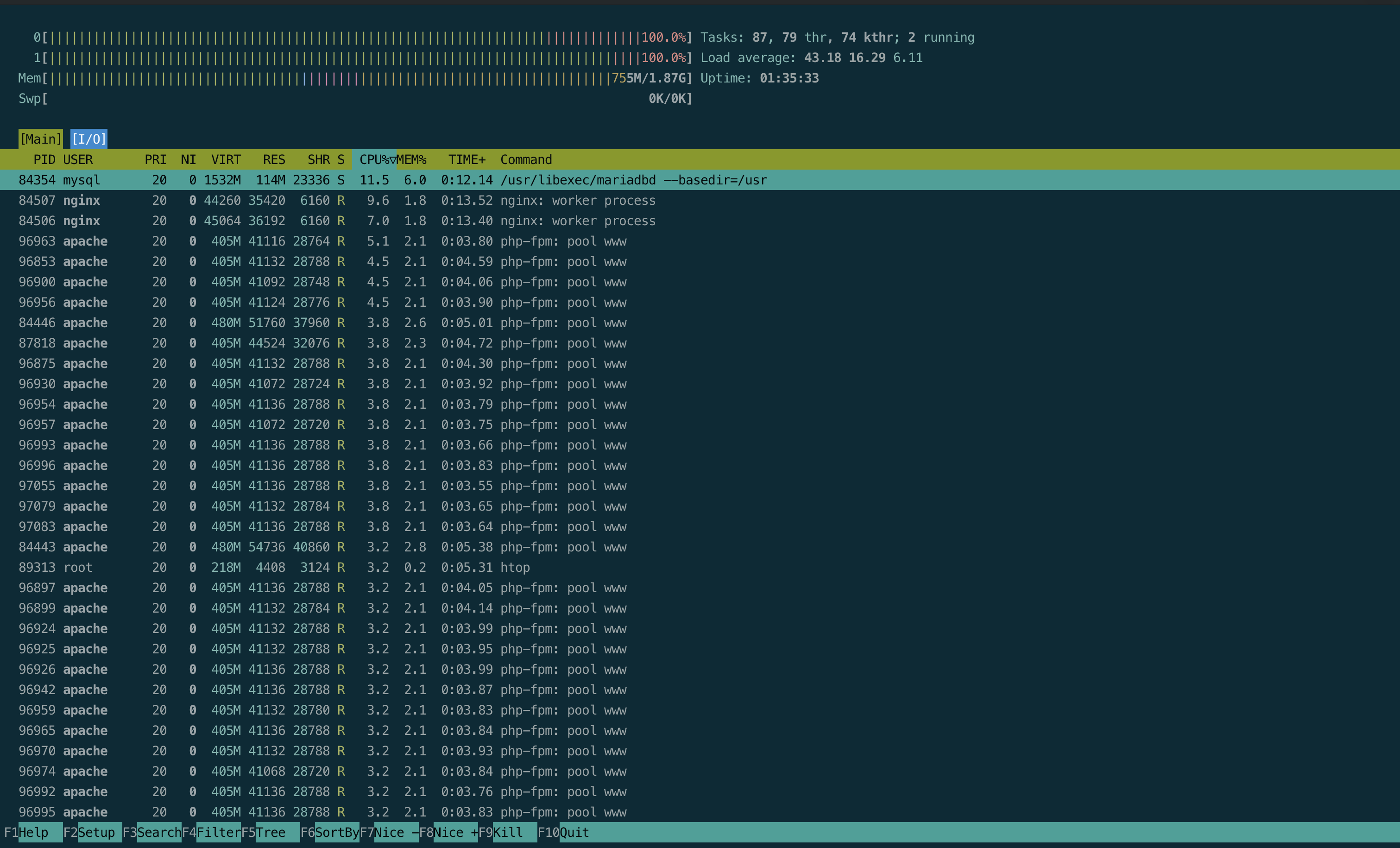
- Server load average spiked to 49.17 (on a 2-vCPU machine)
- CPU pegged at 96.9%, PHP-FPM workers all blocked
The same server running a static HTML page survived the same attack with only 55% error rate. WordPress collapsed because every request hits PHP + MySQL.
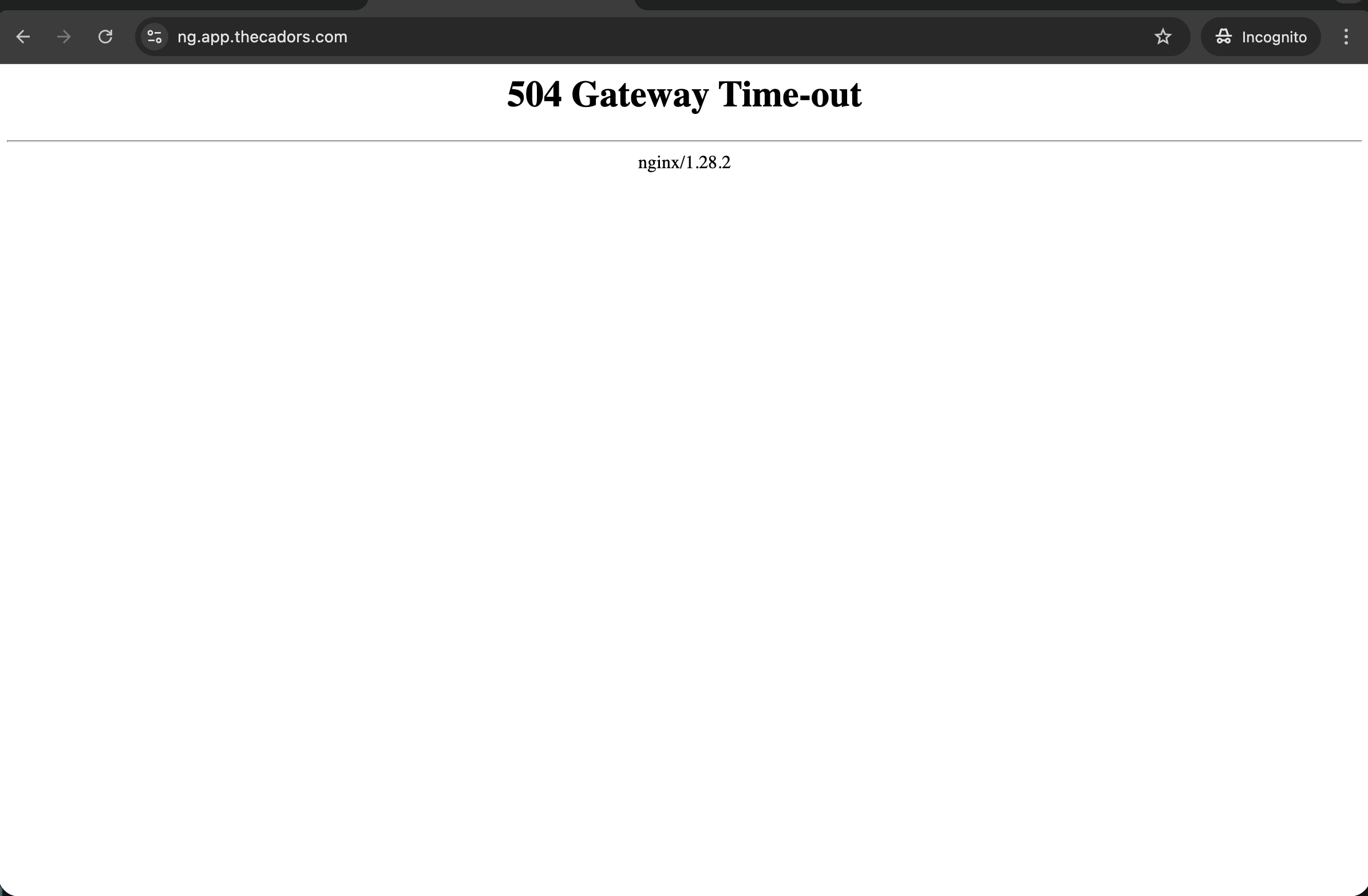
504 Gateway Time-out, WordPress is down:
Server htop during the attack, both CPUs at 100%, load average 43:
This is what cloudstorm is built for: finding the breaking point of real applications before your users do.
License
MIT
Tag summary
Content type
Image
Digest
sha256:8da8363f7…
Size
66.1 MB
Last updated
about 6 hours ago
docker pull tarekcheikh/cloudstorm