tborychowski/zakupnik
Brilliant home-spendings-logger/manager
Image
0
1.3K
tborychowski/zakupnik repository overview
ZAKUPNIK 3
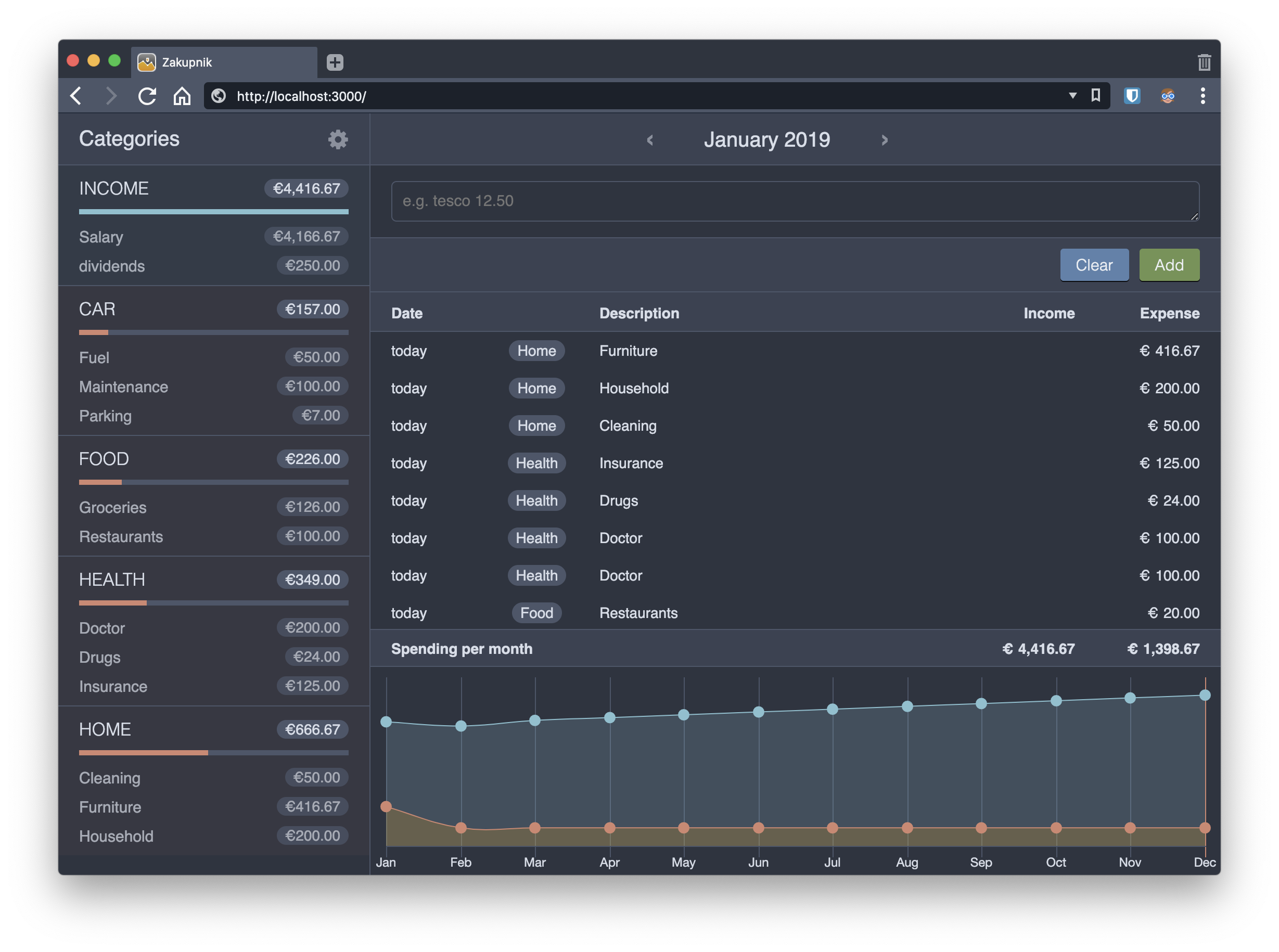
Another version of a brilliant home-spendings-logger/manager. Mobile friendly and simpler than ever.
Screenshots
Get started
Docker
Requires docker to be installed and running.
Create docker-compose.yml file in a directory somewhere with the contents (or copy this file from the this repo):
---
version: '3.7'
services:
  zakupnik:
    container_name: zakupnik
    image: tborychowski/zakupnik
    restart: always
    ports:
      - "3000:${PORT}"
    env_file:
      - .env
    volumes:
      - type: bind
        source: ./database.db
        target: /zakupnik/database.db
Then run:
docker-compose up -d
Your app should be available on localhost:3000. The database.db file should be created in the same directory, so you can back it up periodically.
Local instance
Requires: node and npm to be installed locally.
Run the following commands:
git clone https://github.com/tborychowski/zakupnik3.git zakupnik
cd zakupnik
npm ci
npm run startprod
Configuration
Create .env file:
- when running with docker - in the same directory as your
docker-compose.yml - when running locally - in the root dir of the repo
You can copy the attached .env-example file and just modify the values:
SESSION_SECRET=abcdef
AUTH=true
LOGIN=admin
PASSWORD=admin
PORT=3000
NODE_ENV=prod
SESSION_SECRET- is used to encrypt the auth session and api requestsAUTH- allows you to disable the authentication, and run the app without the need to login. This is not recommended when the app is deployed to a public location!LOGINandPASSWORD- are your user credentials (whenAUTHistrue)PORT- is the port on which the app will run inside the container.NODE_ENV- is the environment type.prodorproductionshould be set for production environments, otherwise:devordevelopment.
Building docker image
Run
docker build -t tborychowski/zakupnik .
Tag summary
Content type
Image
Digest
Size
54.7 MB
Last updated
over 6 years ago
docker pull tborychowski/zakupnik