techblog/adventurebot repository overview
Adventurebot
A private Telegram bot that connects to your AdventureLog instance. Browse trips, view location details, manage checklists, and discover nearby places — all from Telegram.
Features
- My Trips — list all collections, drill into any trip for locations, transportation, calendar, and checklists
- Itinerary — step through each stop in a trip with dates and details
- Calendar — view a trip's events (locations + flights/transport) sorted by date
- Location detail — name, rating, description, coordinates, and one-tap links to Apple Maps / Google Maps / navigation
- Checklists — browse, tick off, and add items to any checklist in a trip
- Recommendations nearby — get up to 10 Google Places results near any location; filter by Food, Lodging, or Tourism; choose radius (5–50 km)
- Search — full-text search across all locations and collections
- Where was I on… — look up which location you were visiting on any given date
- Schedulers — evening digest and checklist reminder; configure time and timezone per chat
- Private by default — restrict access to a comma-separated allowlist of Telegram chat IDs
Requirements
- Python 3.12+
- A running AdventureLog instance (v0.11 or newer) — see the official installation guide
- A Telegram bot token from @BotFather
Setup
1. Clone the repo
git clone https://github.com/t0mer/Adventurebot.git
cd Adventurebot
2. Install dependencies
pip install -r requirements.txt
3. Configure environment
Copy the example file and fill in your values:
cp env.example .env
| Variable | Required | Description |
|---|---|---|
TELEGRAM_TOKEN | ✓ | Bot token from @BotFather |
AL_URL | ✓ | Full URL of your AdventureLog instance, e.g. https://adventure.example.com |
AL_USERNAME | ✓ | AdventureLog username |
AL_PASSWORD | ✓ | AdventureLog password |
ALLOWED_IDS | Comma-separated Telegram chat IDs that may use the bot. Leave empty to allow everyone. Find your chat ID by messaging @userinfobot. |
Example .env:
TELEGRAM_TOKEN=123456:ABCdefGHIjklMNOpqrSTUvwxYZ
AL_URL=https://adventure.example.com
AL_USERNAME=admin
AL_PASSWORD=secret
ALLOWED_IDS=367468362,112233445
4. Run the bot
python3 -m bot.main
To keep it running in the background with tmux:
tmux new-session -d -s adventurebot 'python3 -m bot.main'
To attach and check logs:
tmux attach -t adventurebot
Running with Docker
docker-compose (recommended)
- Pull the image and start the container:
docker compose up -d
The compose file reads credentials from your .env file automatically. Make sure it exists and is filled in (see Configure environment).
Scheduler data is persisted in a local data/ directory mounted into the container.
docker run
docker run -d \
  --name adventurebot \
  --restart unless-stopped \
  -e TELEGRAM_TOKEN=your_token \
  -e AL_URL=https://adventure.example.com \
  -e AL_USERNAME=admin \
  -e AL_PASSWORD=secret \
  -e ALLOWED_IDS=123456789 \
  -v $(pwd)/data:/app/data \
  techblog/adventurebot:latest
Viewing logs
docker compose logs -f
Screenshots
Main Menu
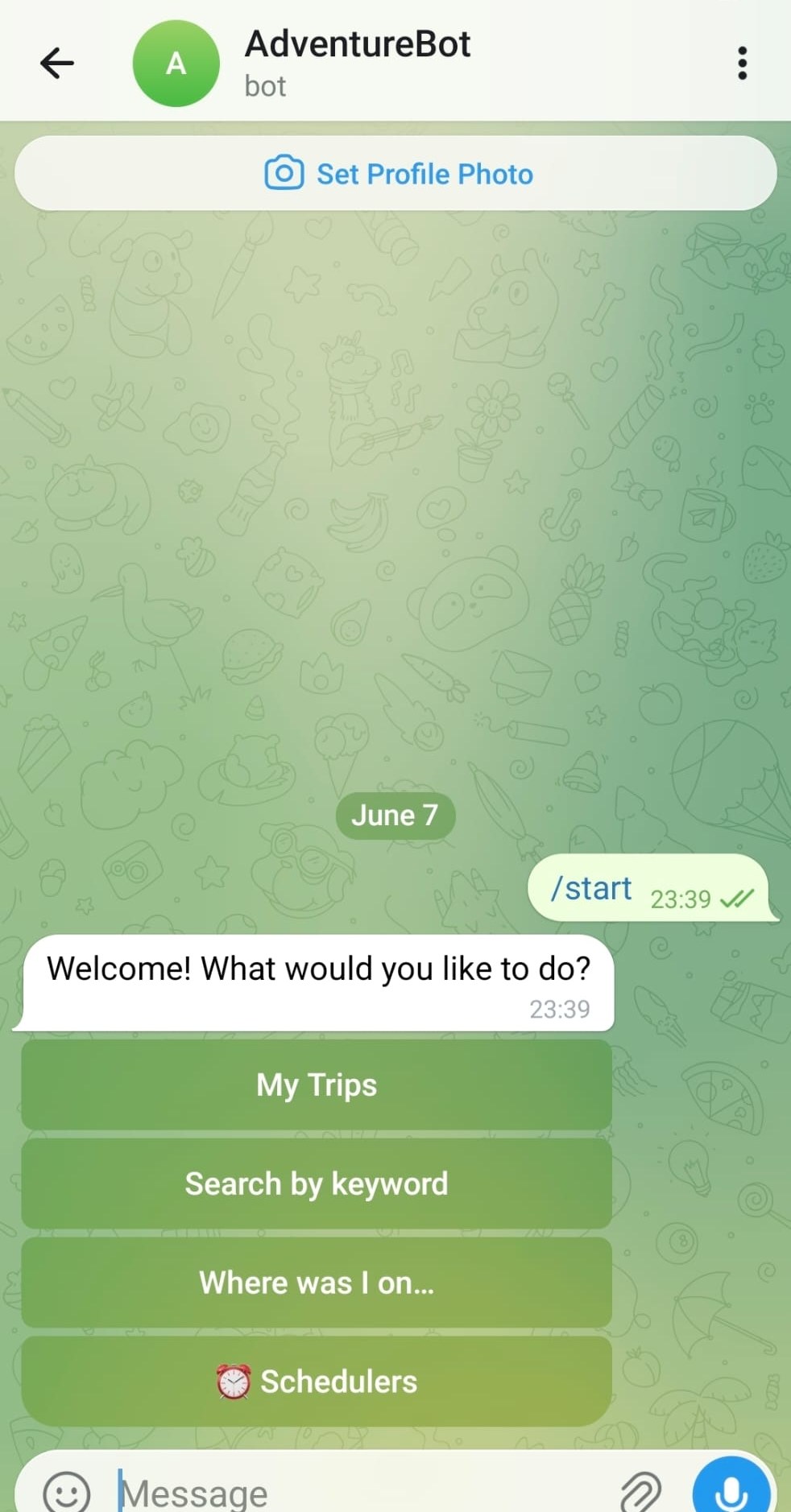
Send /start to open the main menu. Four options: My Trips, Search by keyword, Where was I on…, and Schedulers.
Trips
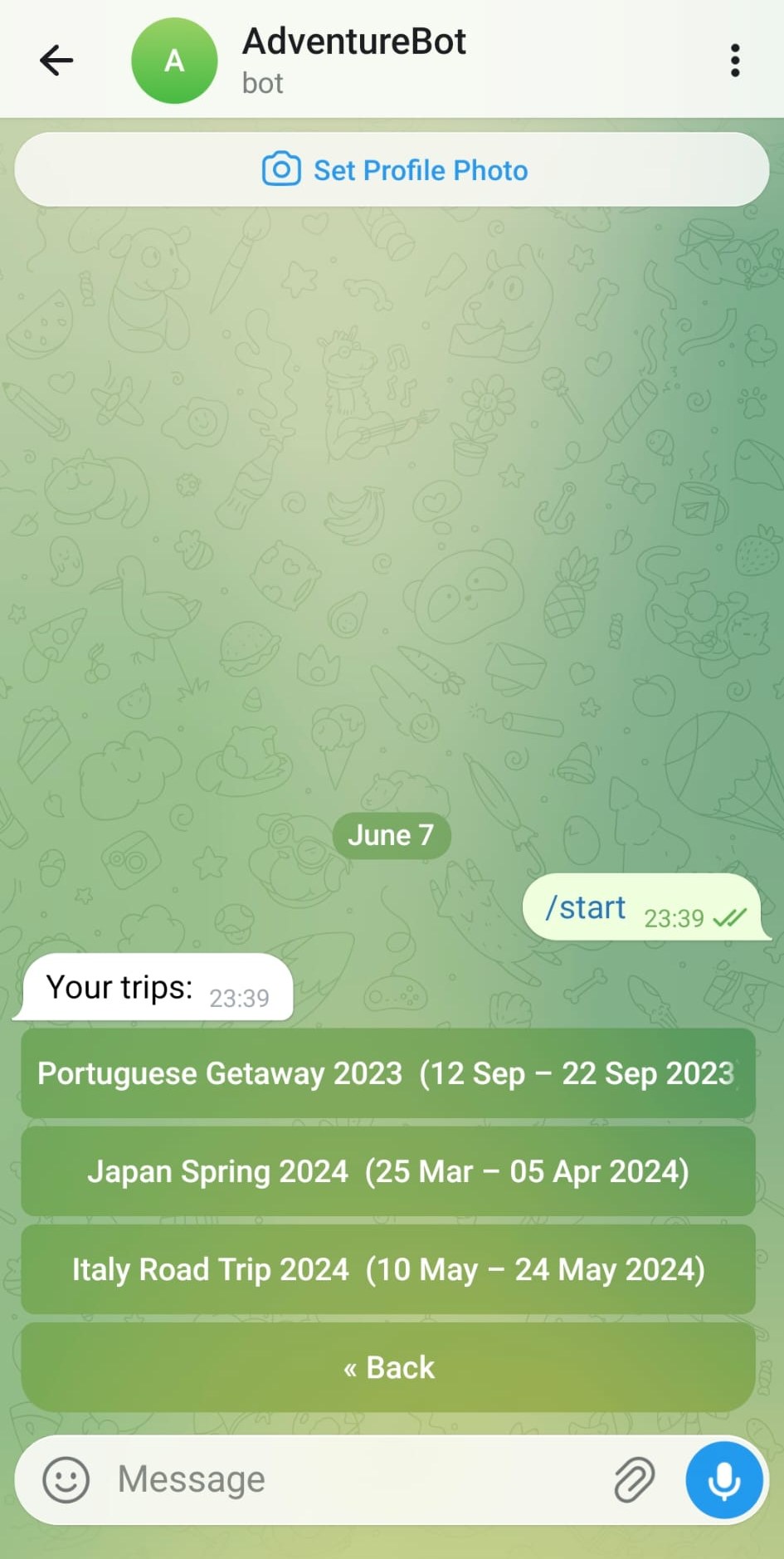 | 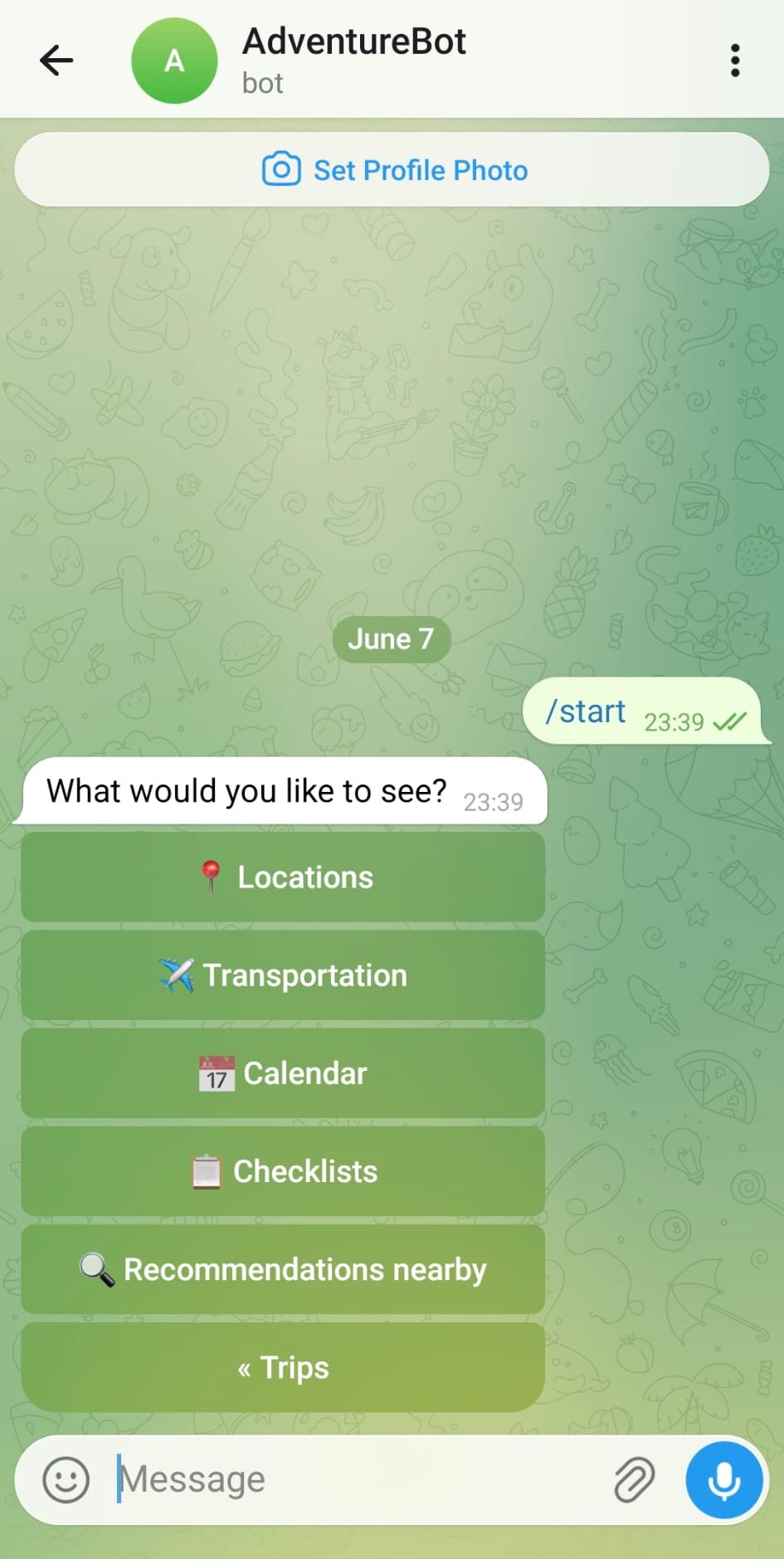 |
| All collections from AdventureLog, each showing its date range. | Tap a trip to choose what to browse: Locations, Transportation, Calendar, Checklists, or Recommendations nearby. |
Itinerary & Calendar
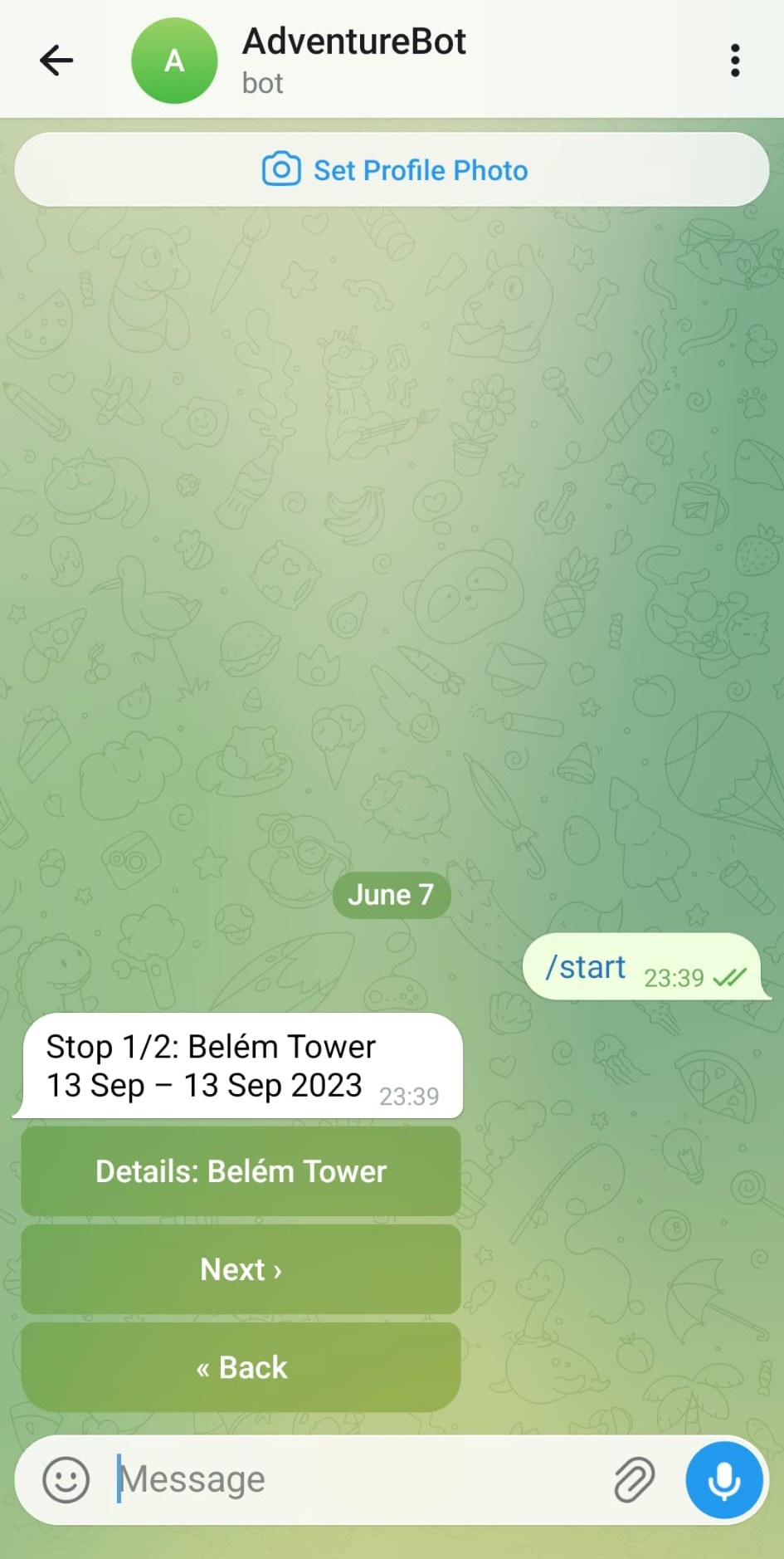 | 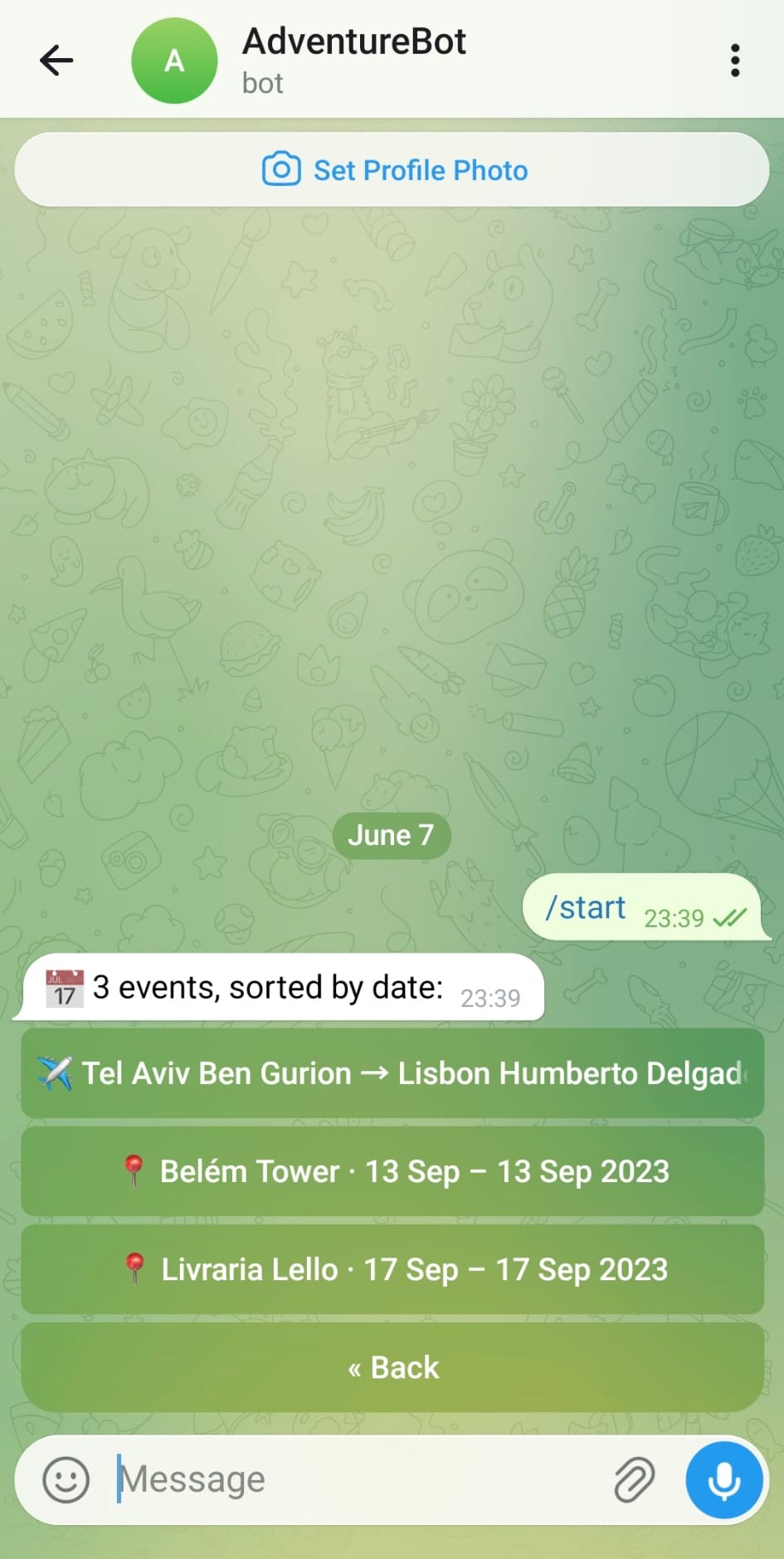 |
| Step through each stop in a trip. Tap Details to see the full location card, or Next to advance. | Calendar view lists all events in the trip (locations and transport) sorted by date. |
Location Detail
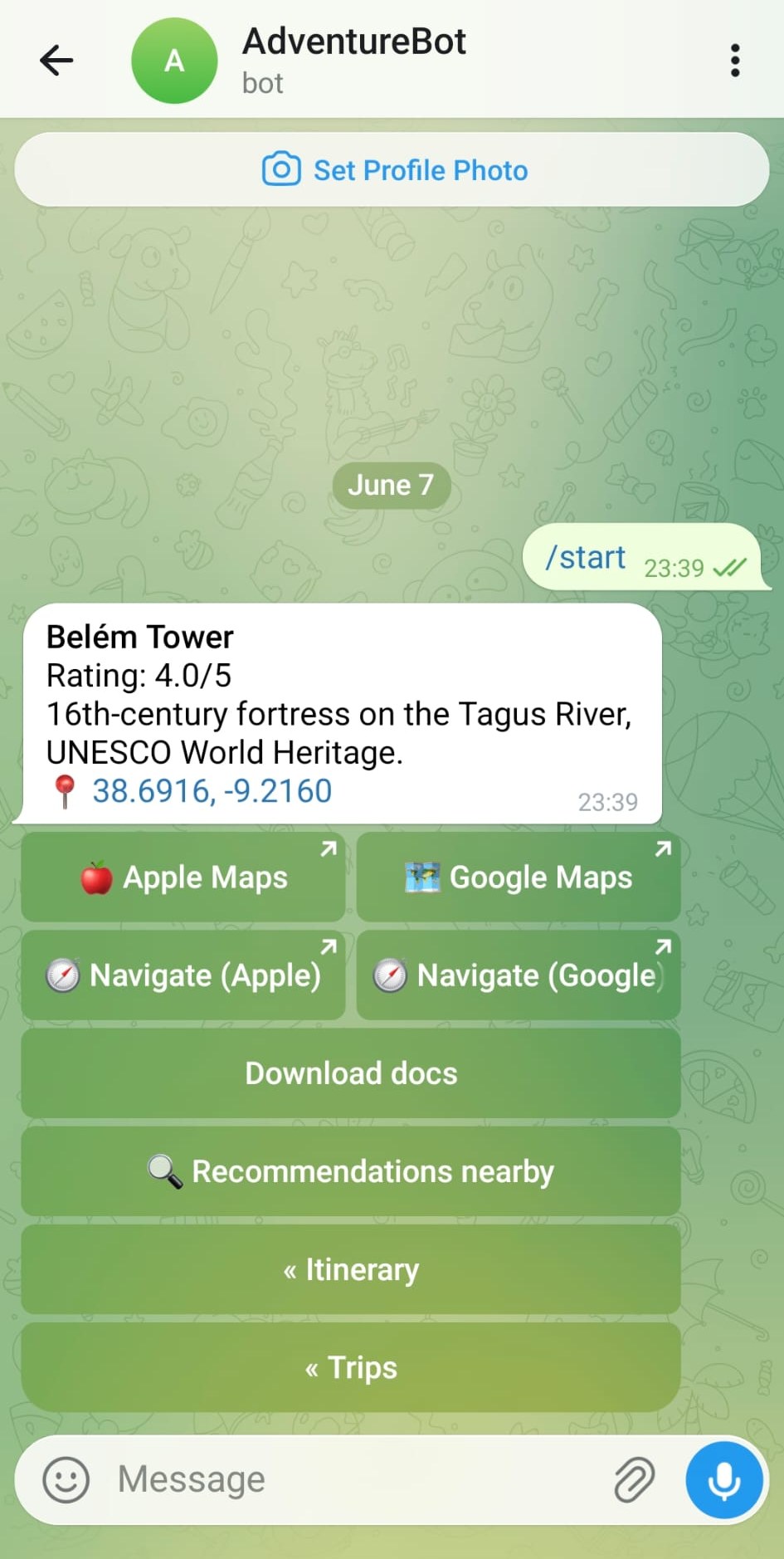
Each location shows its name, rating, description, and GPS coordinates. Buttons open Apple Maps, Google Maps, or start turn-by-turn navigation. Tap Recommendations nearby to find places around this location.
Recommendations
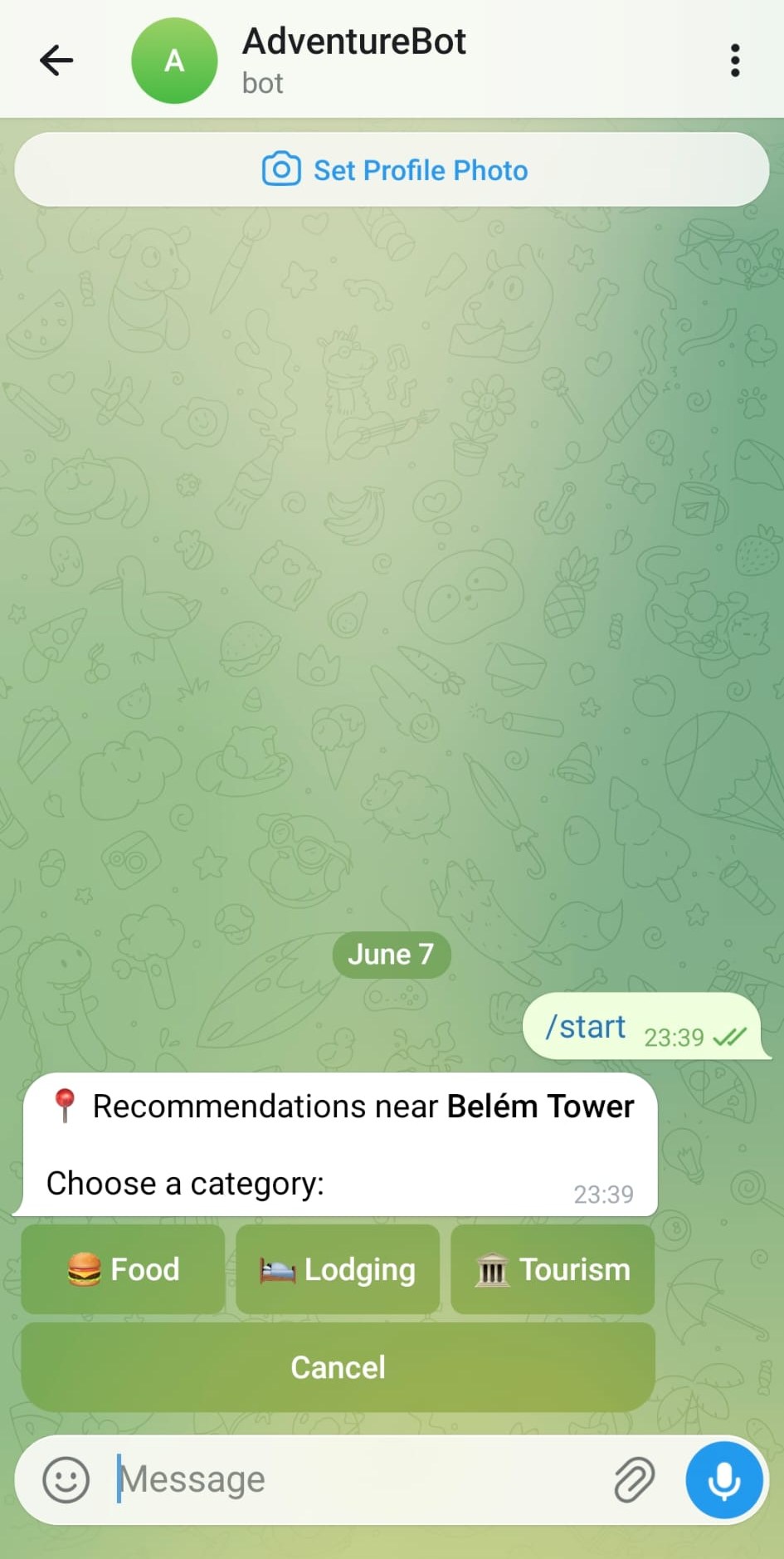 | 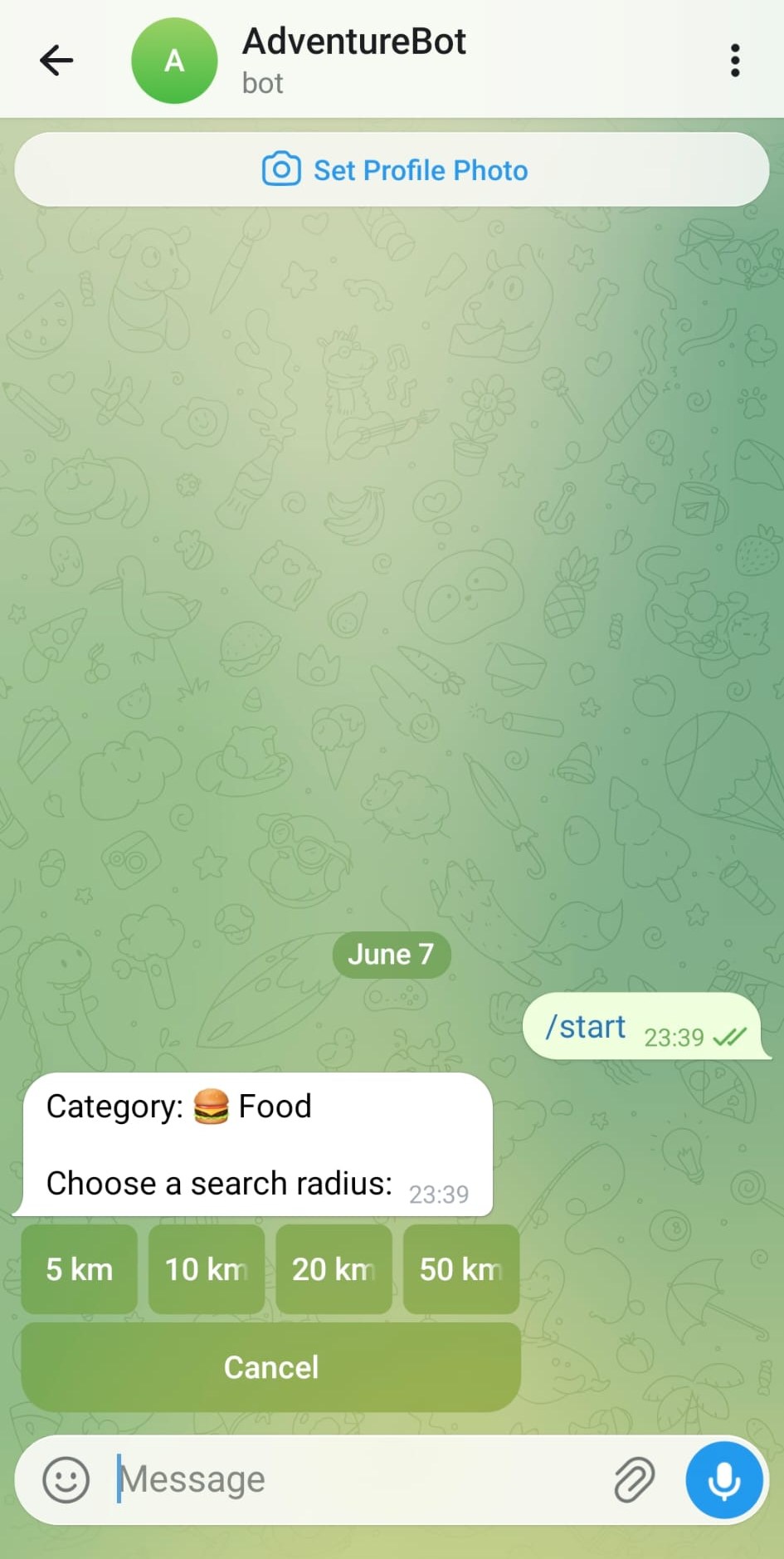 | 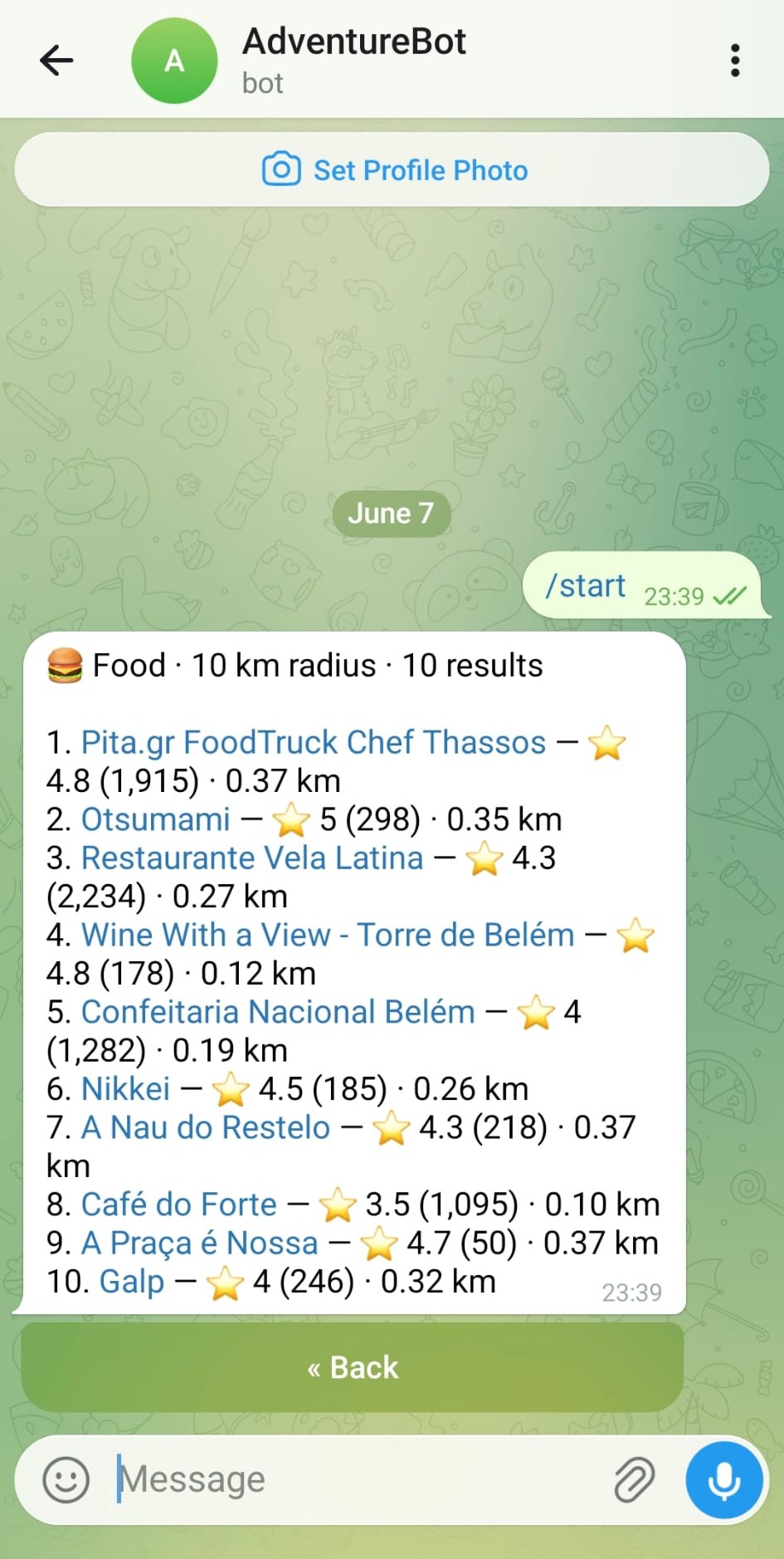 |
| Choose a category: Food, Lodging, or Tourism. | Choose a search radius: 5, 10, 20, or 50 km. | Up to 10 Google Places results with ratings, review count, and distance. Names link directly to Google. |
Checklists
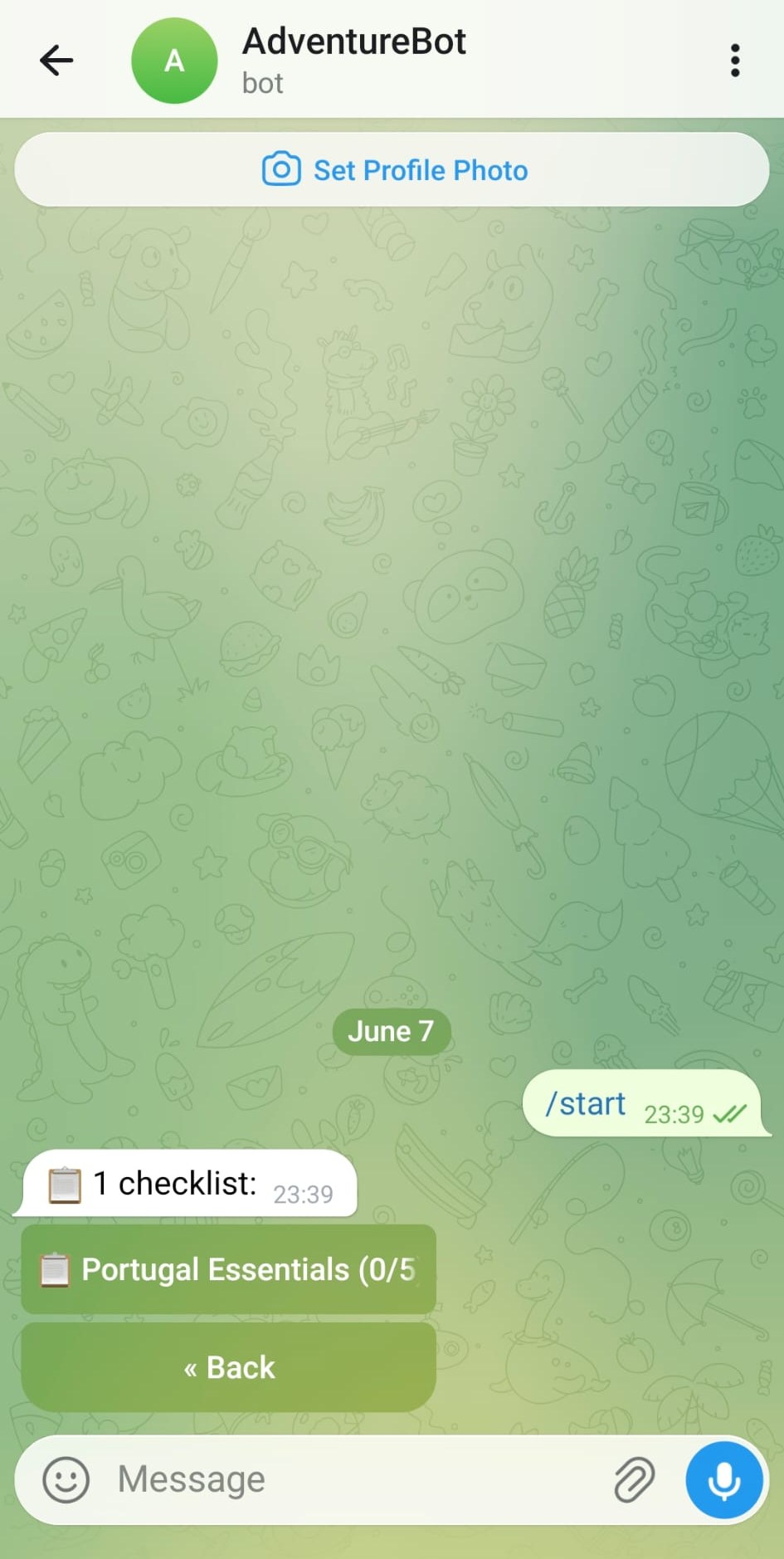 | 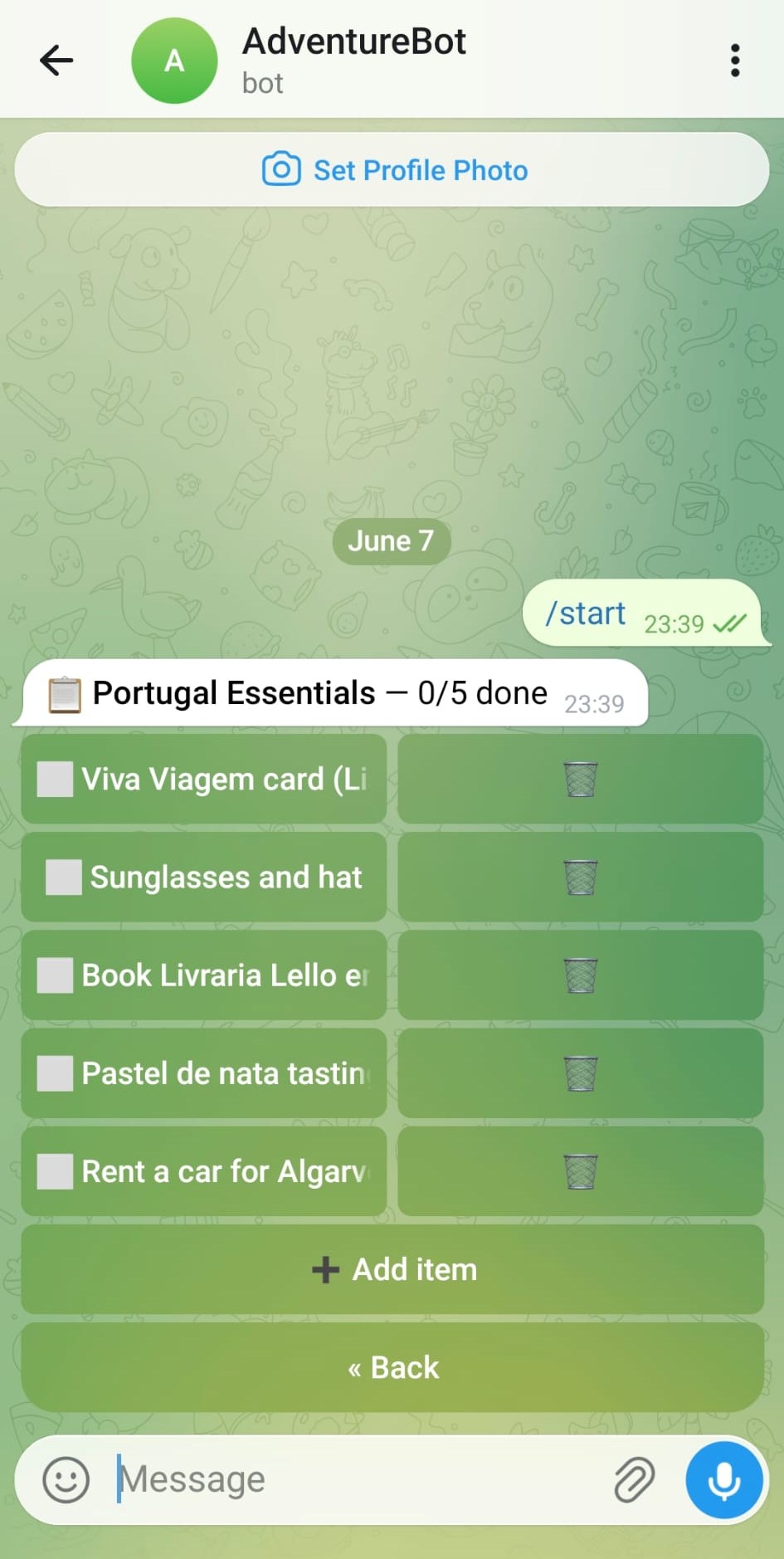 |
| All checklists for a trip, with item counts. | Tap any item to toggle it done/undone. Tap the trash icon to remove it. Use + Add item to append a new one. |
Schedulers
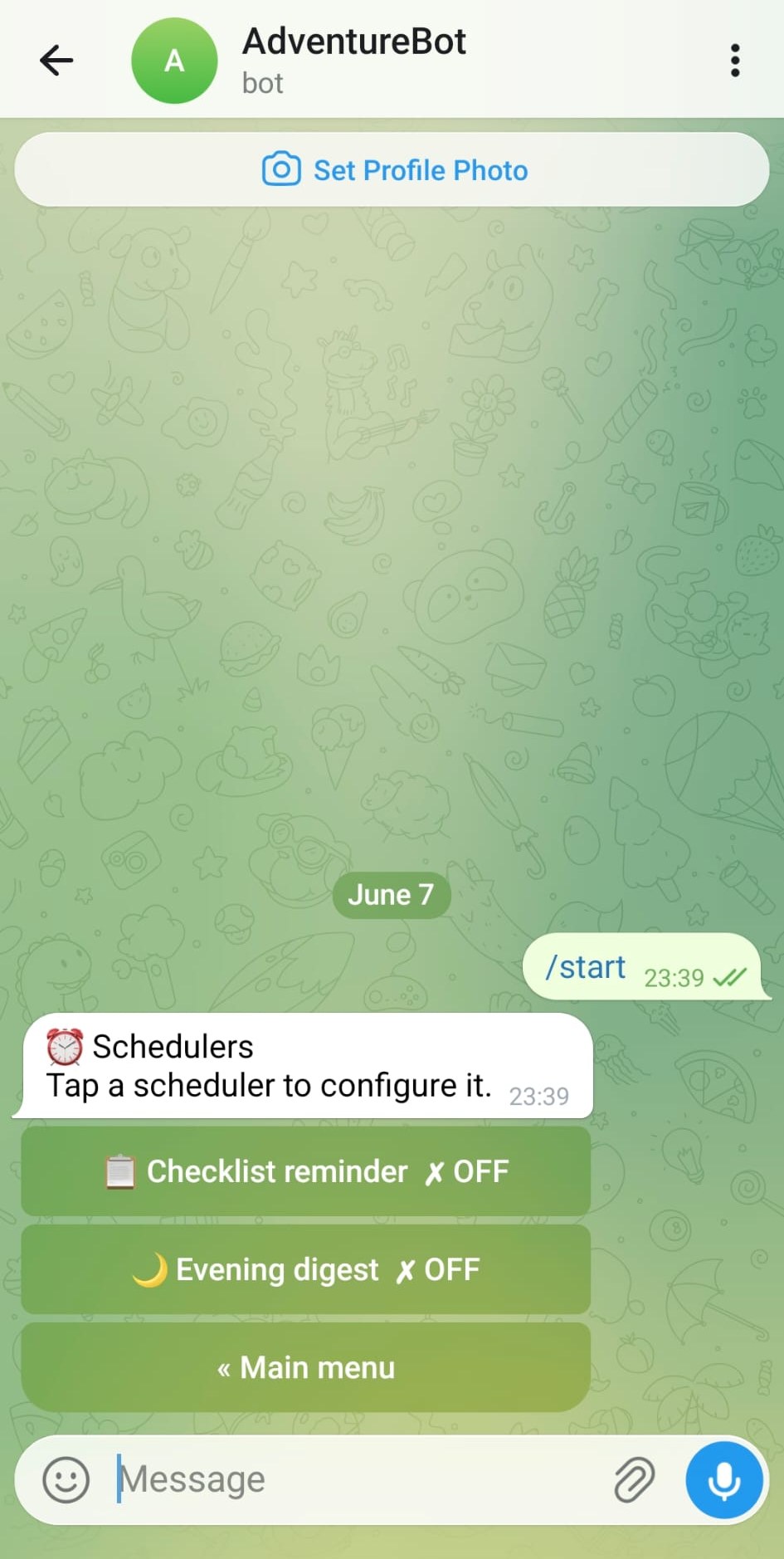 | 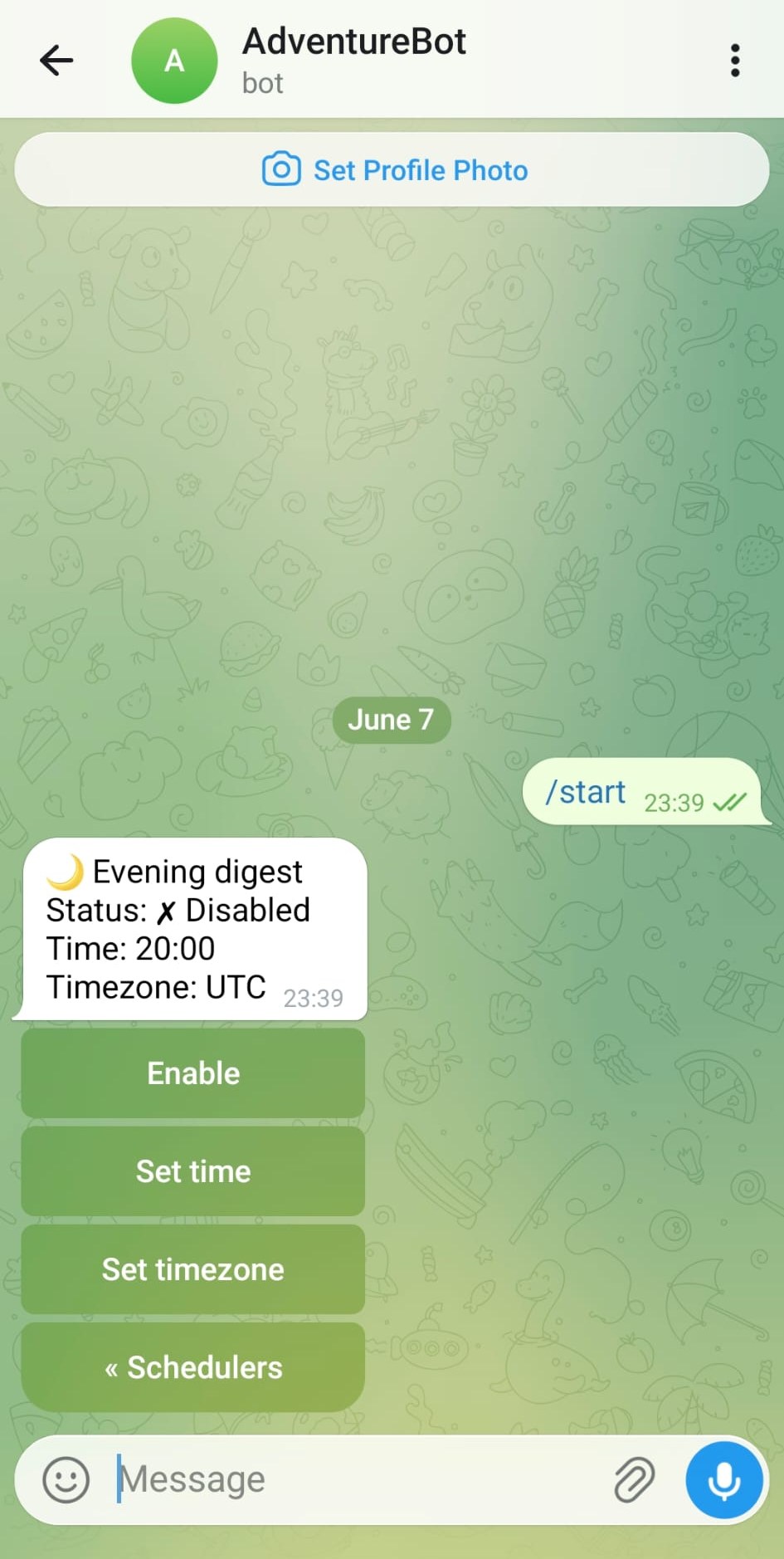 |
| Two built-in schedulers: Checklist reminder and Evening digest. Each shows its current on/off state. | Configure the evening digest: enable/disable, set the firing time, and set your timezone. |
Project Structure
bot/
  main.py                      # Entry point; wires all handlers
  client.py                    # AdventureLog API client (httpx, session auth)
  handlers.py                  # Core handlers: trips, locations, checklists, search
  recommendations_handlers.py  # Recommendations flow (ConversationHandler)
  scheduler_handlers.py        # Scheduler configuration handlers
  scheduler_jobs.py            # APScheduler job functions
  scheduler_store.py           # Persist scheduler settings to data/schedulers.json
  keyboards.py                 # Inline keyboard builders
tests/                         # pytest test suite
AdventureLog Compatibility
Requires AdventureLog v0.11 or newer — this version renamed "Adventures" to "Locations". Older instances use different API paths and are not supported.
Troubleshooting
The bot authenticates to AdventureLog with your username and password (a session login). Most "it's not working" reports come down to that sign-in failing. When it does, you'll now see a clear line in the logs and a message in the chat instead of a silent empty result:
ERROR bot.client: AdventureLog login failed for user 'admin' (HTTP 400): ... — check AL_USERNAME/AL_PASSWORD.
A healthy start logs the opposite:
INFO bot.client: AdventureLog login succeeded for user 'admin'
"No trips found" / everything is empty
This is almost always a sign-in failure, not missing data. Check the logs for the login failed line above, then work through the causes below.
Password with special characters gets mangled in .env
If your password contains #, !, or $, an unquoted value in .env will be truncated or altered — # in particular is treated as the start of a comment, so AL_PASSWORD=My#Secret!Pass silently becomes My. Always quote it:
AL_PASSWORD='My#Secret!Pass'
Then confirm the container actually received the full value (the definitive check):
docker compose exec adventurebot printenv AL_PASSWORD
# must print the complete password, not a truncated prefix
If printenv still shows a truncated value even when quoted, either move the variables into an env_file: (which parses quotes reliably) or change the AdventureLog password to one without #/!/$.
Login rejected as invalid even though the password is correct
AdventureLog rate-limits repeated failed logins. After several bad attempts it will reject sign-in with an "invalid credentials" response for a cool-down window — even for the correct password. If you've been testing with a wrong password, wait a few minutes and try again, and avoid rapid retries.
The account has no trips
The bot only sees data owned by the account it signs in as. AL_USERNAME must be the AdventureLog user that actually owns your collections/locations — a different or empty account will connect fine but show nothing. Verify by logging into the AdventureLog web UI with the same credentials and confirming your trips are there.
Why not an API key?
AdventureLog API keys are not used: on current instances /api/collections returns a 500 Internal Server Error under API-key authentication, so trips can't be listed. The bot therefore uses username/password session auth, which reads collections and locations correctly.
Tag summary
Content type
Image
Digest
sha256:e93c1ee75…
Size
43.9 MB
Last updated
3 months ago
docker pull techblog/adventurebot