thebinaryninja/tvapp2
Automatic M3U / XML guide updater for TheTvApp, TVPass, and MoveOnJoy for IPTV clients.
10K+
thebinaryninja/tvapp2 repository overview
A self-hosted docker container which allows you to retrieve M3U playlists and EPG guide data from numerous online IPTV services.
♾️ TVApp2 ♾️


About
TVApp2 is a docker image which allows you to download M3U playlist and EPG guide data which can be plugged into your IPTV applications such as Jellyfin, Plex, and Emby. It is a revision of the original app by dtankdempse which is no longer available. This app fetches data for:
- TheTvApp
- TVPass
- MoveOnJoy
- More coming soon
This project contains several repositories which all share the same code; use them as backups:
Using tvapp Image
To use the new TVApp2 image, you can either call it with the docker run command, or create a new docker-compose.yml and specify the image:
docker run
If you want to use the tvapp docker image in the docker run command, execute the following:
docker run -d --restart=unless-stopped -p 4124:4124 --name tvapp2 -v ${PWD}/tvapp:/config ghcr.io/thebinaryninja/tvapp2:latest
docker-compose.yml
If you'd much rather use a docker-compose.yml file and call the tvapp image that way, create a new folder somewhere:
mkdir -p /home/docker/tvapp2
Then create a new docker-compose.yml file and add the following:
sudo nano /home/docker/tvapp2/docker-compose.yml
Add the following to your docker-compose.yml:
services:
    tvapp:
        container_name: tvapp2
        image: ghcr.io/thebinaryninja/tvapp2:latest    # Github image
      # image: TheBinaryNinja/tvapp:latest             # Dockerhub image
        restart: unless-stopped
        volumes:
            - ./tvapp:/config
        environment:
            - PUID=1000
            - PGID=1000
            - TZ=Etc/UTC
Once the docker-compose.yml is set up, you can now start your TVApp2 container:
cd /home/docker/tvapp2/
docker compose up -d
TVApp2 should now be running as a container. You can access it by opening your browser and going to:
http://container-ip:4124
🏆 Dedication
This repository and this project serves in memory of the developer dtankdempse. His work lives on in this project, and while a lot of it has changed, it all started because of him.

✨ Contributors
We are always looking for contributors. If you feel that you can provide something useful to Gistr, then we'd love to review your suggestion. Before submitting your contribution, please review the following resources:
Want to help but can't write code?
- Review active questions by our community and answer the ones you know.
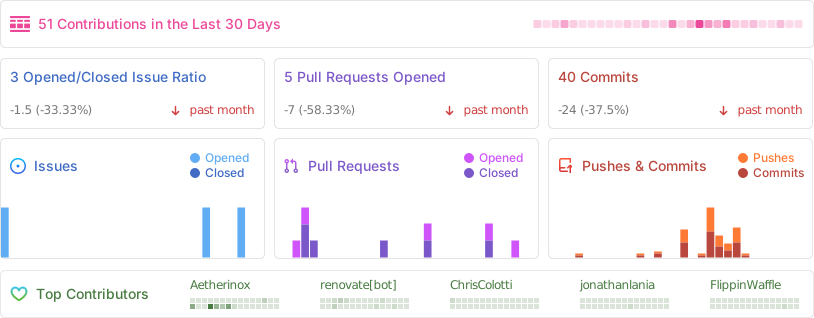
The following people have helped get this project going:


Tag summary
Content type
Image
Digest
sha256:e2bb0ec6d…
Size
46.4 MB
Last updated
8 months ago
docker pull thebinaryninja/tvapp2