thehiveproject/thehive
TheHive: a Scalable, Open Source and Free Security Incident Response Platform
1M+
thehiveproject/thehive repository overview


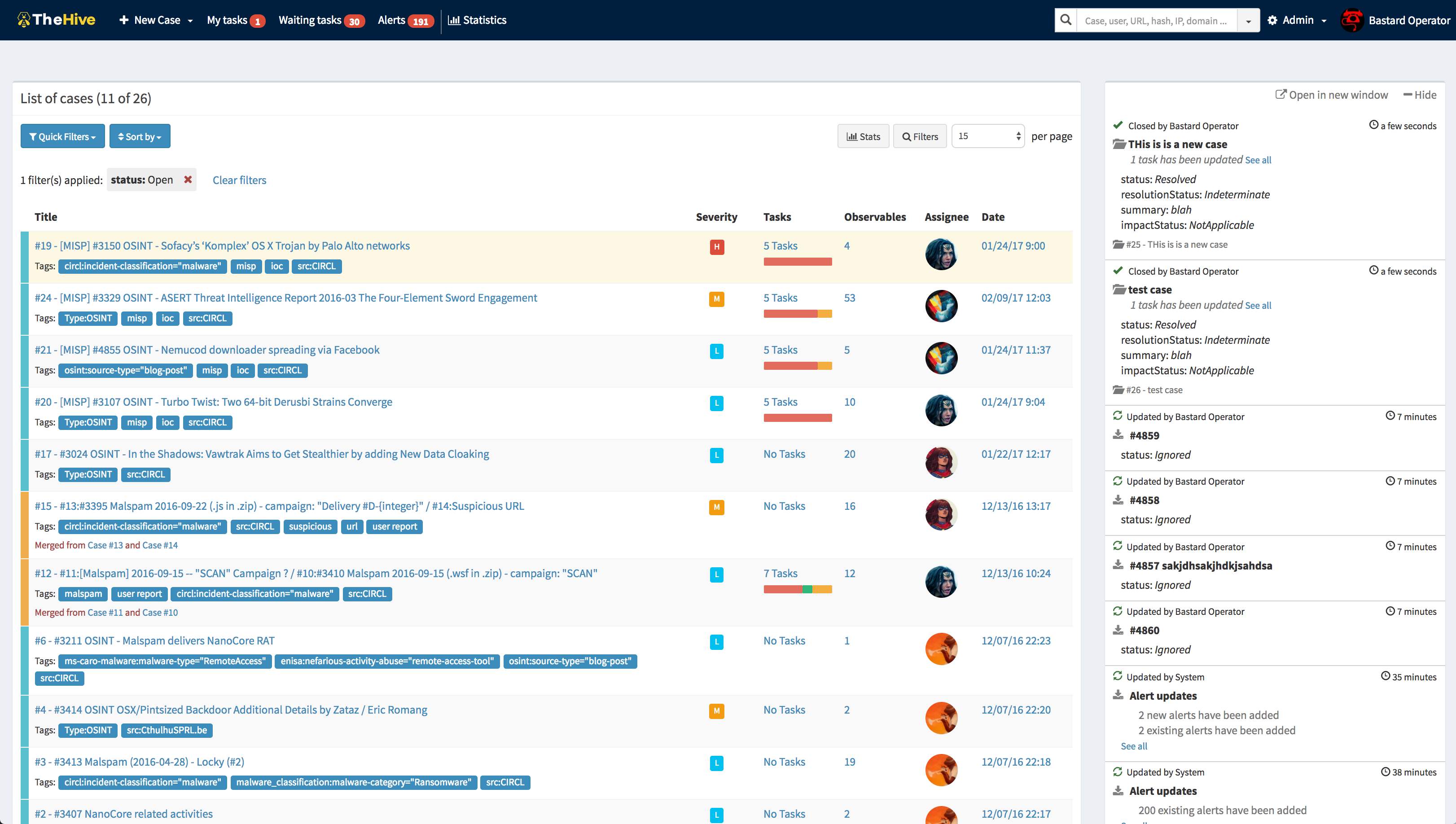
TheHive is a scalable 3-in-1 open source and free Security Incident Response Platform designed to make life easier for SOCs, CSIRTs, CERTs and any information security practitioner dealing with security incidents that need to be investigated and acted upon swiftly. It is the perfect companion to MISP. You can synchronize it with one or multiple MISP instances to start investigations out of MISP events. You can also export an investigation's results as a MISP event to help your peers detect and react to attacks you've dealt with. Additionally, when TheHive is used in conjunction with Cortex, security analysts and researchers can easily analyze tens if not hundred of observables.
How to use this image
To use the Docker image, you must use Docker (courtesy of Captain Obvious).
TheHive requires Elasticsearch to run. You can use docker-compose to start them together in Docker or install and configure Elasticsearch manually.
Use Docker-compose
Docker-compose can start multiple dockers and link them together.
The following docker-compose.yml file starts Elasticsearch and Cortex:
version: "2"
services:
  elasticsearch:
    image: docker.elastic.co/elasticsearch/elasticsearch:5.6.0
    environment:
      - http.host=0.0.0.0
      - transport.host=0.0.0.0
      - xpack.security.enabled=false
      - cluster.name=hive
      - script.inline=true
      - thread_pool.index.queue_size=100000
      - thread_pool.search.queue_size=100000
      - thread_pool.bulk.queue_size=100000
    ulimits:
      nofile:
        soft: 65536
        hard: 65536
  cortex:
    image: thehiveproject/cortex:latest
    ports:
      - "0.0.0.0:9001:9001"
  thehive:
    image: thehiveproject/thehive:latest
    depends_on:
      - elasticsearch
      - cortex
    ports:
      - "0.0.0.0:9000:9000"
Put this file in an empty folder and run docker-compose up. TheHive is exposed on 9000/tcp port and Cortex on 9001/tcp. These ports can be changed by modifying the docker-compose file.
You can specify a custom TheHive configuration file (application.conf) by adding the following lines in the thehive section of your docker-compose file:
volumes:
    - /path/to/application.conf:/etc/thehive/application.conf
You should define where the data (i.e. the Elasticsearch database) will be located on your operating system by adding the following lines in the elasticsearch section of your docker-compose file:
volumes:
    - /path/to/data:/usr/share/elasticsearch/data
Running ElasticSearch in production mode requires a minimum vm.max_map_count of 262144. ElasticSearch documentation provides instructions on how to query and change this value.
Manual Installation of Elasticsearch
Elasticsearch can be installed on the same server as Cortex or on a different one. You can then configure Cortex according to the documentation and run Cortex docker as follow:
docker run --volume /path/to/thehive/application.conf:/etc/thehive/application.conf thehiveproject/thehive:latest --no-config
You can add the --publish docker option to expose TheHive HTTP service.
Customize the Docker Image
By default, the Cortex Docker image has minimal configuration:
- choose a random secret (
play.http.secret.key) - search for the Elasticsearch instance (host named
elasticsearch) and add it to configuration - search for a Cortex instance (host named
cortex) and add it to configuration
This behavior can be disabled by adding --no-config to the Docker command line:
docker run thehiveproject/thehive:latest --no-config
Or by adding the line command: --no-config in the thehive section of
docker-compose file.
The image accepts more options:
| Option | Description |
|---|---|
--no-config | Do not try to configure Cortex (add the secret and Elasticsearch) |
--no-config-secret | Do not add the random secret to the configuration |
--no-config-es | Do not add the Elasticsearch hosts to configuration |
--es-hosts <esconfig> | Use this string to configure the Elasticsearch hosts (format: ["host1:9300","host2:9300"]) |
--es-hostname <host> | Resolve this hostname to find Elasticsearch instances |
--secret <secret> | Cryptographic secret needed to secure sessions |
--cortex-proto <proto> | Define the protocol to connect to Cortex (default: http) |
--cortex-port <port> | Define the port to connect to Cortex (default: 9001) |
--cortex-url <url> | Add the Cortex connection |
--cortex-hostname <host> | Resolve this hostname to find the Cortex instance |
--cortex-key <key> | Define Cortex key |
Note: please remember that you must install and configure Elasticsearch.
What to Do Next?
Once the Docker image is up and running, proceed to the configuration using the Configuration Guide. For additional configuration options, please refer to the Administration Guide.
Documentation
We have made several guides available in the Documentation repository.
License
TheHive is an open source and free software released under the AGPL (Affero General Public License). We, TheHive Project, are committed to ensure that TheHive will remain a free and open source project on the long-run.
Support
Please open an issue on GitHub if you'd like to report a bug or request a feature. We are also available on Gitter to help you out.
If you need to contact the project team, send an email to [email protected].
Community Discussions
We have set up a Google forum at https://groups.google.com/a/thehive-project.org/d/forum/users. To request access, you need a Google account. You may create one using a Gmail address or without it.
Website
Tag summary
Content type
Image
Digest
Size
306.6 MB
Last updated
over 4 years ago
docker pull thehiveproject/thehive