thelovinator/discord-twitter-webhooks
Archived
Stream tweets to Discord
10
10K+
thelovinator/discord-twitter-webhooks repository overview
Discord-twitter-webhooks
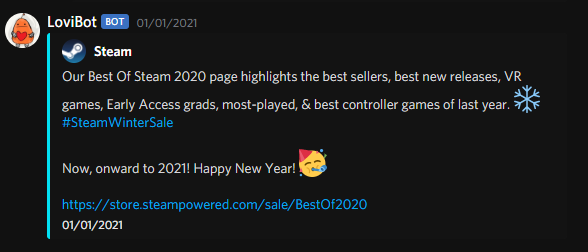
Theme is https://github.com/KillYoy/DiscordNight
discord-twitter-webhooks is an automated tool that sends tweets from Twitter to Discord using webhooks.
Features
- Send tweets from Twitter to Discord using webhooks.
- Send the tweet as an embed, link or text.
- Support for translations via DeepL.
Installation
You have two choices, using Docker or install directly on your computer.
Run with Docker
This is the recommended way to install the bot.
Docker Hub: thelovinator/discord-twitter-webhooks
- Data is stored in /home/botuser/.local/share/discord_twitter_webhooks in the container.
- The container runs as the bot user with UID 1000 and GID 1000, this means your directory must be owned by UID 1000 and GID 1000.
- The server runs on port 8000.
Install directly on your computer
This is not recommended if you don't have an init system (e.g., systemd)
- Install the latest version of needed software:
- Python
- You should use the latest version.
- You want to add Python to your PATH.
- Windows: Find
App execution aliasesand disable python.exe and python3.exe
- Poetry
- Windows: You have to add
%appdata%\Python\Scriptsto your PATH for Poetry to work.- Open System Properties
- Click on Environment Variables...
- Under User variables find Path and click Edit...
- Add
%appdata%\Python\Scriptsto the list.
- Windows: You have to add
- Python
- Download the project from GitHub with Git or download
the ZIP.
- If you want to update the bot, you can run
git pullin the project folder or download the ZIP again.
- If you want to update the bot, you can run
- Open a terminal in the repository folder.
- Windows 10: Shift + right-click in the folder and select
Open PowerShell window here - Windows 11: Shift + right-click in the folder and Show more options
and
Open PowerShell window here
- Windows 10: Shift + right-click in the folder and select
- Install requirements:
- Type
poetry installinto the terminal.
- Type
- Start the bot:
- Type
poetry run botinto the PowerShell window.- You can stop the bot with Ctrl + c.
- Type
- Go to http://localhost:8000 or the IP of your server.
- You can change the Nitter instance in Settings.
- Add a group under Add.
- A group is a collection of Twitter accounts and Discord webhooks that will be used to send tweets.
- Each group has its own settings. (e.g., If retweets should be sent, should be sent as an embed, etc.)
Tag Summary
No tags have been pushed to this repository yet.