tiledesk/tiledesk-server
Tiledesk is the full-stack Open Source Live Chat platform with built-in Chatbots|written in Node.js
100K+
tiledesk/tiledesk-server repository overview


Quick Reference
- Maintained by: Tiledesk
- Where to get help: Tiledesk Community Forum | Tiledesk Community Discord Server
- Documentation: Tiledesk Deployment Code Starting |Tiledesk Developer Hub
Tiledesk Introduction
Tiledesk-server is the server engine of Tiledesk. Tiledesk is the full-stack Open Source Live Chat platform with built-in Chatbots written in Node.js and Express. Build your own automated customer support with a multi-channel platform for Web, Android and iOS. Tiledesk supports also WhatsApp for Business, FB Messenger, Telegram and many more channels...
Tiledesk has been designed to be open source since the beginning. We actively worked on Tiledesk to create a totally new, first class customer service platform based on instant messaging.
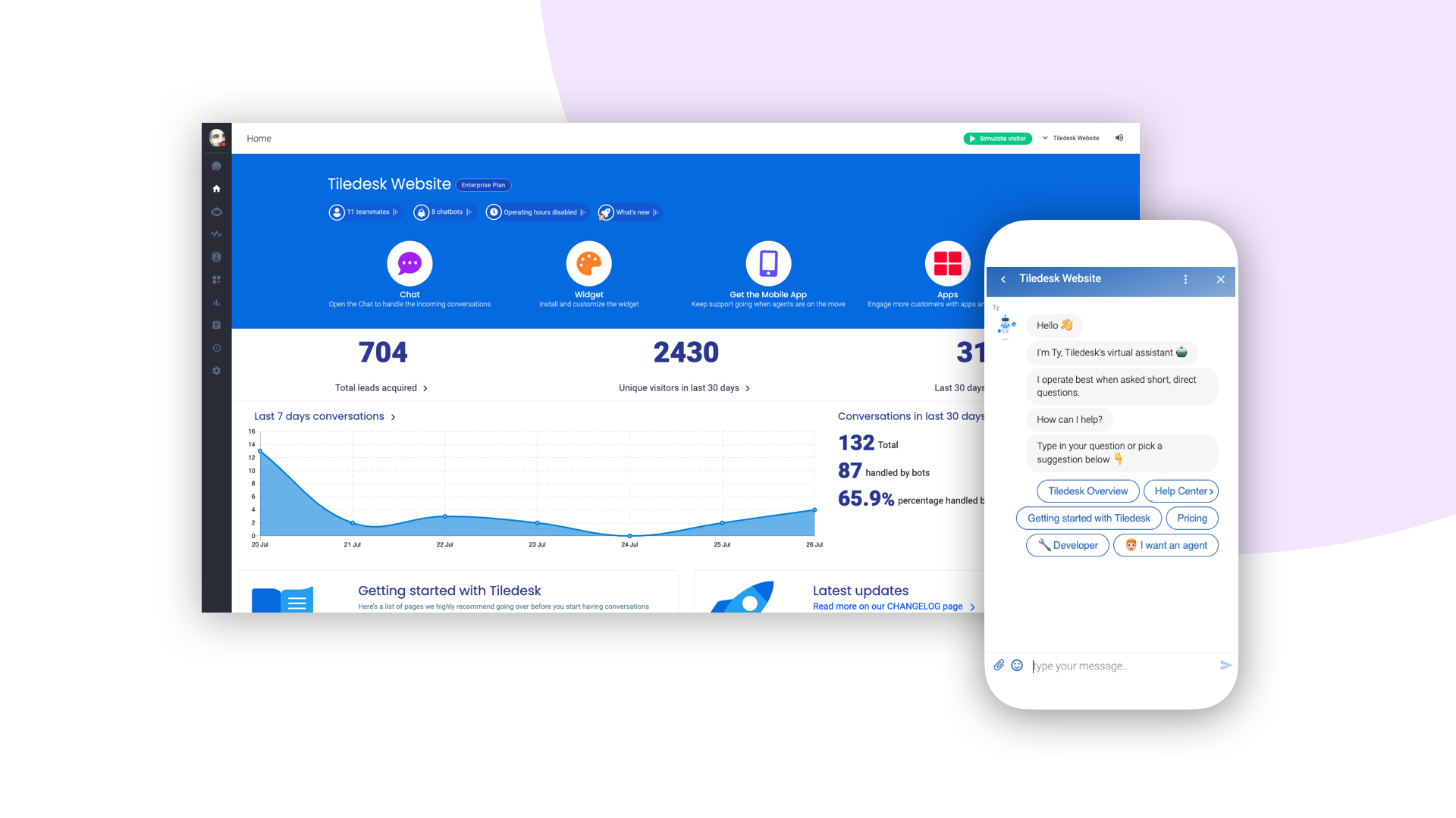
What is Tiledesk today? It became the open source “conversational app development” platform that everyone needs 😌
You can use Tiledesk to increase sales for your website or for post-sales customer service. Every conversation can be automated using our first class native chatbot technology. You can also connect your own applications using our APIs or Webhooks. Moreover you can deploy entire visual applications inside a conversation. And your applications can converse with your chatbots or your end-users! We know this is cool 😎
Tiledesk is multichannel in a totally new way. You can write your chatbot scripts with images, buttons and other cool elements that your channels support. But you will configureyour chatbot replies only once. They will run on every channel, auto-adapting the responses to the target channel whatever it is, Whatsapp, Facebook Messenger, Telegram etc.
More info on Tiledesk website
Installation Prerequisites
Run Tiledesk with Docker Compose
Do you want to install all the Tiledesk components on your server with just one click? Use Docker Compose Tiledesk installation guide
Running Tiledesk Server
Run locally with npm
Steps to run with npm:
npm install -g @tiledesk/tiledesk-server mongodb-runner
mongodb-runner start
curl https://raw.githubusercontent.com/Tiledesk/tiledesk-server/master/.env.sample --output .env
nano .env #configure .env file properly
tiledesk-server
If you want to load .env file from another path: DOTENV_PATH=/MY/ABSOLUTE/PATH/.env tiledesk-server
Note: If installation with -g fails due to permission problems (npm ERR! code 'EACCES'), please refer to this link.
Using Docker
Configure .env file
curl https://raw.githubusercontent.com/Tiledesk/tiledesk-server/master/.env.sample --output .env
nano .env #configure .env file properly
Running
If you want to run tiledesk and mongo with docker run :
docker run --name tiledesk-mongo -d mongo
docker run -p 3000:3000 --env DATABASE_URI="mongodb://mongo/tiledesk-server" --env-file .env --link tiledesk-mongo:mongo tiledesk/tiledesk-server
Otherwise if you want to run tiledesk only with docker run :
docker run -p 3000:3000 --env DATABASE_URI="mongodb://YOUR_MONGO_INSTALLATION_ENDPOINT/tiledesk-server" --env-file .env tiledesk/tiledesk-server
Install from source code
- Clone this repo
- Install dependencies with
npm install - Configure the tiledesk .env file. You can see an example in the file .env.sample under the root folder. Rename it from .env.sample to .env and configure it properly.
- Run the app with the command
npm startor withnodemonif you want monitoring and auto reload. Install nodemon withnpm install -g nodemon
Deploy on Heroku
Deploy with button:

REST API
See the Tiledesk REST API here
Upgrading
To see how to upgrade tiledesk-server see here
Testing
Run unit test with npm test and integration test with npm run test:int
Tag summary
Content type
Image
Digest
sha256:5e9585391…
Size
721.5 MB
Last updated
about 13 hours ago
docker pull tiledesk/tiledesk-server