timiil/docker-ubuntu-vnc-desktop
docker-ubuntu-vnc-desktop, 简体中文
Image
0
382
timiil/docker-ubuntu-vnc-desktop repository overview
docker-ubuntu-vnc-desktop


Docker image to provide HTML5 VNC interface to access Ubuntu 16.04 LXDE desktop environment.
Quick Start
Run the docker image and open port 6080
docker run -it --rm -p 6080:80 dorowu/ubuntu-desktop-lxde-vnc

docker run -it --rm -p 6080:80 timiil/docker-ubuntu-vnc-desktop
Browse http://127.0.0.1:6080/
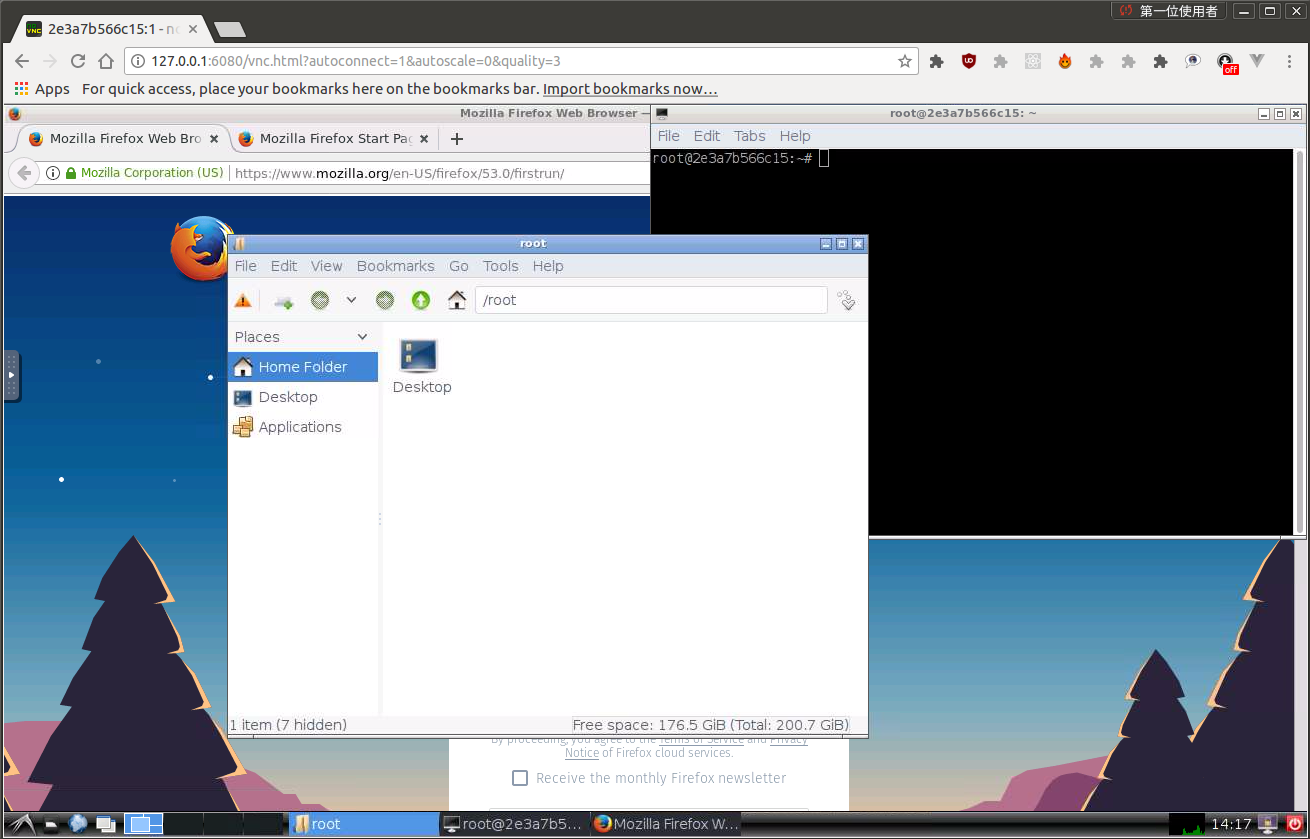
Connect with VNC Viewer and protect by VNC Password
Forward VNC service port 5900 to host by
docker run -it --rm -p 6080:80 -p 5900:5900 dorowu/ubuntu-desktop-lxde-vnc
Now, open the vnc viewer and connect to port 5900. If you would like to protect vnc service by password, set environment variable VNC_PASSWORD, for example
docker run -it --rm -p 6080:80 -p 5900:5900 -e VNC_PASSWORD=mypassword dorowu/ubuntu-desktop-lxde-vnc
A prompt will ask password either in the browser or vnc viewer.
Troubleshooting and FAQ
- boot2docker connection issue, https://github.com/fcwu/docker-ubuntu-vnc-desktop/issues/2
- Screen resolution is fitted to browser's window size when first connecting to the desktop. If you would like to change resolution, you have to re-create the container
License
See the LICENSE file for details.
Tag summary
Content type
Image
Digest
Size
589.7 MB
Last updated
almost 9 years ago
docker pull timiil/docker-ubuntu-vnc-desktop