tiritibambix/cleanbot
Discord bot for automated channel purging with scheduling capabilities
10K+
tiritibambix/cleanbot repository overview
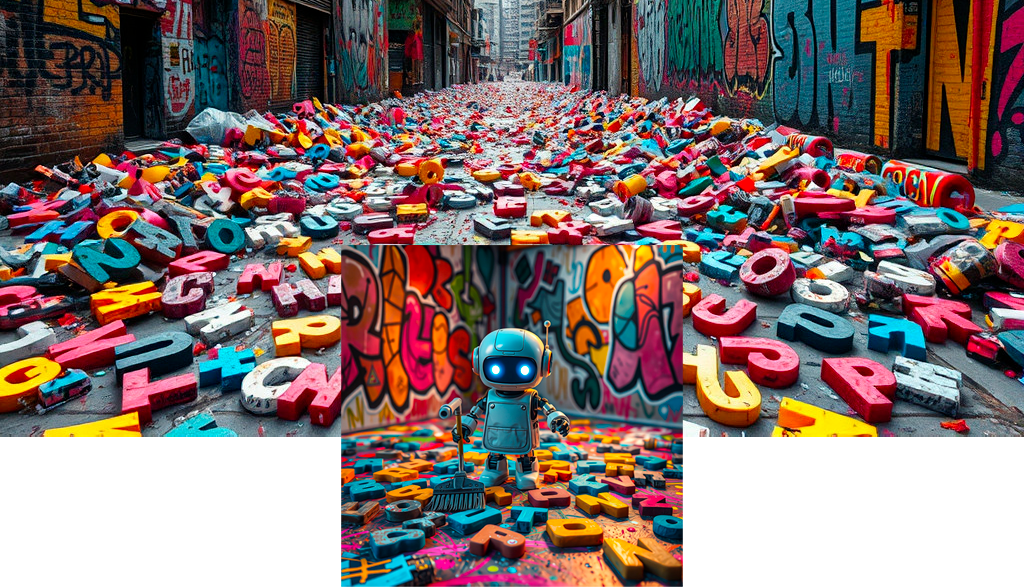
Cleanbot
Discord Bot to Purge Server Channels
New Web Interface!
Cleanbot now comes with a beautiful web interface for easy configuration! You can now manage your bot settings through a user-friendly dashboard.
Quick Start with Docker
The easiest way to run Cleanbot is using Docker. Here's how to set it up:
- First, create a directory for your configuration:
mkdir -p /srv/Files/Cleanbot/config
- Start the services using docker-compose:
docker-compose up -d
The docker-compose.yml file includes:
- A web interface accessible on port 5392 by default (can be changed to any port of your choice)
- A bot service that handles Discord interactions
- Automatic restart on failure
- Persistent configuration storage
Configuration:
services:
  web:
    image: tiritibambix/cleanbot-web:latest
    ports:
      - "5392:8080"  # Change "5392" to any port you want to use
    volumes:
      - /srv/Files/Cleanbot/config:/app/config
    environment:
      - FLASK_ENV=production
      - TZ=Europe/Paris
    restart: unless-stopped

  bot:
    image: tiritibambix/cleanbot:latest
    volumes:
      - /srv/Files/Cleanbot/config:/app/config
    environment:
      - TZ=Europe/Paris
    expose:
      - "8081"
    restart: unless-stopped

networks:
  cleanbot_network:
    driver: bridge
Usage:
- Access the web interface at http://localhost:5392
- Configure your Discord bot token and channel IDs
- Set up your cleaning schedule
- Use
docker-compose logsto view the logs - Use
docker-compose downto stop the services
Features
- 🌐 Web interface for easy configuration
- 🔄 Automatic message purging
- ⏰ Configurable schedule (daily, weekly, monthly)
- 🔒 Secure configuration storage
- 🐳 Docker support
- 🚀 Easy deployment
Configuration Options
Through the web interface, you can configure:
- Discord Bot Token
- Channel IDs to purge
- Maximum messages to delete per run
- Purge schedule (daily, weekly, monthly)
Manual Setup (Alternative)
If you prefer to run without Docker, follow these steps:
1. Create a Discord Application
- Go to the Discord Developer Portal.
- Click on New Application, give it a name, and click on Create.
- Go to the Bot tab and click on Add Bot. Confirm.
- Under Token, click on Copy to save the bot token (keep it private).
2. Enable Necessary Intents in the Discord Portal:
- Go to the Discord Developer Portal.
- Select your application (the bot).
- In the left menu, click on Bot.
- Under Privileged Gateway Intents, enable the Message Content Intent option.
- Click on Save Changes.
3. Invite the Bot to Your Server
- Under the OAuth2 > URL Generator tab, check:
botin Scopes.- The necessary permissions in Bot Permissions (e.g.,
Send Messages).
- Copy the generated URL and open it in your browser.
- Invite the bot to your Discord server by following the instructions.
4. Obtain Channel IDs
Enable Developer Mode in Discord (Settings > Advanced > Developer Mode). Right-click on the relevant channel and select Copy ID.
5. Install Dependencies
On your Debian, install Python and the necessary libraries:
sudo apt update
sudo apt install python3 python3-pip -y
pip3 install discord.py
6. Write the Python Script
Create a file bot.py with the following content:
import discord
from discord.ext import commands
import asyncio

# Replace with your own token
TOKEN = "YOUR_TOKEN_HERE"
# Replace with the IDs of the channels where you want to delete messages
CHANNEL_IDS = [123456789012345678, 987654321098765432]  # Example channel IDs
# Maximum number of messages to delete per execution
AMOUNT_TO_CLEAR = 100

# Initialize the bot with the necessary intents
intents = discord.Intents.default()
intents.messages = True  # Allows the bot to interact with messages
intents.message_content = True  # Necessary to access message content
bot = commands.Bot(command_prefix="!", intents=intents)

@bot.event
async def on_ready():
    print(f"Bot connected as {bot.user}")

    for channel_id in CHANNEL_IDS:
        channel = bot.get_channel(channel_id)
        if channel:
            try:
                # Purge messages in the channel
                deleted = await channel.purge(limit=AMOUNT_TO_CLEAR)
                print(f"{len(deleted)} messages deleted in channel {channel_id}.")
            except discord.errors.Forbidden:
                print(f"Access denied to delete messages in channel {channel_id}.")
            except discord.errors.HTTPException as e:
                print(f"HTTP error while attempting to purge in channel {channel_id}: {e}")
        else:
            print(f"Channel with ID {channel_id} not found.")

    # Stop the bot after executing the purge
    await bot.close()

# Run the bot
bot.run(TOKEN)
7. Run the Bot in the Background with nohup
To run the bot in the background, you can use nohup so it continues to run even if you close the terminal. Here is the command to execute to start the bot and log the output to a file:
nohup python3 /path/to/bot.py > /path/to/bot_output.log 2>&1 &
This command runs the script in the background and redirects the output (logs and errors) to the bot_output.log file.
8. Set Up a Cron Job to Restart the Bot Every Monday at 5:00 AM
To automatically restart the bot every Monday at 5:00 AM, you need to set up a cron job. To do this, edit your crontab:
crontab -e
Add the following line to run the bot every Monday at 5:00 AM:
0 5 * * 1 nohup python3 /path/to/bot.py > path/to/bot_output.log 2>&1 &
nohup is optional since the script is not being run from the terminal.
This will ensure that your bot is automatically executed every Monday at 5:00 AM.
Conclusion
With this guide, you have a Discord bot that purges messages every 7 days in the channels of your choice. You can adapt the script and settings according to your needs and use cron to schedule the automatic execution of the bot every Monday at 5:00 AM.
Important Points
- Keep your token secret: Never share your token. If you think it is compromised, regenerate it from the Discord portal.
- Bot permissions: Ensure the bot has the necessary permissions on each channel.
- Test locally: Make sure the script works correctly before automating it.
Docker Images
Our Docker images are available on Docker Hub:
- Bot:
tiritibambix/cleanbot:latest - Web Interface:
tiritibambix/cleanbot-web:latest
License
This project is licensed under the Creative Commons Attribution-NonCommercial 4.0 International License - see the LICENSE file for details.
Tag summary
Content type
Image
Digest
sha256:d6d9055fa…
Size
55 MB
Last updated
8 days ago
docker pull tiritibambix/cleanbot