tmseidel/restic-explorer
Web dashboard for browsing and managing restic backup repositories.
3.5K
tmseidel/restic-explorer repository overview
Restic Explorer
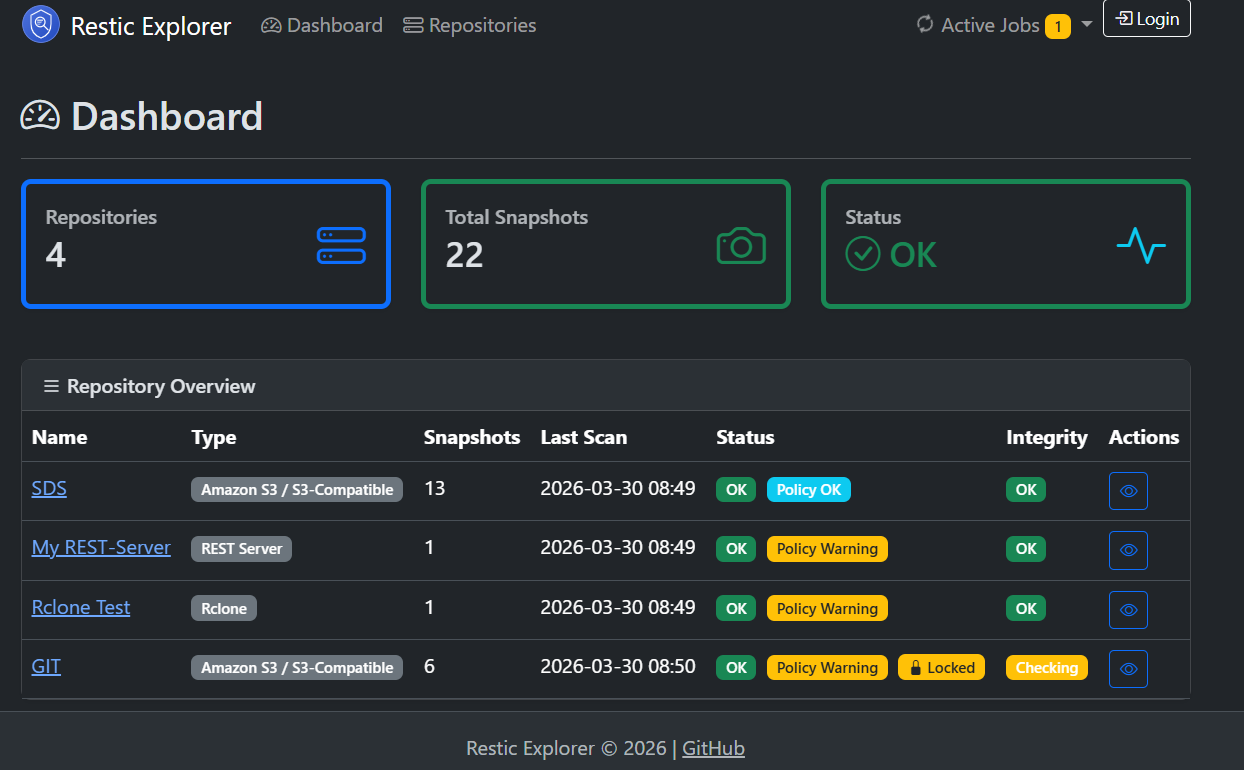
A lightweight web dashboard for monitoring and browsing restic backup repositories. Manage multiple repositories from a single UI, run automated scans and integrity checks, and integrate with existing monitoring — all from a clean, responsive interface.
Features
- Multi-Backend Support – S3 / S3-compatible, Azure Blob Storage, SFTP, REST Server, and Rclone (Google Drive, Dropbox, B2, OneDrive, …)
- Repository Groups – Organize repositories into groups for a structured dashboard
- Automated Scanning – Configurable per-repository scan intervals cache restic metadata for fast browsing
- Integrity Checks – Scheduled
restic check --read-datawith configurable intervals per repository - Retention Policies – Optional per-repository policies (daily/weekly/monthly/yearly/last) with soft warning badges
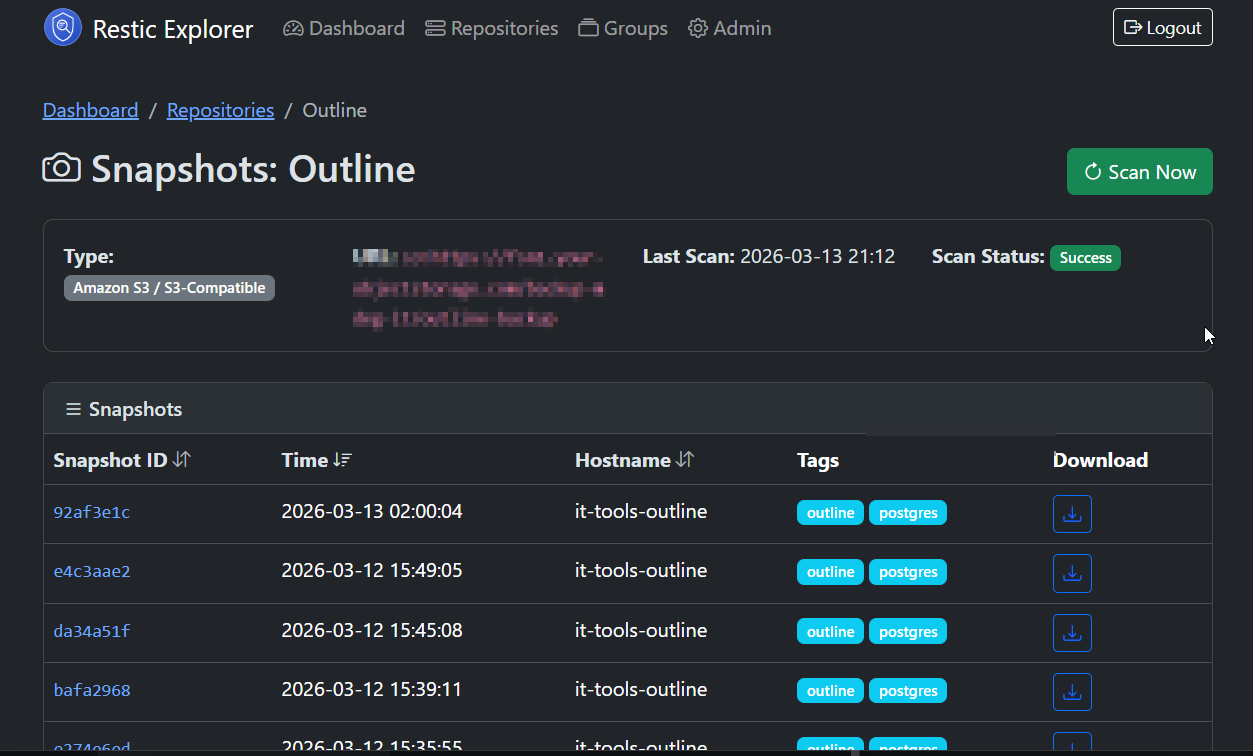
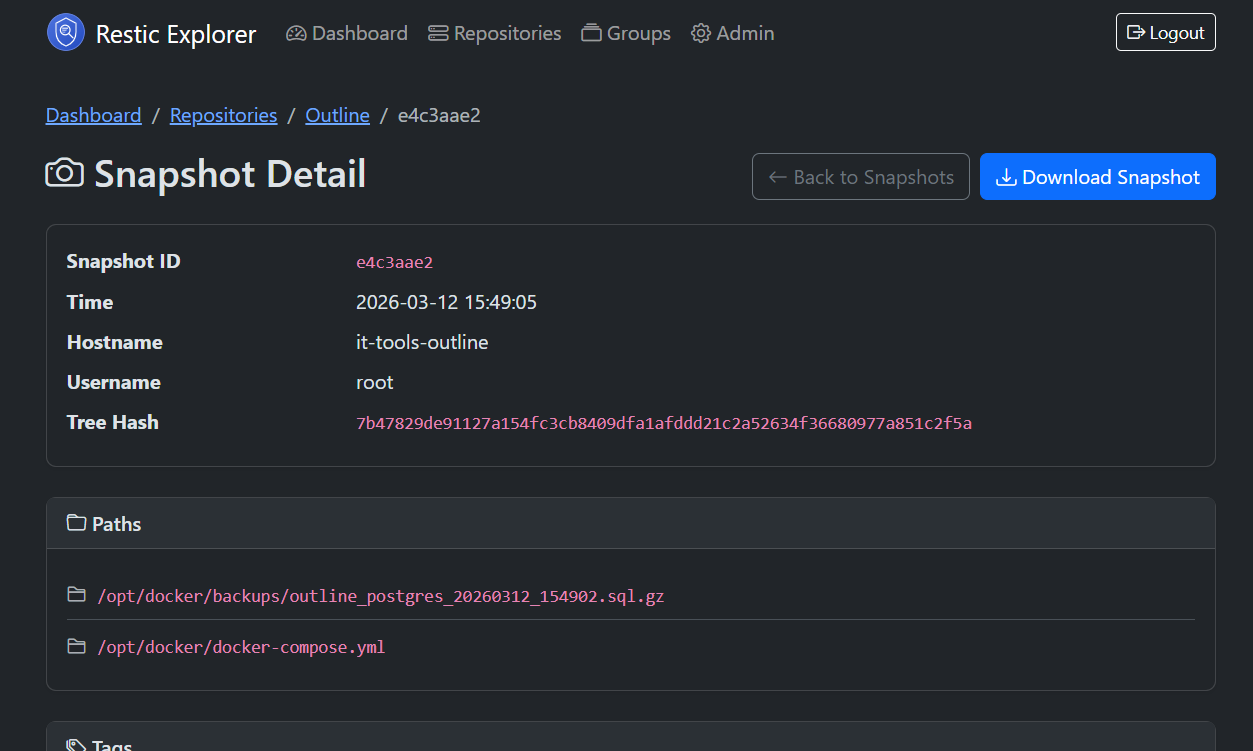
- Snapshot Browser – Paginated, sortable snapshot list with a dedicated detail page per snapshot
- Snapshot Download – Admin-only download of snapshots as
.tararchives - Lock Detection & Unlock – Automatic stale lock detection with one-click unlock for admins
- Error Log – Persistent scan/check failure log with date filtering and auto-cleanup
- Encrypted at Rest – Repository passwords and backend credentials encrypted via AES-256-GCM
- Health & Monitoring – Actuator endpoints (
/actuator/health,/actuator/info) reporting per-repo status — ready for Prometheus, Uptime Kuma, etc. - Dark Mode & Responsive UI – Bootstrap 5.3 with automatic light/dark theme switching
| Snapshots | Snapshot Detail |
|---|---|
 |  |
Quick Start
Docker Compose (recommended)
Create a docker-compose.yml:
services:
  app:
    image: tmseidel/restic-explorer:latest
    ports:
      - "8080:8080"
    environment:
      SPRING_PROFILES_ACTIVE: docker
      DB_HOST: db
      DB_PORT: 5432
      DB_NAME: resticexplorer
      DB_USER: resticexplorer
      DB_PASSWORD: resticexplorer
      RESTIC_ENCRYPTION_KEY: # optional, generate with: openssl rand -base64 32
    depends_on:
      db:
        condition: service_healthy
    restart: unless-stopped
    volumes:
      - app-data:/app/data

  db:
    image: postgres:16-alpine
    environment:
      POSTGRES_DB: resticexplorer
      POSTGRES_USER: resticexplorer
      POSTGRES_PASSWORD: resticexplorer
    volumes:
      - db-data:/var/lib/postgresql/data
    healthcheck:
      test: ["CMD-SHELL", "pg_isready -U resticexplorer"]
      interval: 10s
      timeout: 5s
      retries: 5
    restart: unless-stopped

volumes:
  app-data:
  db-data:
Then run:
docker compose up -d
The application is available at http://localhost:8080. On first launch you will be redirected to create the admin account.
Standalone (bring your own PostgreSQL)
docker run -d \
  --name restic-explorer \
  -p 8080:8080 \
  -e SPRING_PROFILES_ACTIVE=docker \
  -e DB_HOST=your-postgres-host \
  -e DB_PORT=5432 \
  -e DB_NAME=resticexplorer \
  -e DB_USER=resticexplorer \
  -e DB_PASSWORD=your-secure-password \
  -e RESTIC_ENCRYPTION_KEY="your-base64-key" \
  tmseidel/restic-explorer:latest
Configuration
Environment Variables
| Variable | Default | Description |
|---|---|---|
DB_HOST | db | PostgreSQL hostname |
DB_PORT | 5432 | PostgreSQL port |
DB_NAME | resticexplorer | Database name |
DB_USER | resticexplorer | Database user |
DB_PASSWORD | resticexplorer | Database password |
RESTIC_ENCRYPTION_KEY | (empty) | Base64-encoded AES key for encrypting sensitive data at rest (see below) |
Encryption of Sensitive Data
Repository passwords and backend credentials (S3 keys, Azure account key) are encrypted at rest when an encryption key is provided. Strongly recommended for production.
Generate a key:
openssl rand -base64 32
Pass it to the container:
-e RESTIC_ENCRYPTION_KEY="your-generated-base64-key"
⚠️ Without an encryption key, sensitive data is stored in plain text. Existing plain-text values remain readable after encryption is enabled and will be encrypted on the next save.
SFTP / SSH Key Mounting
For SFTP repositories, mount the SSH private key into the container and reference it in the repository's SFTP Command setting:
volumes:
  - /home/youruser/.ssh/id_rsa:/app/ssh/id_rsa:ro
Then set the SFTP Command to e.g.:
ssh user@host -i /app/ssh/id_rsa -s sftp
The container runs as UID/GID 1000 so bind-mounted keys owned by the default host user are readable without extra steps. Mount as
:rofor security.
Rclone Configuration
For Rclone repositories, mount your rclone.conf into the container:
volumes:
  - /home/youruser/.config/rclone/rclone.conf:/home/appuser/.config/rclone/rclone.conf:ro
Rclone is pre-installed in the image. Credentials are managed by rclone's own configuration, not by Restic Explorer.
Volumes
| Path | Purpose |
|---|---|
/app/data | Application data directory |
/app/ssh | Mount point for SSH private keys (SFTP backend) |
Ports
| Port | Description |
|---|---|
8080 | HTTP (application + actuator endpoints) |
First Launch
- Open http://localhost:8080
- You will be redirected to the Setup page
- Create an admin password (min. 8 characters) — the username is
admin - Log in and start adding restic repositories
Health & Monitoring
The image exposes Spring Actuator endpoints:
| Endpoint | Description |
|---|---|
GET /actuator/health | Application health including per-repo scan, integrity check, and retention policy status |
GET /actuator/info | Application name and build version |
GET /actuator/metrics | Application metrics |
The custom resticMetadata health indicator reports per-repository scan status, check status, retention policy compliance, and an overall UP/DOWN/UNKNOWN state — suitable for integration with Uptime Kuma, Prometheus, or similar monitoring tools.
Image Details
- Base image:
eclipse-temurin:21-jre-alpine(multi-stage build) - Includes:
resticCLI,openssh-client,curl(installed via apk) - Runs as: Non-root user
appuser(UID/GID 1000) - Spring profile:
docker(activated automatically) - Database: Requires external PostgreSQL
- Healthcheck: Built-in Docker
HEALTHCHECKagainst/actuator/health
Source Code & Documentation
Full documentation, architecture details, and source code: GitHub
License
Tag summary
Content type
Image
Digest
sha256:e71a0f27b…
Size
182.6 MB
Last updated
about 1 month ago
docker pull tmseidel/restic-explorer