tolerantsoftware/move
Official Images for TOLERANT Move
663
tolerantsoftware/move repository overview
Quick reference
- Maintained by: https://www.tolerant-software.de/
- Where to get help: [email protected]
- Release Notes: https://www.tolerant-software.de/en/products/tolerant-move/product-support/
- All Configurations and further documentation to use this image orchestrated with other images for the complete Match Experience can be found in our GitHub: https://github.com/tolerantsoftware/move
Supported tags and respective Documentation links
Product Overview
Address determination of unknown relocated customers
Did you know that about 10 percent of people in Germany move every year? That is about 8 million people. A lot of potential recipients who suddenly can be moved unknown. Stay in touch with your customers. Especially for important mailings – such as goods deliveries or invoices – it is expensive and time-consuming to determine correct addresses.
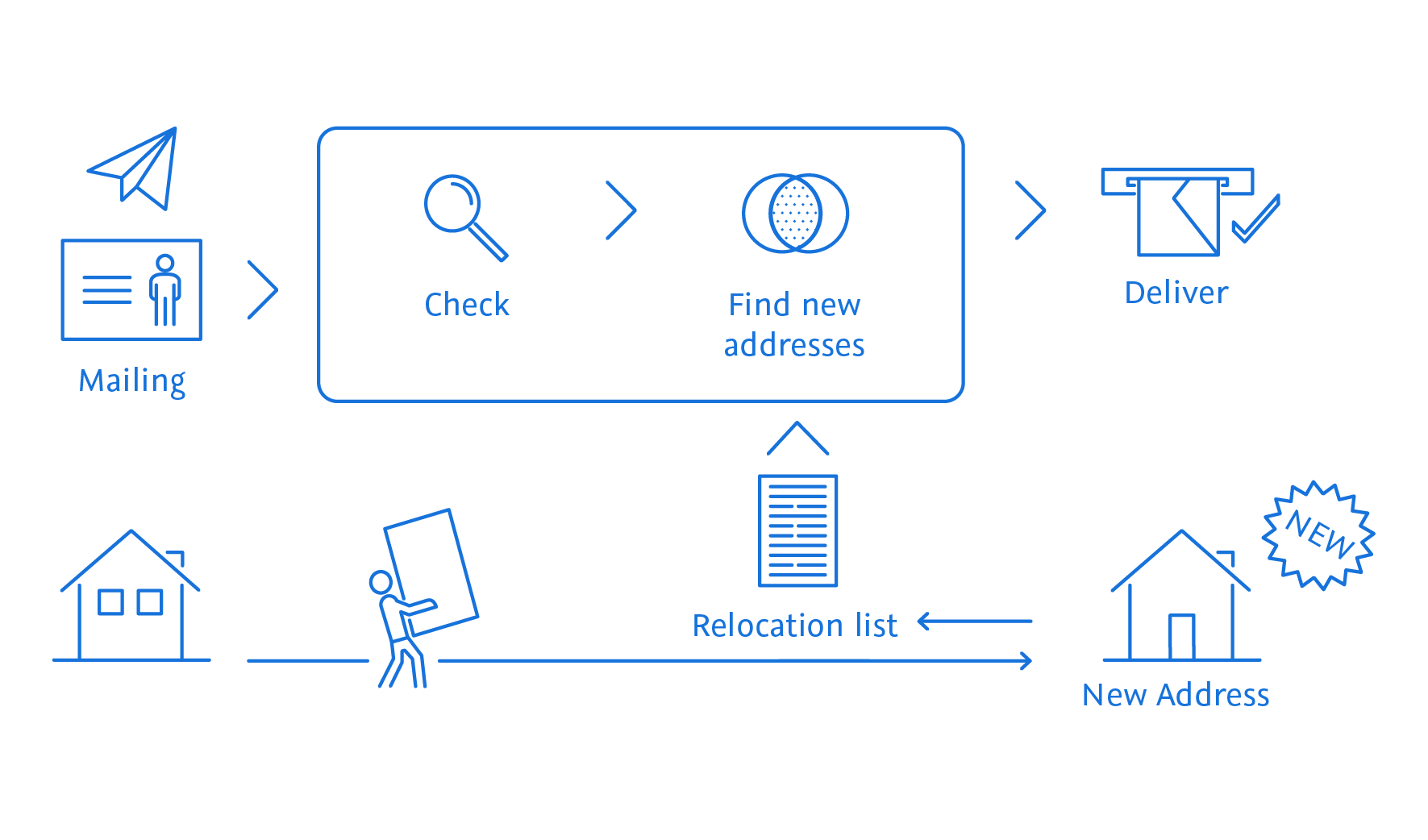
TL Move does this for you. TL Move determines new addresses after a move or for unknown recipients. The basis is the relocation data of our partner Deutsche Post Adress GmbH & Co. KG, for which you need a separate contract.
This is how the determination of German relocation data with TL Move works:
TL Move uses an error-tolerant search technology that reliably finds customers even if their spelling differs. The determined hits are counted by TL Move. On this basis, billing takes place with the data supplier, Deutsche Post Adress GmbH & Co. KG. The software has been tested and certified by Deutsche Post Adress GmbH & Co. KG.
Our partner can supply a new address for 60 to 65 percent of persons whose address is unknown. If there is demonstrable interest, you may use the hits to maintain your data. Pictogram TOLERANT Move
Check addresses and avoid returns
Another reason for undeliverable postal mailings is deaths: Every year, an average of around 800,000 people die in Germany. That’s a lot of invalid addresses that can show up in address and customer inventories every year. In addition, there are postal addresses that are already known as undeliverable from previous mailings. TL Move checks your address lists before mailing and updates them.
Determine move addresses with always up-to-date data
We keep you up to date: With our automated update service, you always have the latest move data available.
How TL Move checks and updates your relocation addresses:
| record | first name | surname | street | number | postal code | town/city |
|---|---|---|---|---|---|---|
| query | Maximilian | Muster | Alte Str. | 1 | 12345 | Musterstadt |
| result | Maximilian | Muster | Neue Str. | 32 | 54321 | Neustadt |
TOLERANT Move image
Usage
Notes
- The container needs licenses to run properly. For proper test licenses please contact [email protected].
- The required memory depends on the amount of data used.
- The required configuration files can be found on the official Move GitHub
Starting a batch process
Note the init service should only be executed once, to create the client database
First run:
docker compose up -d
Removing the container after it has exited
docker compose down
Later runs:
if you want to reuse an already existing client database
- comment out the init service in the
compose.yml
if you want to create a new client database:
- remove the client database from the config volume
- adjust the entry point of the init service in the
compose.ymlto match the following pattern:
entrypoint: ["moveCreateClientDB.sh", "--customerno", "<customerno>", "--orderno", "<orderno>", "--name", "<name>", "--protocolPath", "/opt/tolerant/protocols", "--mkdir"]
Steps to use your own configuration and data for a batch process
- check out the section Later runs
- mount your configuration and data to the batch container
- adjust the command of the batch service in the
compose.ymlto match the following pattern:
command: "<configFilename>" "<projectId>" "<profileId>"
Starting with local user and group
To start with a different user please use the following instructions:
- create the following directories using the local user
- move-config
- move-data
- move-logs
- move-protocols
- use the fully qualified path of the above mentioned directories in the compose.yml
- comment in the user setting for the init and the batch service
- start the compose file
export UID=`id -u`; export GID=`id -g`; docker compose up -d
Stopping with local user and group
export UID=`id -u`; export GID=`id -g`; docker compose down
License
TOLERANT Move is licensed under a commercial license. This means that the software can only be used for commercial purposes, and that the user must have a valid license to use the software. To get a valid license, please contact [email protected]
Tag summary
Content type
Image
Digest
sha256:e10c1d160…
Size
267.8 MB
Last updated
4 months ago
docker pull tolerantsoftware/move