tommi2day/oracle-mcp-server
Multi-user Oracle MCP server: token auth, per-token DB connections, audit logging, TLS
1.8K
tommi2day/oracle-mcp-server repository overview
oracle-mcp-server
Multi-user Model Context Protocol server for Oracle Database: token auth, per-token database connections, admin UI, audit logging, TLS. Source & full documentation: https://github.com/tommi2day/oracle-mcp-server
Gives AI tools (Claude, Copilot, Cursor and other MCP clients) SQL access to any Oracle Database. Choose it when
several people or AI clients share Oracle access through one central service: revocable tokens instead of
database passwords in every client config, per-token database users, TCPS wallets kept on the server, and an audit
trail in both the log and V$SESSION (CLIENT_IDENTIFIER = token name). For a single developer working locally,
Oracle's SQLcl MCP server (sql -mcp) needs no extra service
(comparison).
Tags
latest,<version>— thin mode (pure JavaScript driver, no Oracle Client)latest-thick,<version>-thick— with Oracle Instant Client for thick mode (ORA_DRIVER_MODE=thick)
Connection methods
- host / port / service name or SID (
ORA_HOST,ORA_PORT,ORA_SERVICE_NAME/ORA_SID) - TNS alias from
tnsnames.ora(ORA_TNS_ALIAS) - free connect string: Easy Connect Plus, connect descriptor or JDBC URL (
ORA_CONNECT_STRING) - SQL*Net TCP or TCPS (
ORA_PROTOCOL=tcps, wallets, server DN matching, private CAs)
Quick start
docker run -d -p 3000:3000 \
  -e AUTH_TOKEN=$(openssl rand -hex 32) \
  -e ORA_CONNECT_STRING='jdbc:oracle:thin:@//db.example.com:1521/ORCLPDB1' \
  -e ORA_USER=app -e ORA_PASSWORD=secret \
  -v "$PWD/tns_admin:/opt/oracle/network/admin:ro" \
  -v oracle-mcp-data:/data \
  tommi2day/oracle-mcp-server
/opt/oracle/network/admin (= TNS_ADMIN) takes tnsnames.ora, sqlnet.ora (thick mode),
ewallet.pem (thin mode wallet or trusted CA certificates) and cwallet.sso (thick mode).
In Kubernetes mount them from a Secret/ConfigMap (Helm chart: tnsAdmin.existingSecret).
Endpoints
| Path | Description |
|---|---|
/mcp | MCP Streamable HTTP (Bearer token); optional X-Oracle-User / X-Oracle-Password / X-Oracle-Host … headers if the token allows client-supplied connections |
/admin | Admin UI for tokens and per-token connections |
/admin/tokens | Token REST API (admin token) |
/info | Server info and default connection (admin token) |
/health | Health check |
Tools
query (read-only SELECT), execute (DML/DDL/PL/SQL with DBMS_OUTPUT), list_tables, describe_table,
list_schemas, test_connection.
Performance analysis: explain_plan, sql_plan, top_sql, session_activity, table_stats; with
ORA_DIAGNOSTICS_PACK=true also ash_top, awr_top_events, with ORA_TUNING_PACK=true sql_monitor.
Licensed tools are off by default and can be switched per token.
Admin UI
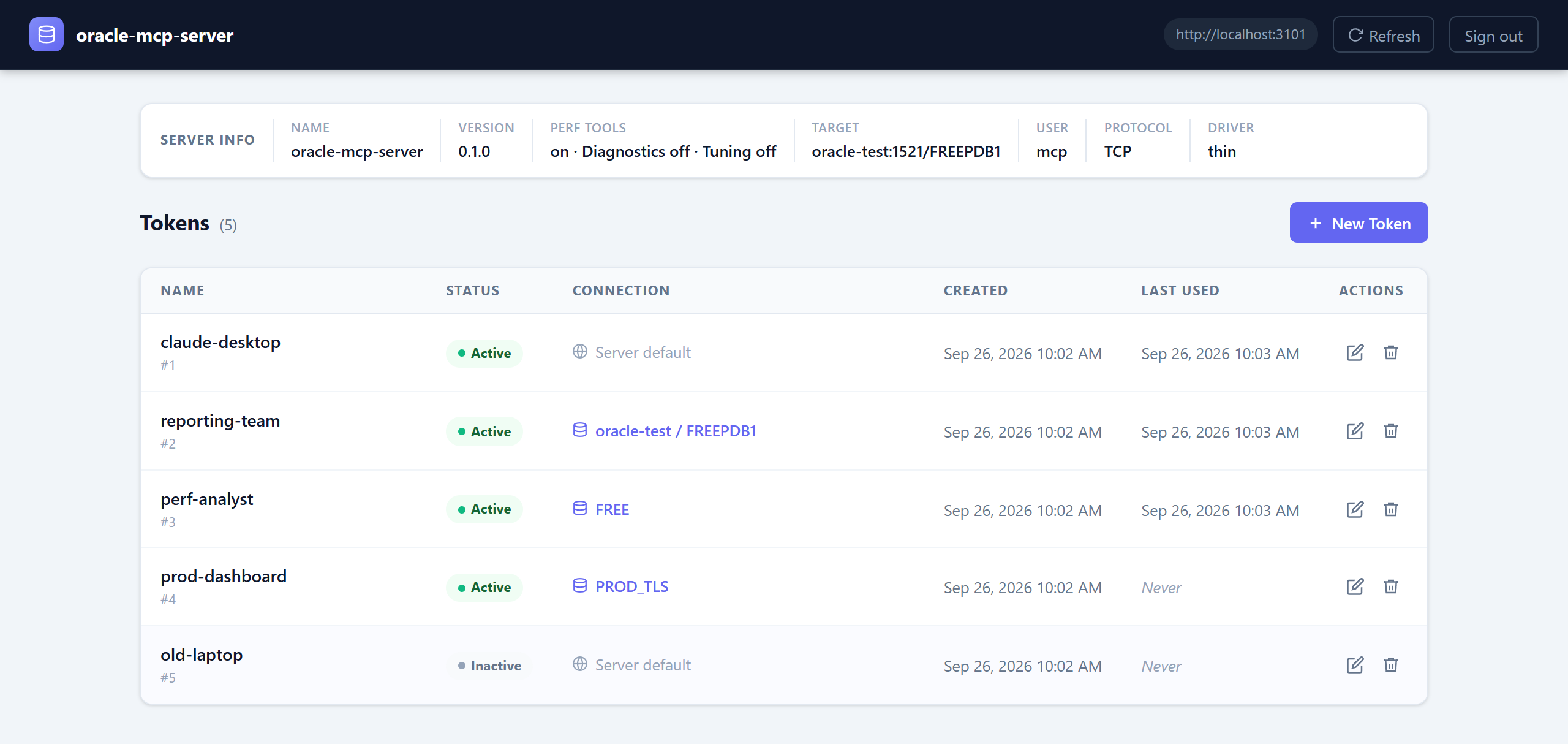
Manage tokens and their database connections (host/service, TNS alias, connect string, TCPS) at /admin
(more screenshots):
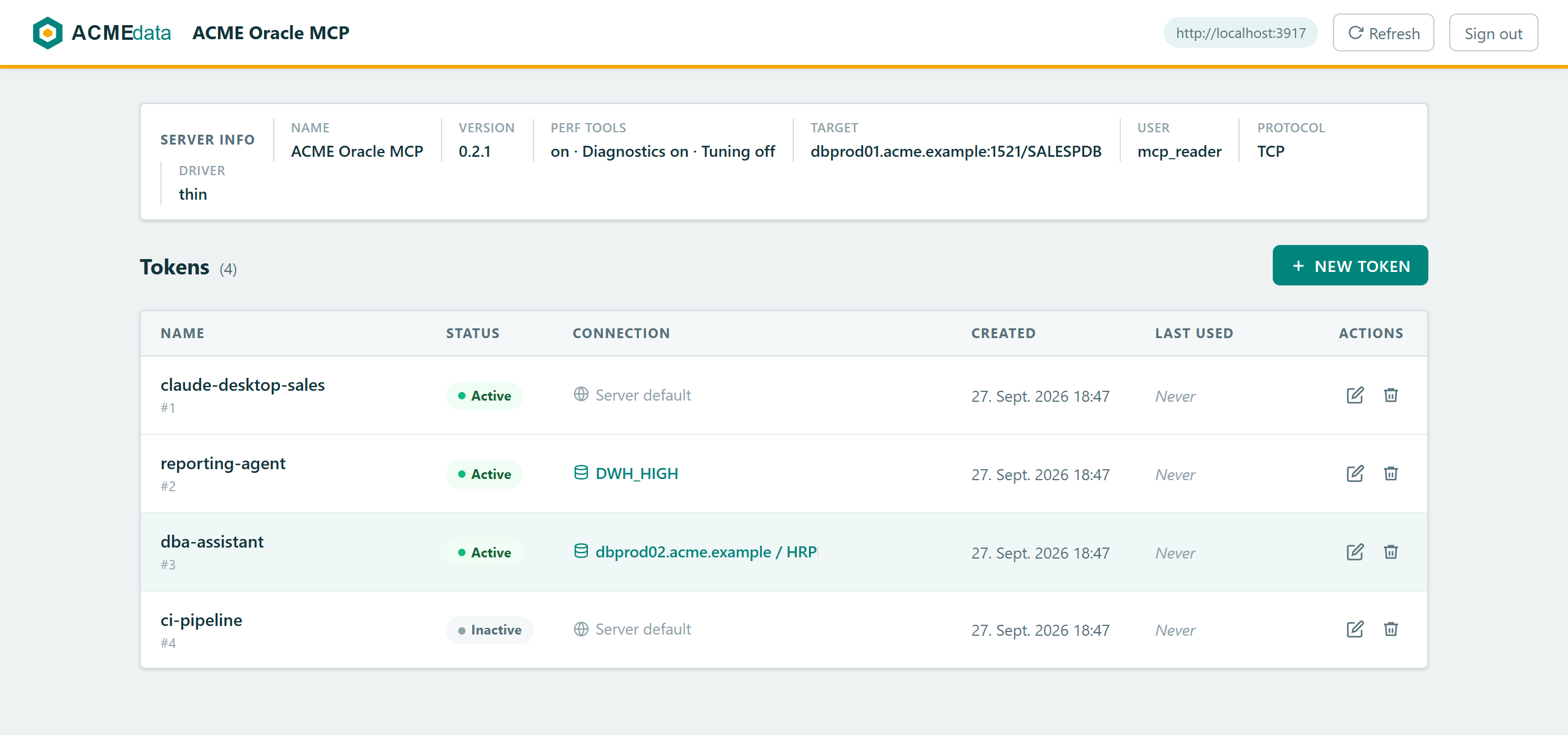
Switch it to your corporate design with ADMIN_LOGO (logo file or URL) and ADMIN_THEME_CSS (overrides the color
variables) — see Admin UI branding:
Audit logging
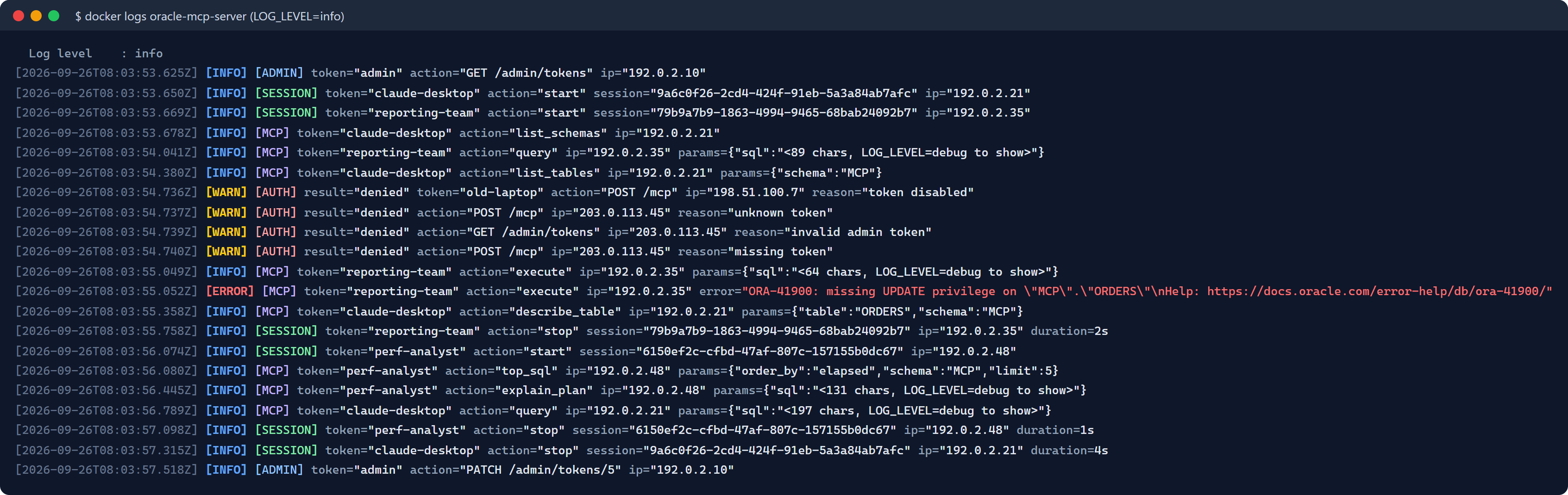
All activity is written to stderr (docker logs oracle-mcp-server): tool calls, session start/stop, rejected logins
and admin actions. SQL text is only logged at LOG_LEVEL=debug.
Main environment variables
AUTH_TOKEN, STORE_ENCRYPTION_KEY, ORA_CONNECT_STRING, ORA_TNS_ALIAS, ORA_HOST, ORA_PORT,
ORA_SERVICE_NAME, ORA_SID, ORA_PROTOCOL, ORA_USER, ORA_PASSWORD, ORA_WALLET_LOCATION,
ORA_WALLET_PASSWORD, ORA_SSL_SERVER_DN_MATCH, ORA_SSL_SERVER_CERT_DN, ORA_TLS_CA_FILE,
ORA_DRIVER_MODE, ORA_PERF_TOOLS, ORA_DIAGNOSTICS_PACK, ORA_TUNING_PACK, ORA_CLIENT_CONNECTION, TLS_ENABLED, LOG_LEVEL, ADMIN_THEME_CSS, ADMIN_LOGO — see the GitHub README for the full reference.
License
MIT — see https://github.com/Tommi2Day/oracle-mcp-server/blob/main/LICENSE
Tag summary
Content type
Image
Digest
sha256:aa6f71e14…
Size
98.8 MB
Last updated
15 days ago
docker pull tommi2day/oracle-mcp-server