torqdl/wg-easy
The easiest way to run WireGuard VPN + Web-based Admin UI.
8.9K
torqdl/wg-easy repository overview
WireGuard Easy



You have found the easiest way to install & manage WireGuard on any Linux host!
Features
- All-in-one: WireGuard + Web UI.
- Easy installation, simple to use.
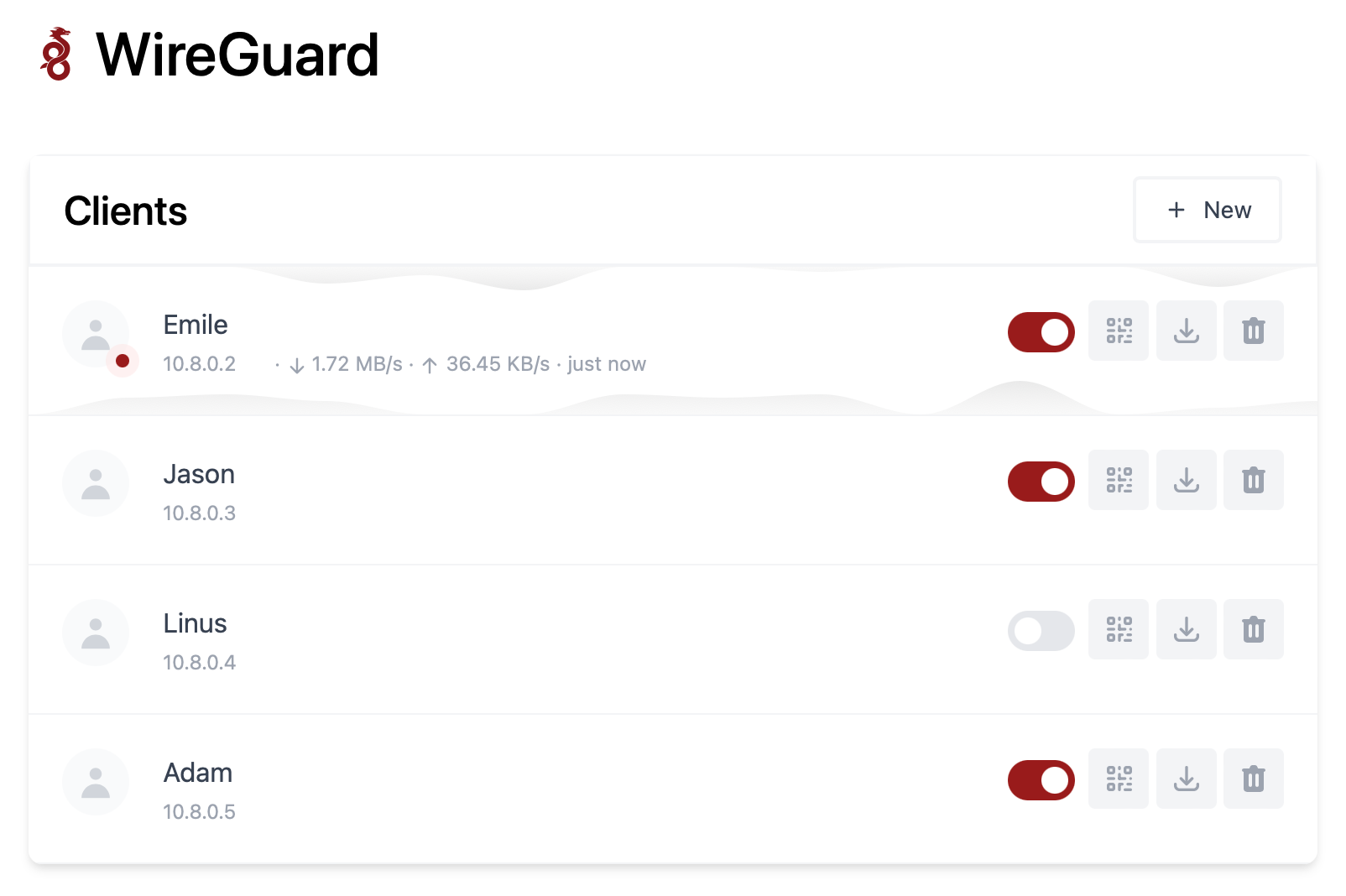
- List, create, edit, delete, enable & disable clients.
- Show a client's QR code.
- Download a client's configuration file.
- Statistics for which clients are connected.
- Tx/Rx charts for each connected client.
- Gravatar support.
- Docker secrets support.
Requirements
- A host with a kernel that supports WireGuard (all modern kernels).
- A host with Docker installed.
Running WireGuard Easy
If you haven't installed Docker yet, install it by running:
$ curl -sSL https://get.docker.com | sh
$ sudo usermod -aG docker $(whoami)
$ exit
Then log out and log back in again, or reboot.
To automatically install & run wg-easy, simply run:
$ docker run -d \
  --name=wg-easy \
  -e WG_HOST=<b>YOUR_SERVER_IP</b> \
  -e PASSWORD=<b>YOUR_ADMIN_PASSWORD</b> \
  -v ~/.wg-easy:/etc/wireguard \
  -p 51820:51820/udp \
  -p 51821:51821/tcp \
  --cap-add=NET_ADMIN \
  --cap-add=SYS_MODULE \
  --sysctl="net.ipv4.conf.all.src_valid_mark=1" \
  --sysctl="net.ipv4.ip_forward=1" \
  --restart unless-stopped \
  torqdl/wg-easy
💡 Replace
YOUR_SERVER_IPwith your WAN IP, or a Dynamic DNS hostname.💡 Replace
YOUR_ADMIN_PASSWORDwith a password to log in on the Web UI.
The Web UI will now be available on http://0.0.0.0:51821.
💡 Your configuration files will be saved in
~/.wg-easy
Docker Compose
If you'd like to add wg-easy to a docker-compose, you can begin with this example:
Add this to /opt/compose/docker-compose.yaml and run it with
$ docker-compose -f /opt/compose/docker-compose.yaml up -d
version: '3.7'
services:
  wg-easy:
    image: torqdl/wg-easy:latest
    container_name: wg-easy
    restart: unless-stopped
    environment:
      # ⚠️ Required:
      # Change this to your host's public ip address or dns name
      WG_HOST: "vpn.example.com"
      # WG_HOST_FILE: /run/secrets/WG_HOST # use secret instead
      # Optional:
      PASSWORD: "P@ssw0rd"
      # PASSWORD_FILE: /run/secrets/WG_PWD # use secret instead
      WG_PORT: 51820
      WG_DEFAULT_ADDRESS: 10.8.0.x
      WG_DEFAULT_DNS: 1.1.1.1
      WG_MTU: 1420
      # WG_ALLOWED_IPS: 192.168.15.0/24, 10.0.1.0/24
      TZ: "America/Denver"
    volumes:
      - /opt/wg-easy:/etc/wireguard
    ports:
      - "51820:51820/udp"
      - "51821:51821/tcp"
    cap_add:
      - NET_ADMIN
      - SYS_MODULE
    sysctls:
      - net.ipv4.ip_forward=1
      - net.ipv4.conf.all.src_valid_mark=1
    secrets:
      - WG_PWD
      - WG_HOST
secrets:
  WG_PWD:
    file: /opt/compose/.secrets/wg_pwd.txt
  WG_HOST:
    file: /opt/compose/.secrets/wg_host.txt
Options
These options can be configured by setting environment variables using -e KEY="VALUE" in the docker run command.
| Env | Default | Example | Description |
|---|---|---|---|
PASSWORD | - | foobar123 | When set, requires a password when logging in to the Web UI. |
PASSWORD_FILE | - | /run/secrets/WG_PWD | When set, requires a password when logging in to the Web UI. |
WG_HOST | - | vpn.myserver.com | The public hostname of your VPN server. |
WG_HOST_FILE | - | /run/secrets/WG_HOST | The public hostname of your VPN server. |
WG_PORT | 51820 | 12345 | The public UDP port of your VPN server. WireGuard will always listen on 51820 inside the Docker container. |
WG_MTU | null | 1420 | The MTU the clients will use. Server uses default WG MTU. |
WG_PERSISTENT_KEEPALIVE | 0 | 25 | Value in seconds to keep the "connection" open. |
WG_DEFAULT_ADDRESS | 10.8.0.x | 10.6.0.x | Clients IP address range. |
WG_DEFAULT_DNS | 1.1.1.1 | 8.8.8.8, 8.8.4.4 | DNS server clients will use. |
WG_ALLOWED_IPS | 0.0.0.0/0, ::/0 | 192.168.15.0/24, 10.0.1.0/24 | Allowed IPs clients will use. |
WG_POST_UP | ... | iptables ... | See config.js for the default value. |
WG_POST_DOWN | ... | iptables ... | See config.js for the default value. |
💡 If you change
WG_PORT, make sure to also change the exposed port.
Updating
To update to the latest version, simply run:
$ docker stop wg-easy
$ docker rm wg-easy
$ docker pull torqdl/wg-easy
If you are using Docker Compose, you can update with:
$ docker-compose -f /opt/compose/docker-compose.yaml pull
$ docker-compose -f /opt/compose/docker-compose.yaml up -d
And then run the docker run -d \ ... command above again.
Change Log
1.0.0
Original releases from Emile Nijssen:
- Release 1: Initial version. Enjoy!
- Release 2: You can now rename a client, and update the address. Enjoy!
- Release 3: Many improvements and small changes. Enjoy!
- Release 4: Now with pretty charts for client's network speed. Enjoy!
- Release 5: Many small improvements & feature requests. Enjoy!
1.1.0
First release from TORQ Digital Labs:
- Docker secrets support
- Updates for TORQDL maintenance
1.1.1
- Updates for NodeJS and new version pattern.
Releases
There are three main releases available from Docker Hub:
:latestis the latest production release.:nightlyis the latest build from the master branch, but may not be ready for production release.:developmentis the latest development build.
Additionally, you may pull individual versions from each branch.
- Production:
:1.1.0 - Nightly:
:1.1.0-nightly - Development:
:1.1.0-dev
Sponsor
Are you enjoying this project? TORQDL does not have a donation system set up, yet, but you can support the original author, Emile Nijssen, on GitHub Sponsors.
Tag summary
Content type
Image
Digest
Size
46.5 MB
Last updated
over 4 years ago
docker pull torqdl/wg-easy