torsherapp/torsher
Self-hosted media center: a TV showcase, your own library and series automation in one container
633
torsherapp/torsher repository overview
Torsher
Your home cinema in one container. A TV showcase with a catalog, your own library, playback while the file downloads, and series that follow themselves. Self-hosted and open source, built for the TV first.
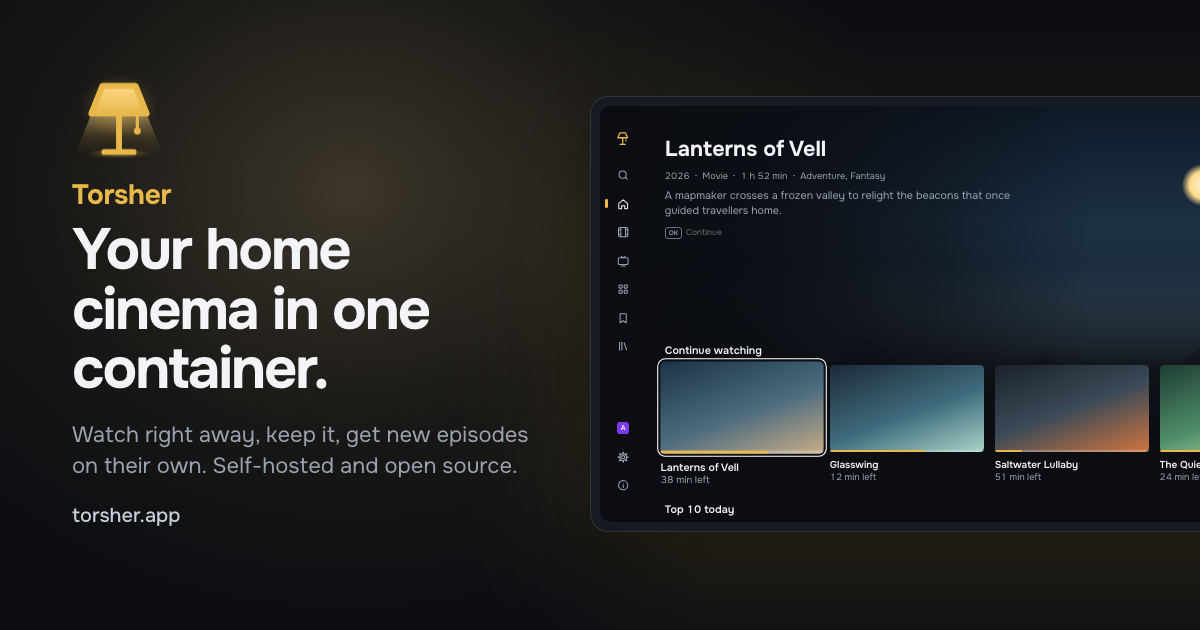
Titles and artwork in the picture are made up.
Website · Documentation · Source code · Releases
What's inside
- A showcase made for the TV. Movies and series with posters, descriptions, cast and ratings from TMDB, for the remote, the LG Magic Remote pointer or a mouse in any browser. Profiles for the household.
- Your library. Files you keep are laid out by title, so Jellyfin, Plex and Kodi can read them too. Folders you already have are indexed in place, read-only.
- Playback while the file downloads. Pick a release and watch without waiting for the whole file. The server converts what a TV can't play, on the GPU if it has one.
- Follow. New episodes of a series arrive in your library on their own, in your voice-over and the best quality released.
- Control panel in the browser: storage, sources, profiles and devices, backups and notifications.
The indexer stays outside: Torsher connects to any Torznab indexer, for example Prowlarr or Jackett.
Quick start
-
Download the install file from the latest release into an empty folder:
mkdir torsher && cd torsher curl -fsSL https://github.com/torsher-app/torsher/releases/latest/download/docker-compose.yml -o docker-compose.yml -
If
id -uandid -gare not both1000, put them intoPUIDandPGID. To pull from Docker Hub, changeimage:totorsherapp/torsher:latest. -
Start Torsher, or Torsher together with Prowlarr:
docker compose --profile prowlarr up -d -
Open
http://<server-address>:8080/panel/, create the owner account and follow the setup wizard.
The Quick start walks through each step, including the TV apps.
Tags
| Tag | What it follows |
|---|---|
latest | Stable releases |
beta | Every release, pre-releases included |
1, 1.1, 1.1.0 | A major, minor or exact version |
Images are built for linux/amd64 and linux/arm64. The same image is published to ghcr.io/torsher-app/torsher with the same digest and signature.
Configuration
- Port
8080: the showcase at/, the control panel at/panel/, the API at/api. - Volume
/data: database, keys, downloads (/data/torrents) and the library (/data/library). - Environment
PUID,PGID,TZ; optionalTORSHER_SECRET,TMDB_ACCESS_TOKEN,TRUST_PROXY.
Several disks, existing media folders, hardware transcoding (VAAPI, NVENC) and every variable are described in Configuration and Docker Compose.
Sources
Torsher does not include, host or index any content, and comes with no sources enabled. You connect the sources yourself, for example any Torznab indexer such as Prowlarr or Jackett, and you are responsible for making sure you are allowed to use them.
Movie and series information and images come from The Movie Database (TMDB). This product uses the TMDB API but is not endorsed or certified by TMDB.
License
AGPL-3.0. Copyright (c) 2026-present, Anton Reshetov.
Tag summary
Content type
Image
Digest
sha256:201c4e927…
Size
286.8 MB
Last updated
about 17 hours ago
docker pull torsherapp/torsher