towerforge/dock-sight
Dock Sight is a lightweight infrastructure dashboard
3.2K
towerforge/dock-sight repository overview
Dock Sight — Docker deployment
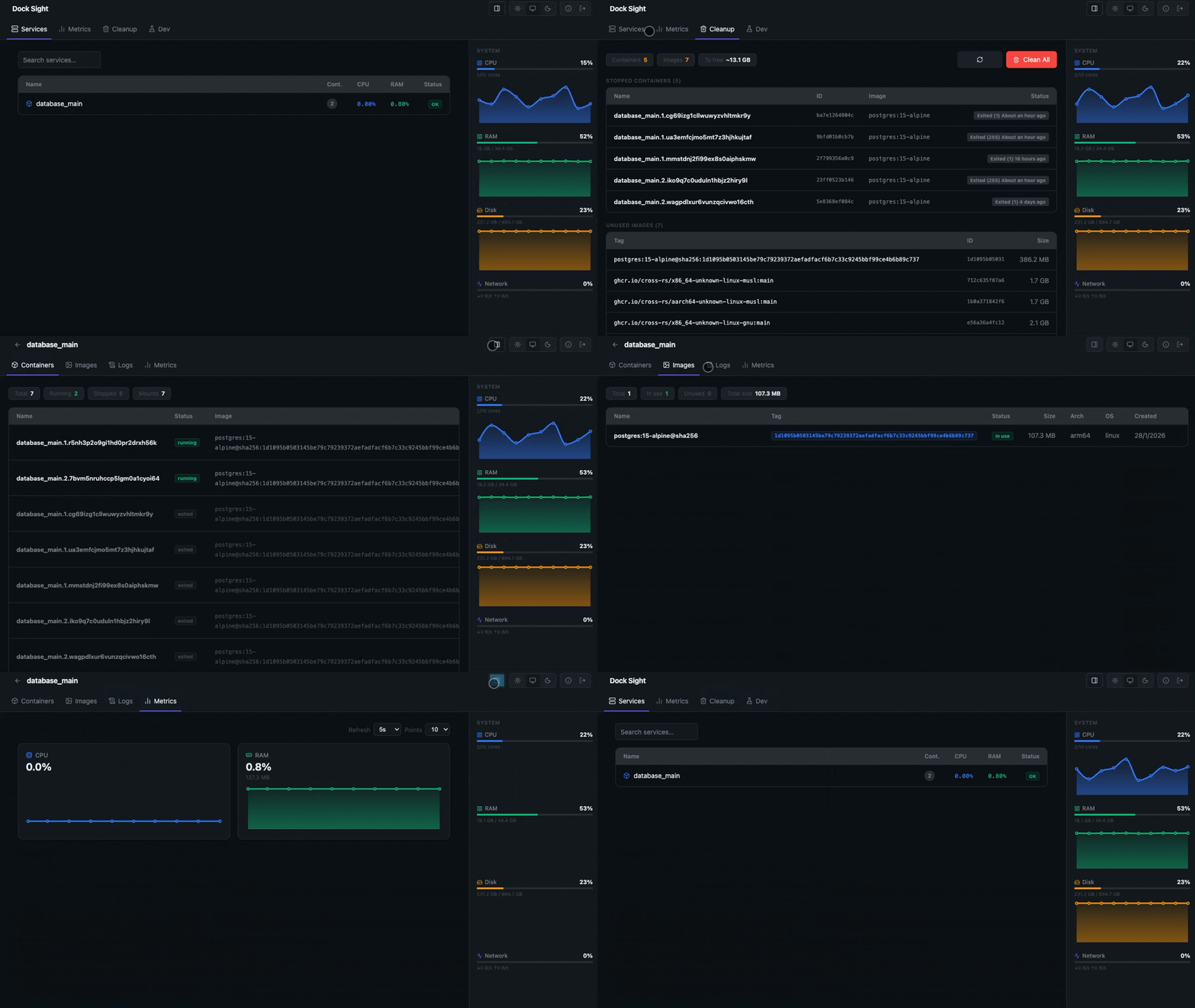
Monitor your Docker infrastructure — services, host metrics, networks and volumes — from a single, self-hosted dashboard.
- Real-time host metrics (CPU, RAM, disk, network)
- Docker services, containers, images and live logs
- Network topology and volume management
- Multi-user access with brute-force protection
- Single binary, no runtime dependencies
- Supports
amd64andarm64
Quick start
docker run -d \
  --name dock-sight \
  --restart unless-stopped \
  -p 8080:8080 \
  -v /var/run/docker.sock:/var/run/docker.sock \
  -v dock-sight-data:/data \
  -e DATA_DIR=/data \
  towerforge/dock-sight:latest
Open http://localhost:8080. On first visit you will be prompted to create the first user.
Docker Compose
services:
  dock-sight:
    image: towerforge/dock-sight:latest
    container_name: dock-sight
    restart: unless-stopped
    ports:
      - "8080:8080"
    volumes:
      - /var/run/docker.sock:/var/run/docker.sock
      - dock-sight-data:/data
    environment:
      - DATA_DIR=/data

volumes:
  dock-sight-data:
Users & sessions
On first launch a setup screen lets you create the initial user (username + password, minimum 8 characters). Additional users can be added from Settings → Users. All users have the same access level.
Sessions remain valid for 24 hours by default. Adjust with SESSION_DURATION_HOURS:
environment:
  - DATA_DIR=/data
  - SESSION_DURATION_HOURS=12
All data — users, registries, and login history — is stored in a single SQLite database ($DATA_DIR/dock-sight.db). Mount a named volume at DATA_DIR so it survives container updates.
Persistence behaviour
| Situation | Data kept? |
|---|---|
docker restart dock-sight | ✅ Yes |
docker stop + docker start | ✅ Yes |
docker-compose restart | ✅ Yes |
docker-compose pull + up -d (recreates container) | ✅ Yes — if volume is mounted |
docker rm + docker run without volume | ❌ No — setup required again |
Custom port
docker run -d \
  --name dock-sight \
  --restart unless-stopped \
  -p 9090:8080 \
  -v /var/run/docker.sock:/var/run/docker.sock \
  -v dock-sight-data:/data \
  -e DATA_DIR=/data \
  towerforge/dock-sight:latest
Then open http://localhost:9090.
Environment variables
| Variable | Default | Description |
|---|---|---|
DATA_DIR | . | Directory where dock-sight.db is stored |
SESSION_DURATION_HOURS | 24 | Session lifetime in hours |
SECURE_COOKIES | false | Set to true to add the Secure flag to session cookies. Enable when running behind an HTTPS reverse proxy |
Security
- Login attempts are rate-limited per IP: blocked after 10 failed attempts in a 15-minute window
- Rate-limit state and the full login event log persist in SQLite and are visible in Settings → Security
- Blocked IPs can be unblocked manually from the dashboard
- Mounting
/var/run/docker.sockgives full access to the Docker daemon — keep Dock Sight on a private network and avoid exposing it to the public internet
Service grouping
Containers are automatically grouped by the com.docker.swarm.service.name label. Containers without this label appear under standalone.
Source
Tag summary
Content type
Image
Digest
sha256:2c903e3cb…
Size
31.3 MB
Last updated
7 months ago
docker pull towerforge/dock-sight