tplcom/docker-presentation
A docker image of the presentation for docker! Lol
2.3K
tplcom/docker-presentation repository overview

Docker for Developers - Introduction
Python Meetup Thessaloniki, 15 April 2016
TheodorosPloumis.com / @theoploumis
Get them: online presentation / source code / docker image
Under Attribution 4.0 International license.
Let me ask you
- Who knows about Docker?
- Who uses Docker for development?
- Who uses Docker in production?
- Who tried but could not do it?
What is Docker (v1.11)
Docker is an open platform for developing, shipping, and running applications.
Docker allows you to package an application with all of its dependencies into a standardized unit for software development.
Docker vs VMs

Docker History
- Solomon Hykes (@solomonstre)
- dotCloud (now Docker Inc)
- March 2013
- Apache 2.0 license
- 30k stars on Github
- 260k public repositories on hub.docker.com
- Docker Inc acquires everyone TM
- Docker joins the "Open Container Initiative", June 2015
Docker Benefits
- Fast (deployment, migration, restarts)
- Secure
- Lightweight (save disk & CPU)
- Open Source
- Portable software
- Microservices and integrations (APIs)
- Simplify DevOps
- Version control capabilities
Common Docker usages
- Sandbox environment (develop, test, debug, educate)
- Continuous Integration & Deployment
- Scaling apps
- Development collaboration
- Infrastructure configuration
- Local development
- Multi-tier applications
- PaaS, SaaS
See the survey results for 2016
Technology behind Docker
- Linux x86-64
- Go language
- Client - Server (deamon) architecture
- Union file systems (UnionFS: AUFS, btrfs, vfs etc)
- Namespaces (pid, net, ipc, mnt, uts)
- Control Groups (cgroups)
- Container format (libcontainer)
See more at Understanding docker
The Docker architecture

See more at Understanding docker
Docker components
- (Docker) client
- daemon
- engine
- machine
- compose
- swarm
- registry
Docker client
It is the primary user interface to Docker. It accepts commands from the user and communicates back and forth with a Docker daemon.
Docker daemon
It runs on a host machine. The user does not directly interact with the daemon, but instead through the Docker client with the RESTful api or sockets.
Docker engine
A Client with a Daemon as also as the docker-compose tool. Usually referred simply as "docker".
Docker machine

A tool which makes it really easy to create Docker hosts on your computer, on cloud providers and inside your own data center. It creates servers, installs Docker on them, then configures the Docker client to talk to them. Required for Mac, Windows users.
Docker compose

A tool for defining and running complex applications with Docker (eg a multi-container application) with a single file.
Docker swarm
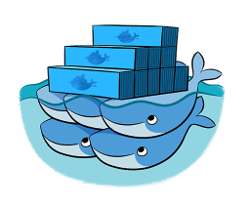
A native clustering tool for Docker. Swarm pools together several Docker hosts and exposes them as a single virtual Docker host. It scale up to multiple hosts.
Docker distribution
A (hosted) service containing repositories of images which responds to the Registry API.
Steps of a Docker workflow
docker run -i -t -d ubuntu:15.04 /bin/bash
- Pulls the ubuntu:15.04 image from the registry
- Creates a new container
- Allocates a filesystem and mounts a read-write layer
- Allocates a network/bridge interface
- Sets up an IP address
- Executes a process that you specify (
/bin/bash) - Captures and provides application output
The docker image

The docker container

The Dockerfile
A Dockerfile is a text document that contains all the commands a user could call on the command line to create an image.
- Dockerfile with inline comments just for education
- Dockerfile reference on docker docs
- Official Dockerfiles (rails, nodejs, django, Drupal)
Common Docker Commands
// General info
man docker // man docker-run
docker help // docker help run
docker info
docker version
docker network ls

// Images
docker images // docker [IMAGE_NAME]
docker pull [IMAGE] // docker push [IMAGE]

// Containers
docker run
docker ps // docker ps -a, docker ps -l
docker stop/start/restart [CONTAINER]
docker stats [CONTAINER]
docker top [CONTAINER]
docker port [CONTAINER]
docker inspect [CONTAINER]
docker inspect -f "{{ .State.StartedAt }}" [CONTAINER]
docker rm [CONTAINER]
Docker examples
- SSH into a container
- Build an image
- Docker Volume
- Linked containers
- Using docker-compose
- Scale containers with docker-compose
- Share an image (share this presentation)
- Package an app with its environment
- Screen and sound within containers (x-forward)
Example: SSH into a container
docker pull ubuntu
docker run -it --name ubuntu_example ubuntu /bin/bash
Example: Build an Image
Let's build a jenkins image
cd ~/Docker-presentation
git clone [email protected]:komljen/dockerfile-examples.git.git
cd dockerfile-examples/jenkins
docker build -t jenkins-local .

// Test it
docker run -d -p 8099:8080 --name jenkins_example jenkins-local
// Open http://localhost:8099
Example: Docker volume
Let's use Apache server
cd ~/Docker-presentation
mkdir apache-example
cd apache-example

docker pull eboraas/apache
docker run --name apache_volume_example \
           -p 8180:80 -p 443:443 \
           -v $(pwd):/var/www/ \
           -d eboraas/apache

// Locally create an index.html file
mkdir html
cd html
echo "It works using mount." >> index.html

// Open http://localhost:8180 to view the html file
Example: Docker link containers
Let's create a Drupal app (apache, php, mysql, drupal)
cd ~/Docker-presentation
mkdir drupal-link-example
cd drupal-link-example

docker pull drupal:8.0.6-apache
docker pull mysql:5.5

// Start a container for mysql
docker run --name mysql_example \
           -e MYSQL_ROOT_PASSWORD=root \
           -e MYSQL_DATABASE=drupal \
           -e MYSQL_USER=drupal \
           -e MYSQL_PASSWORD=drupal \
           -d mysql:5.5

// Start a Drupal container and link it with mysql
// Usage: --link [name or id]:alias
docker run -d --name drupal_example \
           -p 8280:80 \
           --link mysql_example:mysql \
           drupal:8.0.6-apache

// Open http://localhost:8280 to continue with the installation
// On the db host use: mysql

// There is a proper linking
docker inspect -f "{{ .HostConfig.Links }}" drupal_example
Example: Using Docker Compose
Let's create a Drupal app with docker-compose.yml
cd ~/Docker-presentation
git clone [email protected]:theodorosploumis/docker-presentation.git
cd docker-presentation/examples/docker-compose

// Run docker-compose using the docker-compose.yml
cat docker-compose.yml
docker-compose up -d
Example: Share a public Image
cd ~/Docker-presentation
git clone [email protected]:theodorosploumis/docker-presentation.git
cd docker-presentation

docker pull nimmis/alpine-apache
docker build -t tplcom/docker-presentation .

// Test it
docker run -itd --name docker_presentation \
           -p 8480:80 \
           tplcom/docker-presentation

// Open http://localhost:8480, you should see this presentation

// Push it on the hub.docker.com
docker push tplcom/docker-presentation
Example: Export/Save/Load etc
docker pull nimmis/alpine-apache
docker run -d --name apache_example \
           nimmis/alpine-apache

// Create a file inside the container.
// See https://github.com/nimmis/docker-alpine-apache for details.
docker exec -ti apache_example \
            /bin/sh -c 'mkdir /test && echo "This is it." >> /test/test.txt'

// Test it. You should see message: "This is it."
docker exec apache_example cat /test/test.txt

// Commit the change.
docker commit apache_export_example myapache:latest

// Create a new container with the new image.
docker run -d --name myapache_example myapache

// You should see the new folder/file inside the myapache_example container.
docker exec myapache_example cat /test/test.txt

// Export the container as image
cd ~/Docker-presentation
docker export myapache_example > myapache_example.tar

// Import a new image from the exported files
cd ~/Docker-presentation
docker import myapache_example.tar myapache:new

// Save a new image as tar
docker save -o ~/Docker-presentation/myapache_image.tar myapache:new

// Load an image from tar file
docker load < myapache_image.tar
Example: GUI with Docker
See examples at hub.docker.com/u/jess
// Before staring we should grant access to everyone on the X Server (locally)
// Otherwise the containers below will never start and they will not be able to use x11
xhost +

// Libreoffice
docker run  -d \
            -v /etc/localtime:/etc/localtime:ro \
            -v /tmp/.X11-unix:/tmp/.X11-unix \
            -e DISPLAY=unix$DISPLAY \
            -e GDK_SCALE \
            -e GDK_DPI_SCALE \
            --name libreoffice \
            jess/libreoffice

// SublimeText 3
docker run -it \
           -v $HOME/.config/sublime-text-3/:/root/.config/sublime-text-3 \
           -v /tmp/.X11-unix:/tmp/.X11-unix \
           -e DISPLAY=$DISPLAY \
           --name sublime_text \
           jess/sublime-text-3

// Audacity (sound in docker container)
docker run  -d \
            -v /etc/localtime:/etc/localtime:ro \
            -v /tmp/.X11-unix:/tmp/.X11-unix \
            -e DISPLAY=unix$DISPLAY \
            -e QT_DEVICE_PIXEL_RATIO \
            --device /dev/snd \
            --group-add audio \
            --name audacity \
            jess/audacity

// Disable access to x11
xhost -
Docker tips
There are known best practices (see a list at examples/tips)
- Optimize containers (check fromlatest.io and imagelayers.io)
- Create your own tiny base
- Containers are not Virtual Machines
- Full stack Images VS 1 process per Container
- Create your private registry
- Create shortcut commands
- Use docker-compose.yml templates (see why at lorry.io)
- Be aware of the hub.docker.com docker agent version
The Docker war
| Type | Software |
|---|---|
| Clustering/orchestration | Swarm, Kubernetes, Marathon, MaestroNG, decking, shipyard |
| Docker registries | Portus, Docker Distribution, hub.docker.com, quay.io, Google container registry, Artifactory, projectatomic.io |
| PaaS with Docker | Rancher, Tsuru, dokku, flynn, Octohost, DEIS |
| OS made of Containers | RancherOS |
Docker Alternatives
- Rocket, rkt
- Linux Containers, LXC
- Linux container hypervisor, LXD
- BSD Jails
- Solaris Zones
- drawbridge
Instead of Resources
- Awesome Docker (list of Docker resources & projects)
- Docker cheat sheet
- Docker in Practice, The Docker Book (books)
- Docker aliases/shortcuts
- Docker case studies
Questions?
Next: Docker in production, Scaling, Private registries, PaaS.
In this presentation I have used oh my zsh, docker 1.11.1, wharfee and dry.
Bonus!
Get the SKGTech.io docker image
Tag summary
Content type
Image
Digest
Size
8.6 MB
Last updated
almost 9 years ago
docker pull tplcom/docker-presentation