tristanteu/kontext
Self-hosted office suite for small businesses – mail, calendar and contacts on Stalwart
1.0K
tristanteu/kontext repository overview
Everything your team knows from Google. Without Google knowing your team.
Kontext: mail, calendar, chat and telephony (CTI) for your team – self-hosted and open source
Shared mailboxes, a team calendar, and every customer's mails, appointments and calls at a glance. No per-seat pricing. Made in Europe.
English · Deutsch










Why • Install • Features • Screenshots • Alternatives • FAQ • Documentation

▶️ Watch the whole film (2 minutes) – every module, made from the real app
💡 Why Kontext?
Google Workspace and Microsoft 365 are convenient, but every user costs money every month and the data sits with a US corporation. Kontext works just as well in the browser and on the phone, and runs on your server: a small VPS from about €5 a month (e.g. at IONOS or Hetzner) or a machine of your own.
- Your data stays with you (GDPR): mails, appointments, contacts, chat and calls live on your server, in Europe or in your own office. No US provider, no trackers.
- No per-seat pricing: ten people cost the same as one; you pay for the server.
- Everything about a customer in one place: their latest mails, next appointments, open tasks and calls – a small CRM without another tool.
- One app instead of five: mail, calendar, tasks, team chat with video calls, the office phone and documents, with one sign-in.
- Built for the phone too: every view works on the phone, and it installs as an app without an app store.
- AI if you want it: Claude and other assistants find customers, mails and appointments for you and write drafts – they never send or delete anything.
- Open, no lock-in: open source (AGPL) and standard protocols, so Outlook, Thunderbird, iPhone and Android keep working and you can take everything with you.
Who it's for: freelancers · trades · law firms and medical practices · small and mid-sized businesses · self-hosters looking for a web client for Stalwart.
🚀 Install
1. Let an agent set it up
Give Claude Code or another coding agent this repository and SSH access to your server and say: "Set up Kontext on my server following the installation guide."
2. Manually
On a server with Docker (or Podman), your own domain and open ports 25, 80, 443, 465, 587 and 993:
# The configuration (compose.yaml, .env.example, Caddyfile, backups); the programs come from Docker Hub
git clone https://github.com/firsttris/kontext /opt/kontext && cd /opt/kontext
cp deploy/.env.example deploy/.env && chmod 600 deploy/.env
nano deploy/.env                              # domain, version, backup target, replace every change-me
docker compose -f deploy/compose.yaml up -d   # pulls Kontext, Stalwart and Caddy and starts them (or Podman)
Then the main steps in Stalwart's admin (port 8080, only through an SSH tunnel or Tailscale); the guide lists all of them:
- Set up the domain and DKIM and create the boss's account; the boss adds everyone else in Kontext.
- Enter Kontext's network
10.89.250.0/24as an allowed IP, so that wrong passwords never get Kontext itself banned. - Create the API key for the company admin, put it into
deploy/.envasSTALWART_ADMIN_KEYand start Kontext again (how). - Sign in at
https://<your domain>.
Calls and documents (Schreibzeug, no install of its own needed) are switched on in .env.example; to leave them out, remove them from
COMPOSE_PROFILES. Telephony adds a small box in the office. Ten users run fine on a VPS with
2 vCPUs and 4 GB RAM. Everything else – DNS, Podman, backups, updates – is in the
installation guide (German).
✨ Features
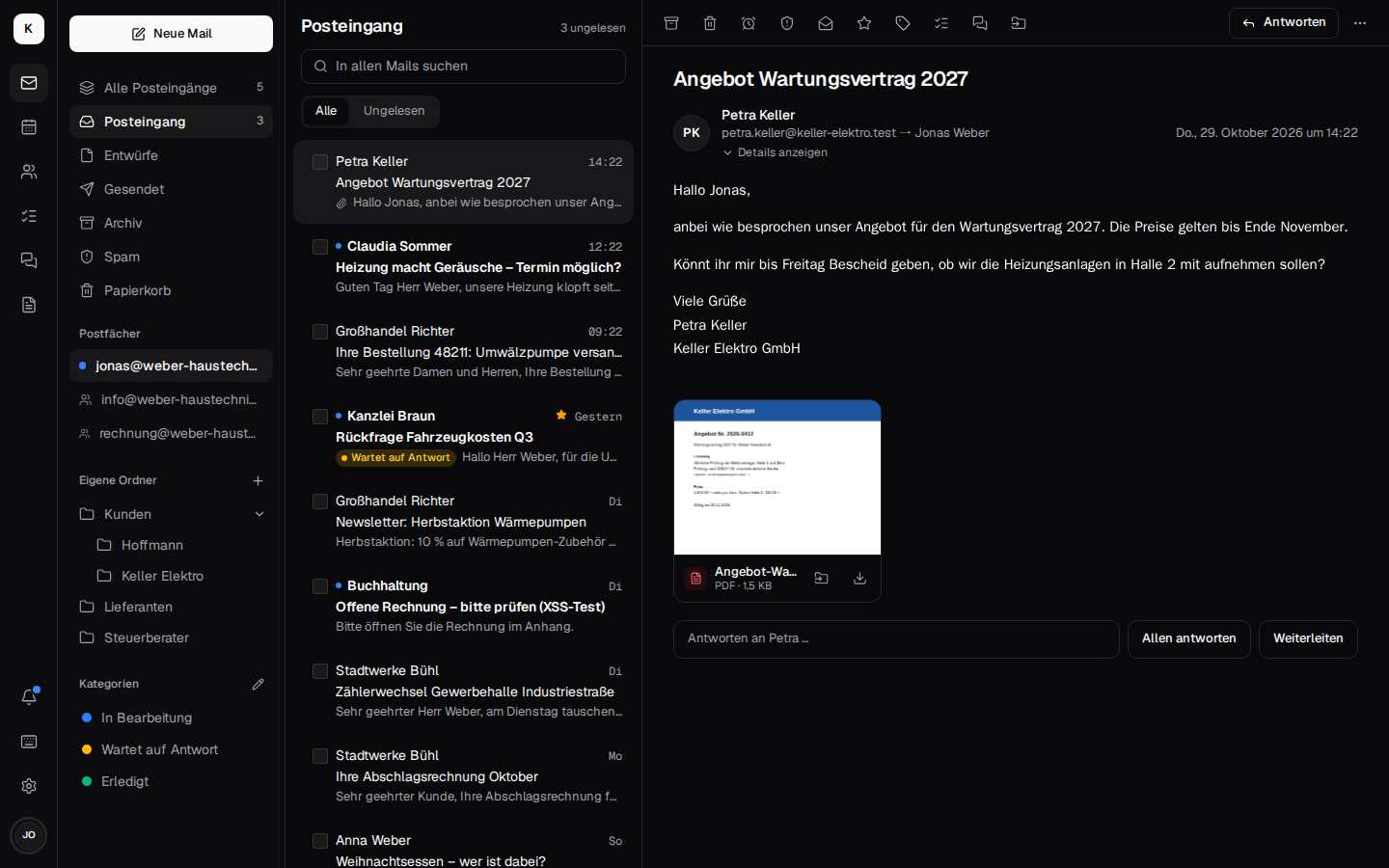
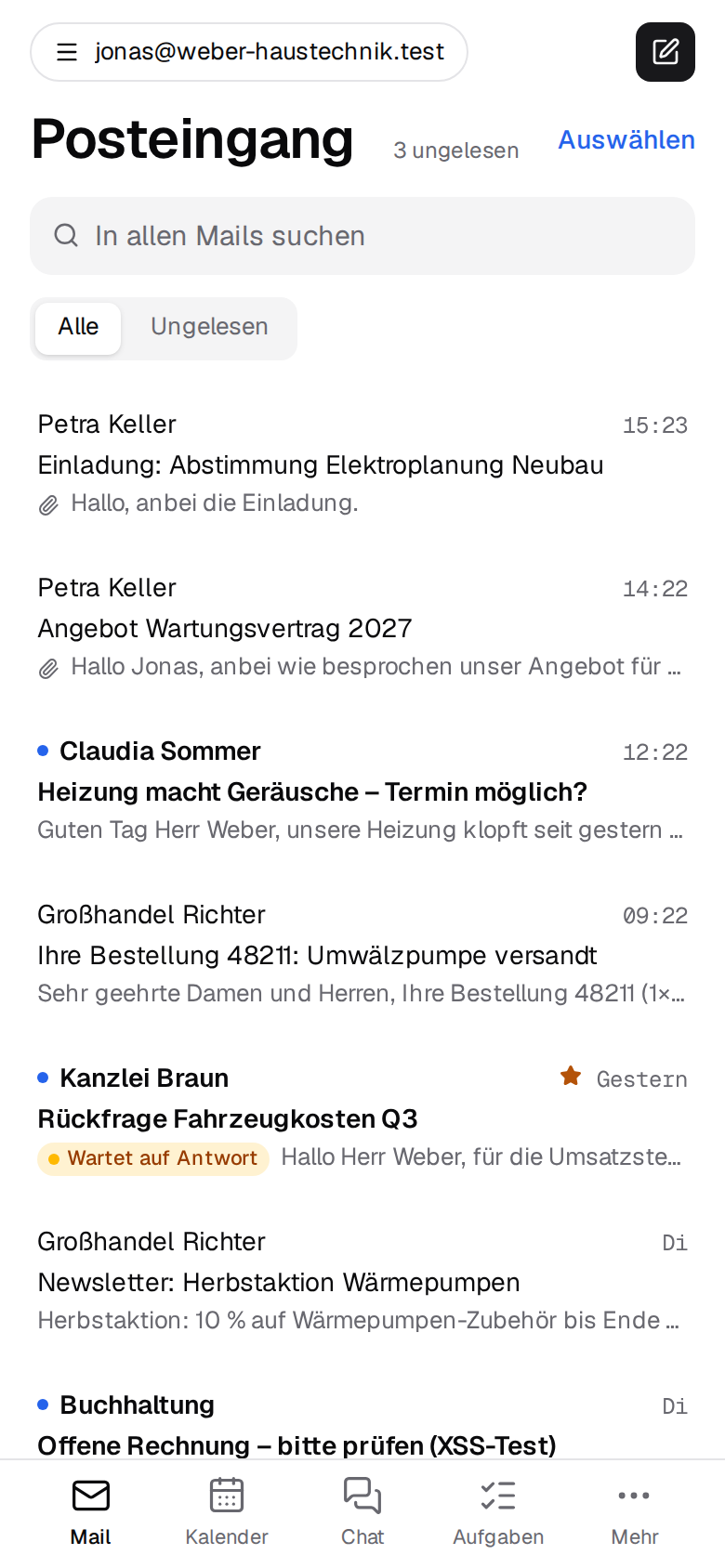
| Shared mailboxes like info@ with rights per person, categories and rules on the server, search like Gmail, send later, other mailboxes (Gmail, GMX), warnings about forged senders · more → | |
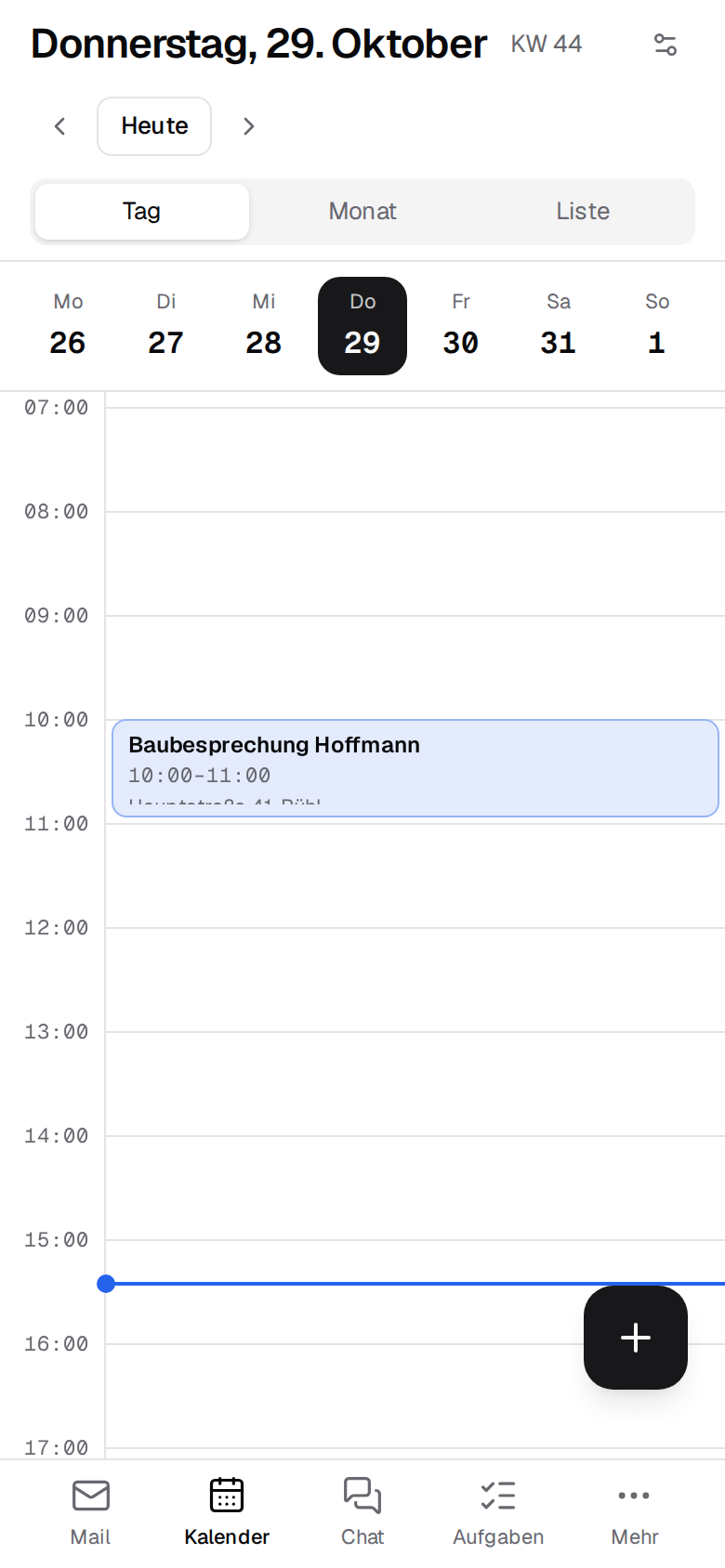
| 📅 Calendar | Day, week, month, recurring events, invitations answered with one click, who is free?, a video meeting per event, shared calendars, public holidays per German state · more → |
| 👥 Contacts | The customer at a glance: latest mails, next appointments, open tasks and calls; groups, vCard, merging duplicates · more → |
| ✅ Tasks | List or Kanban board per mailbox, from a mail, a chat message or a missed call, reminders, in Thunderbird and on the phone via CalDAV · more → |
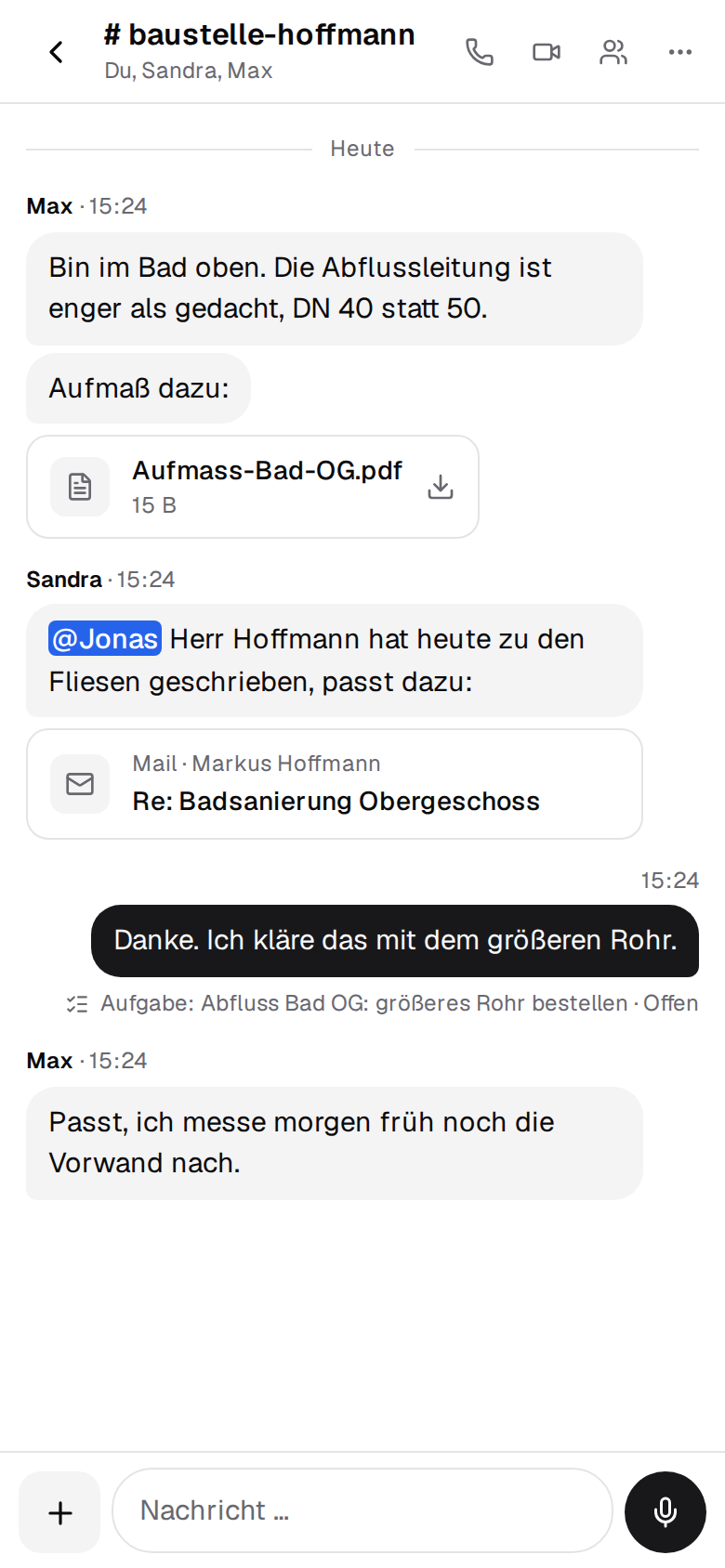
| 💬 Team chat & video | Channels and direct messages, mails and tasks as cards, voice messages, video calls and screen sharing on your own server, end-to-end encrypted conversations · more → |
| 📞 Telephony (CTI) | Your Fritzbox and numbers stay: calls ring in Kontext with the caller's contact and last mail, click to call, voicemail as mail, missed calls become tasks · more → |
| 🔐 Encryption | OpenPGP and S/MIME, send confidentially to anyone through a link to your own server, encrypted backups · more → |
| 📄 Documents | Word, Excel, PowerPoint and PDF in Kontext with Schreibzeug, a folder per shared mailbox · more → |
| 🤖 AI agents (MCP) | Claude and other agents look up customers, mails and appointments with your rights, write drafts and invite colleagues to appointments – nothing goes outside the company, no deleting, every change logged · more → |
| 🏢 Company admin | People, shared mailboxes and rights without IT skills, company signature, offboarding without deleting, backups at a glance, moving in from Microsoft 365, Gmail and Outlook · more → |
| 📱 On every device | An app on desktop, Android and iPhone without an app store, push notifications, light and dark, two-factor sign-in, built for keyboard and screen reader, checked automatically against WCAG 2.2 AA on every push (accessibility) · more → |
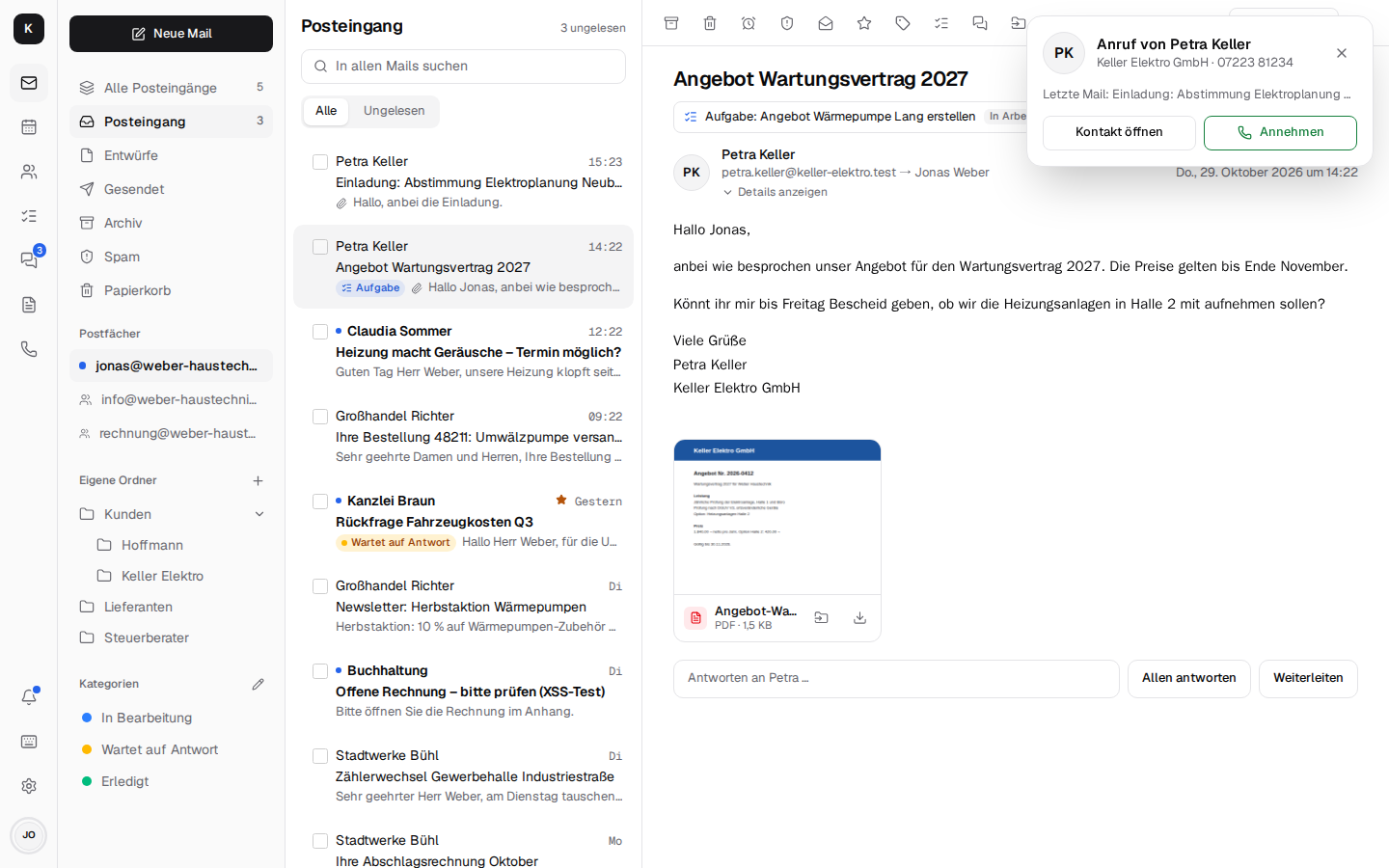
📸 Screenshots
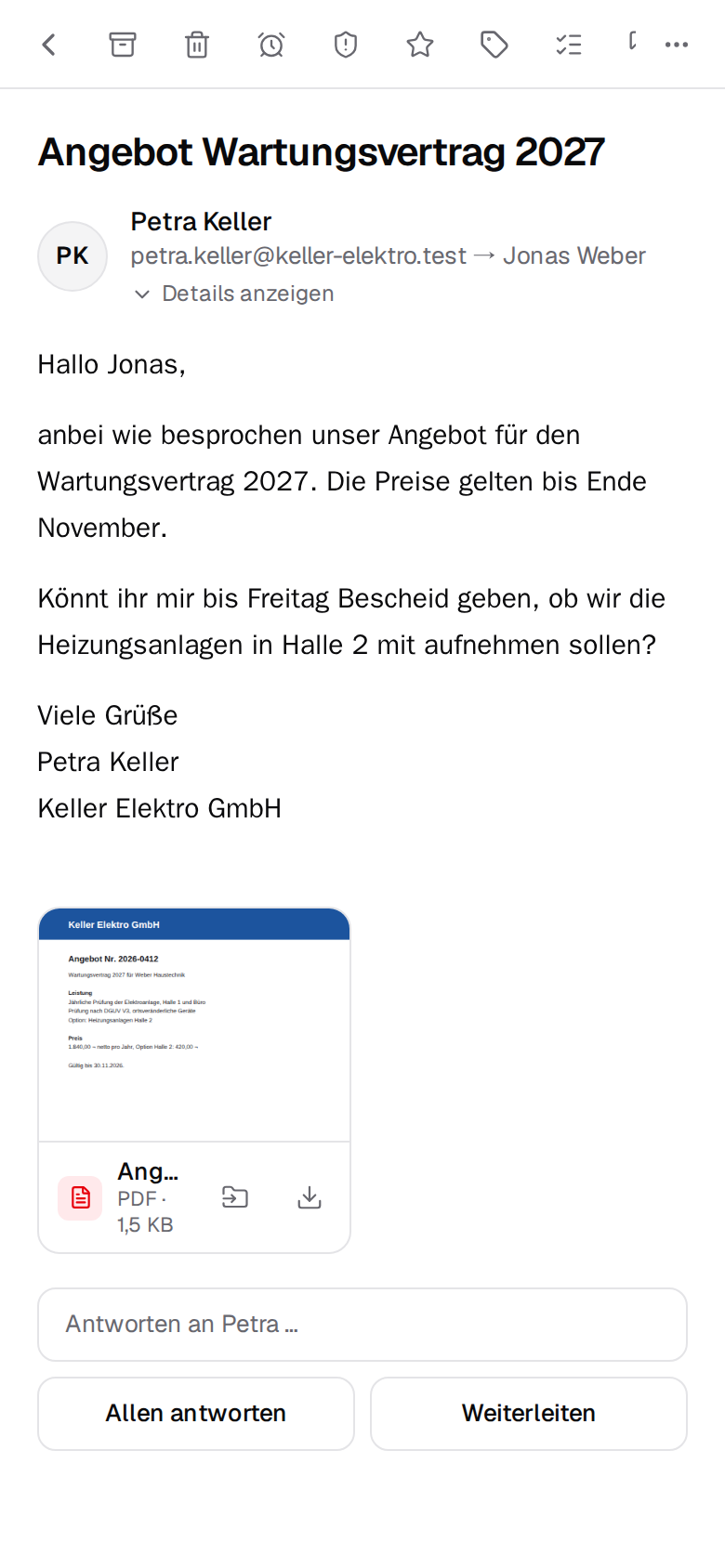
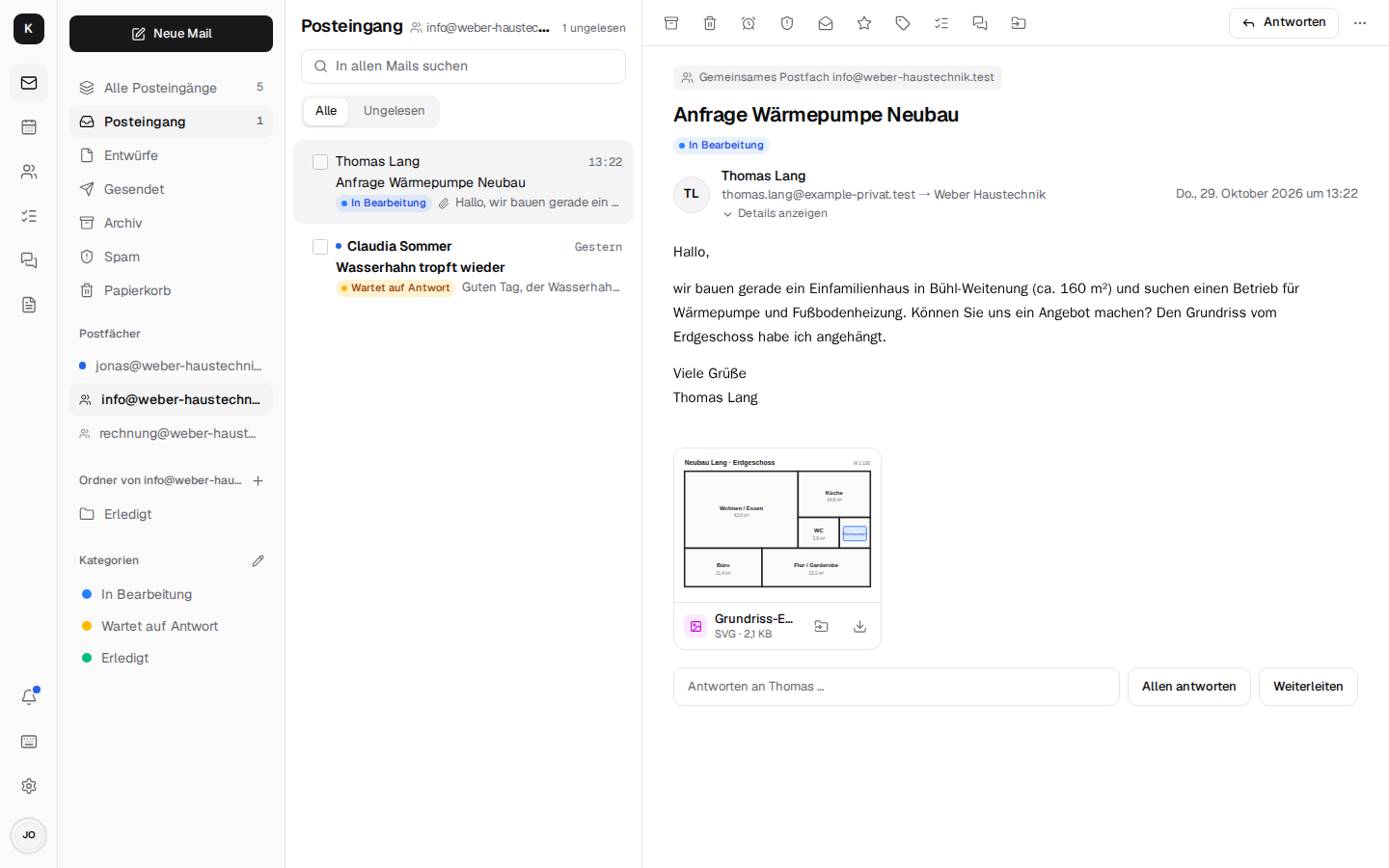 Shared mailbox – info@ for the whole team · docs → | 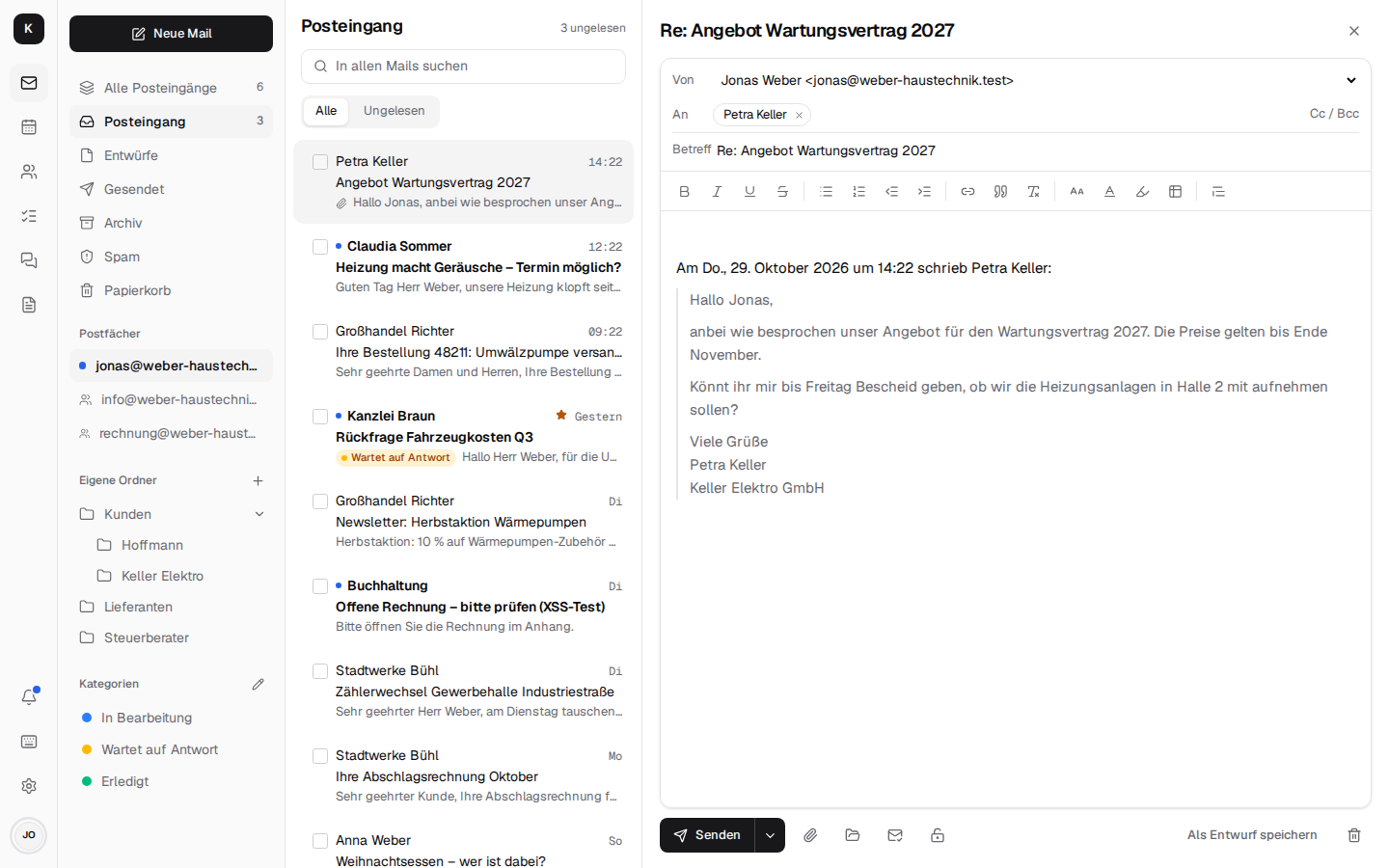 Writing – rich text, quote, sender · docs → |
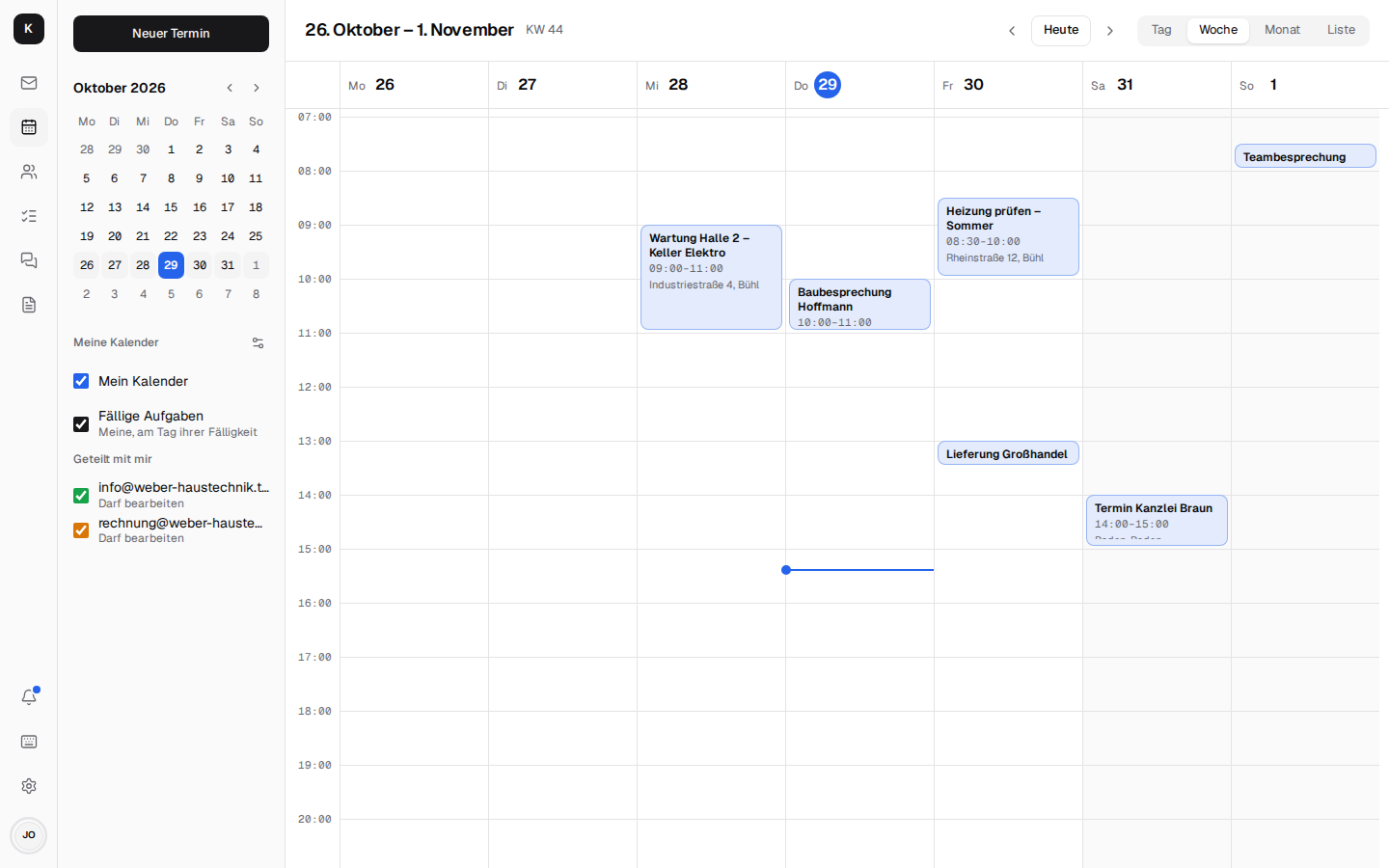 Calendar – week, month, availability · docs → | 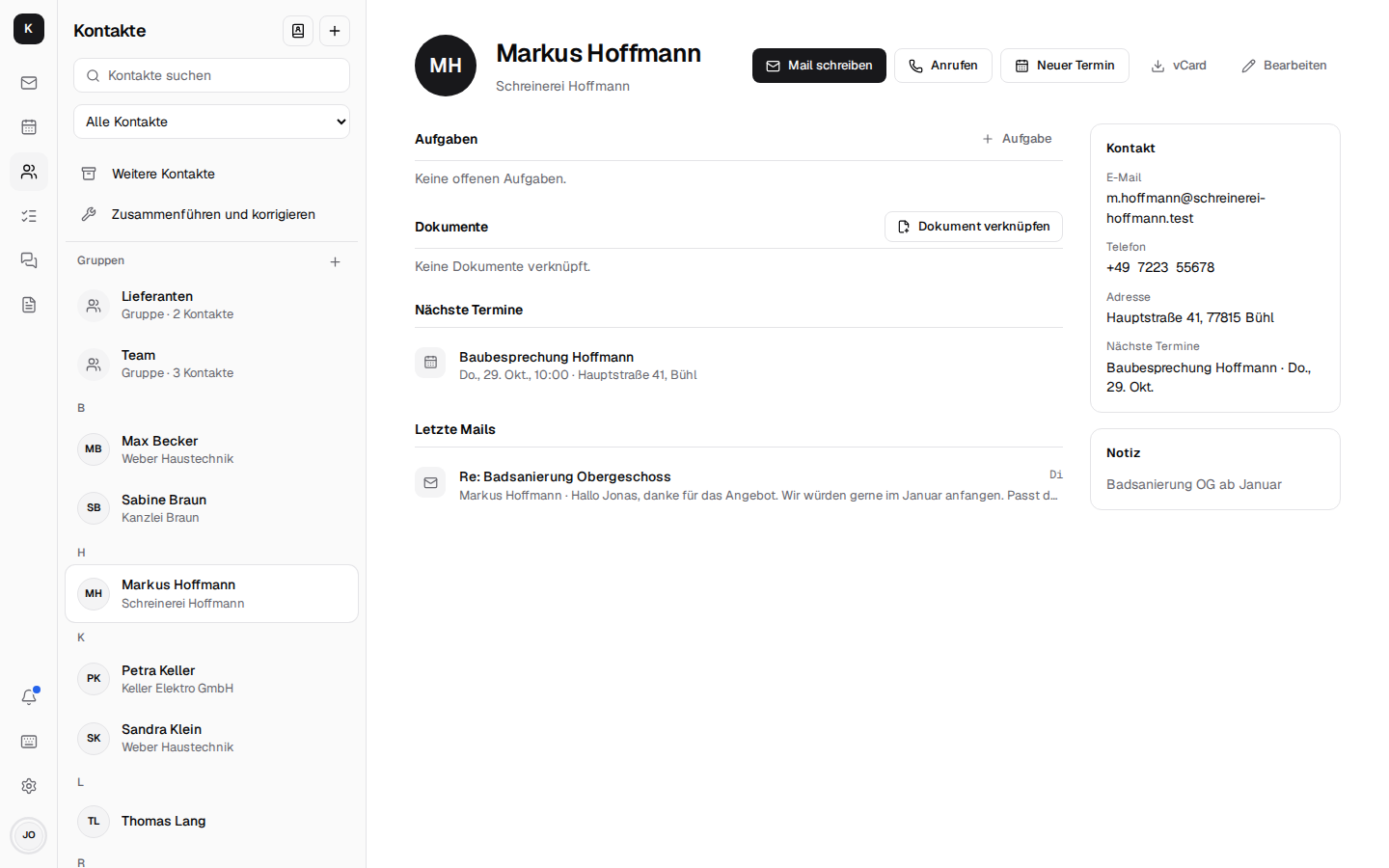 Contacts – the customer at a glance · docs → |
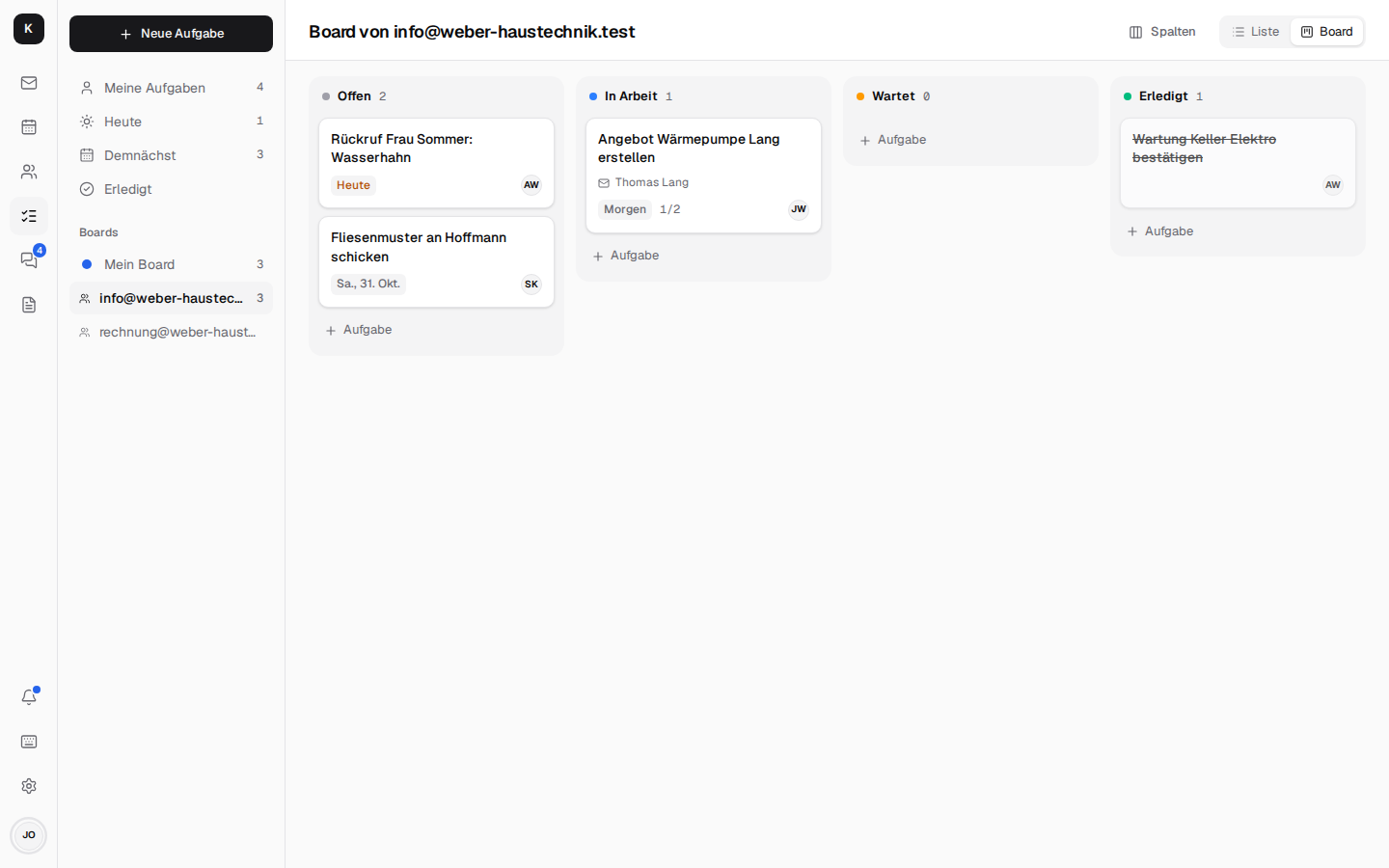 Tasks – a Kanban board per mailbox · docs → | 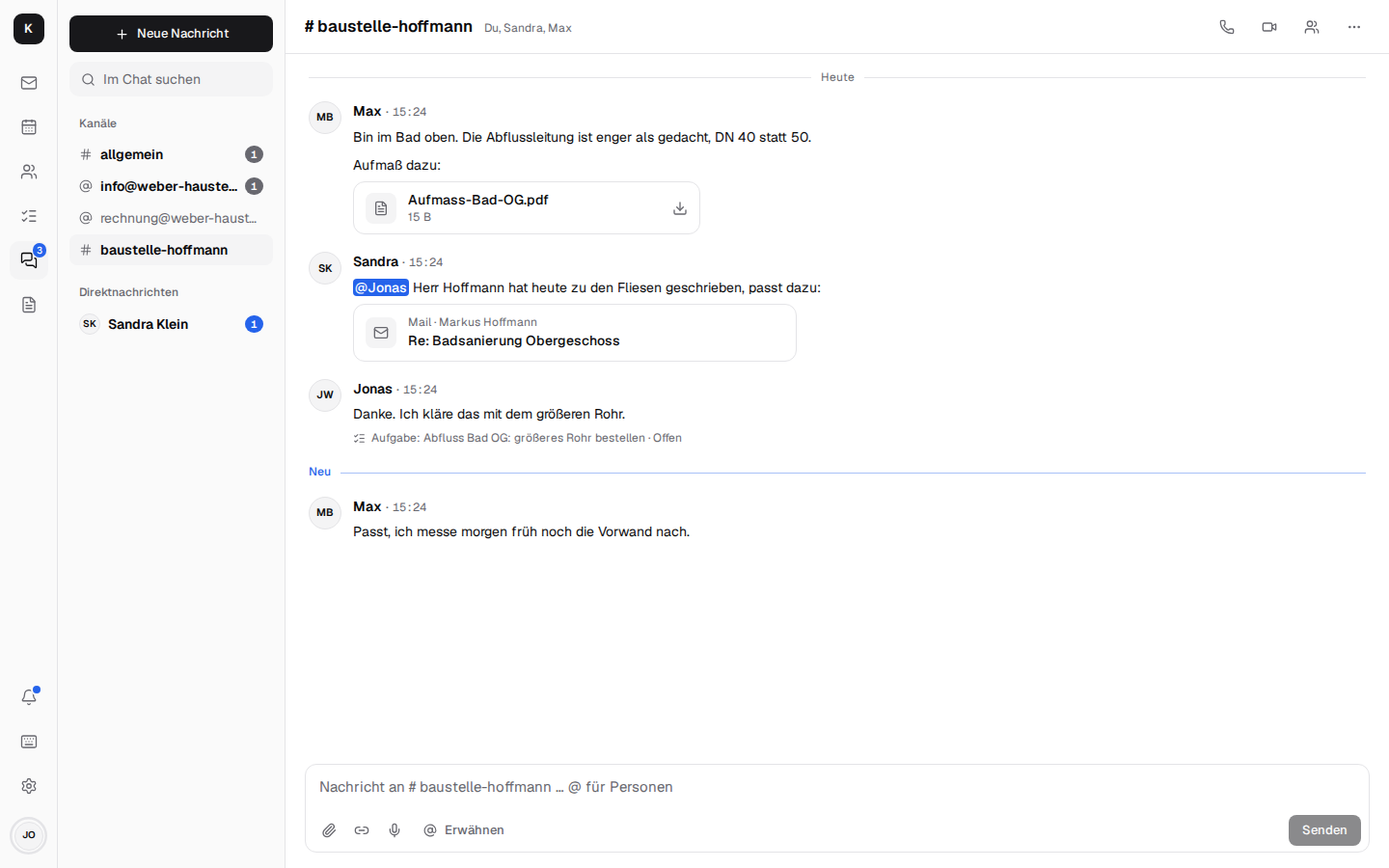 Team chat – mails as cards, tasks from messages · docs → |
🔀 Kontext and the alternatives
Kontext is made for a small business that wants Google Workspace comfort on its own server, with mail, calendar, chat and the office phone in one place.
| What it is | How Kontext differs | |
|---|---|---|
| Google Workspace | Gmail, Calendar, Drive and Meet as a per-user subscription | your own server, no per-seat cost, data in Europe |
| Microsoft 365 | Outlook, Teams and Office as a per-user subscription | runs in the browser without Outlook, chat and phone included, data on your own server |
| Nextcloud | self-hosted file sync with mail, calendar and Talk as apps | built around mail and the customer: shared mailboxes, team rules and categories, the office phone; files through Schreibzeug |
| Roundcube, SOGo | proven webmail and groupware clients for IMAP | modern interface built for the phone, JMAP push, contacts with a customer view, tasks and chat |
| Zimbra, Open-Xchange | groupware suites for providers and larger companies | one small server per company, set up in an afternoon, a company admin area for the boss |
| 3CX, Placetel | phone systems with CTI apps | keeps your Fritzbox and numbers, calls arrive next to the customer's mails, no licence per extension |
| Bulwark | JMAP webmail with calendar and contacts for Stalwart | the customer view, shared mailboxes for the team, tasks, chat, telephony and a company admin area |
❓ FAQ
Is there an open-source alternative to Google Workspace and Microsoft 365?
Yes, Kontext: mail with shared mailboxes, calendar, contacts, tasks, team chat with video calls and the office phone in one web app on your own server, with documents through Schreibzeug. See the installation guide.
What does it cost?
The software is free (AGPL). You need a server – a VPS from about €5 a month – and someone who sets it up and keeps it updated.
Is there a web interface for the Stalwart mail server?
Yes, that is what Kontext is: a JMAP web client for mail, calendar and contacts on Stalwart, plus tasks, chat, telephony and a company admin area that manages Stalwart's accounts and groups. See the architecture.
Does Kontext work with my Fritzbox (CTI)?
Yes. A telephone box in the office registers as an IP phone at the Fritzbox; calls then ring in Kontext with the caller's contact, last mail and next appointment, and you call out from any contact. See Telephony.
Can it run on my own PC or NAS?
Yes, Kontext runs wherever Docker or Podman runs. To receive mail from the internet the machine needs port 25 reachable from outside, a fixed IP address and a reverse DNS entry; home internet connections usually block port 25. At home it works best with a mail relay in front – a small VPS is simpler. The telephone box runs on a NAS, a Raspberry Pi or a thin client in the office.
Is it GDPR compliant?
It is built for it: the data stays on your server, without trackers or third parties. You sign a data processing agreement with your hosting provider; with a server in your own building not even that.
Is Kontext GoBD compliant?
No, Kontext is no mail archive. The German retention rules (GoBD) ask that business mail is kept for years so that nobody can delete or change it; in Kontext people can delete their mail. For that a GoBD archive belongs beside it. Kontext gives the pieces around it: nothing is deleted when someone leaves, and backups go encrypted and unalterable (Object Lock) to S3 storage.
Do iPhone, Android, Outlook and Thunderbird keep working?
Yes. Stalwart speaks IMAP, SMTP, CalDAV and CardDAV; every mail program and phone can connect directly. Kontext is the browser interface on top, and its tasks are CalDAV task lists too.
Can I move from Gmail, Microsoft 365 or Outlook?
Yes, under Settings → Company → Migration: IMAP mailboxes (kept in sync until the move is finished), Microsoft 365 through an app in the company's Microsoft account, Outlook as a PST file, contacts and calendars from a Google export. See Company admin and moving in.
Can I keep using my Gmail address?
Yes, under Einstellungen → Weitere Postfächer (Settings → Other mailboxes): new mail comes into Kontext, and you send as that address through the provider's server, so recipients see it as genuine.
Can I use Claude or other AI agents with my mail?
Yes. Kontext is an MCP server, so Claude and other agents can look things up with your rights, write drafts and invite colleagues to appointments; they never mail anyone outside or delete anything. See AI agents.
Which languages?
German and English, per device under Settings → Appearance → Language (otherwise the browser's language). Other European languages are planned.
Is it secure?
Check it yourself, the code is open: let your agent run Cloudflare's Security Audit Skill or
Claude Code's /security-review on this repository.
Report vulnerabilities privately as described in SECURITY.md.
📚 Documentation
The documentation opens with a tour in pictures, made to send to customers: in English and in German.
The full documentation (German), with search, is at firsttris.github.io/kontext: every feature in detail, installation, architecture and development. What changed in each release, with the steps an update needs, is in the changelog; what comes next is in the roadmap (German).
🛠️ Development
Needs Bun 1.4 and Linux or macOS (Windows through WSL).
git clone https://github.com/firsttris/kontext && cd kontext
bun install
bun run dev   # Stalwart with test data, server and app: http://localhost:5173
Sign in as [email protected] / kaffee-werkbank-kontext (the boss, sees the company
admin too); anna@, sandra@ and max@ share the password, info@ and rechnung@ are shared
mailboxes. bun run dev:stalwart -- --fresh --seed resets the test data.
React, TanStack Router/Query, Tailwind and Tiptap in the browser; a small Bun server with Hono, Better Auth and SQLite (Drizzle) for sign-in, JMAP to Stalwart, chat and tasks; LiveKit for calls, Asterisk in the telephone box. Tests, CI and releases: Development.
🧩 More from us
- Word, Excel and PowerPoint without Microsoft 365? Schreibzeug edits them in the browser and keeps them as .docx, .xlsx and .pptx.
- Doing your own books in Germany? Haben: invoices with e-invoicing, receipts, bank reconciliation and VAT returns via ELSTER.
🤝 Contributing
Issues and pull requests are welcome. A good bug report names the browser or phone, the view, what happened and the Kontext version (a screenshot helps); the bug report form asks for all of it. Security problems please report privately, see SECURITY.md. Before a pull request please run the checks from CONTRIBUTING.md:
bun run typecheck && bun run lint && bun run test && bun run build   # or: bun run check
bun run e2e                                                          # Playwright against its own Stalwart
mkdocs build --strict                                                # when docs/ changed
⭐ Like Kontext? A star on GitHub helps others find it.
🐛 Report a bug · 💡 Request a feature
License: AGPL-3.0 · © Tristan Teufel and contributors · Deutsche Version
Changed versions you pass on or run for others must offer their source code under the AGPL; a commercial license without these obligations is available via teufel-it.de.
Kontext is not affiliated with Stalwart Labs, AVM (FRITZ!Box), Snom, Google, Microsoft or Anthropic.
Tag summary
Content type
Image
Digest
sha256:c191c1a27…
Size
164.4 MB
Last updated
about 12 hours ago
docker pull tristanteu/kontext