tunefish92/satisfactorymaprenderer
Self-hosted interactive map of your Satisfactory save game or running dedicated server.
485
tunefish92/satisfactorymaprenderer repository overview
Satisfactory Map Renderer
An interactive map of your Satisfactory save game, straight from a file or a running dedicated server.
The whole factory on a zoomable map: foundations, buildings, belts, pipes, railways and power, plus players, vehicles, resource nodes with purity, collectibles and more, with search and click-to-inspect. One container renders the map and serves it.
New in 0.2: a 3D view of the world with your factory in the game's own models and textures, and a ground map of the world made from the game's ground textures and water.
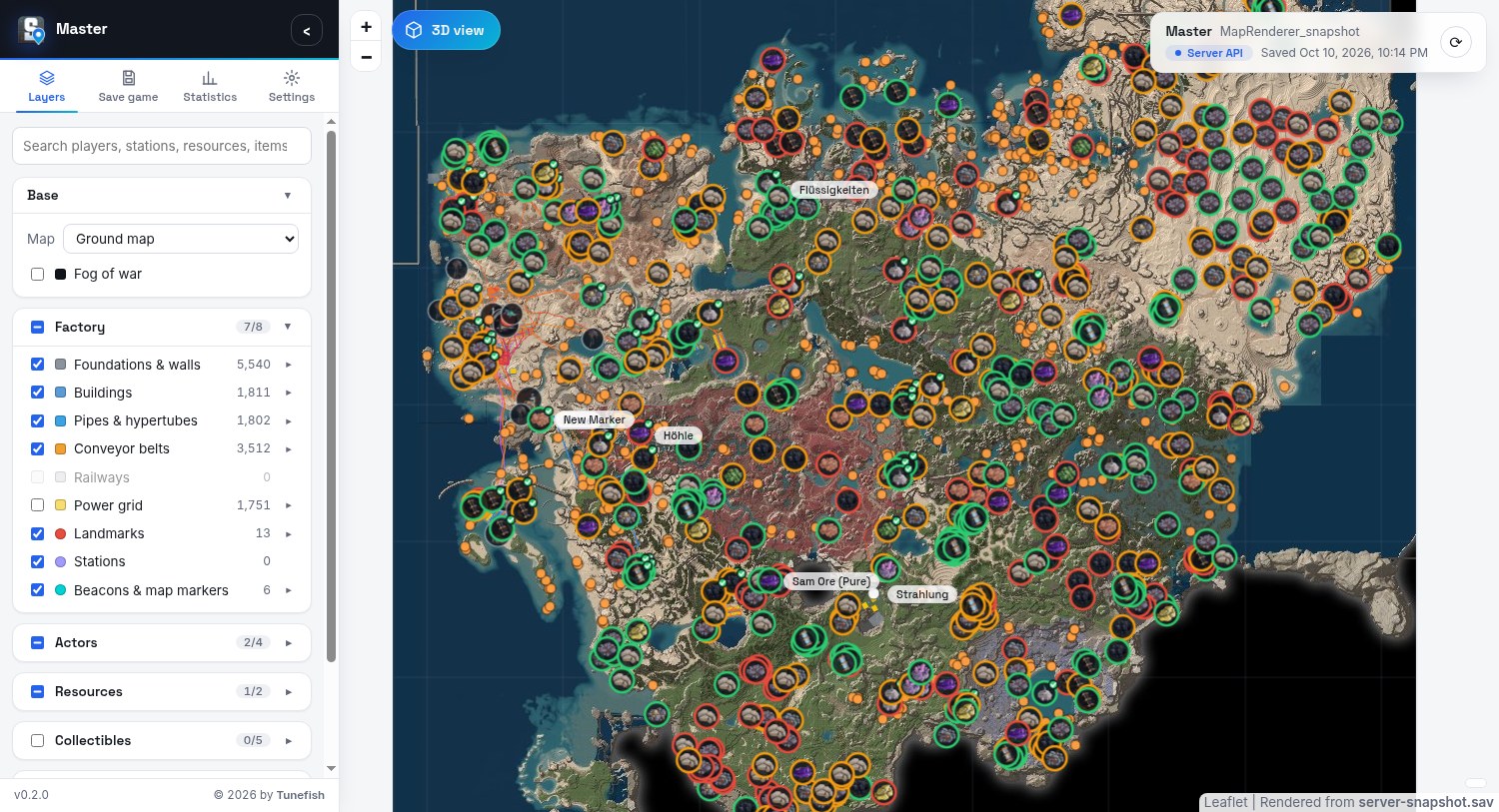
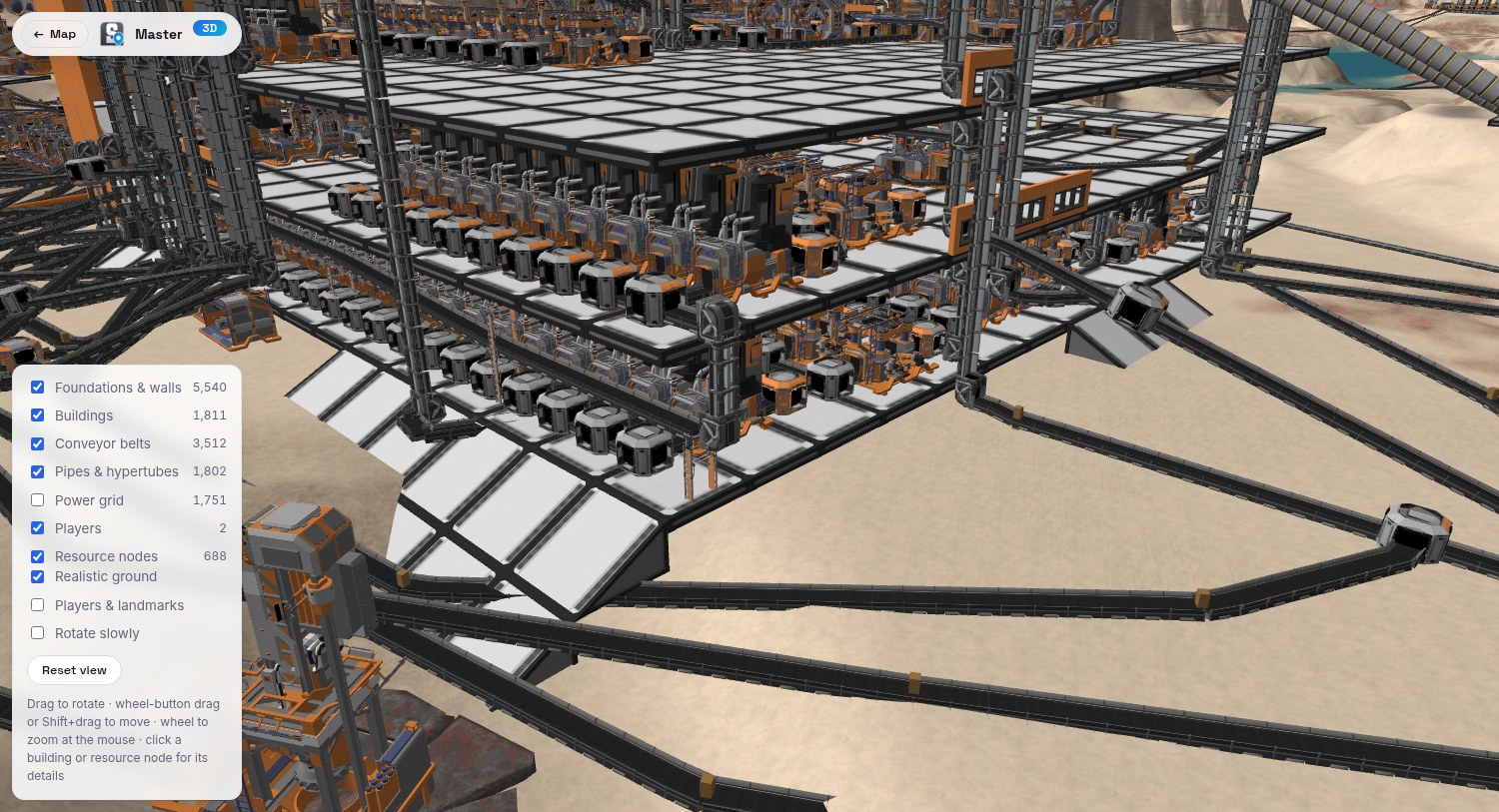
Source, full documentation and issues: https://github.com/Tunefish92/SatisfactoryMapRenderer
Quick start with Docker Compose
Save this as docker-compose.yml, set a password, and run docker compose up -d:
services:
  map:
    image: tunefish92/satisfactorymaprenderer:latest
    restart: unless-stopped
    environment:
      # Required, at least 8 characters. A "$" in the password must be written as "$$" here.
      SMR_ADMIN_PASSWORD: change-me-please
    ports:
      - "8080:8080"
    volumes:
      - ./map-data:/data
      # Optional, read-only: your Satisfactory installation. Only needed when your game is newer
      # than the game data in the image (new items or buildings show without icons).
      # - /path/to/Satisfactory:/game:ro
Open http://localhost:8080/, click Admin login in the Save game tab of the side panel, and choose the
save game:
- Browse / drag and drop a
.savfile. - Dedicated server (HTTPS API): host, port and an API token (run
server.GenerateAPITokenin the server console). Needs a server running game version 1.0 or newer; "Check version" tells you whether yours is compatible. - SSH:
user@hostand the path of the save file or save folder. Put the private key intomap-data/home/.ssh/.
For the server and SSH sources a Refresh snapshot button fetches and renders the current state again. Visitors who are not logged in only see the map.
Game icons and the in-game map
The image works out of the box: it brings the game's icons, names, resource data, 3D models, and three base maps
already cut into tiles (a ground map and a relief map at 32768 px, and the in-game map), exported from
Satisfactory 1.2.4. If your game is newer than that, mount your Satisfactory installation at /game (read-only)
and the data is exported from it once into the data folder.
Settings
| Variable | Default | Meaning |
|---|---|---|
SMR_ADMIN_PASSWORD | – | Required, at least 8 characters, any characters. Protects the save game source. In a compose file write $$ for every $, or pass the password with env_file and format: raw. |
SMR_MAX_ZOOM | 9 | Highest rendered zoom level (3–9). Each level less renders about four times faster. |
PUID / PGID | 1000 | Owner of the data folder; the app runs as this user. |
| Path | Meaning |
|---|---|
/data | Rendered map, exported game data, settings (including the server's API token). |
/game | Optional, read-only: a Satisfactory installation, to export newer game data than the image has. |
The container speaks plain HTTP on port 8080. To reach it from the internet, put it behind a reverse proxy that adds HTTPS, so the admin password is not sent unencrypted.
Reads saves from Update 5 up to 1.2.4. Not affiliated with or endorsed by Coffee Stain Studios; the game's icons and map included in the image are their property.
Tag summary
Content type
Image
Digest
sha256:cd4f82995…
Size
380.8 MB
Last updated
2 days ago
docker pull tunefish92/satisfactorymaprenderer