tunefish92/tapeory
Self-hosted web app to design, store and print Brother P-touch labels from your browser.
1.8K
tunefish92/tapeory repository overview
Tapeory
Design, store, and print Brother P-touch labels from your browser.
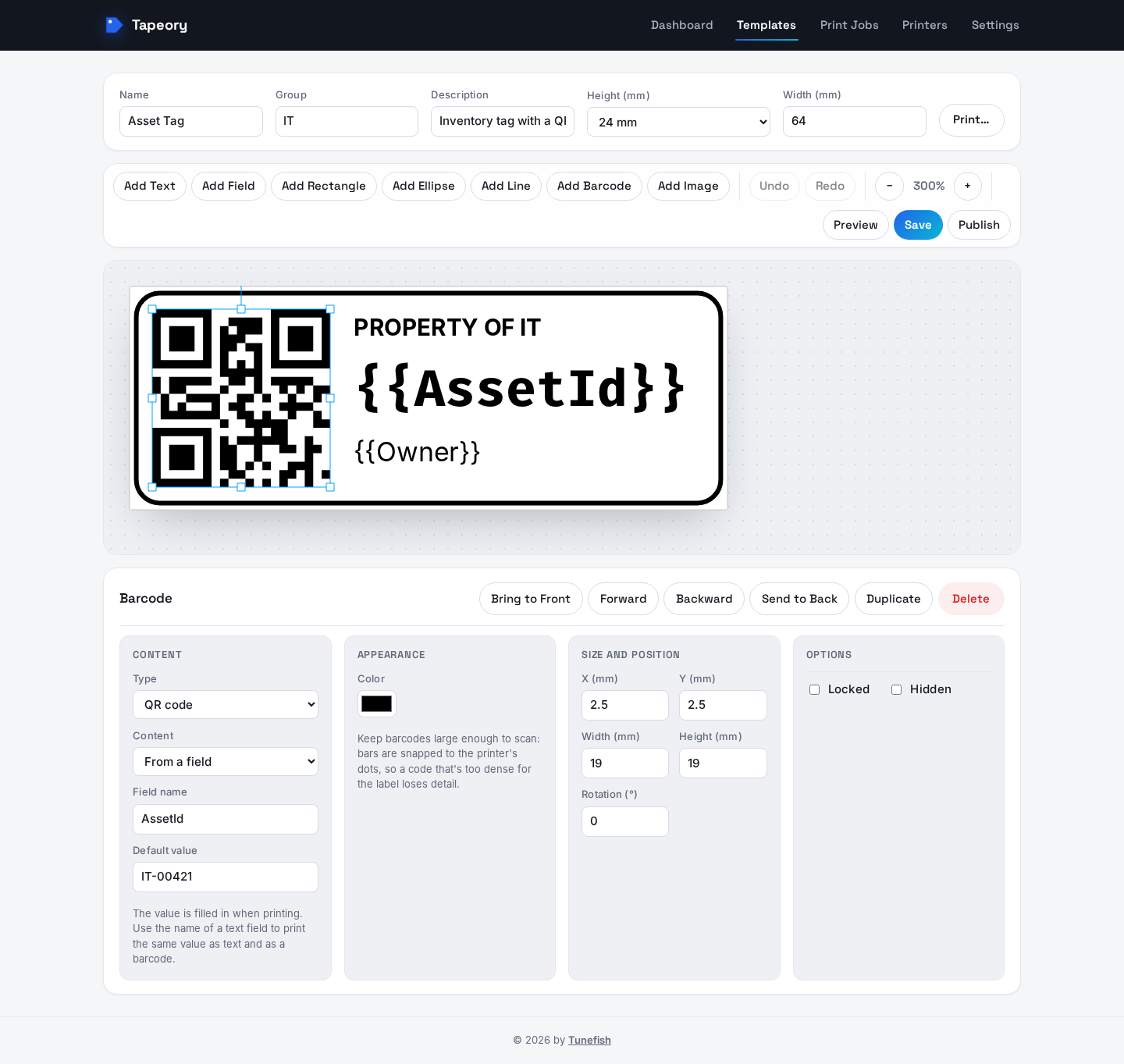
Tapeory is a self-hosted web app for label templates. Design a label in the browser editor, add
named fields like "Name" or "Room", and fill them in when you print. You can also import existing
P-touch Editor .lbx files. One container serves the web UI and the API; it needs a MySQL 8 or
MariaDB database.
Early release (0.5). Tapeory is still young: expect rough edges between minor versions. Designing, storing, importing, and rendering labels work. Printing works with 34 Brother P-touch (PT) and QL label printers in Brother's raster format, with live status over SNMP; see the supported printers.
No server? Tapeory also runs as a desktop app for Windows and Linux, with everything included: download it from the latest release. It can also share its database with this container.
Source, full documentation and issues: https://github.com/Tunefish92/Tapeory Questions and help: https://github.com/Tunefish92/Tapeory/discussions
Quick start with Docker Compose
Save this as docker-compose.yml, change the two passwords, and run docker compose up -d:
services:
  mysql:
    image: mysql:8.4
    restart: unless-stopped
    environment:
      MYSQL_ROOT_PASSWORD: change-me-root
      MYSQL_DATABASE: tapeory
      MYSQL_USER: tapeory
      MYSQL_PASSWORD: change-me-tapeory
    volumes:
      - mysql-data:/var/lib/mysql
    healthcheck:
      test: ["CMD-SHELL", "mysqladmin ping -h localhost -u root -p\"$$MYSQL_ROOT_PASSWORD\""]
      interval: 10s
      timeout: 5s
      retries: 10

  tapeory:
    image: tunefish92/tapeory:latest
    restart: unless-stopped
    depends_on:
      mysql:
        condition: service_healthy
    environment:
      PUID: 1000
      PGID: 1000
    ports:
      - "8080:8080"
    volumes:
      - ./tapeory-data:/data

volumes:
  mysql-data:
Open http://<host>:8080. On first start, Tapeory asks for the database connection: server
mysql, port 3306, database tapeory, user tapeory, and the MYSQL_PASSWORD from above.
It creates the tables and saves the connection to /data/config/database.json.
Docker run
With an existing MySQL 8 or MariaDB server, the app container is all you need:
docker run -d --name tapeory \
  -p 8080:8080 \
  -v /path/to/tapeory-data:/data \
  -e PUID=1000 -e PGID=1000 \
  --restart unless-stopped \
  tunefish92/tapeory:latest
Create an empty database and a user for it, then enter the connection in the web UI.
Configuration
| Setting | Default | Purpose |
|---|---|---|
Port 8080 | Web UI and API | |
Volume /data | Templates, uploads, rendered labels, backups, and the saved database connection. Back it up. | |
PUID / PGID | 1000 / 1000 | Owner of /data; the app runs as this user. Unraid: 99 / 100. |
TAPEORY_AUTO_MIGRATE | true | Apply database migrations on startup |
ConnectionStrings__Default | Optional connection string; skips the first-start setup screen |
The container starts as root only long enough to give /data to PUID:PGID, then drops to that
user. The image includes thirteen Google Fonts (Roboto, Open Sans, Lato, Montserrat, Inter and more)
plus Liberation and DejaVu; to add more, build on top of it and
install extra font packages.
Tags
| Tag | Contents |
|---|---|
latest | The newest release |
0.5.0, 0.4.0, … | One specific release |
All tags are multi-arch (amd64, arm64). The same image is on GitHub Container Registry as
ghcr.io/tunefish92/tapeory.
Security
Right after the database setup, Tapeory asks you to create the first account, which is the administrator; from then on everyone has to sign in. Administrators add more accounts, as administrators or users, in Settings → Users. Templates are private to their creator until made public, and each account sees its own print history. Installs upgraded from 0.3 or older stay open until the first account is created. Tapeory serves plain HTTP: for access from outside your home network, put it behind a reverse proxy with HTTPS.
Lost the only administrator's password? docker exec tapeory tapeory reset-password <user name>
prints a temporary one.
License: MIT
Tag summary
Content type
Image
Digest
sha256:cfea8d6fb…
Size
310.8 MB
Last updated
17 days ago
docker pull tunefish92/tapeory