tweetsentimentanalysis/webinterface
Webinterface for Tweet Sentiment Analysis
Image
1
1.1K
tweetsentimentanalysis/webinterface repository overview
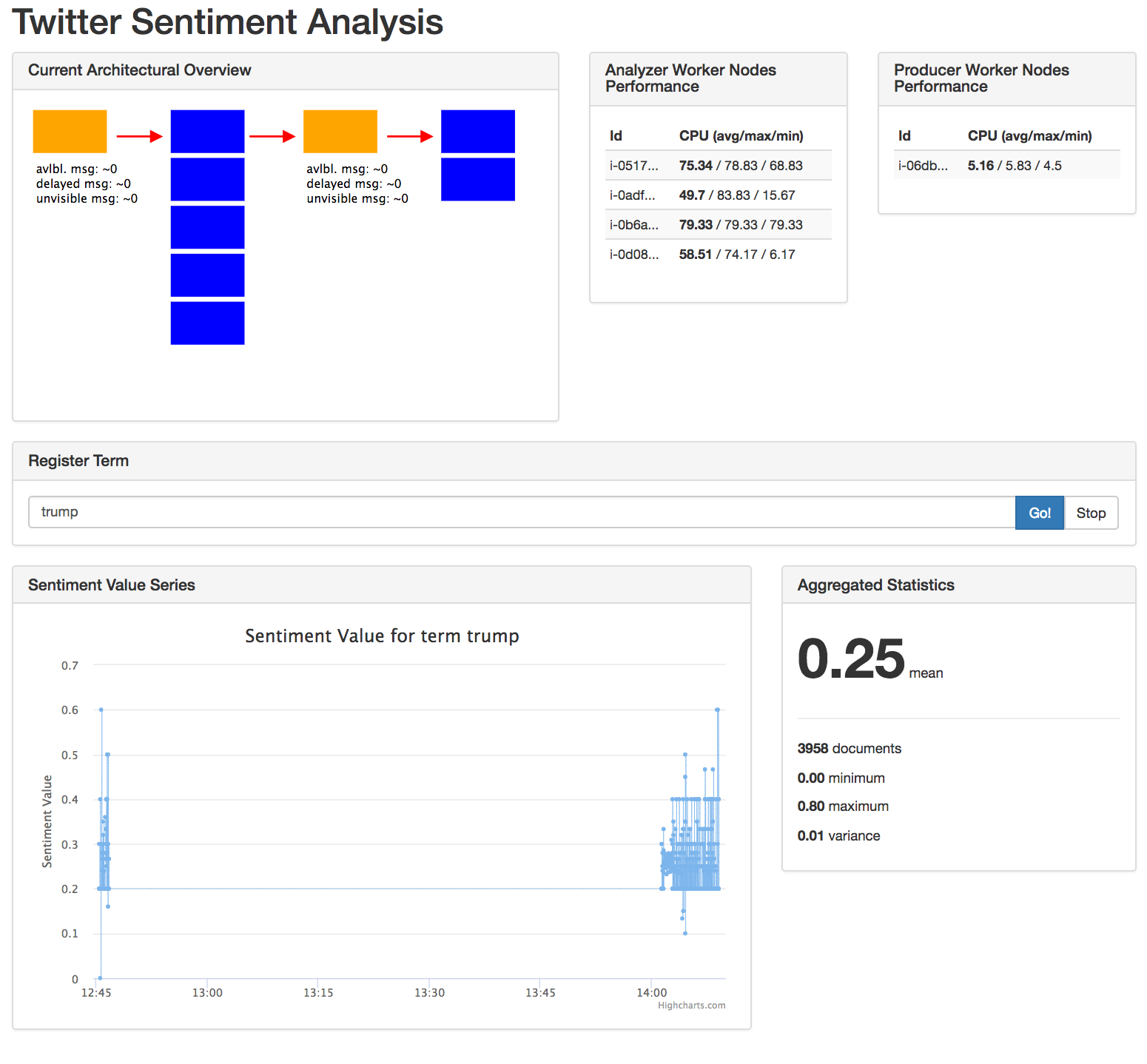
Webinterface
This component let's the user register terms for analyzing.
Build and Deploy
- Login to your account to dockerhub:
docker login - From the root of this project, build a new docker image with the respective version:
docker build -t tweetsentimentanalysis/webinterface:0.0.2 -t tweetsentimentanalysis/webinterface:latest . - Run
docker push tweetsentimentanalysis/webinterface:0.0.2to deploy to dockerhub
Get the container
If you do not want to build the container by your own, you may use the following to get the image from DockerHub:
docker pull tweetsentimentanalysis/webinterface:latest
Run the container
After you have built the container, you may run it using the following command:
docker run -p 9000:8080 -e REGISTRAR_URL='http://someUrl.toRegistrar.com' -e ELASTICSEARCH_URL='https://some.Url.com' -e AWS_ACCESS_KEY_ID="..." -e AWS_ACCESS_KEY_SECRET="..." tweetsentimentanalysis/webinterface:latest
Use the appropriate URLs as well as AWS credentials with at least the permissions of AmazonSQSReadOnlyAccess, CloudWatchReadOnlyAccesse.
Note, that you also may specify the following environment variables during startup:
AWS_EC2_REGION: The region in which the instances of the autoscaling groups are located, e.g.us-west-2AWS_ANALYZER_AUTO_SCALING_GROUP_NAME: The AWS autoscaling group name of the instances on which tweets get analyzedAWS_PRODUCER_AUTO_SCALING_GROUP_NAME: The AWS autoscaling group name of the instances on which the tweets are pushed to ElasticsearchAWS_FETCHED_TWEETS_SQS_QUEUE_NAME: The AWS SQS Queue name in which the fetched tweets are locatedAWS_ANALYZED_TWEETS_SQS_QUEUE_NAME: The AWS SQS Queue name in which the analyzed tweets are located
Remove built images
In order to clean up, you may want to remove the previously created image and container:
- Run
docker ps -ain order list created containers. - Choose the corresponding container id and invoke
docker stop <ID> && docker rm <ID> - Run
docker imagesto list all created images - Run
docker rmi <ID>with the id of the image to remove it
Tag summary
Content type
Image
Digest
Size
32.7 MB
Last updated
over 9 years ago
docker pull tweetsentimentanalysis/webinterface