vikas9dev/computehub-server repository overview
ComputeHub | Multi-Container Hub







✨ Live Demo
🌐 Live Site: https://computehub-k8s.vikas9dev.xyz/
📁 Source Code: https://github.com/vikas9dev/multi-container-compute-hub
(Note: The live site is part of a production deployment demonstration and may be taken down periodically to optimize compute costs.)
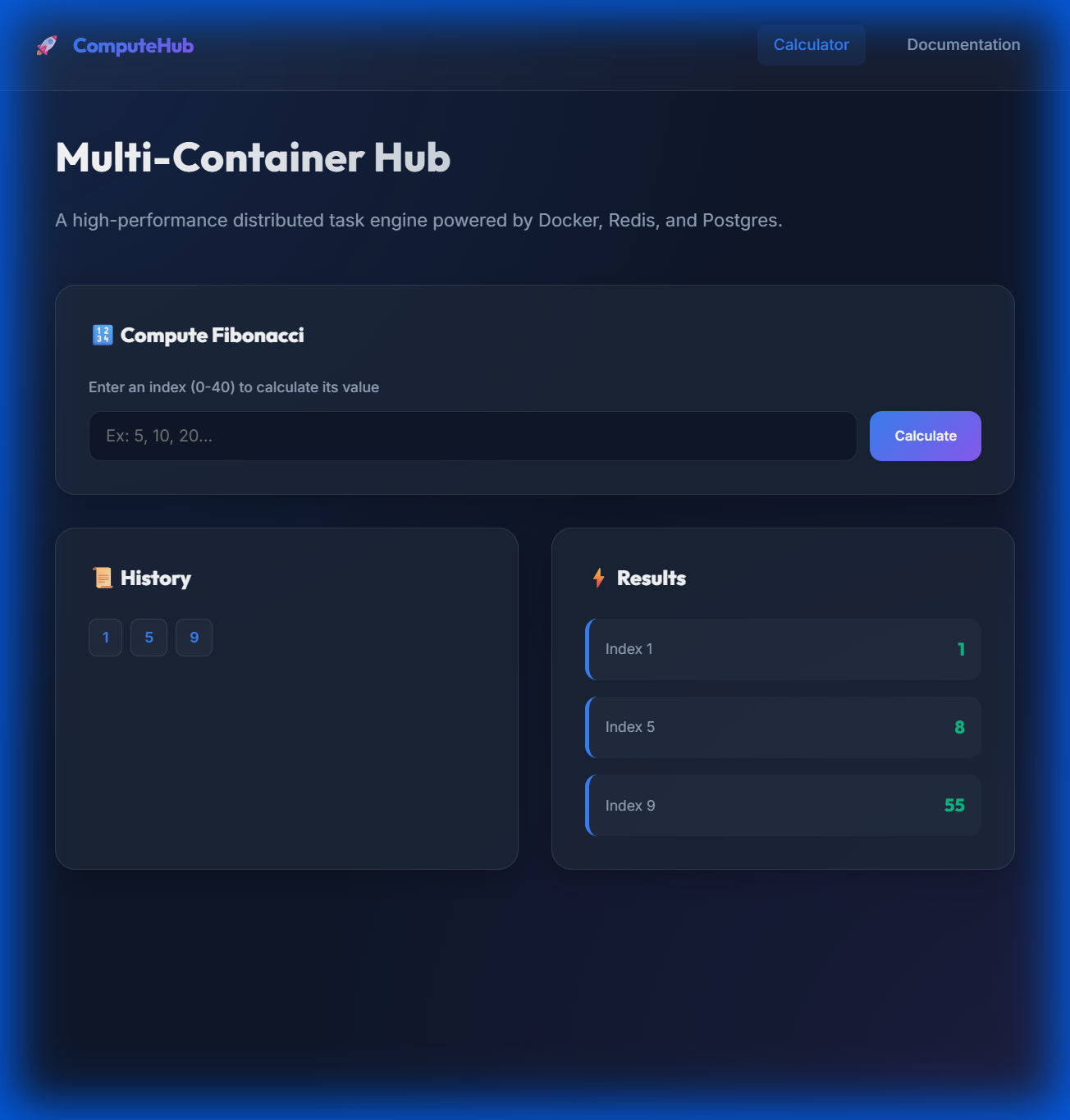
A high-performance, distributed system architecture for processing computational tasks at scale. ComputeHub demonstrates how to orchestrate a full-stack microservices environment using Kubernetes, Redis for event-driven coordination, and a Cloud Load Balancer (Ingress) for intelligent routing.
🏗️ Kubernetes Architecture (Production)
This project is optimized for production-grade orchestration using Google Kubernetes Engine (GKE). For a detailed breakdown of the system's evolution and design decisions, see the Architecture Documentation.
%%{init: {'theme': 'dark', 'themeVariables': { 'primaryColor': '#00d4ff', 'edgeLabelBackground':'#111', 'tertiaryColor': '#111'}}}%%
graph TD
  User[User] --> Ingress[Cloud Load Balancer / Ingress]
  Ingress --> |HTTPS| Cert[Cert Manager / Let's Encrypt]

  subgraph Cluster[Google Kubernetes Engine]
    Ingress --> |/| Client[Client Pods]
    Ingress --> |/api| API[Server Pods]

    API --> Redis[Redis Service]
    API --> DB[Postgres Service]

    Worker[Worker Pods] --> Redis
    Worker --> DB
  end

  DB --> PV[Persistent Volume Claim]

  %% High-contrast Neon Styles
  style Ingress fill:#1e293b,stroke:#8b5cf6,stroke-width:2px,color:#fff
  style Cert fill:#4c1d95,stroke:#c084fc,stroke-width:2px,color:#fff
  style Cluster fill:#0f172a,stroke:#3b82f6,stroke-width:3px,color:#fff
  style Client fill:#082f49,stroke:#0ea5e9,stroke-width:2px,color:#fff
  style API fill:#1c1917,stroke:#f59e0b,stroke-width:2px,color:#fff
  style Worker fill:#064e3b,stroke:#10b981,stroke-width:2px,color:#fff
  style Redis fill:#450a0a,stroke:#ef4444,stroke-width:2px,color:#fff
  style DB fill:#1e1b4b,stroke:#6366f1,stroke-width:2px,color:#fff
  style PV fill:#111,stroke:#94a3b8,stroke-width:2px,color:#fff
Key Kubernetes Features:
- Cloud Load Balancer (Ingress): Unified entry point with automated traffic routing and path-based rules.
- Cert-Manager: Automated SSL/TLS certificate issuance via Let's Encrypt.
- Scalability: Decoupled client, server, and worker pods for independent scaling.
- Durability: Persistent Volume Claims (PVC) ensure database state is preserved across pod restarts.
- CI/CD: Fully automated deployment to GKE via GitHub Actions (
gke-pipeline.yml).
☸️ GKE Deployment Flow
- GitHub Actions: Builds Docker images and pushes to Docker Hub.
- Kubernetes Manifests: Applied to the cluster from the
k8s/directory. - Ingress: Triggers Cert-Manager to solve ACME challenges and secure the domain
computehub-k8s.vikas9dev.xyz.
⚡ Quick Start (Local Development)
Prerequisites
- Docker Desktop with Kubernetes enabled (optional) or just Docker Compose.
Run with Docker Compose
- Clone the repository:
git clone https://github.com/vikas9dev/multi-container-compute-hub.git cd multi-container-compute-hub - Start the orchestration:
docker compose up --build - Access the dashboard: 👉 http://localhost:3000
🏘️ Multi-Container Services
| Service | Docker Hub Image | Description |
|---|---|---|
| Client | vikas9dev/computehub-client | Frontend React Application (Nginx-served) |
| Server | vikas9dev/computehub-server | Backend Express API & Traffic Handler |
| Worker | vikas9dev/computehub-worker | Background Task Processor (Fibonacci) |
| Nginx | vikas9dev/computehub-nginx | Primary Routing (Local Dev / Docker Compose only) |
☁️ Legacy / Alternative Deployment (Elastic Beanstalk)
Prior to the Kubernetes migration, this project was deployed to AWS Elastic Beanstalk using a multi-container Docker setup.
AWS Topology (Non-K8s)
%%{init: {'theme': 'dark', 'themeVariables': { 'primaryColor': '#FF9900'}}}%%
graph TD
  Internet((Internet)) --> EB[Elastic Beanstalk]
  subgraph EC2[EC2 Instance]
    RN[Nginx Router]
    CN[Client App]
    SRV[Express API]
    WRK[Worker]
  end
  SRV --> RDS[(RDS Postgres)]
  SRV --> EC[(ElastiCache Redis)]
  WRK --> EC

  %% AWS Themed Colors
  style Internet fill:#222,stroke:#fff,stroke-width:2px,color:#fff
  style EB fill:#1e293b,stroke:#FF9900,stroke-width:2px,color:#fff
  style RN fill:#2d3748,stroke:#805ad5,stroke-width:2px,color:#fff
  style CN fill:#2d3748,stroke:#3182ce,stroke-width:2px,color:#fff
  style SRV fill:#2d3748,stroke:#d69e2e,stroke-width:2px,color:#fff
  style WRK fill:#2d3748,stroke:#38a89d,stroke-width:2px,color:#fff
  style RDS fill:#1c4532,stroke:#48bb78,stroke-width:2px,color:#fff
  style EC fill:#702459,stroke:#d53f8c,stroke-width:2px,color:#fff
Note: The AWS deployment used external managed services (RDS/ElastiCache) while the Kubernetes version currently handles services within the cluster for demonstration purposes.
🔧 Core Features
- Event-Driven Workflow: Real-time task queuing via Redis Pub/Sub.
- Scalable Workers: Add more compute power by scaling the worker service independently.
- CI/CD Pipeline: Fully automated testing and deployment workflow using GitHub Actions.
- Automated HTTPS: Production-grade security with Let's Encrypt integration.
🛠️ Developed with
- Kubernetes & GKE (Orchestration)
- Docker & Docker Compose (Containerization)
- Nginx (Reverse Proxy & Ingress)
- Redis (In-memory Message Broker)
- PostgreSQL (Relational Data Storage)
- React / Express / Node.js (Full-Stack Logic)
Tag summary
Content type
Image
Digest
sha256:4e7119ed2…
Size
62.9 MB
Last updated
9 months ago
docker pull vikas9dev/computehub-server