vincenthcui/grpc-json-proxy
Use grpx-json-proxy out of the box.
4.6K
vincenthcui/grpc-json-proxy repository overview
grpc-json-proxy
GRPC JSON is a proxy which allows HTTP API tools like Postman to interact with gRPC servers.
Requirements
- grpc+json codec must be enabled on the grpc server
- Postman must be configured to use the proxy
Configuration of the proxy and its dependencies is a three step process.
Register a JSON codec with the gRPC server. In Go, it can be automatically registered simple by adding the following import:
import _"github.com/jnewmano/grpc-json-proxy/codec"
If you're using gogo/protobuf as your protobuf backend, import the following:
import _"github.com/jnewmano/grpc-json-proxy/gogoprotobuf/codec"
- Run the grpc-json-proxy. Download pre-built binaries from https://github.com/jnewmano/grpc-json-proxy/releases/ or build from source:
go get -u github.com/jnewmano/grpc-json-proxy
grpc-json-proxy
Other way, you can simply use grpc-json-proxy docker image out of the box:
docker run -it -p 7001:7001 vincenthcui/grpc-json-proxy
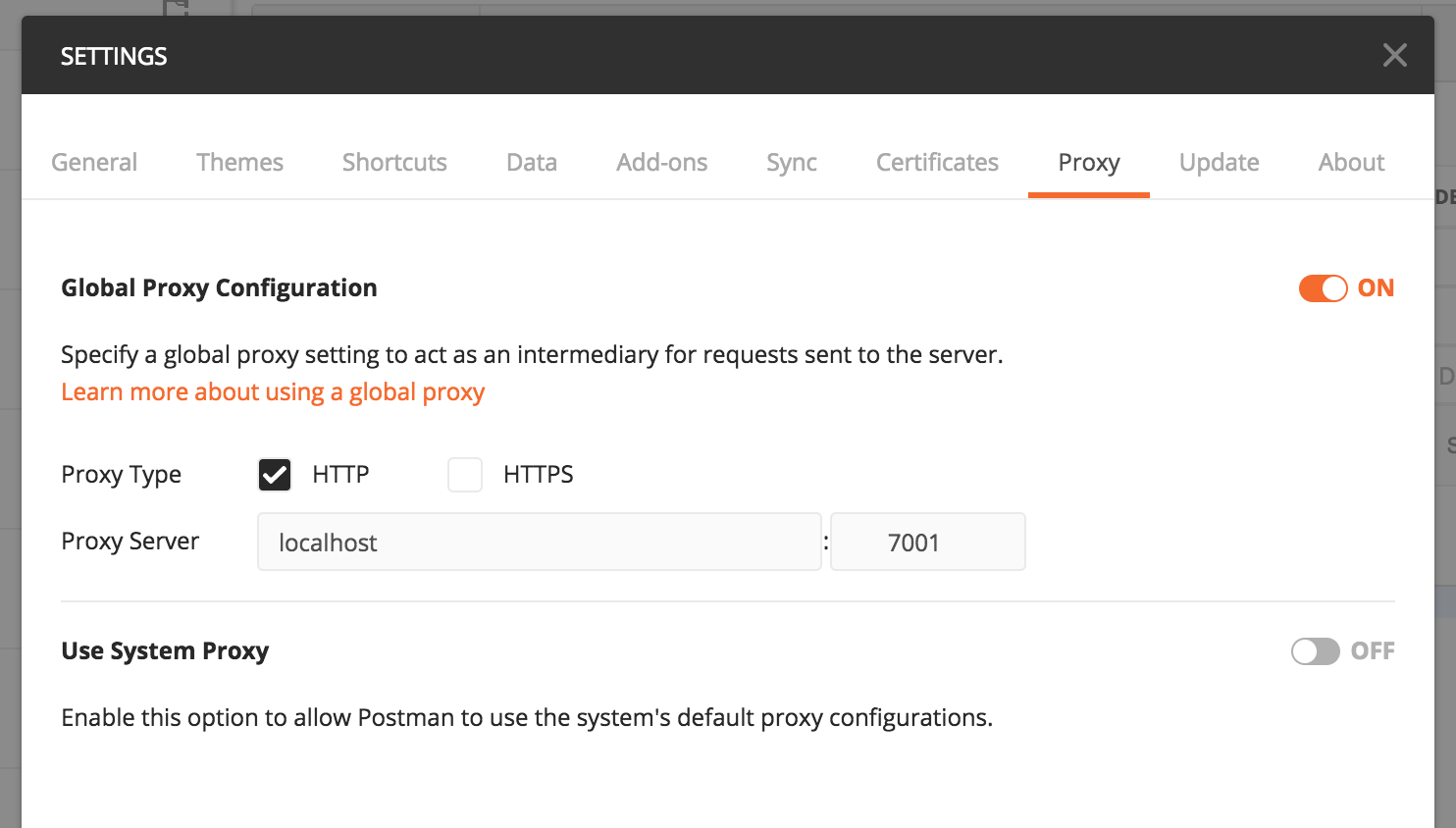
- Configure Postman to send requests through the proxy. Postman -> Preferences -> Proxy -> Global Proxy
Proxy Server: localhost 7001
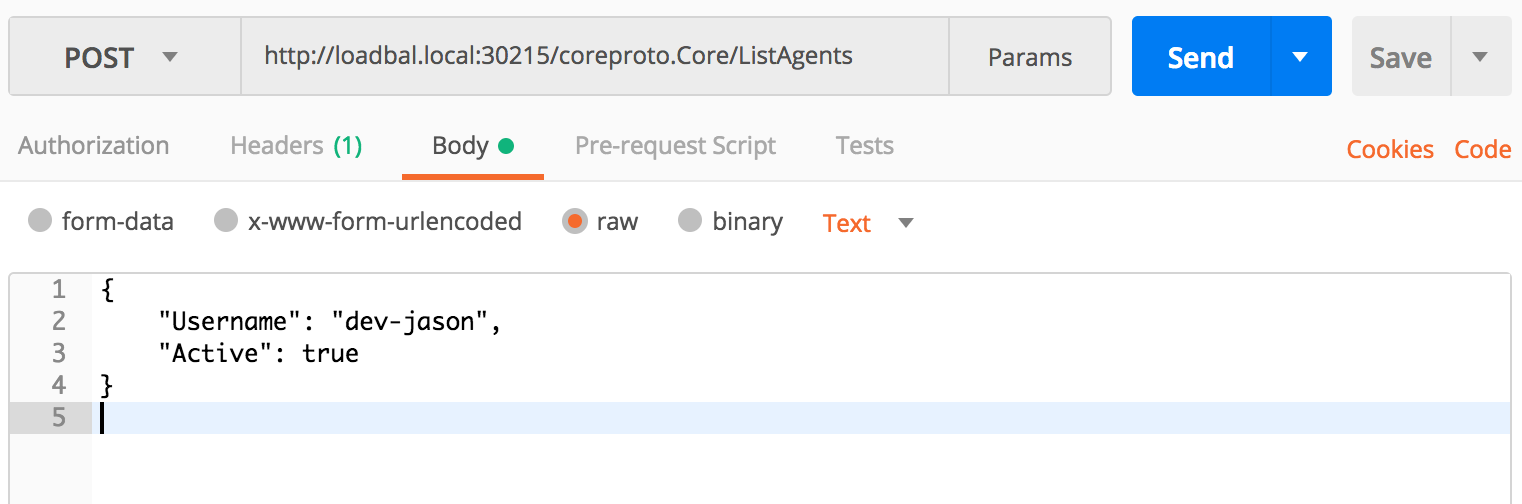
Setup your Postman gRPC request with the following:
- Set request method to Post .
- Set the URL to http://{{ grpc server address}}/{{proto package}}.{{proto service}}/{{method}} Always use http, proxy will establish a secure connection to the gRPC server.
- Set the Content-Type header to application/grpc+json .
- Optionally add a Grpc-Insecure header set to true for an insecure connection.
- Set the request body to appropriate JSON for the message. For reference, generated Go code includes JSON tags on the generated message structs.
For example:
Inspired by Johan Brandhorst's grpc-json
Host accessibility
If you use docker image to run grpc-json-proxy server, and want to access grpc via loopback address 127.0.0.1, you should pay attention to docker network accessibility.
- use
host.docker.internalinstead of127.0.0.1in Linux. - use
docker.for.mac.host.internalinstead of127.0.0.1in MacOS and with Docker for Mac 17.12 or above.
See: https://docs.docker.com/docker-for-mac/networking/#use-cases-and-workarounds
Tag summary
Content type
Image
Digest
Size
25.6 MB
Last updated
about 7 years ago
docker pull vincenthcui/grpc-json-proxy