visionai/clouddream repository overview
Dockerized deepdream: Generate ConvNet Art in the Cloud
Google recently released the deepdream software package for generating images like
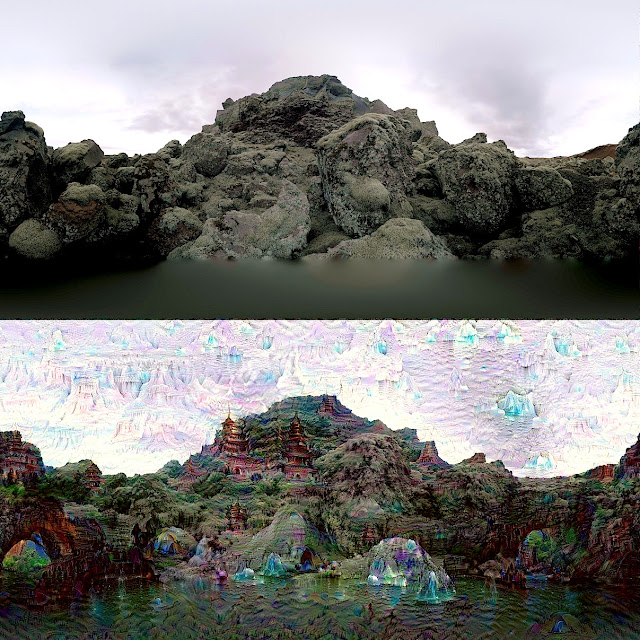
which uses the Caffe Deep Learning Library and a cool iPython notebook example.
Setting up Caffe, Python, and all of the required dependencies is not trivial if you haven't done it before! More importantly, a GPU isn't required if you're willing to wait a couple of seconds for the images to be generated.
Let's make it brain-dead simple to launch your very own deepdreaming server (in the cloud, on an Ubuntu machine, Mac via Docker, and maybe even Windows if you try out Kitematic by Docker)!
Motivation
I decided to create a self-contained Caffe+GoogLeNet+Deepdream Docker image which has everything you need to generate your own deepdream art. In order to make the Docker image very portable, it uses the CPU version of Caffe and comes bundled with the GoogLeNet model.
The compilation procedure was done on Docker Hub and for advanced users, the final image can be pulled down via:
docker pull visionai/clouddream
``

The docker image is 2.5GB, but it contains a precompiled version of
Caffe, all of the python dependencies, as well as the pretrained
GoogLeNet model.

For those of you who are new to Docker, I hope you will pick up some
valuable engineering skills and tips along the way. Docker makes it very easy
to bundle complex software. If you're somebody like me who likes a
clean Mac OS X on a personal laptop, and do the heavy-lifting in the
cloud, then read on.

# Instructions

We will be monitoring the `inputs` directory for source images and
dumping results into the `outputs` directory.  Nginx (also inside a
Docker container) will be used to serve the resulting files and a
simple AngularJS GUI to render the images in a webpage.

Prerequisite:

You've launched a Cloud instance using a VPS provider like
DigitalOcean and this instance has Docker running. If you don't know
about DigitalOcean, then you should give them a try.  You can lauch a
Docker-ready cloud instance in a few minutes.  If you're going to set
up a new DigitalOcean account, consider using my referral link:
[https://www.digitalocean.com/?refcode=64f90f652091](https://www.digitalocean.com/?refcode=64f90f652091).

Will need an instance with at least 1GB of RAM for processing small output images.

Let's say our cloud instance is at the address 1.2.3.4 and we set it
up so that it contains our SSH key for passwordless log-in.
ssh [email protected] git clone https://github.com/VISIONAI/clouddream.git cd clouddream ./start.sh
To make sure everything is working properly you can do
docker ps
You should see three running containers: deepdream-json, deepdream-compute, and deepdream-files
root@deepdream:~/clouddream# docker ps CONTAINER ID IMAGE COMMAND CREATED STATUS PORTS NAMES 21d495211abf ubuntu:14.04 "/bin/bash -c 'cd /o 7 minutes ago Up 7 minutes deepdream-json 7dda17dafa5a visionai/clouddream "/bin/bash -c 'cd /o 7 minutes ago Up 7 minutes deepdream-compute 010427d8c7c2 nginx "nginx -g 'daemon of 7 minutes ago Up 7 minutes 0.0.0.0:80->80/tcp, 443/tcp deepdream-files
If you want to stop the processing, just run:
./stop.sh
If you want to jump inside the container to debug something, just run:
./enter.sh cd /opt/deepdream python deepdream.py #This will take input.jpg, run deepdream, and write output.jpg
## Feeding images into deepdream

From your local machine you can just scp images into the `inputs`
directory inside deepdream as follows:
From your local machine
scp images/*jpg [email protected]:~/clouddream/deepdream/inputs/
## Instructions for Mac OS X and boot2docker

First, install boot2docker.  Now start boot2docker.
boot2docker start
My boot2docker on Mac returns something like this:
Waiting for VM and Docker daemon to start... .............o Started. Writing /Users/tomasz/.boot2docker/certs/boot2docker-vm/ca.pem Writing /Users/tomasz/.boot2docker/certs/boot2docker-vm/cert.pem Writing /Users/tomasz/.boot2docker/certs/boot2docker-vm/key.pem
To connect the Docker client to the Docker daemon, please set: export DOCKER_TLS_VERIFY=1 export DOCKER_HOST=tcp://192.168.59.103:2376 export DOCKER_CERT_PATH=/Users/tomasz/.boot2docker/certs/boot2docker-vm
So I simply paste the last three lines (the ones starting with export)
right into the terminal.
export DOCKER_TLS_VERIFY=1 export DOCKER_HOST=tcp://192.168.59.103:2376 export DOCKER_CERT_PATH=/Users/tomasz/.boot2docker/certs/boot2docker-vm
Keep this IP address in mind. For me it is `192.168.59.103`.

NOTE: if running a `docker ps` command fails at this point and it says
something about certificates, you can try:
boot2docker ssh sudo /etc/init.d/docker restart
Now proceed just like you're in a Linux environment.
cd ~/projects git clone https://github.com/VISIONAI/clouddream.git cd clouddream ./start.sh
You should now be able to visit `http://192.168.59.103` in your browser.

## Processing a YouTube video

If don't have your own source of cool jpg images to process, or simply
want to see what the output looks like on a youtube video, I've
included a short `youtube.sh` script which does all the work for you.

If you want to start processing the "Charlie Bit My Finger" video, simply run:
./youtube.sh https://www.youtube.com/watch?v=DDZQAJuB3rI
And then visit the `http://1.2.3.4:8000` URL to see the frames show up
as they are being processed one by one. The final result will be
writen to `http://1.2.3.4/out.mp4`
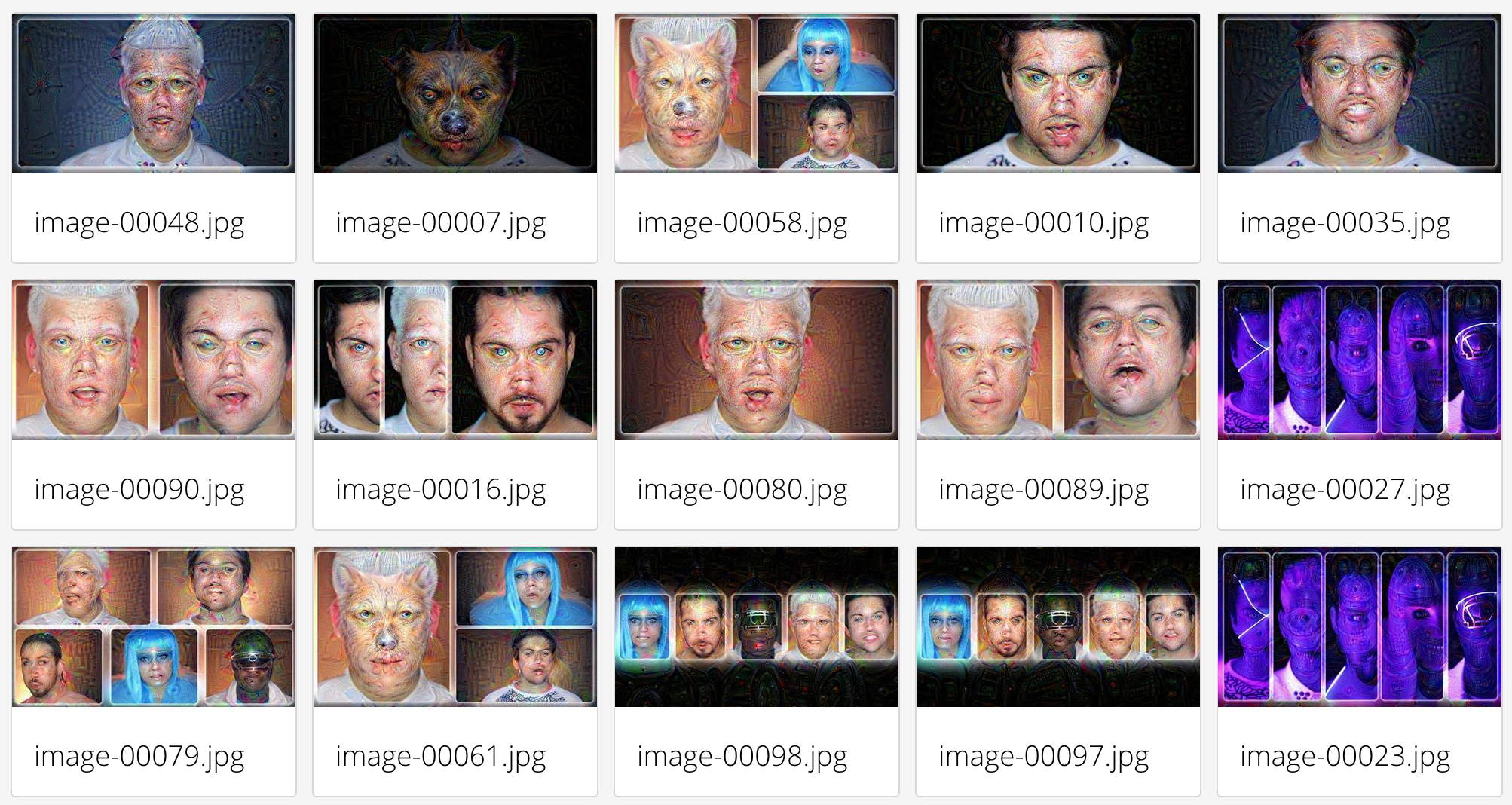
Here are some frames from the
[Daft Punk - Pentatonix](https://www.youtube.com/watch?v=3MteSlpxCpo)
video:
## Navigating the Image Gallery
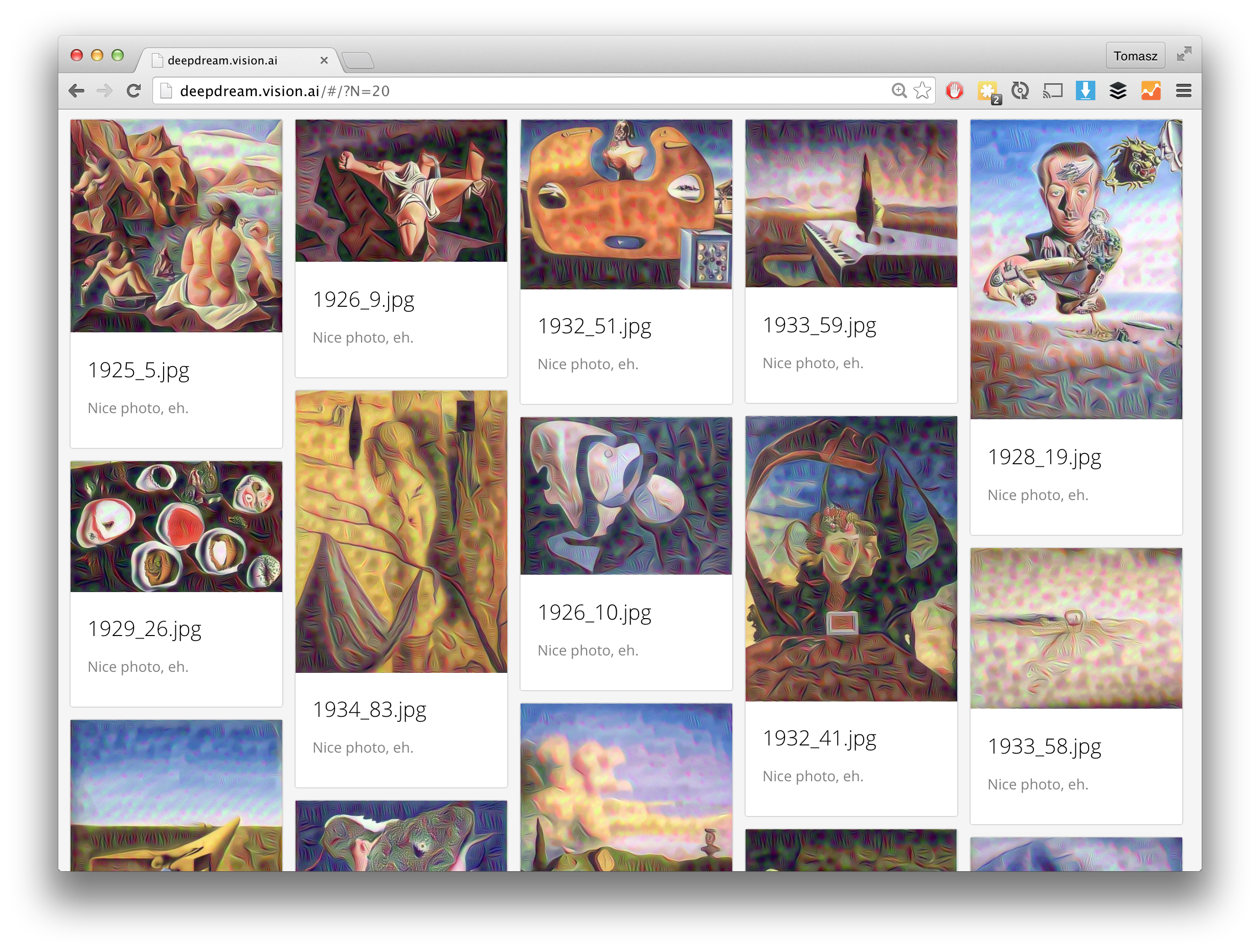
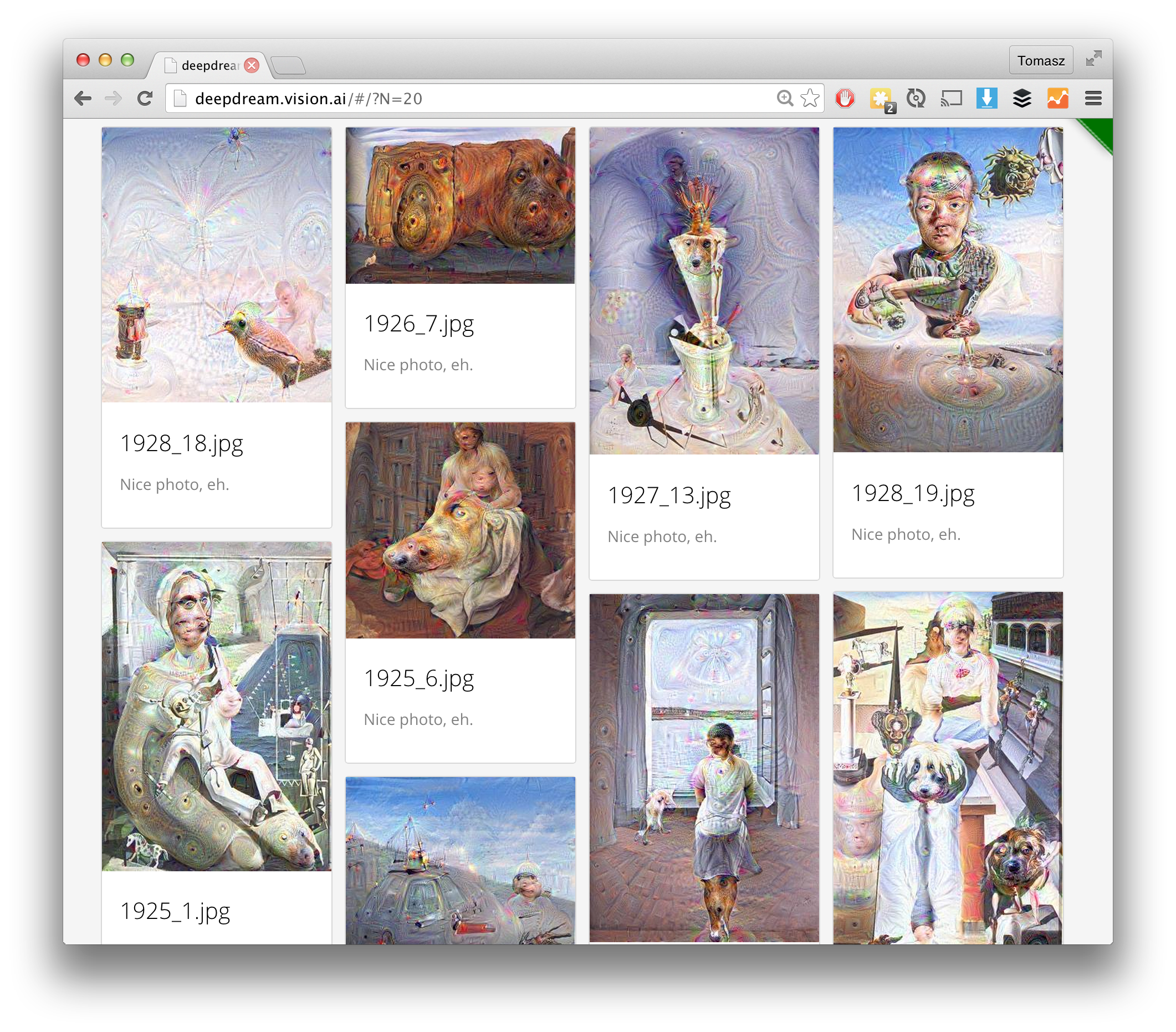
You should now be able to visit `http://1.2.3.4` in your browser and
see the resulting images appear in a nicely formatted mobile-ready grid.
You can also show only `N` images by changing to the URL so something like this:
And instead of showing random `N` images, you can view the latest images:
You can view the processing log here:
You can view the current image being processed:
You can view the current settings:
Here is a screenshot of what things should look like when using the 'conv2/3x3' setting:
And if you instead use the 'inception_4c/output' setting:
Additionally, you can browse some more cool images on the
[deepdream.vision.ai](http://deepdream.vision.ai) server, which I've
currently configured to run deepdream through some Dali art. When you
go to the page, just hit refresh to see more goodies.
### User contributed DeepDream images
Several people ran their own experiments on different images and
different layers. For example, @ihaventkilledanybodysince1984 shows an
example of different layer effects on a frog drawing.

Check out the [frog face effect gallery on imgur](http://imgur.com/a/yMCGZ).
### Changing image size and processing layer
Inside deepdream/settings.json you'll find a settings file that looks like this:
```javascript
{
"maxwidth" : 400,
"layer" : "inception_4c/output"
}
You can change maxwidth to something larger like 1000 if you want
big output images for big input images, remeber that will you need more RAM memory
for processing lager images. For testing maxwidth of 200
will give you results much faster. If you change the settings and
want to regenerate outputs for your input images, simply remove the
contents of the outputs directory:
rm deepdream/outputs/*
Possible values for layer are as follows. They come from the
tmp.prototxt file which lists the layers of the GoogLeNet network used
in this demo. Note that the ReLU and Dropout layers are not valid for deepdreaming.
"conv1/7x7_s2"
"pool1/3x3_s2"
"pool1/norm1"
"conv2/3x3_reduce"
"conv2/3x3"
"conv2/norm2"
"pool2/3x3_s2"
"pool2/3x3_s2_pool2/3x3_s2_0_split_0"
"pool2/3x3_s2_pool2/3x3_s2_0_split_1"
"pool2/3x3_s2_pool2/3x3_s2_0_split_2"
"pool2/3x3_s2_pool2/3x3_s2_0_split_3"
"inception_3a/1x1"
"inception_3a/3x3_reduce"
"inception_3a/3x3"
"inception_3a/5x5_reduce"
"inception_3a/5x5"
"inception_3a/pool"
"inception_3a/pool_proj"
"inception_3a/output"
"inception_3a/output_inception_3a/output_0_split_0"
"inception_3a/output_inception_3a/output_0_split_1"
"inception_3a/output_inception_3a/output_0_split_2"
"inception_3a/output_inception_3a/output_0_split_3"
"inception_3b/1x1"
"inception_3b/3x3_reduce"
"inception_3b/3x3"
"inception_3b/5x5_reduce"
"inception_3b/5x5"
"inception_3b/pool"
"inception_3b/pool_proj"
"inception_3b/output"
"pool3/3x3_s2"
"pool3/3x3_s2_pool3/3x3_s2_0_split_0"
"pool3/3x3_s2_pool3/3x3_s2_0_split_1"
"pool3/3x3_s2_pool3/3x3_s2_0_split_2"
"pool3/3x3_s2_pool3/3x3_s2_0_split_3"
"inception_4a/1x1"
"inception_4a/3x3_reduce"
"inception_4a/3x3"
"inception_4a/5x5_reduce"
"inception_4a/5x5"
"inception_4a/pool"
"inception_4a/pool_proj"
"inception_4a/output"
"inception_4a/output_inception_4a/output_0_split_0"
"inception_4a/output_inception_4a/output_0_split_1"
"inception_4a/output_inception_4a/output_0_split_2"
"inception_4a/output_inception_4a/output_0_split_3"
"inception_4b/1x1"
"inception_4b/3x3_reduce"
"inception_4b/3x3"
"inception_4b/5x5_reduce"
"inception_4b/5x5"
"inception_4b/pool"
"inception_4b/pool_proj"
"inception_4b/output"
"inception_4b/output_inception_4b/output_0_split_0"
"inception_4b/output_inception_4b/output_0_split_1"
"inception_4b/output_inception_4b/output_0_split_2"
"inception_4b/output_inception_4b/output_0_split_3"
"inception_4c/1x1"
"inception_4c/3x3_reduce"
"inception_4c/3x3"
"inception_4c/5x5_reduce"
"inception_4c/5x5"
"inception_4c/pool"
"inception_4c/pool_proj"
"inception_4c/output"
"inception_4c/output_inception_4c/output_0_split_0"
"inception_4c/output_inception_4c/output_0_split_1"
"inception_4c/output_inception_4c/output_0_split_2"
"inception_4c/output_inception_4c/output_0_split_3"
"inception_4d/1x1"
"inception_4d/3x3_reduce"
"inception_4d/3x3"
"inception_4d/5x5_reduce"
"inception_4d/5x5"
"inception_4d/pool"
"inception_4d/pool_proj"
"inception_4d/output"
"inception_4d/output_inception_4d/output_0_split_0"
"inception_4d/output_inception_4d/output_0_split_1"
"inception_4d/output_inception_4d/output_0_split_2"
"inception_4d/output_inception_4d/output_0_split_3"
"inception_4e/1x1"
"inception_4e/3x3_reduce"
"inception_4e/3x3"
"inception_4e/5x5_reduce"
"inception_4e/5x5"
"inception_4e/pool"
"inception_4e/pool_proj"
"inception_4e/output"
"pool4/3x3_s2"
"pool4/3x3_s2_pool4/3x3_s2_0_split_0"
"pool4/3x3_s2_pool4/3x3_s2_0_split_1"
"pool4/3x3_s2_pool4/3x3_s2_0_split_2"
"pool4/3x3_s2_pool4/3x3_s2_0_split_3"
"inception_5a/1x1"
"inception_5a/3x3_reduce"
"inception_5a/3x3"
"inception_5a/5x5_reduce"
"inception_5a/5x5"
"inception_5a/pool"
"inception_5a/pool_proj"
"inception_5a/output"
"inception_5a/output_inception_5a/output_0_split_0"
"inception_5a/output_inception_5a/output_0_split_1"
"inception_5a/output_inception_5a/output_0_split_2"
"inception_5a/output_inception_5a/output_0_split_3"
"inception_5b/1x1"
"inception_5b/3x3_reduce"
"inception_5b/3x3"
"inception_5b/5x5_reduce"
"inception_5b/5x5"
"inception_5b/pool"
"inception_5b/pool_proj"
"inception_5b/output"
The GUI
The final GUI is based on https://github.com/akoenig/angular-deckgrid.
Credits
The included Dockerfile is an extended version of https://github.com/taras-sereda/docker_ubuntu_caffe
Which is a modification from the original Caffe CPU master Dockerfile tleyden: https://github.com/tleyden/docker/tree/master/caffe/cpu/master
This dockerfile uses the deepdream code from: https://github.com/google/deepdream
License
MIT License. Have fun. Never stop learning.
--Enjoy! The vision.ai team
Tag summary
Content type
Image
Digest
sha256:0aa619cd1…
Size
976.3 MB
Last updated
over 11 years ago
docker pull visionai/clouddream