vproxy/server
HTTPS proxy disguised in HTTPS web site. / 隐藏在HTTPS网站中的代理服务器 https://github.com/vproxy666/v-proxy
10K+
vproxy/server repository overview
VProxy = HTTP Forward Proxy + HTTP Reverse Proxy
GitHub : https://github.com/vproxy666/v-proxy
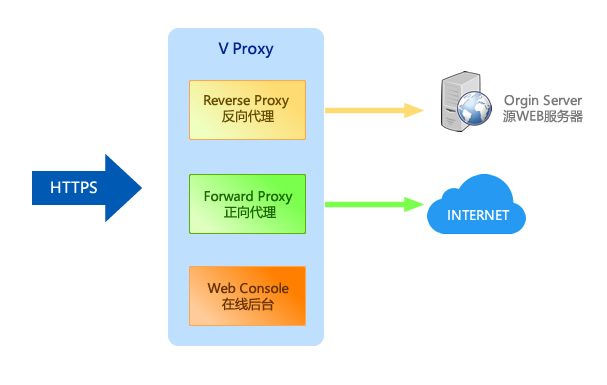
VProxy works as a reverse proxy in common cases to pretend as an HTTPS web site. Only when VProxy receives HTTP/1.1 proxy request whose credential is valid, it handles that request as an HTTPS forward proxy. The traffic is encrypted by TLS hence HTTPS proxy is disguised in an HTTPS web site.
Features
- Forward Proxy - HTTP proxy requests are forwarded to allow client access Internet
- Disguise Mode - Credentials (username and password) are mandatory for forward proxy. If credentials are not valid in HTTP proxy request, VProxy does not response error. Instead, it works as reverse proxy.
- Reverse Proxy - VProxy forwards HTTP/HTTPS requests to backend for common requests, and it is seen as a truely web site.
- Integrated Web Console - Easy to configure and maintain by accessing a secure path in web browser.
- High Performance - Developed with Rust, which is blazingly fast as C/C++. All network I/O operations are performed asynchronously. No garbage collector, low memory footprint, and absolutely memory-safe!
- Compatibility - VProxy is compatible with most existing HTTPS proxy softwares as long as they don't rely on challenge–response authentication.
Quick Start
Step 0. Prerequisites
A domain name is required to setup HTTPS. The domain name must be resolved to Internet IP address of the server you are going to setup.
Step 1. Deployment
V-Proxy server is provided as docker images at DockerHub.
The following OS/architectures are supported by docker images.
linux/amd64linux/arm64linux/armv7
To deploy VProxy as docker container, first create a data volume
sudo docker volume create --name vproxy-data
Then start the container
sudo docker run -it --name vproxy --network host -v vproxy-data:/app/data/:rw -v vproxy-data:/etc/letsencrypt:rw -v vproxy-data:/var/lib/letsencrypt:rw vproxy/server
- Volume
/app/data/hosts application data of vproxy - Volumes
/etc/letsencryptand/var/lib/letsencryptare required by certbot to store certificates.
Certainly the container can be started as Linux daemon. Here is a full example
#!/bin/bash

sudo docker volume create --name vproxy-data;  #create data volume

sudo docker rm -f vproxy;  #remove any previous container

#Start the container as daemon
sudo docker run -d \
  --name vproxy \
  --network host \
  --restart=always \
  -v vproxy-data:/app/data/:rw \
  -v vproxy-data:/etc/letsencrypt:rw \
  -v vproxy-data:/var/lib/letsencrypt:rw \
  --cap-add net_bind_service \
  vproxy/server:latest

sudo docker logs -f vproxy;  #Watch the logs
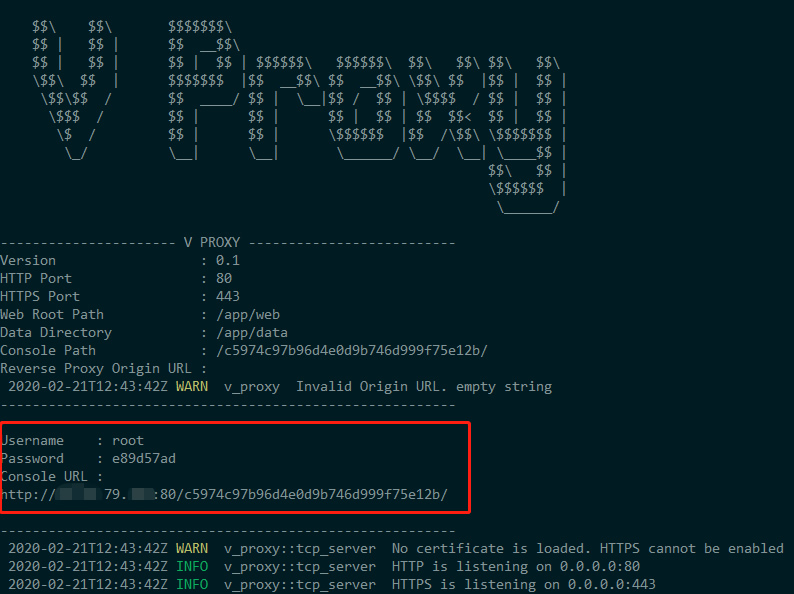
After docker contaienr is started, startup screen presents as below.
Step 2. Setup SSL
In the startup screen, Console URL is presented.
Copy the Console URL in startup screen to your local machine's web browser, open it.
It loads the management backend after input username and password which are presented in startup screen as well.
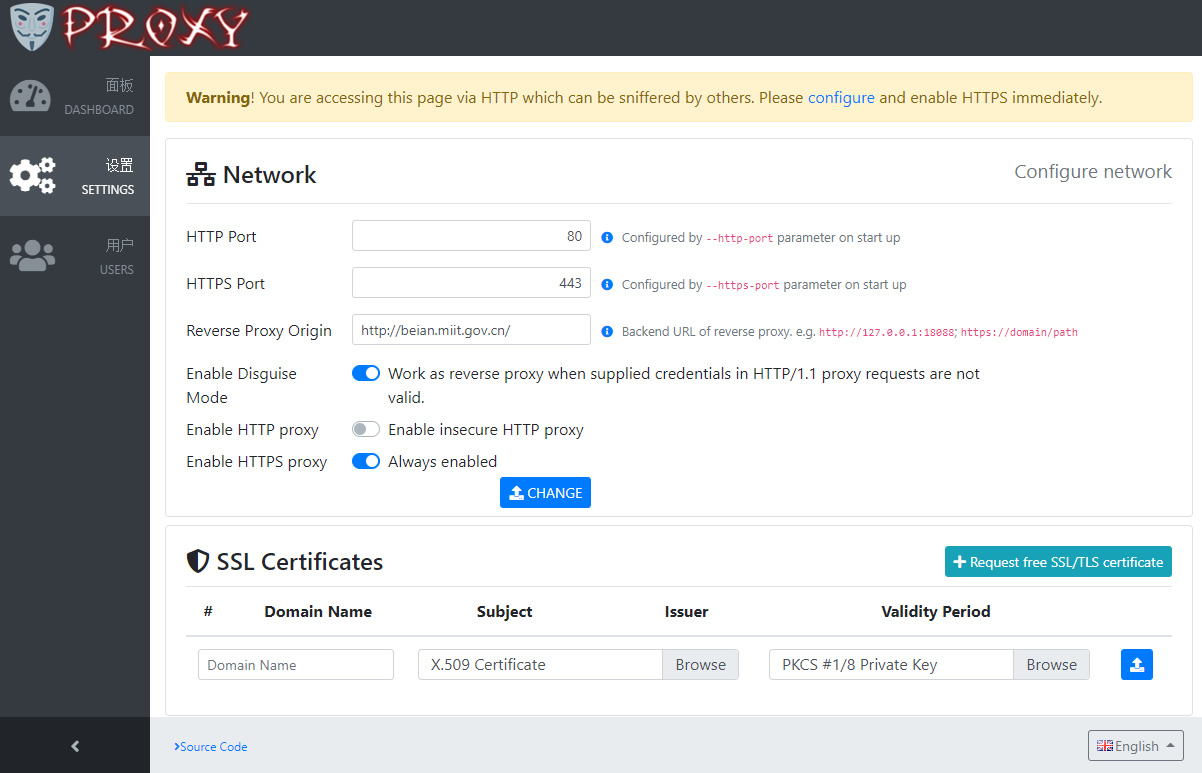
Now you can upload SSL certificate files.
Alternatively you can install a free SSL certificate by clicking "Request free SSL/TLS certificate".
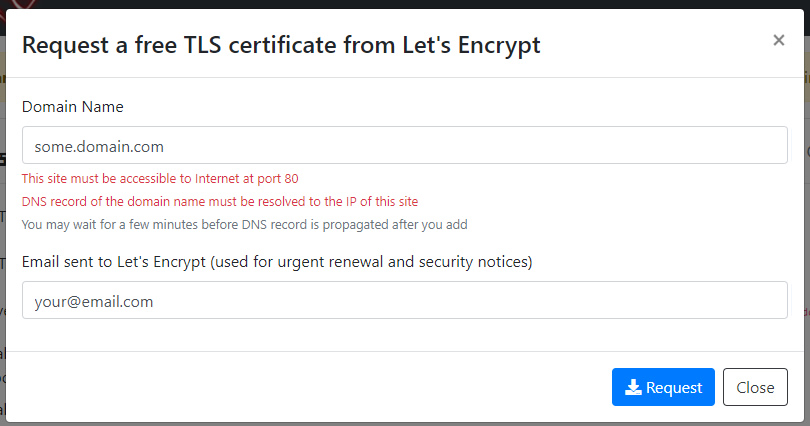
You can input the domain name and email address to request.
By clicking "Request" button, Let's Encrypt sends an HTTP GET request to http://some.domain.com:80.
Hence before requesting a new SSL certificate, the domain name must be resolved to the server's Internet IP Address.
And the web site is accessible at port 80 to the Internet.
If everything goes ok, the new SSL certificate is instally automatically.
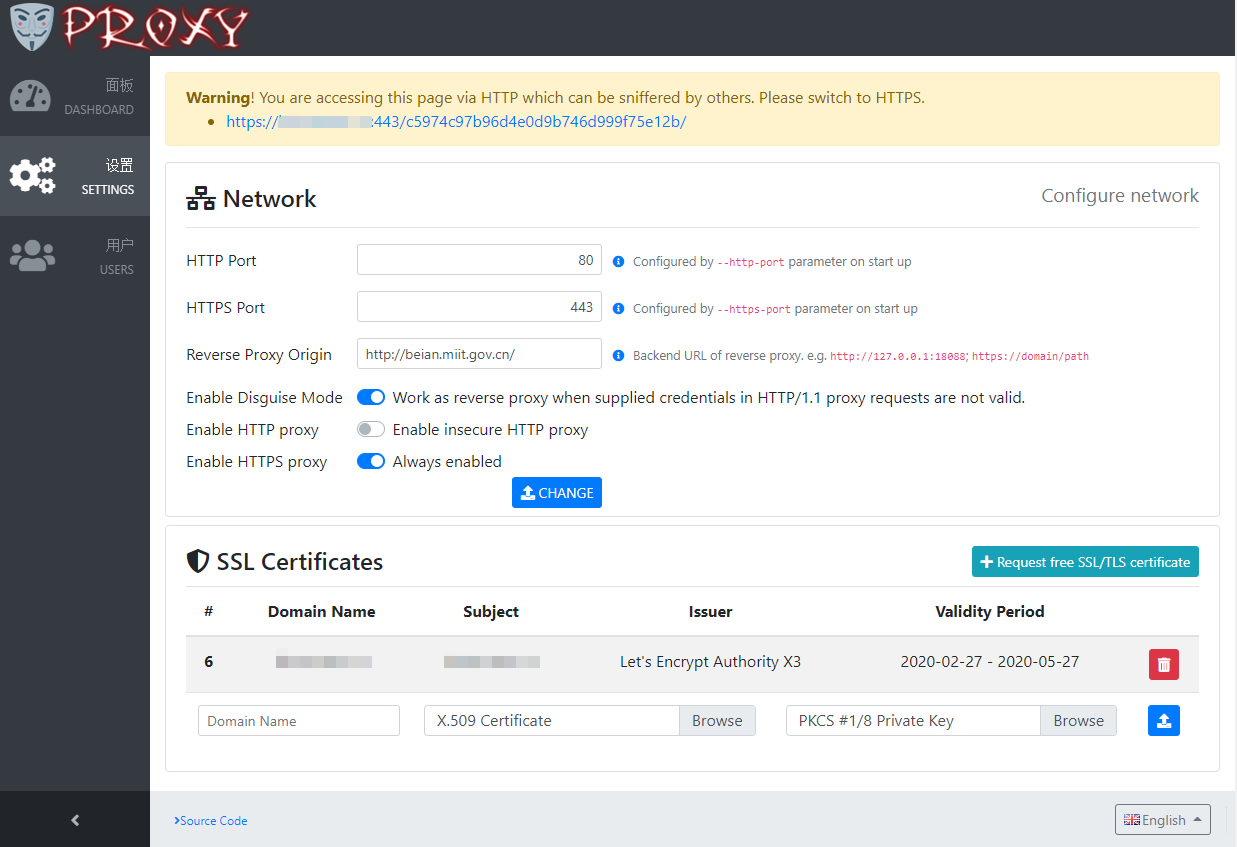
Try to switch to HTTPS to ensure it is accessible.
Step 3. Setup Client
Next,create users who can use HTTPS proxy to access Internet.
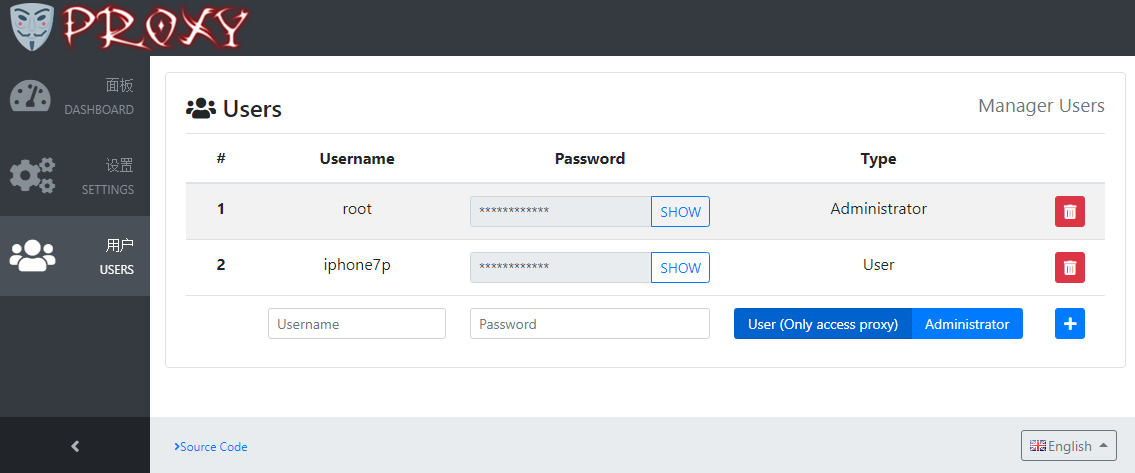
Next, install client and fill in your domain name / port / username / password to access.
Here are recommanded softwares :
| Platform | Software | Comments |
|---|---|---|
| iOS | Shadowrocket | Shadowrocket is a rule based proxy utility for iOS. Screenshot1 Screenshot2 |
| Firefox Browser | SwitchyOmega for VProxy | SwitchyOmega for VProxy is an addon for Firefox web browser. Screenshot |
Tag summary
Content type
Image
Digest
Size
48.3 MB
Last updated
about 6 years ago
docker pull vproxy/server