vvveb/vvvebcms
Powerful and easy to use cms to build websites, blogs or ecommerce stores.
10K+
vvveb/vvvebcms repository overview
Docker Vvveb CMS Official Image
https://github.com/Vvveb/docker
https://github.com/givanz/Vvveb
What is Vvveb?
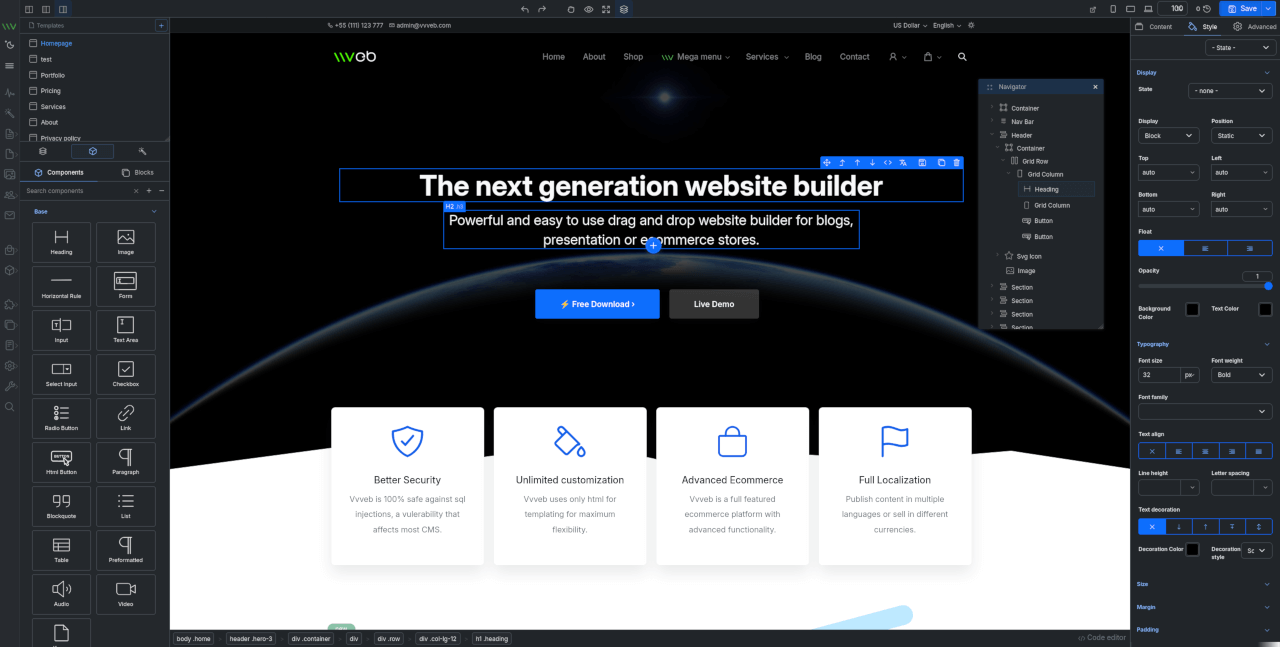
Powerful and easy to use CMS to build websites, blogs or ecommerce stores.

Live Demo / Admin Demo / Page Builder Demo
How to use this image
With SQLite
docker run -p 9000:80 vvveb/vvvebcms:latest
With MySQL
docker run --name some-vvveb --link some-mysql:mysql -d vvveb/vvvebcms:latest
With PosgreSQL
docker run --name some-vvveb --link some-pgsql:pgsql -d vvveb/vvvebcms:latest
Then, access it via http://localhost:9000 or http://host-ip:9000 in a browser.
The following environment variables are also honored for configuring your Vvveb CMS instance:
-e DB_ENGINE=...(valid values aremysqli,sqlite,pgsqldefaults tomysqli)-e DB_HOST=...(defaults to the IP and port of the linkedmysqlcontainer, eg:db)-e DB_USER=...(defaults to "root")-e DB_PASS=...(defaults to the value of theMYSQL_ROOT_PASSWORDenvironment variable from the linkedmysqlcontainer)-e DB_NAME=...(defaults to "vvveb")-e DB_PORT=...(defaults to 3306)-e DOWNLOAD_URL=...(defaults to https://www.vvveb.com/download.php)
The DB_NAME database must already exist on the given MySQL server. Check out the official mysql image for more info.
If you'd like to use an external database instead of a linked mysql container, specify the hostname and port with DB_HOST:DB_PORT along with the password in DB_PASSWORD and the username in DB_USER:
docker run --name vvveb \
  -e DB_HOST=10.1.2.3 \
  -e DB_PORT=10432 \
  -e DB_USER=... \
  -e DB_PASSWORD=... \
  -d vvveb/vvvebcms:latest
Via docker-compose
Example docker-compose.yml for Vvveb:
services:
  db:
    image: mysql:latest
    restart: always
    environment:
      MYSQL_ROOT_PASSWORD: vvveb
      MYSQL_DATABASE: vvveb
      MYSQL_USER: vvveb
      MYSQL_PASSWORD: vvveb
    volumes:
      - db:/var/lib/mysql
    networks:
      - internal

  php:
    image: vvveb/vvvebcms:latest
    environment:
      DB_HOST: db
      DB_DATABASE: vvveb
      DB_USER: vvveb
      DB_PASSWORD: vvveb
      DB_ENGINE: mysqli #sqlite,pgsql
    volumes:
      - vvveb-volume:/var/www/html/
      - db:/var/lib/mysql
    ports:
      - "9000:80"
    links:
      - db:mysql
    depends_on:
      - db
    networks:
      - internal


volumes:
  vvveb-volume:
  db:

networks:
  internal:
    driver: bridge
Run docker-compose up and visit http://localhost:9000 or http://host-ip:9000.
License
View license information for the software contained in this image.
User Feedback
Documentation
Issues
Forum
Contributing
Building images from Dockerfile
PHP 8.4 Fpm Alpine
cd latest/php8.4/fpm-alpine
sudo docker buildx build --push -t vvveb/vvvebcms:php8.4-fpm-alpine \
	--platform=linux/amd64,linux/amd64/v2,linux/amd64/v3,linux/386,linux/arm64,linux/arm/v8,linux/arm/v7,linux/arm/v6 .
PHP 8.4 Apache
cd latest/php8.4/apache
sudo docker buildx build --push -t vvveb/vvvebcms:php8.4-apache \
	--platform=linux/amd64,linux/amd64/v2,linux/amd64/v3,linux/386,linux/arm64,linux/arm/v8,linux/arm/v7,linux/arm/v6 .
Tag summary
Content type
Image
Digest
sha256:d75341129…
Size
112 MB
Last updated
10 days ago
docker pull vvveb/vvvebcms