w32blaster/shortana
URL shortened managed by Telegram bot
1.2K
w32blaster/shortana repository overview
Shortana
Just a simple plain URL shortener managed by Telegram bot.
Features
- very fast and lightweight
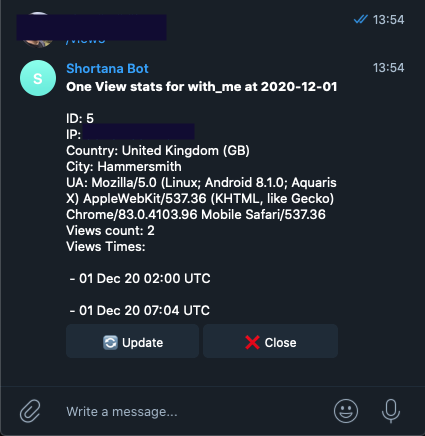
- saves simple visit statistics (visits count, country, city, User-Agent)
- uses GeoLite2 data created by MaxMind to determine location by IP address
- you are free to give any URL you prefer
- self-hosted
- provided with official ready Docker container
- managed by Telegram Bot, that allows you to create a new URL, see statistics and update GeoIP database
A few screenshots:
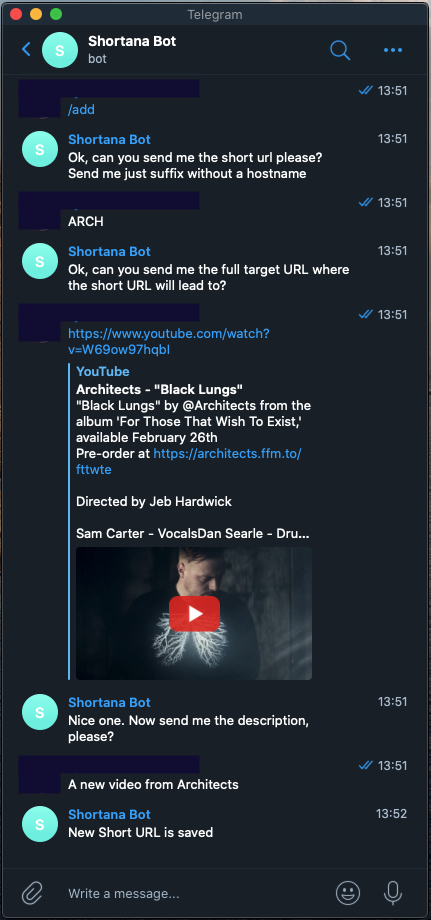
- How to add a new short URL to your server. After this dialog shown on the screenhot below we get a fresh new short URL that looks something like https://mysrv.er/ARCH
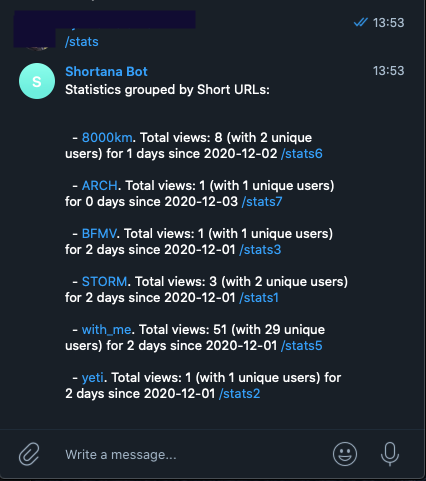
- Print all the summary statistics for each saved short URL
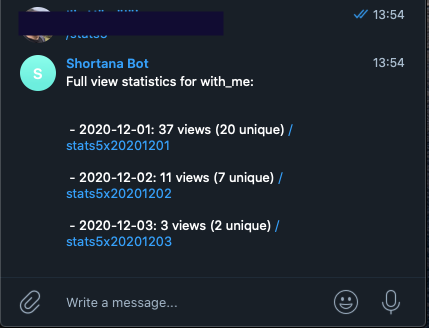
- Print views statistics grouped by a day for a given short URL
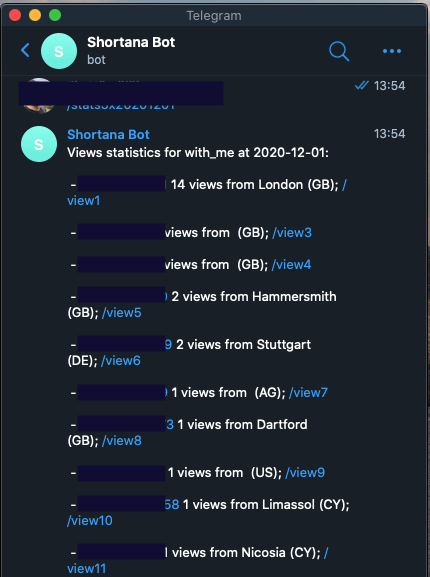
- Prints all the visitors who viewed this resource for a given date
- Print details of a given visitor
Insatallation
To install Shortana to your server, you need:
- create a new Telegram Bot
- create account at maxmind.com to download fresh GeoIP database (needed to get country and town by IP address)
- buy a new domain, short one :)
- install Shortana and a proxy server to your server
How to create a telegram bot
- Create a new bot using @BotFather
- Copy the API KEY
- Start a new chat with freshly created new bot and type something
- (optional, only for local development) if you want your local installation
is accessible from the internet, the most convenient way is to use Ngrok.
this command will expose your localhost to the public and print out the URL.
./ngrok http http://localhost:8444 -region eu - Open your console and call the command:
where 1.2.3.4 is your actual IP or URL, where the backend is running, for the local development it is the Ngrock URL, such as https://blablabla.eu.ngrok.io
curl -F "url=https://1.2.3.4:8443/<bot API Key>" https://api.telegram.org/bot<bot API key>/setWebhook - now, if you print something in your bot, the request will be propagated to your locally running app
GeoIP database
Visit maxmind.com and create an account there and copy the licence key. You can download the archive called "GeoLite2 City" in GeoIP2 Binary (.mmdb) format
Install on the server
Shortana exposes two ports: 3000 for web server and 8444 for Telegram Bot webhook. It is recommended to set up a reverse proxy before Shortana to manage SSL certificates and to provide some basic routing and traffic filtering. I recommend to use Caddy, because it has build-in integration with LetsEncrypt and its utterly easy to set up secure connection, but you are free to use any proxy you prefer
                       +--------+      HTTP 3000
+-----------+  HTTPS   |        |  +----------------> +---------+
| Internet  +--------> | Caddy  |      HTTP 8444      |Shortana |
+-----------+          |        |  +----------------> +---------+
                       +--------+
For a Caddy server you need to add simple rule to your Caddifile, something like:
https://mysrv.er {
   log {
        output file         /logs/access.log
        format single_field common_log
    }

   reverse_proxy /my-bot-very-long-api-key bot-shortana:8444
   reverse_proxy /* bot-shortana:3000
}
that redirects all requests with path /my-bot-very-long-api-key to 8444 port and the rest of requests to 3000 port. "bot-shortana" is the host defined by Docker. And you can run both Shortana and proxy using docker-compose file:
version: '2'
services:

  caddy:
    container_name: caddy
    image: caddy:alpine
    links:
      - bot-shortana:bot-shortana
    ports:
      - 80:80
      - 443:443
      - 2015:2015
    volumes:
      - /home/username/Caddyfile:/etc/caddy/Caddyfile
      - /home/username/.caddy:/etc/caddycerts
      - /home/username/www/logs:/logs
    environment:
      - CADDYPATH=/etc/caddycerts

  bot-shortana:
    container_name: bot-shortana
    image: w32blaster/shortana
    expose:
      - "8444"
      - "3000"
    volumes:
      - ./bot-shortana-storage:/storage
    environment:
      BOT_TOKEN: ...
      MAXMIND_LICENSE_KEY: ...
      IS_DEBUG: "false"
      HOST: https://mysrv.er
      STORAGE_PATH: /storage
      IS_GEOIP_READY: "true"
      ACCEPT_FROM_USER: your-telegram-user-id-number
ACCEPT_FROM_USER is optional, here you can specify your account ID (number) so that the bot could speak only with yourself.
Create a folder bot-shortana-storage and mount it to a volume, so that database and GeoIP database would be stored on your local hard drive.
Run this container and check the connection. First of all, visit your hostname (htts://mysrv.er in the example above) and you should see welcome page with a lost of dummy short URLs. Secondly, try to work with your bot and you should see some feedback
Docker
Official Docker image can be found here: https://hub.docker.com/repository/docker/w32blaster/shortana
Credits
This product includes GeoLite2 data created by MaxMind, available from https://www.maxmind.com.
Tag summary
Content type
Image
Digest
Size
3.5 MB
Last updated
almost 6 years ago
docker pull w32blaster/shortana