wjy20030407/status
A modified version of beautification based on ServerStatus-Hotaru
10K+
wjy20030407/status repository overview
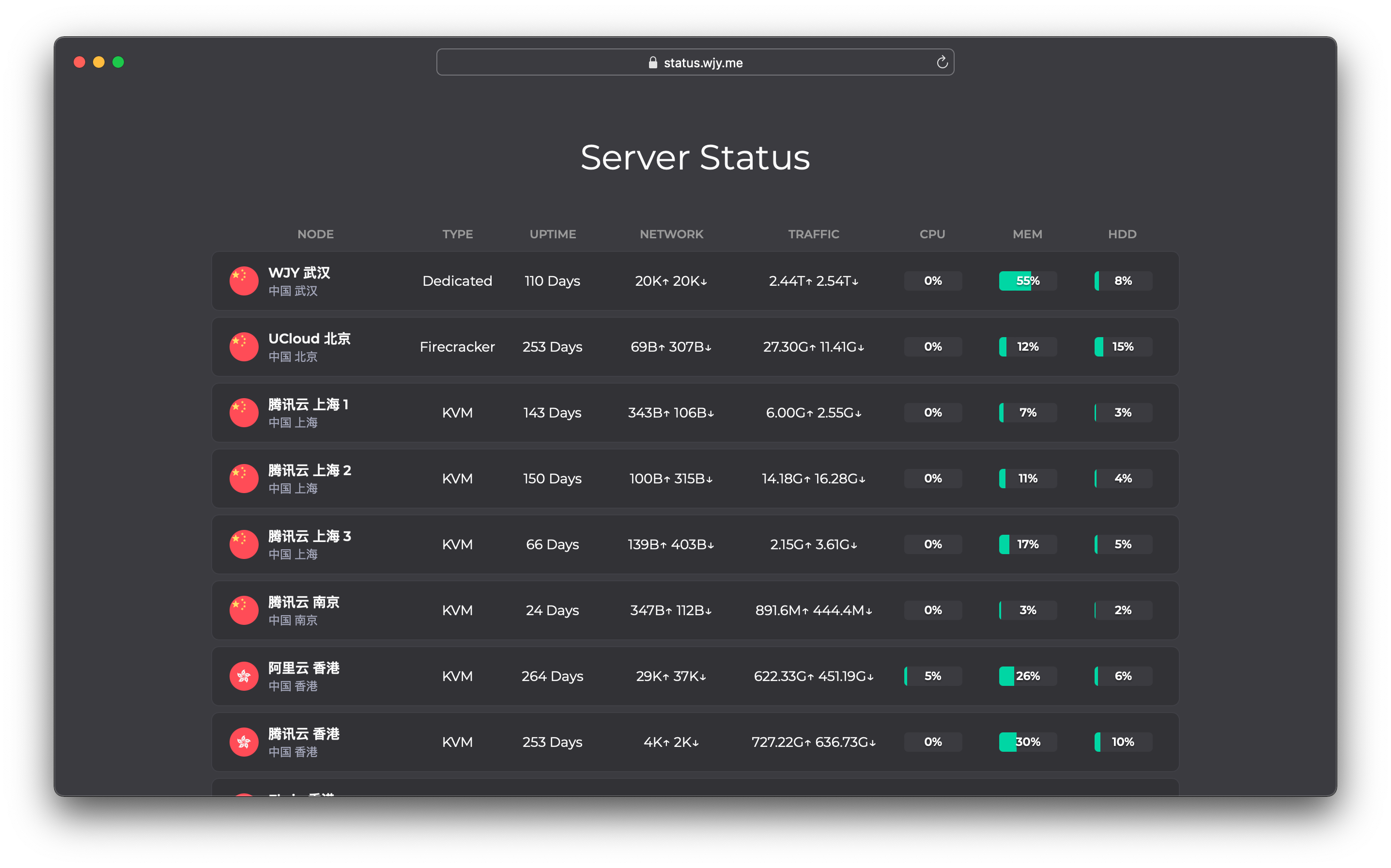
Set up the Status configuration files
Create a config.json file:
{
    "servers": [
        {
            "username": "alibaba-cloud-username",
            "password": "alibaba-cloud-password",
            "name": "Alibaba Cloud",
            "type": "Dedicated",
            "host": "",
            "location": "Beijing, CN",
            "disabled": false,
            "region": "cn"
        },
        {
            "username": "tencent-cloud-username",
            "password": "tencent-cloud-password",
            "name": "Tencent Cloud",
            "type": "KVM",
            "host": "",
            "location": "Hong Kong, CN",
            "disabled": false,
            "region": "hk"
        }
    ]
}
Installation
The Status Docker images can be run in multiple ways:
- Using Docker Engine
- Using Docker Compose
Install Status using Docker Engine
You can fine tune these directories to meet your requirements. Once you’ve set up the STATUS_HOME variable, you can run the image:
sudo docker run --detach \
    --publish 8080:8080 \
    --publish 35601:35601 \
    --name status \
    --restart always \
    --volume $PWD/config.json:/opt/config.json \
    wjy20030407/status:latest
This will download and start a Status container and publish ports needed to access MAIN SERVICE and HTTP. The container will automatically restart after a system reboot.
Install Status using Docker Compose
With Docker Compose you can easily configure, install, and upgrade your Docker-based Status installation:
-
Install Docker Compose.
-
Create a
docker-compose.ymlfile:
status:
image: "wjy20030407/status:latest"
restart: always
ports:
- "8080:8080"
- "35601:35601"
volumes:
- "$PWD/config.json:/opt/config.json"
- Make sure you are in the same directory as
docker-compose.ymland start Status:
docker-compose up -d
Update
In most cases, updating Status is as easy as downloading the newest Docker image tag.
Update Status using Docker Engine
To update Status that was installed using Docker Engine:
- Stop the running container:
sudo docker stop status
- Remove the existing container:
sudo docker rm status
- Pull the new image. For example, the latest Status image:
sudo docker pull wjy20030407/status:latest
- Create the container once again with the previously specified options:
sudo docker run --detach \
    --publish 8080:8080 \
    --publish 35601:35601 \
    --name status \
    --restart always \
    --volume $PWD/config.json:/opt/config.json \
    wjy20030407/status:latest
Update Status using Docker compose
To update Status that was installed using Docker Compose:
Download the newest release and update your Status instance:
docker-compose pull
docker-compose up -d
If you have used tags instead, you’ll need to first edit docker-compose.yml.
Troubleshooting
The following information will help if you encounter problems using Status and Docker.
Diagnose potential problems
Read container logs:
sudo docker logs status
Enter running container:
sudo docker exec -it status /bin/sh
Related open source projects:
- ServerStatus-Hotaru: https://github.com/CokeMine/ServerStatus-Hotaru
- ServerStatus-Toyo: https://github.com/ToyoDAdoubiBackup/ServerStatus-Toyo
- ServerStatus: https://github.com/BotoX/ServerStatus
- mojeda's ServerStatus: https://github.com/mojeda/ServerStatus
- BlueVM's project: http://www.lowendtalk.com/discussion/comment/169690#Comment_169690
Tag summary
Content type
Image
Digest
sha256:0fce1a9dd…
Size
8.4 MB
Last updated
almost 4 years ago
docker pull wjy20030407/status