wwarner/emacs-native
Emacs with native compilation, lsp for go, cpp, python, sh. For both arm and amd architectures.
8.7K
wwarner/emacs-native repository overview
Dockerfiles for Emacs With Native Compilation
Native Compilation, 24 bit color, LSP, Eglot, Gptel, Gopls, Pyright, Ripgrep, Fzf, Treemacs, HideShow and more. Eliminates trial and error. Runs the same everywhere!
Installation
Run directly from the image at dockerhub:
docker run -it --rm --name emacs-native \
      --detach-keys="ctrl-q,ctrl-q" \
  -v$HOME/src:/root/src \
  -v$HOME/.gitconfig:/root/.gitconfig \
  -v$HOME/.ssh:/root/.ssh \
  -v$HOME/.aws:/root/.aws \
  wwarner/emacs-native:latest
Or build it locally
git clone [email protected]:wwarner/emacs-native-dockerfiles.git
cd emacs-native-dockerfiles
make
docker run -it --rm --name emacs-native \
      --detach-keys="ctrl-q,ctrl-q" \
  -v$HOME/src:/root/src \
  -v$HOME/.gitconfig:/root/.gitconfig \
  -v$HOME/.ssh:/root/.ssh \
  -v$HOME/.aws:/root/.aws \
  emacs-native
Example Session
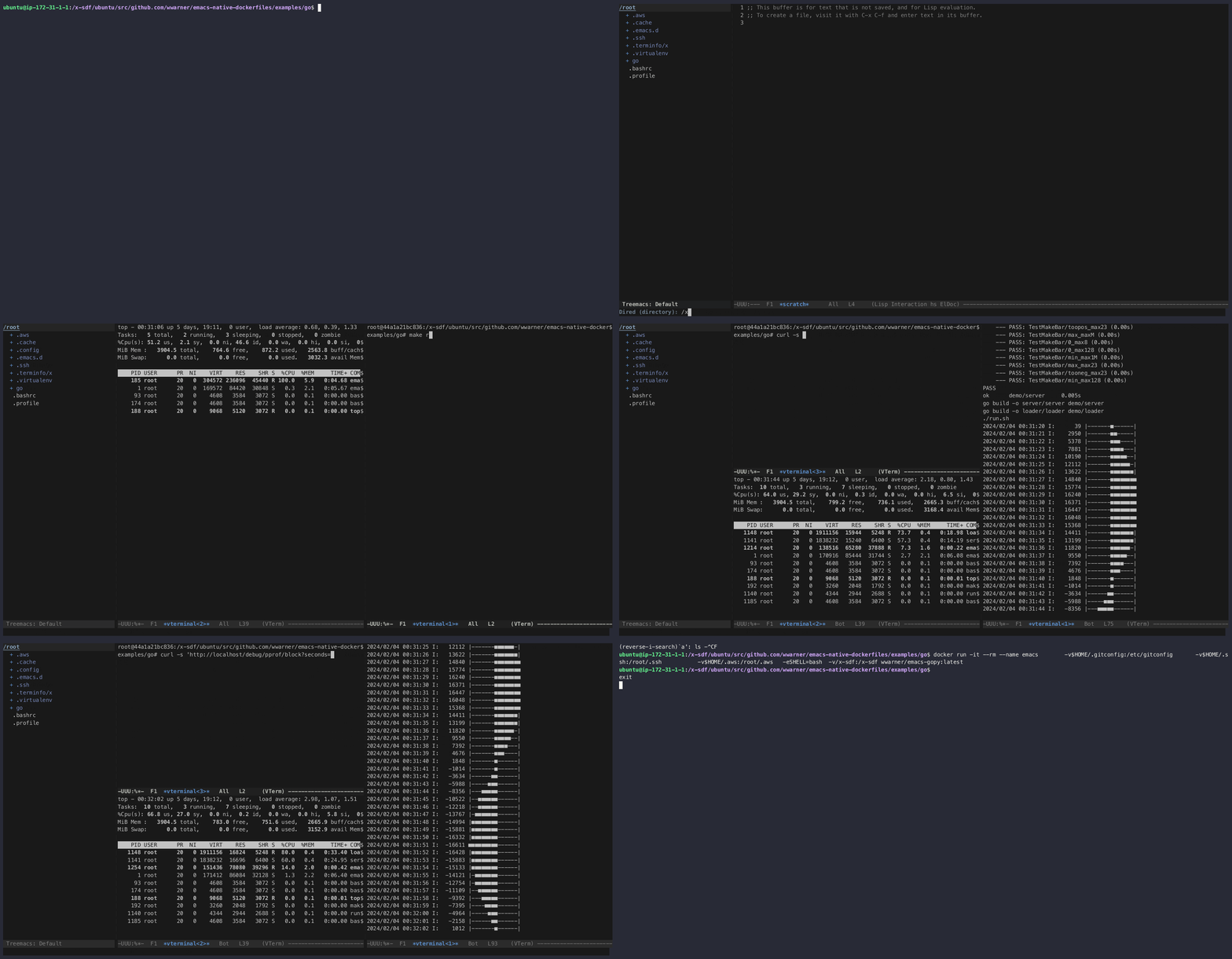
Emacs lisp can be compiled to native machine code when built
--with-native-compilation enabled, resulting in a perceptible
performance improvement. This image is based on alpine's
emacs-x11-nativecomp for that reason.
Modes
- ai
gptel, mcp-hub, and a couple of mcps installed.
- cpp
clangd and bear
- go
go toolchain, dlv, gopls and gofumpt
- js
typescript-language-server, typescript, prettier installed and
configured for js, ts & json
- lua
lua-language-server
- py
pyright
- sh
bash-language-server
- sql
shandy-sqlfmt, sqlfluff
- yml
yaml-language-server, helm_ls, indent-tools-minor-mode, also yaml-ts-mode
Treesit
Treesitter grammars for yaml, javascript, json, typescript and tsx are
installed. Locations for many other languages are captured, so that
treesit-install-grammar works without fuss.
No X11
I have been running emacs without windows for several years now because it's so fast and portable. In particular, when working with a lot of data, I find that I need to run emacs on a server in the cloud. Somewhere along the line, I realized that emacs is a lot more fun without graphics. If you want your graphics back, you can try running build/emacs-x11.sh.
24bit Color & Unicode
24 bit color allows modern themes like zenburn and solarized to work well. Unicode is configured correctly.
Fast Start
All elisp is loaded and compiled in the build image, so that emacs starts very quickly.
Frequently Used Keys
- Cycle through windows with
M-o - Cycle back and forth through buffers with
M-nandM-p - Kill buffer with
M-K - Delete window with
M-0 - Edit all occurances of the current token in the buffer with
C-;(iedit) - Comment code with
M-;; repeat to uncomment - Collapse code block with
C-c <down>; repeat to show it again
Wgrep
Search and replace across many files with wgrep. Find and edit file names with wdired.
Git Configuration
This docker image is designed to provide an emacs development environment that works equally well on Mac and Linux machines. However, it works a bit better on Macs because Docker for Desktop is designed to support containerized development while docker on Linux is not. If you run this emacs container on Linux (as I do), you will get a "dubious ownership" error from git unless you configure git to recognize the mounted directories as safe with:
git config --global --add safe.directory /container/path/to/workspace
You can also edit ~/.gitconfig and declare all directories safe
[safe]
	directory = *
For commiting to github, you'll need a user stanza as well, so that your commits can be mapped to your github email.
[user]
	name = wenjie
	email = [email protected]
Either way, mount ~/.gitconfig to /root/.gitconfig to allow git to work inside the container.
In addition to all of that, git needs your ssh keys for all communication with git forges (Github, Gitlab), so those need to be mounted to /root/.ssh as well.
Source
https://github.com/wwarner/emacs-native-dockerfiles
Docker Images
https://hub.docker.com/u/wwarner
References
Tag summary
Content type
Image
Digest
sha256:375904d53…
Size
1006.5 MB
Last updated
6 months ago
docker pull wwarner/emacs-native