xk1ko/aigloo
Self-hosted AI gateway. Route, translate , with access keys, budgets, and a built-in dashboard.
5.8K
xk1ko/aigloo repository overview
aigloo
Self-hosted AI gateway — one endpoint, format translation, fallback routing, token saving, spend control, access keys, built-in dashboard.



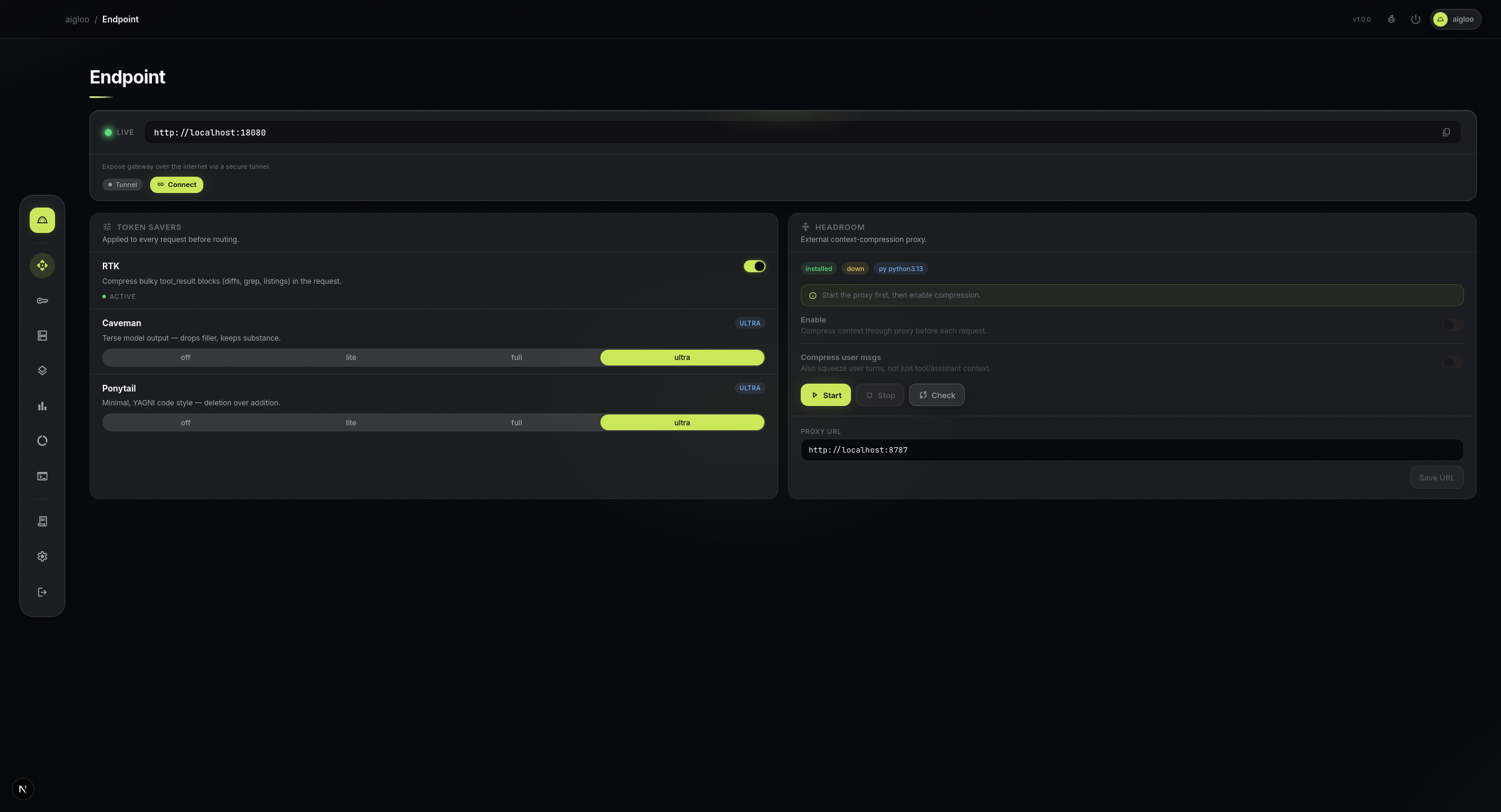
Endpoint page — token saver toggles & endpoint config
Why aigloo?
Every AI app speaks a different API format. Every provider has different keys, models, and rate limits. aigloo fixes this. One local endpoint, one key. Point any app at it — Claude Code, opencode, Cursor, Codex, or anything that supports a custom base URL. It translates formats, routes across providers with automatic fallback, compresses token-heavy context, and tracks every cent.
Quick start
docker run -d \
  -p 18080:18080 \
  -v "$HOME/.aigloo:/data" \
  --name aigloo \
  xk1ko/aigloo:latest
Open http://localhost:18080 — default password: 123456 (change it in Settings after logging in).
docker compose
services:
  aigloo:
    image: xk1ko/aigloo:latest
    ports:
      - "18080:18080"
    volumes:
      - ./data:/data
    restart: unless-stopped
docker compose up -d
How it works
  Your tools              aigloo                      Providers
  ──────────        ────────────────────         ──────────────
  Claude Code  ──┐                           ┌──► Anthropic
  opencode     ──┤  format translation       ├──► OpenAI
  Cursor       ──┼─► routing & fallback ─────┼──► OpenRouter
  Codex        ──┤  token compression        ├──► Gemini
  any app*     ──┘  spend tracking            └──► Ollama / custom
                     ▲
                     │
                one endpoint
                one API key

  * any app that supports a custom base URL + API key
- Add providers — paste API keys, pick models. Use
provider/modeldirectly (key round-robin) or define combo aliases for multi-provider fallback chains. - Point your tools at
http://localhost:18080with a gateway key. - Track everything — per-request cost, token usage, budgets, alerts.
Features
- Format translation — OpenAI ↔ Anthropic on the fly, streaming included
- Routing & fallback —
provider/modeldirect (key round-robin) or combo aliases with multi-provider fallback chains; auto-rotates keys on 429/5xx/timeout - Token savers — RTK compresses tool results, caveman trims prose, ponytail nudges minimal code, headroom compresses context
- Access keys — share gateway keys with model allowlist, rate limit, spend cap, expiry
- Budgets — rolling spend caps (global/provider/model/key) with live countdown and per-token-type cost tracking
- Alert notifications — webhook, Telegram, or Discord when budgets hit threshold or run out
- Dashboard — glassmorphic UI: providers, combos, usage, budgets, CLI tools, live console, settings — all drag-to-reorder
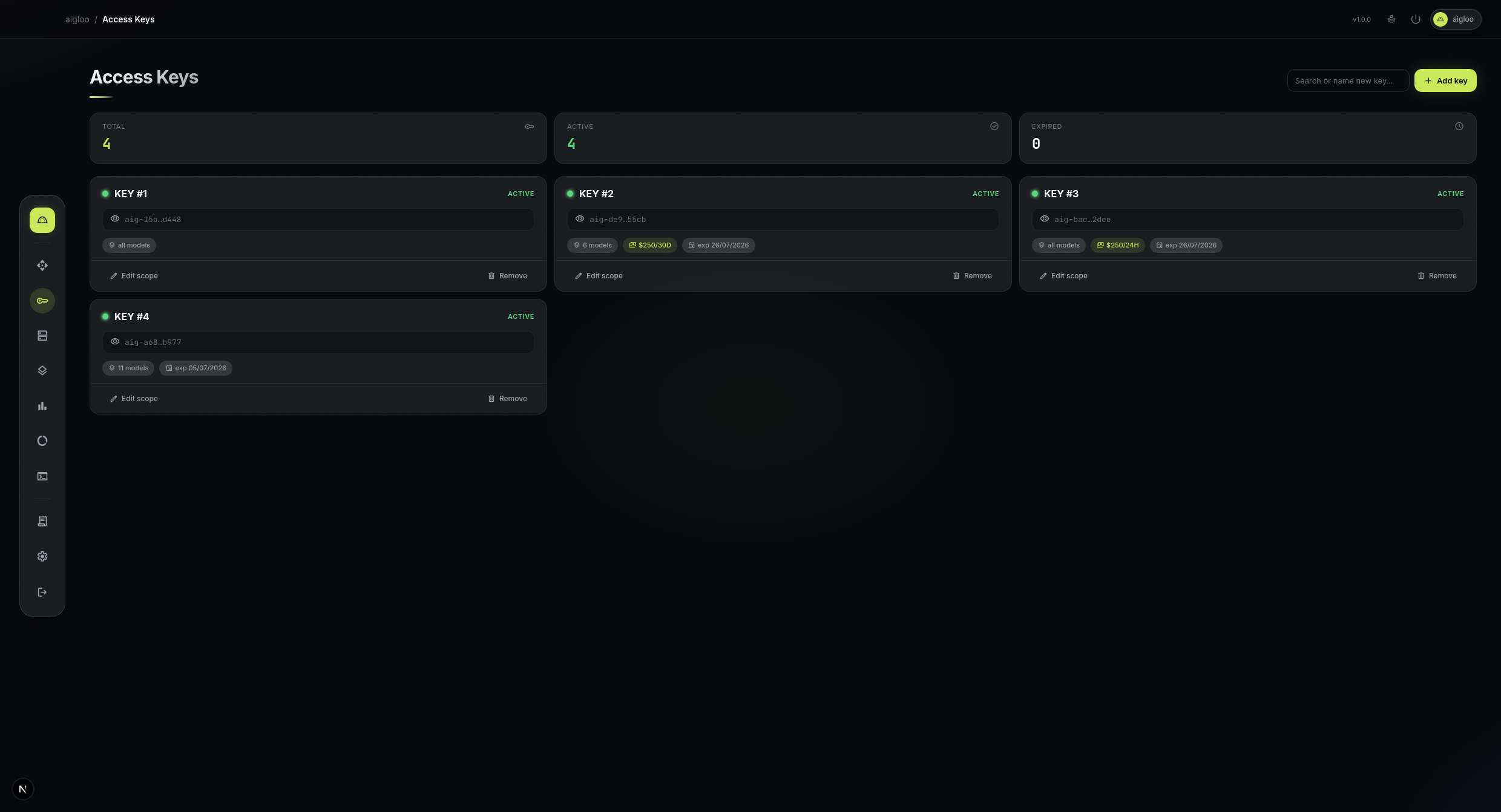
Access Keys — model allowlist, rate limit, spend cap per key
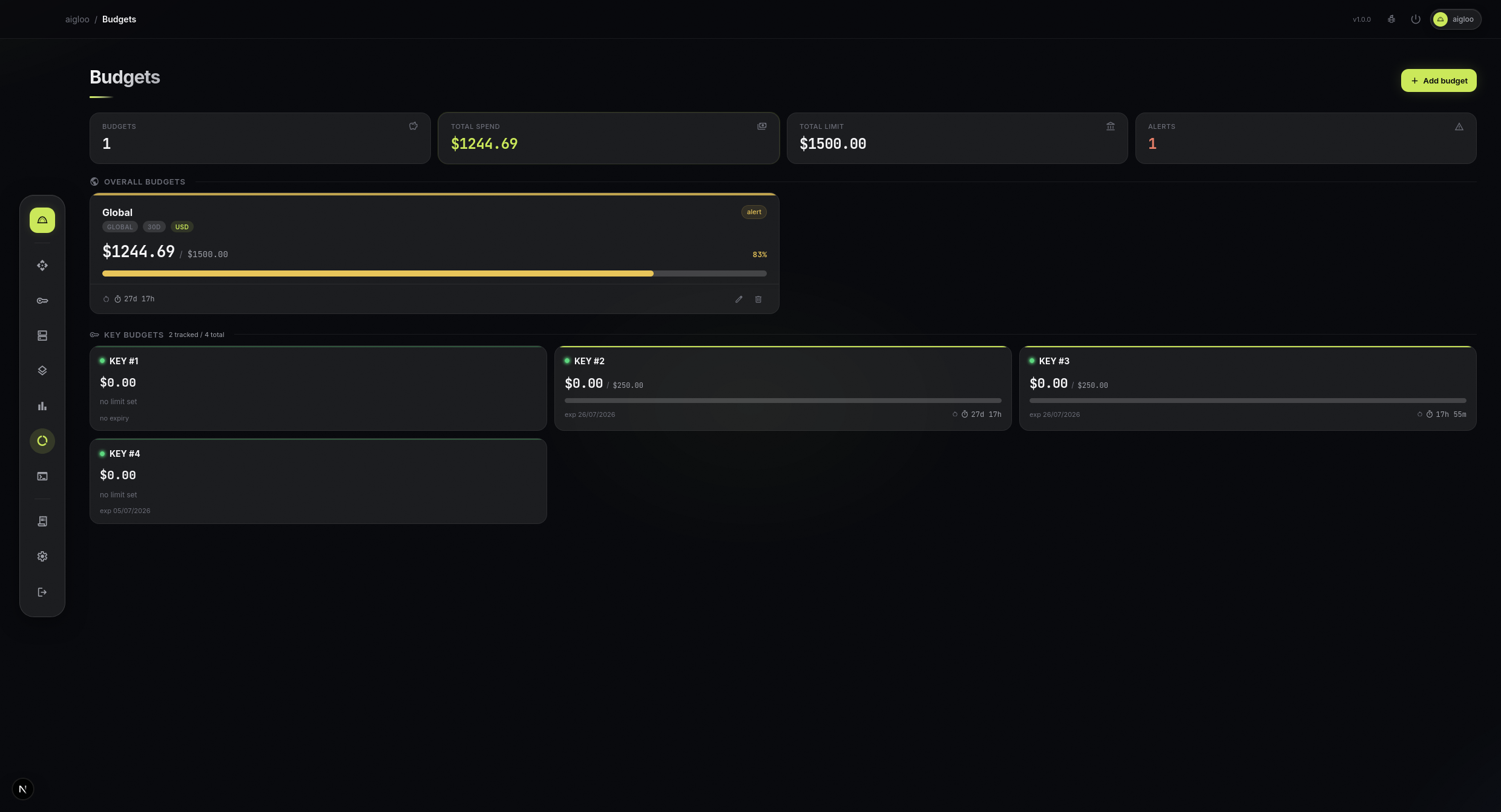
Budgets — rolling spend caps with live countdown
Connect your tools
# Claude Code (Anthropic format)
export ANTHROPIC_BASE_URL=http://localhost:18080
export ANTHROPIC_API_KEY=my-key

# opencode / Cursor / Cline / Codex (OpenAI format)
export OPENAI_BASE_URL=http://localhost:18080/v1
export OPENAI_API_KEY=my-key
Model resolution (in order): combo alias → provider/model.
Any app that supports a custom base URL + API key works — just set the model to provider/model.
Supported CLI tools
Claude Code · opencode · Cursor · Codex · Cline · Continue · Roo · Aider · Gemini CLI · Qwen Code · Kilo Code · Crush · Droid · Copilot
Configuration
Everything is configurable from the dashboard — providers, combos, budgets, token savers, access keys, settings. Under the hood, config.yaml is the source of truth and hot-reloads — dashboard changes write to it instantly; hand edits apply without restart.
Data persistence
Mount /data to persist config, auth, and usage history between container rebuilds:
-v "$HOME/.aigloo:/data"
Without a mount, data lives inside the container and is lost on docker rm. Layout:
/data/
├── config.yaml        # providers, combos, endpoint settings
├── auth.json          # admin password hash
├── session-secret     # random, generated on first boot — do not hardcode
└── usage.sqlite       # usage/quota/savings history
Optional env vars
docker run -d \
  -p 18080:18080 \
  -v "$HOME/.aigloo:/data" \
  -e AIGLOO_ADMIN_PASSWORD=your-password \
  -e AIGLOO_PORT=18080 \
  --name aigloo \
  xk1ko/aigloo:latest
SESSION_SECRET is optional — leave it unset and the container generates and persists a random one to /data/session-secret on first boot. Set it explicitly only for multi-instance fleets.
Manage container
docker logs -f aigloo        # view logs
docker stop aigloo           # stop
docker start aigloo          # start again
docker rm -f aigloo          # remove
Update to latest
docker pull xk1ko/aigloo:latest
docker rm -f aigloo
# re-run the quick start command
Image details
| Port | 18080/tcp |
| Data dir | /data (env AIGLOO_DATA_DIR) |
| Base | Node.js 22 |
| License | MIT |
| Source | https://github.com/xk1ko/aigloo |
| Platforms | linux/amd64, linux/arm64 |
Links
- Source code: https://github.com/xk1ko/aigloo
- npm: https://www.npmjs.com/package/aigloo
- Issues: https://github.com/xk1ko/aigloo/issues
Tag summary
Content type
Image
Digest
sha256:55339657d…
Size
89.6 MB
Last updated
4 months ago
docker pull xk1ko/aigloo