yoas1/tickr repository overview
Tickr

Tickr is a self-hosted to-do and project-management app. It is a single-page web app built with FastAPI + SQLite — everything runs in one Docker container with a single database file, no external services required.
Plan your day, manage projects, track tasks across lists, kanban boards and a timeline, and get notified when things change. It runs in any browser, on desktop and mobile — no app installation needed.
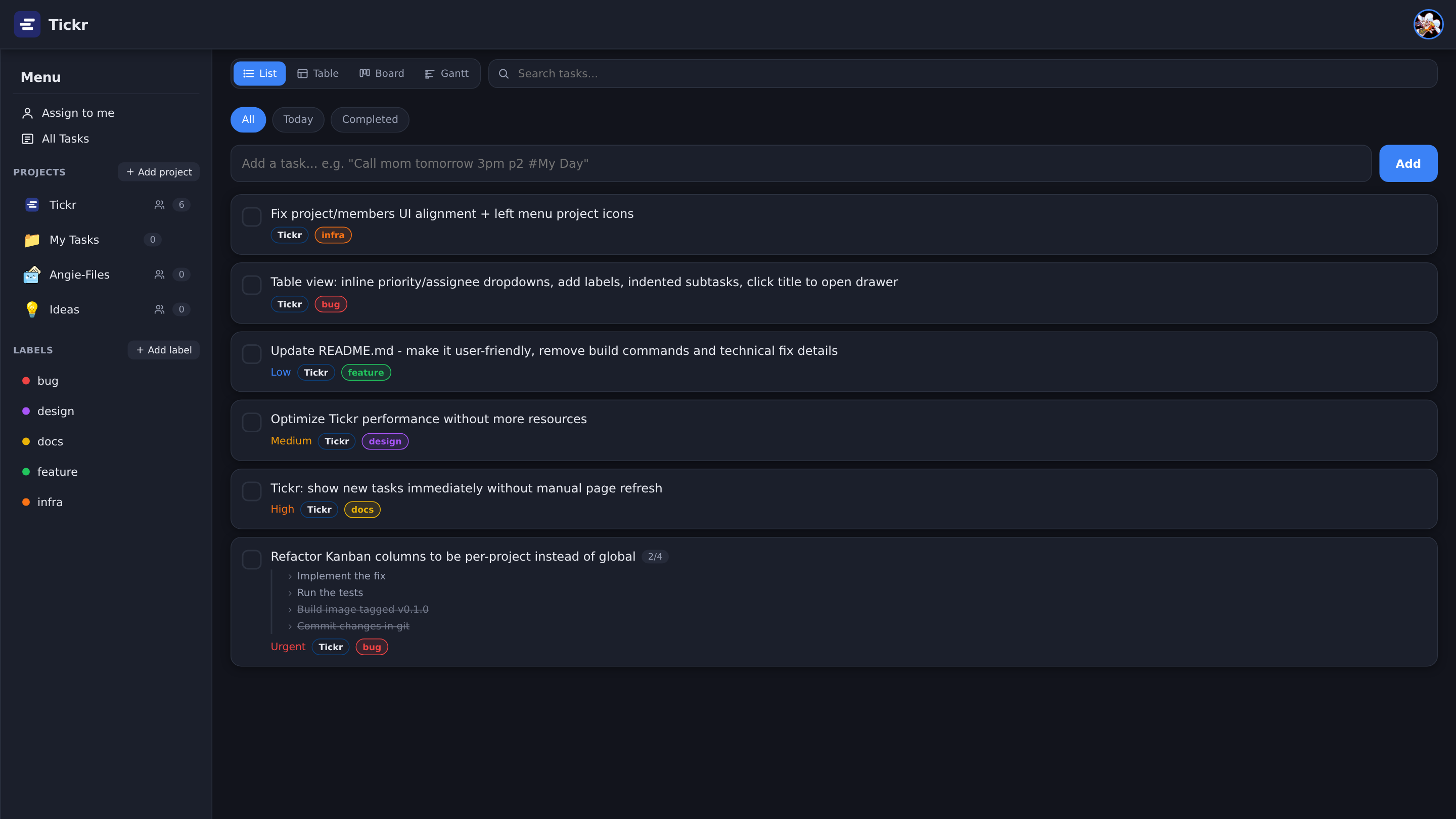 | 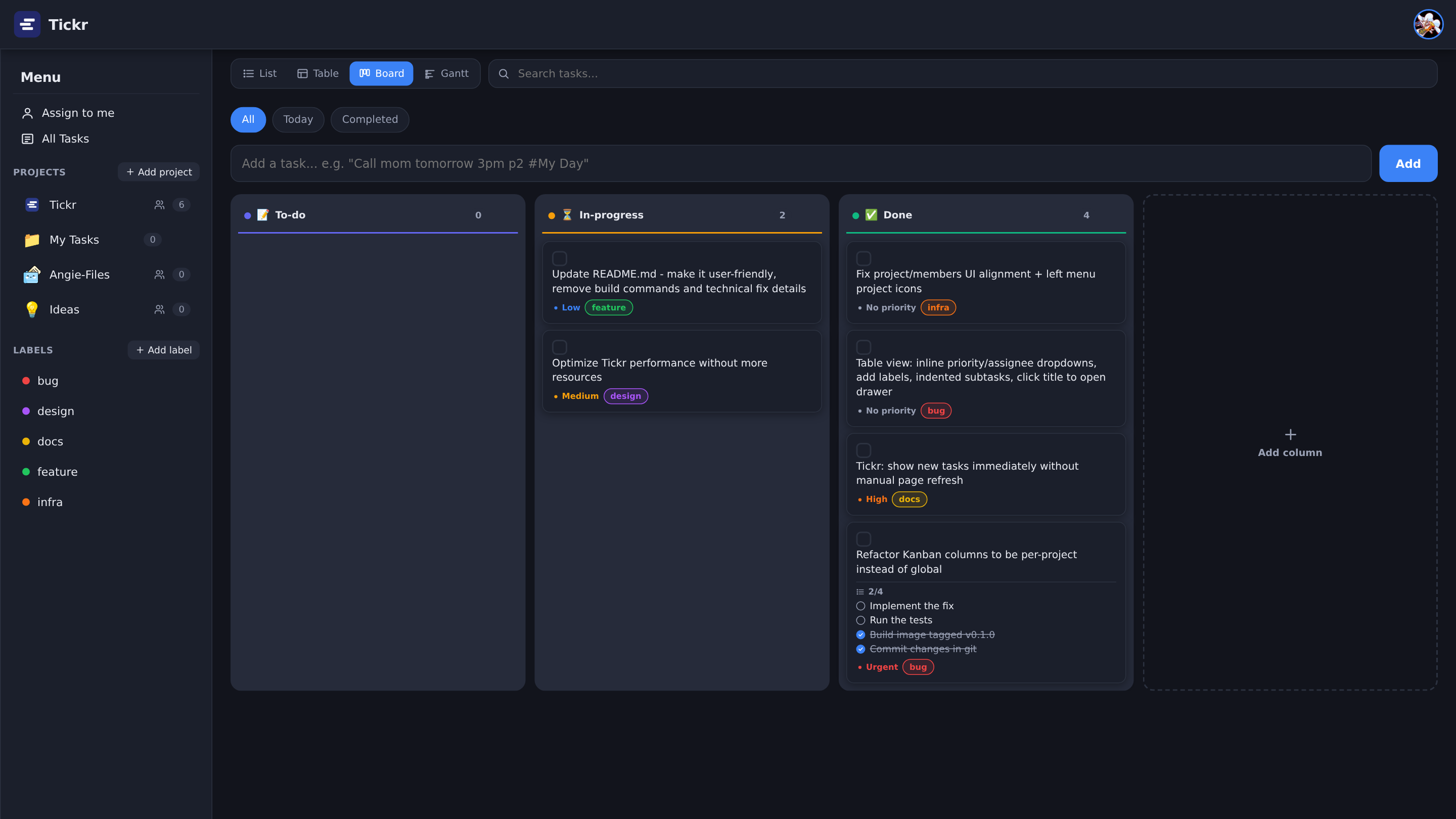 |
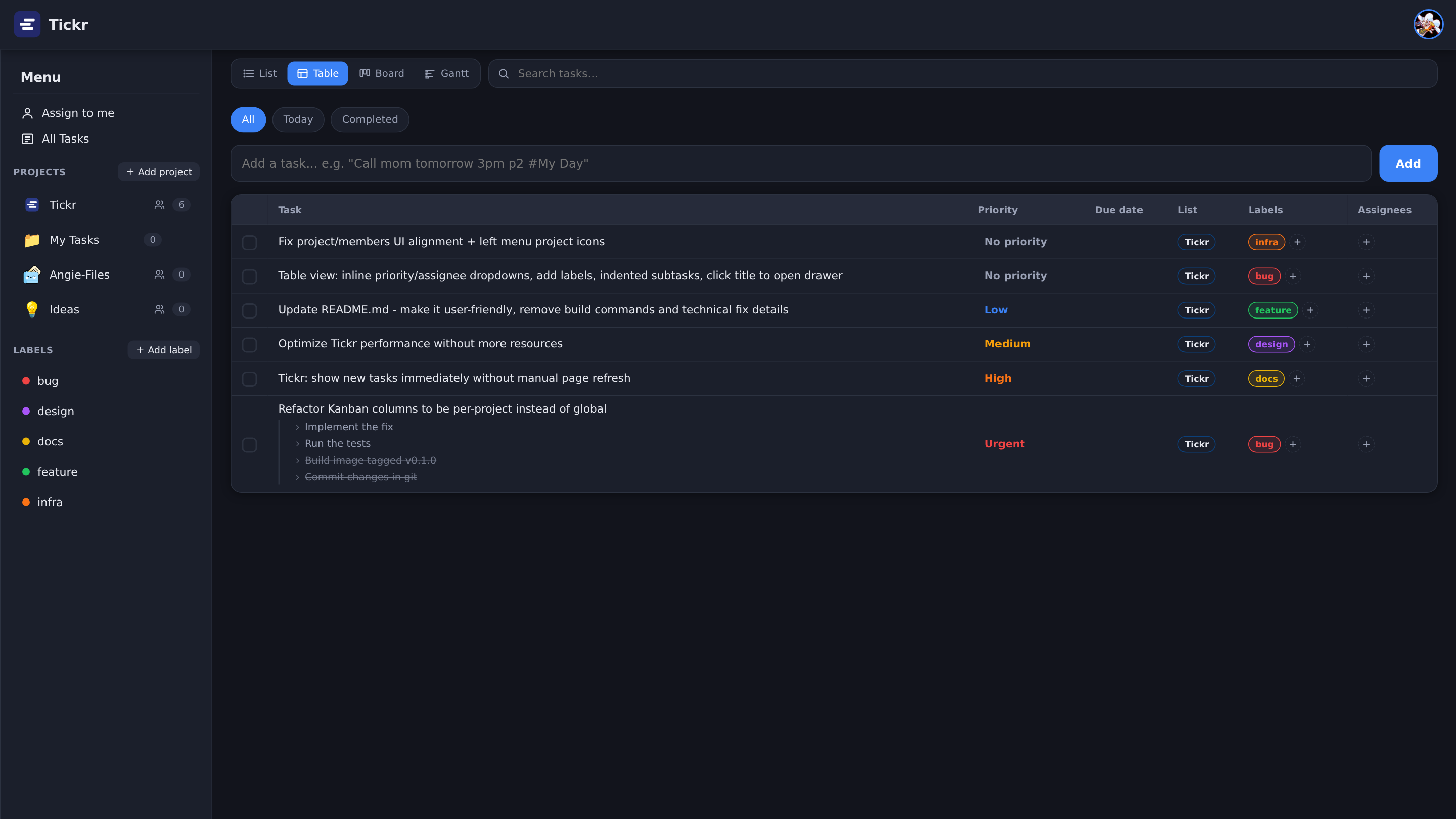 | 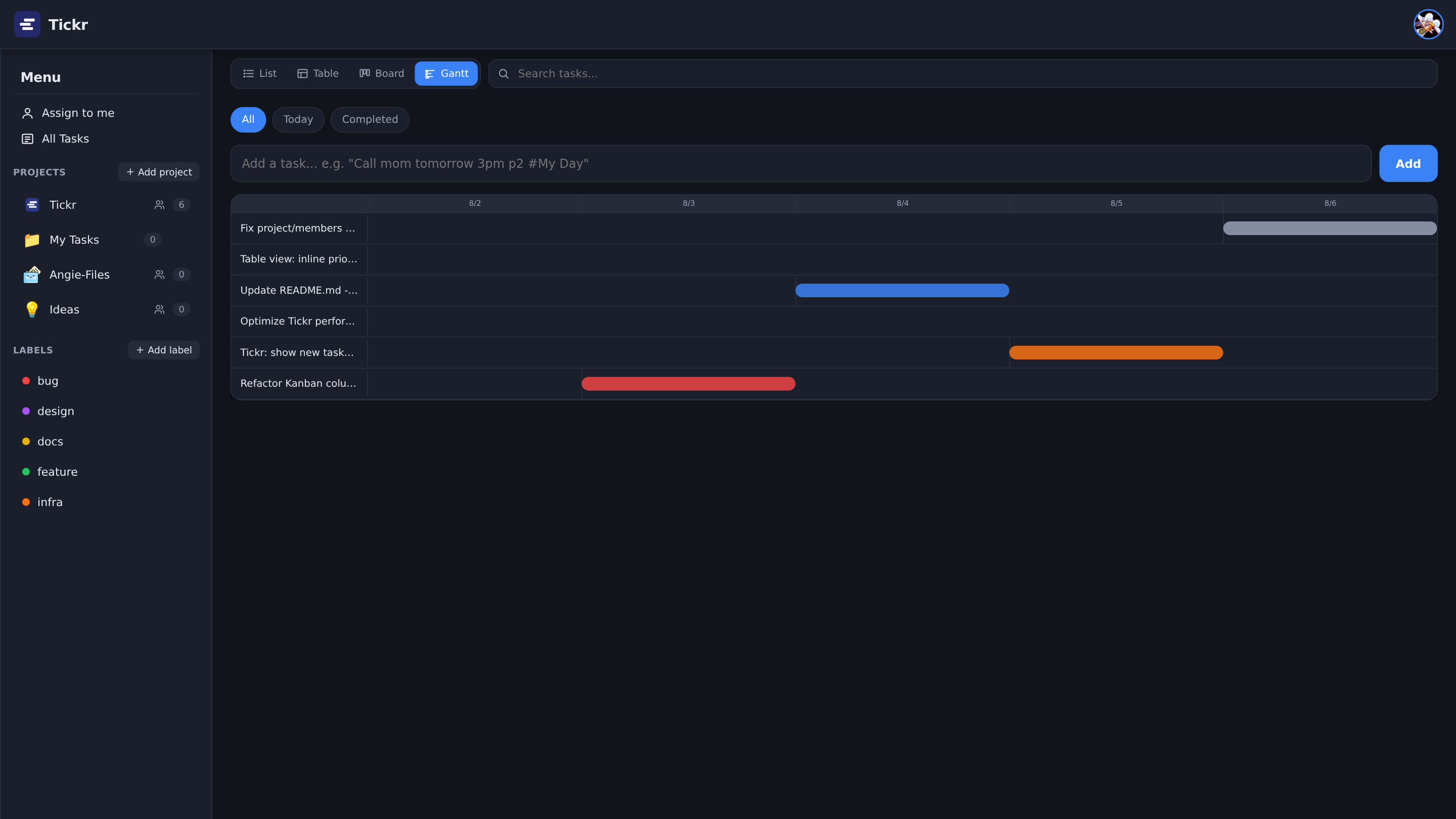 |
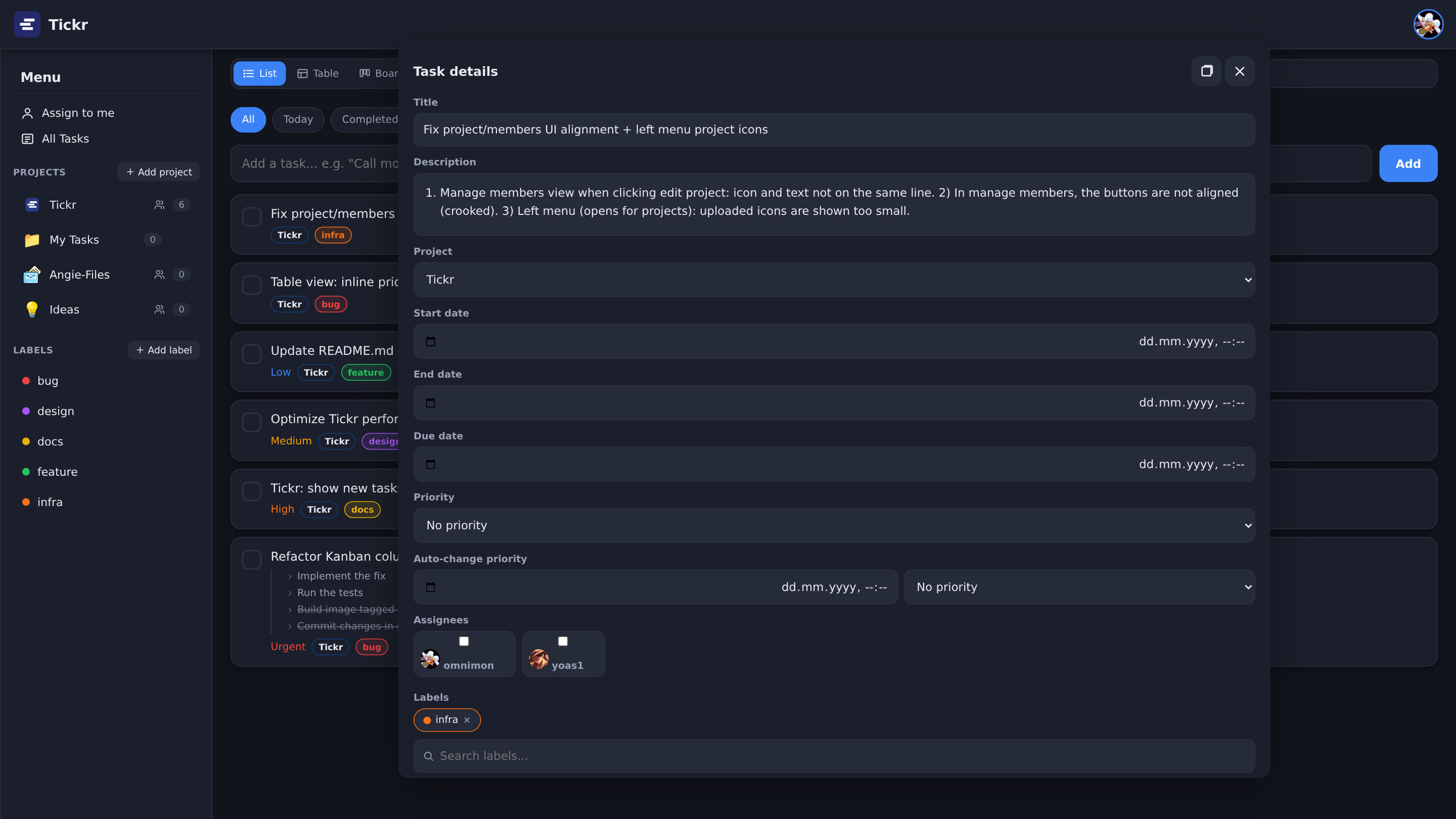
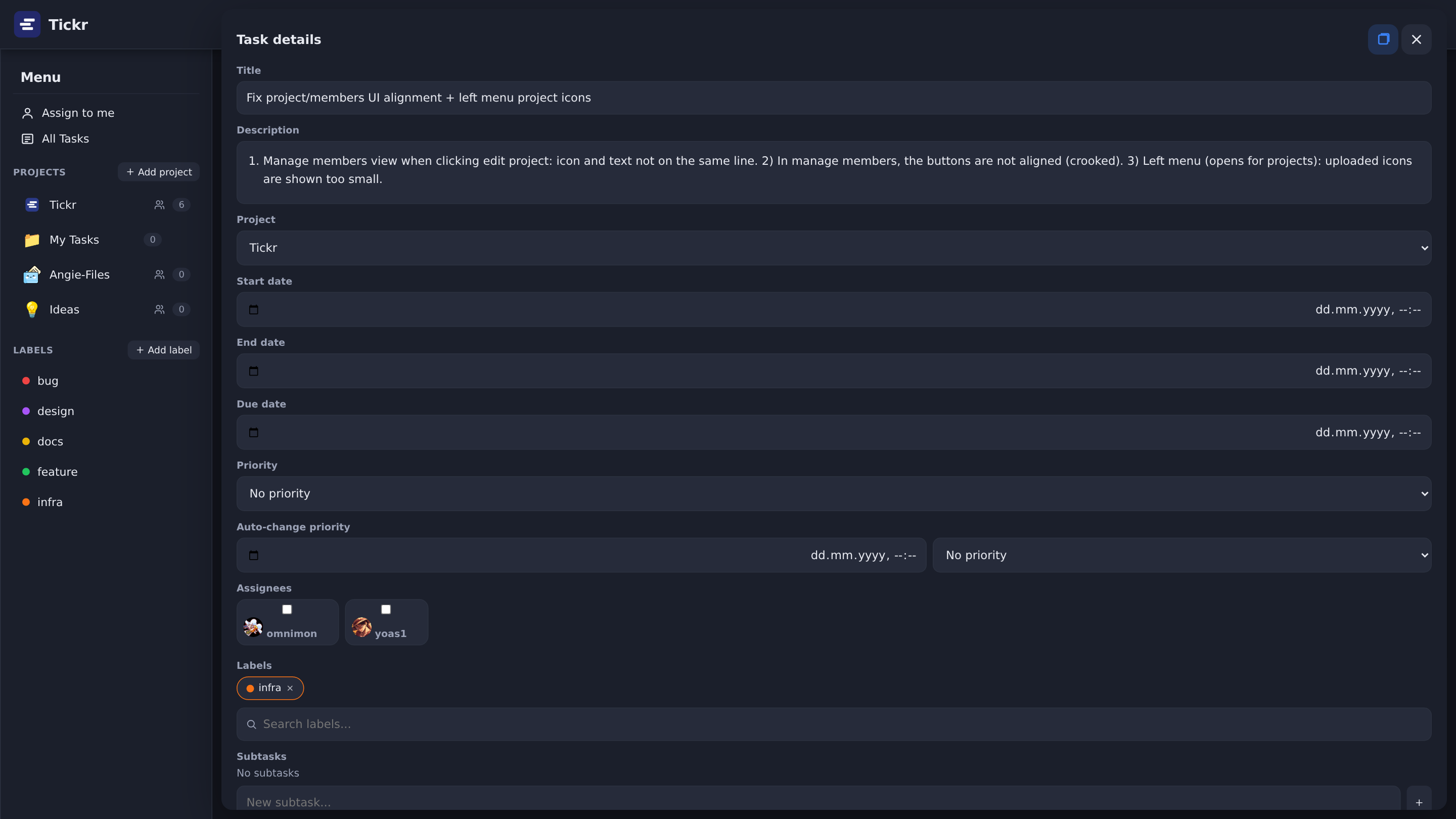
The task details open as a floating desktop window — drag it by the title bar, resize it from any edge or corner, and maximize it into the content area:
 |  |
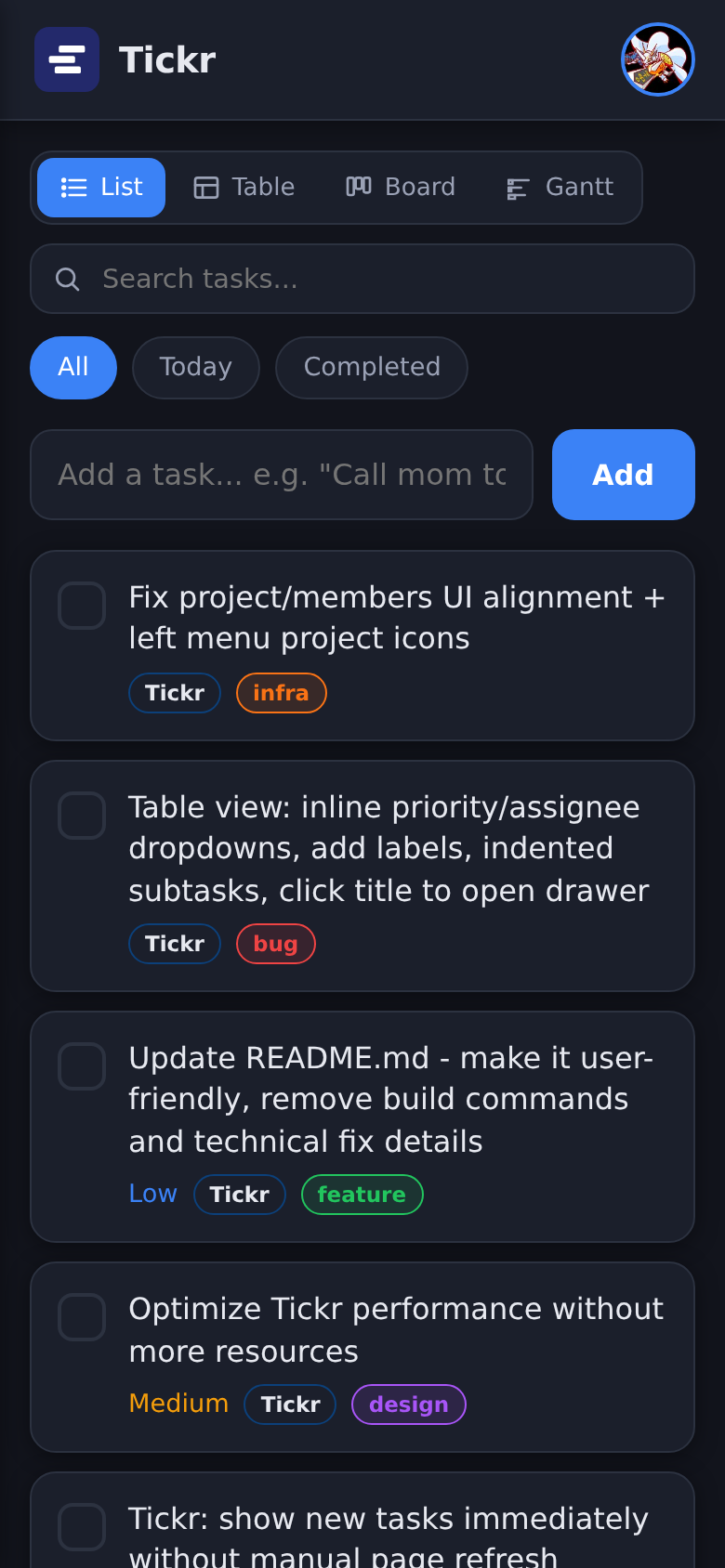
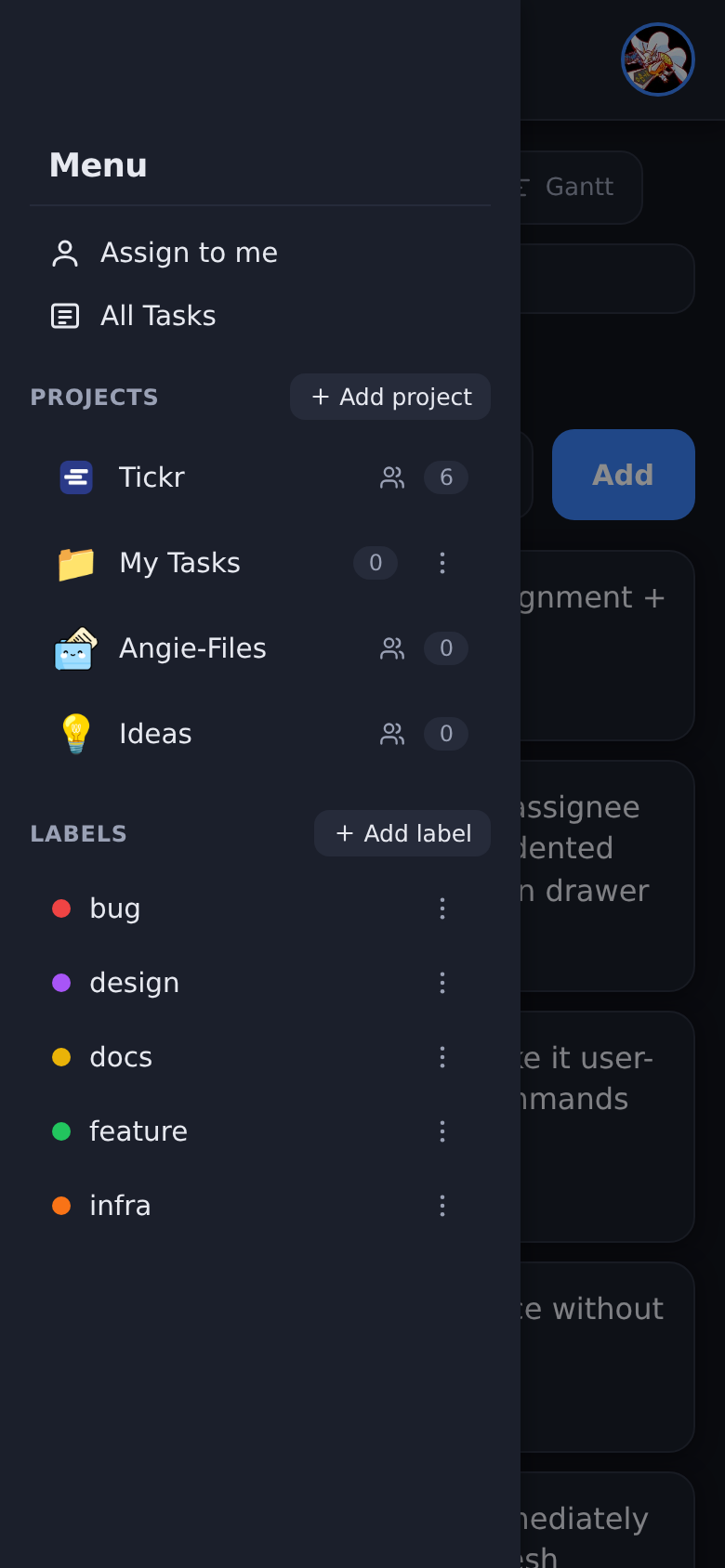
Fully responsive on mobile too:
How Tickr was built (by itself, mostly)
Tickr is a bit of a special project: almost all of it was written by an AI coding agent — opencode — driven entirely through Telegram.
The workflow looked like this:
- Every feature request, bug report and refactor was written down as a task card — first in a plain tracker, and very early on, inside Tickr itself. That was the turning point: once Tickr could hold its own backlog, it started managing its own construction.
- From a phone, over Telegram, tasks were described ("floating task window for task details", "per-project kanban columns", "offline-first sync") and the agent picked them up, explored the codebase, implemented, tested with a real browser, committed and pushed.
- Releases are fully automated: pushing a
v*git tag triggers a Gitea Actions pipeline that builds a multi-platform image (linux/amd64+linux/arm64) and publishes it to Docker Hub, then sends a Gotify notification when the build finishes. - Bugs found while using the app went straight back onto the board — so the tool that tracks the work is the work. The sidebar you scroll, the floating window you drag and the notifications you receive were all shipped this way, one Telegram message at a time.
In other words: Tickr is a to-do app that ate its own dog food from version
0.1 to 0.4 — planned, built, tested, released and debugged through its own
boards.
Features
Views & tasks
- Four views per list — a plain list, a sortable table, a kanban board and a Gantt timeline, switchable from the toolbar.
- Floating task window (desktop) — task details open as a movable window: drag by the title bar, resize from all 8 edges/corners, maximize/restore (fills exactly the content area next to the menu), double-click to maximize.
- Rich tasks — due date, start/end dates, priority (none/low/medium/high/ urgent), labels, colors, descriptions, checklists (steps) and assignees.
- Markdown descriptions — write descriptions in Markdown; they render with full formatting and can be edited inline.
- Checklists & progress — every task can have steps; progress shows as a fraction and a progress bar, also visible as subtasks on cards.
- Natural-language quick add — type
Call mom tomorrow 3pm p2 #My Dayand Tickr figures out the date, priority and list for you. - Automatic priority bump — schedule a task to raise its own priority once a date passes.
- Search & filters — filter tasks by text, label or completion state across the current list.
Projects & collaboration
- Projects with sharing — lists are private by default; the owner can share a list with other users as Viewer (view + mark done) or Admin (full edit).
- Per-project kanban columns — each project defines its own board columns (name, icon, order); drag a card between columns to move the task.
- Users & roles — an admin creates accounts (no open registration), resets passwords and manages permissions from an admin panel.
- Labels — create colored labels, attach them to tasks and filter by them.
- Attachments — attach files (up to 25 MB each) to any task, preview images, download or delete them.
Platform
- Works offline — an offline-first client applies actions instantly and syncs with the server in the background; a pending-changes chip shows sync state.
- Installable PWA — add Tickr to your home screen / install it from the browser as an app.
- Notifications — opt-in alerts on Telegram, Gotify, e-mail or any Apprise channel: task changes, "starting soon" reminders, due reminders, and admin alerts.
- API keys — generate bearer tokens for scripts and automation, and revoke them at any time.
- Dark / light theme — switch at any time from Settings (light by default).
- Responsive layout — pinned full-width header, a fixed menu with independently scrolling projects, and a mobile bottom-sheet drawer.
- Self-contained — one container, one SQLite file, zero external services.
Quick start
Docker
docker run -d --name tickr -p 8000:8000 \
  -e TODO_DB_PATH=/data/todo.db \
  -e UPLOADS_DIR=/data/uploads \
  -v tickr-data:/data \
  yoas1/tickr:latest
Open http://localhost:8000 and sign in with the default admin account:
username: admin
password: admin
Important: change the admin password (Settings → account) before exposing the app to the internet.
Docker Compose
A docker-compose.yml is included. It uses a named volume so your data survives
container restarts and updates — only docker compose down -v wipes it.
docker compose up -d
New releases are pulled the same way:
docker compose pull && docker compose up -d
Run from source
Requires Python 3.10+.
git clone https://github.com/yoas1/tickr.git   # or your fork / Gitea remote
cd tickr
python3 -m venv .venv && source .venv/bin/activate
pip install -r requirements.txt
uvicorn app:app --host 0.0.0.0 --port 8000
Then open http://localhost:8000. The SQLite file (todo.db) and the uploads
directory are created next to the code — set TODO_DB_PATH / UPLOADS_DIR to
move them elsewhere.
Configuration
Tickr is configured through environment variables:
| Variable | Default | Description |
|---|---|---|
TODO_DB_PATH | todo.db | Path to the SQLite database file. Set this to a mounted volume path so data persists across restarts. |
UPLOADS_DIR | uploads | Directory where task attachments are stored on disk. Must live on the same mounted volume as the database to persist. |
TZ | Asia/Jerusalem | Container timezone; affects due-date and reminder scheduling. |
The included docker-compose.yml already sets TZ=Asia/Jerusalem,
TODO_DB_PATH=/data/todo.db and UPLOADS_DIR=/data/uploads with a todo-data
volume.
Daily use
- Quick add — type a task in the box at the top; parse due dates
(
tomorrow,friday,3pm,in 3 days), priorities (p2,high) and lists (#Name) from plain text. - Views — use the toolbar to switch between List, Table, Kanban and Gantt for the current list.
- Kanban — rename columns, change their icons, or add/remove columns. Drag a card between columns to move the task across the board.
- Task window — click a task title to open the details window; move it, resize it, maximize it, edit everything inline.
- Checklists — open a task and add steps under "Subtasks" to track progress.
- Labels — create labels and attach them to tasks to filter your lists.
- Search — filter tasks across your current list by title or description.
Account & settings
- Change your password at any time (all other sessions are signed out).
- Upload a profile picture — shown next to your name and on assigned tasks.
- Generate API keys for scripts and automation; revoke them when you no longer need them.
Notifications
Nothing is sent until you add at least one channel:
- Open Settings → Notifications.
- Save a channel — Telegram, Gotify, e-mail/SMTP, or any Apprise URL.
- Choose what you want to hear about: task updates, "starting soon" reminders and due reminders. Admin alerts (failed logins, user changes) go to admins automatically.
Test your setup with the Send test notification button.
Managing users & projects
- An admin creates user accounts from the admin panel (no self-registration).
- Every new user gets a private My Tasks / My Day area automatically; these areas cannot be shared.
- The owner of a list can share it: add members and give them Viewer or Admin access.
- When several users work on the same project, everyone on that list receives notifications about task changes (new, updated, completed, deleted) — as long as they have a notification channel configured.
Troubleshooting
- Data lost after update? Your database must live on a volume. Set
TODO_DB_PATHto a path inside a mounted volume (as in the Compose file). - Wrong time for reminders? Make sure the container's
TZmatches your timezone. - Forgot the admin password? Ask an admin to reset it from the admin panel, or reset it from the server console.
Tech stack
| Layer | Tech |
|---|---|
| Backend | Python 3.10, FastAPI, SQLAlchemy 2.x, Pydantic v2 |
| Database | SQLite3 (single file) |
| Frontend | Vanilla JavaScript, semantic HTML, CSS custom properties |
| CI/CD | Gitea Actions → multi-platform buildx → Docker Hub + Gotify |
| Deployment | Docker (single uvicorn container on port 8000) |
License
Tickr is open source under the MIT License — free to use, modify
and self-host. The image is published to Docker Hub as
yoas1/tickr.
Tag summary
Content type
Image
Digest
sha256:110144bca…
Size
66.3 MB
Last updated
2 months ago
docker pull yoas1/tickr