yotzee/coder repository overview
Coder Development Container
A comprehensive Ubuntu-based Docker development environment with all the essential tools for modern software development.
Screenshots
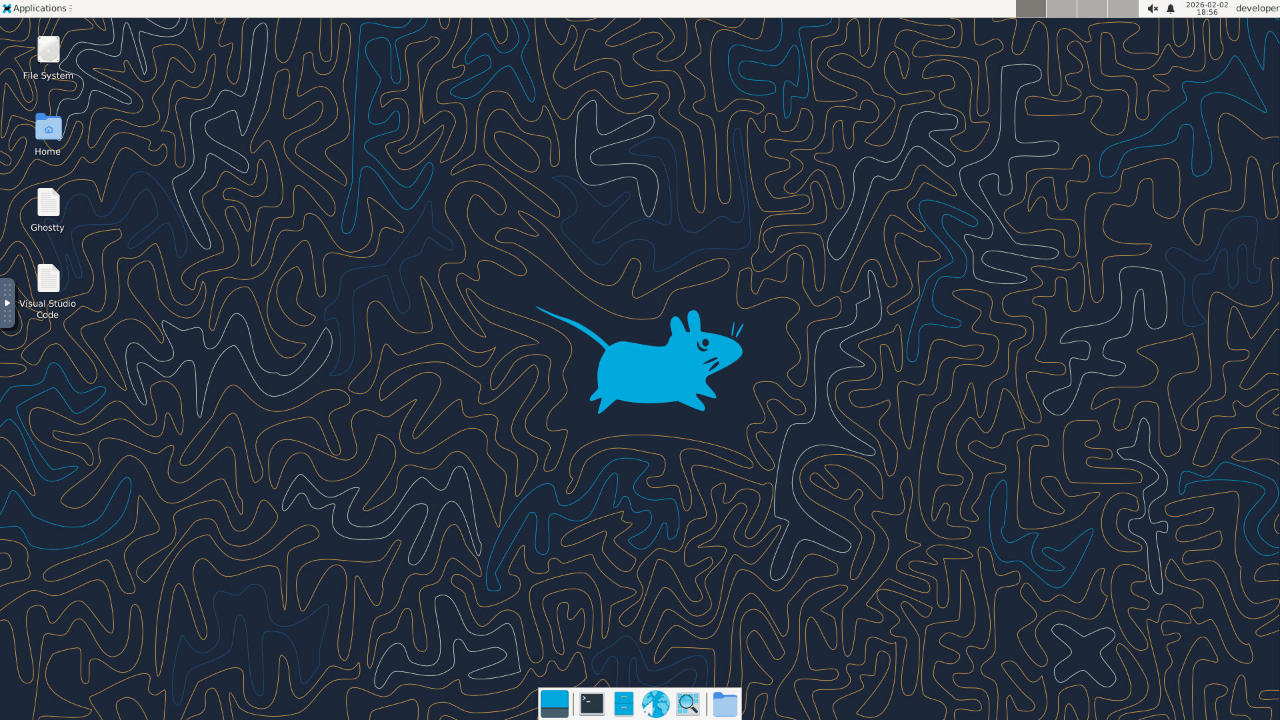
Web Desktop (noVNC)
Access a full XFCE desktop environment through your browser at http://localhost:8080:
Installed Tools
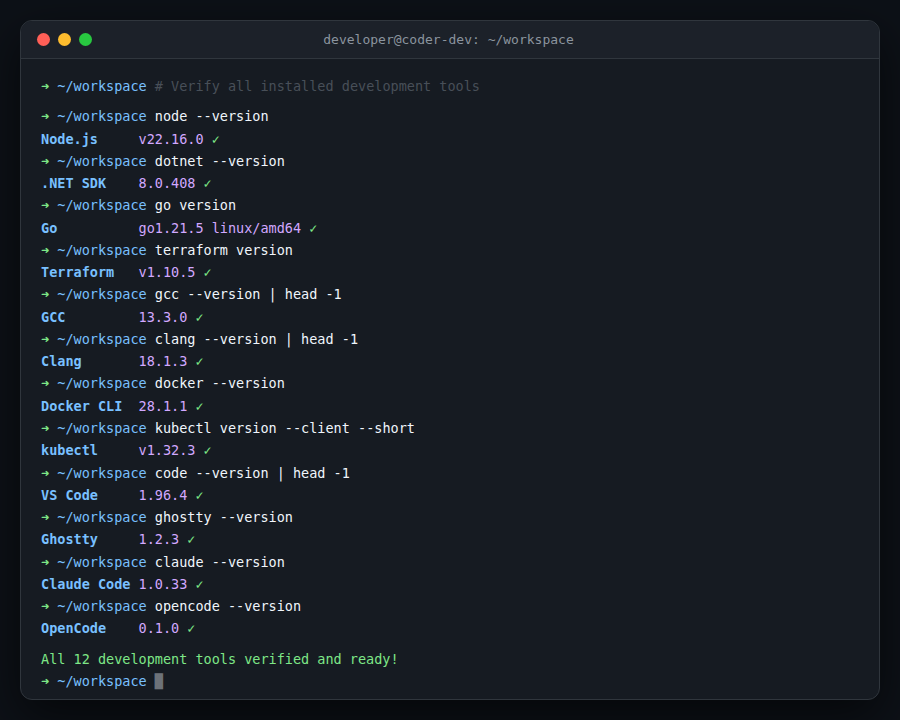
All 12+ development tools come pre-installed and ready to use:
Capture Screenshots
Use Playwright to capture the web desktop after starting the container:
bash scripts/make-screenshot.sh
Defaults:
TARGET_URL=http://localhost:8080/
OUTPUT_PATH=screenshots/desktop.png
You can override them for custom captures:
TARGET_URL=http://localhost:8080/ OUTPUT_PATH=screenshots/custom.png bash scripts/make-screenshot.sh
Docker Overview
┌──────────────────────────────────────────────────┐
│  ubuntu:latest                                   │
│                                                  │
│  User: developer (non-root, passwordless sudo)   │
│  Shell: zsh + Oh My Zsh                          │
│                                                  │
│  ┌────────────────────────────────────────────┐  │
│  │  Desktop: XFCE4 + noVNC (web RDP)         │  │
│  │  Port 8080 → browser-based desktop        │  │
│  └────────────────────────────────────────────┘  │
│                                                  │
│  Volumes:                                        │
│  • /home/developer/workspace  ← host project     │
│  • /var/run/docker.sock       ← host Docker      │
│  • /home/developer/.claude    ← Claude Code auth │
│  • /home/developer/.config/   ← OpenCode auth    │
│        opencode                                  │
│  • /home/developer/.config/   ← Codex auth       │
│        codex                                     │
│                                                  │
│  Languages: Node.js, .NET 8, Go, C/C++          │
│  Tools: Terraform, kubectl, Docker CLI, Git      │
│  Editors: VS Code, Ghostty                       │
│  AI: Claude Code, OpenCode, Codex                │
└──────────────────────────────────────────────────┘
Included Tools
- Node.js (LTS)
- C++ Compilers (gcc, g++, clang, clang-format)
- Go (1.21.5)
- Terraform
- Visual Studio Code
- Ghostty terminal emulator
- Claude Code AI coding agent (Anthropic)
- OpenCode AI coding agent for the terminal
- Codex AI coding agent for the terminal
- man (Linux manual pages)
- Docker CLI (connects to external Docker daemon)
- kubectl
- Git
- Zsh with Oh My Zsh (robbyrussell theme)
- Web-based RDP (XFCE desktop via noVNC on port 8080)
Building the Image
docker build -t coder-dev .
Troubleshooting Build Issues
If you encounter "not enough free space" errors during build:
-
Free up Docker disk space:
docker system prune -a --volumes -
Increase Docker Desktop disk allocation:
- Docker Desktop → Settings → Resources → Advanced
- Increase the disk image size (recommended: at least 60GB)
-
Build with BuildKit (more efficient):
DOCKER_BUILDKIT=1 docker build -t coder-dev .
Running the Container
Web RDP Access (Default)
The container starts with a web-based RDP desktop by default on port 8080:
docker run --rm -d -p 8080:8080 \
  -v $(pwd):/home/developer/workspace \
  -v /var/run/docker.sock:/var/run/docker.sock \
  -v ~/.claude:/home/developer/.claude \
  -v ~/.config/opencode:/home/developer/.config/opencode \
  -v ~/.config/codex:/home/developer/.config/codex \
  --name coder-dev \
  coder-dev
Then access the desktop at: http://localhost:8080
Basic Usage (Shell Only)
To run with shell access instead of RDP:
docker run --rm -it coder-dev /bin/zsh
With Volume Mount (Recommended)
Mount your local workspace into the container:
docker run --rm -it -v $(pwd):/home/developer/workspace coder-dev
With Docker Socket (for Docker CLI)
To use Docker commands inside the container (connects to host Docker daemon):
docker run --rm -it -v /var/run/docker.sock:/var/run/docker.sock coder-dev
Complete Setup (Volume + Docker Socket + AI Auth)
docker run --rm -it \
  -v $(pwd):/home/developer/workspace \
  -v /var/run/docker.sock:/var/run/docker.sock \
  -v ~/.claude:/home/developer/.claude \
  -v ~/.config/opencode:/home/developer/.config/opencode \
  -v ~/.config/codex:/home/developer/.config/codex \
  coder-dev
With Port Forwarding
If you need to expose ports (e.g., for web development or RDP):
docker run --rm -d -p 8080:8080 -p 3000:3000 \
  -v $(pwd):/home/developer/workspace \
  -v /var/run/docker.sock:/var/run/docker.sock \
  -v ~/.claude:/home/developer/.claude \
  -v ~/.config/opencode:/home/developer/.config/opencode \
  -v ~/.config/codex:/home/developer/.config/codex \
  --name coder-dev \
  coder-dev
Access web RDP at: http://localhost:8080
Detached Mode (Background)
Run container in detached mode (use docker exec to access):
docker run --rm -d --name coder-dev \
  -v $(pwd):/home/developer/workspace \
  -v /var/run/docker.sock:/var/run/docker.sock \
  -v ~/.claude:/home/developer/.claude \
  -v ~/.config/opencode:/home/developer/.config/opencode \
  -v ~/.config/codex:/home/developer/.config/codex \
  coder-dev

# Access the container
docker exec -it coder-dev /bin/zsh
Quick Commands
Verify Installed Tools
node --version
dotnet --version
go version
terraform version
docker --version
kubectl version --client
gcc --version
clang --version
code --version
ghostty --version
opencode --version
codex --version
Access Container Shell
The container starts with zsh by default. You can also access it with:
docker exec -it <container-id> /bin/zsh
AI Tool Authentication
The container includes Claude Code, OpenCode, and Codex AI coding tools. To use them with your existing authentication, mount the config directories from your host:
| Tool | Host Path | Container Path |
|---|---|---|
| Claude Code | ~/.claude/ | /home/developer/.claude |
| OpenCode | ~/.config/opencode/ | /home/developer/.config/opencode |
| Codex | ~/.config/codex/ | /home/developer/.config/codex |
These volumes are declared in the Dockerfile and included in all docker run examples above. If you haven't authenticated with these tools on your host yet, the directories will be created automatically and you can authenticate from inside the container.
Notes
- The container runs as a non-root user (
developer) - Default working directory:
/home/developer/workspace - Docker CLI connects to the host's Docker daemon (no Docker daemon runs inside the container)
- All tools are installed system-wide and available in PATH
- Default behavior: Container starts web RDP desktop on port 8080 (XFCE via noVNC)
- To access shell instead of RDP, override CMD:
docker run --rm -it coder-dev /bin/zsh
Tag summary
Content type
Image
Digest
sha256:185604bc7…
Size
1.6 GB
Last updated
9 months ago
docker pull yotzee/coder