yumenaka/comigo repository overview
ComiGo: Simple and Efficient Comic Reader

Features
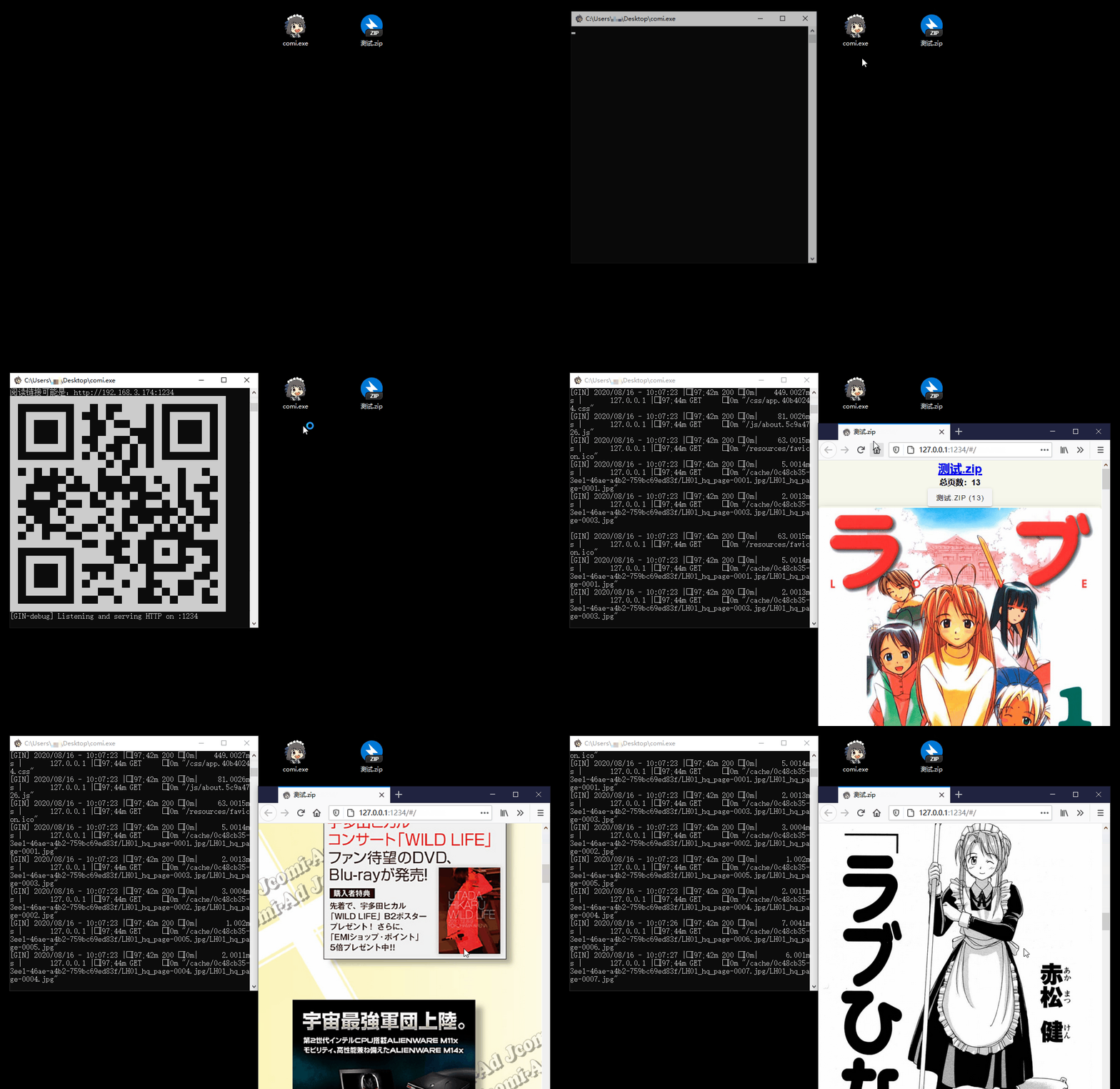
- 📚 Multiple Format Support: Supports image folders and compressed files like
.rar,.zip,.tar,.cbz,.cbr,.epub - 📱 Easy Access: QR code scanning for mobile/tablet devices, drag-and-drop support for Windows
- 🐧 Cross-Platform: Compatibility with Windows, Linux, and macOS
- 📖 Diverse Reading Modes: Offers scroll, and page-turning modes
- ⚙️ Flexible Configuration: Command-line operation with
config.tomllibrary settings - 🖼️ Modern Image Formats: In addition to
jpgandpng, it also supports next-gen formats likeheicandavif - ✂️ Smart Optimization: Automatic image cropping and compression for bandwidth saving
- 🔄 Sync Reading: Synchronized page-turning across different devices
Installation Guide
Installation Script
#  Recommended:
bash <(curl -s https://raw.githubusercontent.com/yumenaka/comigo/master/get.sh)

# For users in Mainland China:
bash <(curl -s https://comigo.xyz/get.sh) --cn

# If you have Golang  (go 1.23 or higher):
go install github.com/yumenaka/comigo/cmd/comi@latest
Manual Installation
Download the latest version from the Releases page and add the executable to your system's PATH environment variable.
Version Selection Guide
| System | Download |
|---|---|
| Windows 64-bit | Windows_x86_64.zip |
| Windows ARM | Windows_arm64.zip |
| MacOS Apple Silicon | MacOS_arm64.tar.gz |
| MacOS Intel | MacOS_x86_64.tar.gz |
| Linux 64-bit | Linux_x86_64.tar.gz |
| Linux ARM 32-bit | Linux_arm.tar.gz |
| Linux ARM 64-bit | Linux_arm64.tar.gz |
Docker Deployment
Quick Start with Docker
# Pull and run the latest image
docker run -d \
  --name comigo \
  -p 1234:1234 \
  -v /path/to/your/books:/data \
  yumenaka/comigo:latest
Visit http://localhost:1234 to access your library.
Using Docker Compose
- Download the
docker-compose.yml file - Edit the configuration as needed
- Start the service:
docker-compose up -d
Supported Platforms
linux/amd64- Standard x86_64 serverslinux/arm64- ARM64 servers (Raspberry Pi 4/5)linux/arm/v7- ARMv7 devices (Raspberry Pi 2-4)
Environment Variables
| Variable | Description | Default |
|---|---|---|
COMIGO_PORT | Service port | 1234 |
COMIGO_USERNAME | Login username (optional) | - |
COMIGO_PASSWORD | Login password (optional) | - |
COMIGO_ENABLE_UPLOAD | Enable file upload | true |
COMIGO_LANGUAGE | UI language (auto/zh/en/ja) | auto |
For more details, see the complete Docker documentation.
Usage
comi [flags] file_or_dir
Configuration File
Comigo supports configuration file locations:
-
User Home Directory
- Windows:
C:\Users\username\.config\comigo.toml - Linux/MacOS:
/home/username/.config/comigo.toml - Default location read at startup
- Windows:
-
Program Directory
- Place
comigo.tomlin the same directory as the executable - Suitable for portable usage
- Place
-
Current Working Directory
- Searches for configuration file in the current directory when running commands
-
Custom Location
- Specify configuration file path using the
--configparameter
- Specify configuration file path using the
Feedback and Support
If you have any suggestions or encounter issues, feel free to:
Special Thanks
Thanks to the following open-source projects and their contributors:
- mholt
- spf13
- disintegration
- Baozisoftware
- And many more contributors
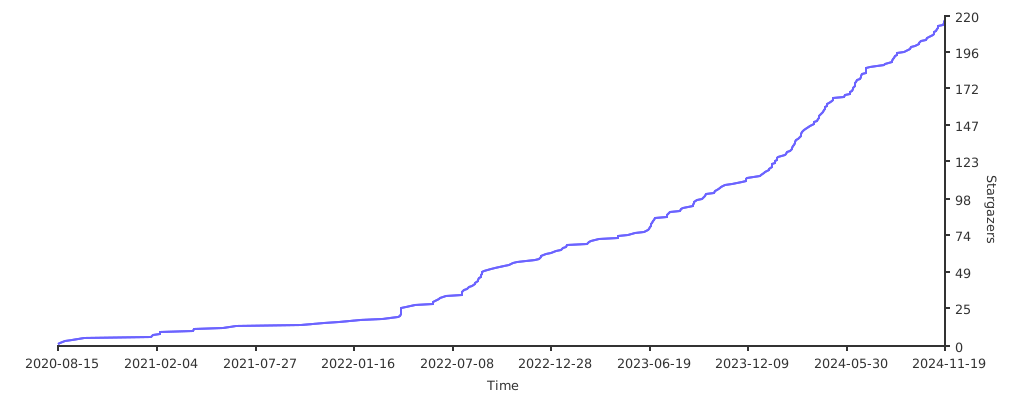
Project Statistics
License
This software is released under the MIT license.
Tag summary
Content type
Image
Digest
sha256:819712aff…
Size
32.1 MB
Last updated
14 days ago
docker pull yumenaka/comigo