zengmingjian/web-ide
A web IDE including all the tools you need for an enjoyable coding experience, out-of-the-box.
5.4K
zengmingjian/web-ide repository overview
Web-IDE
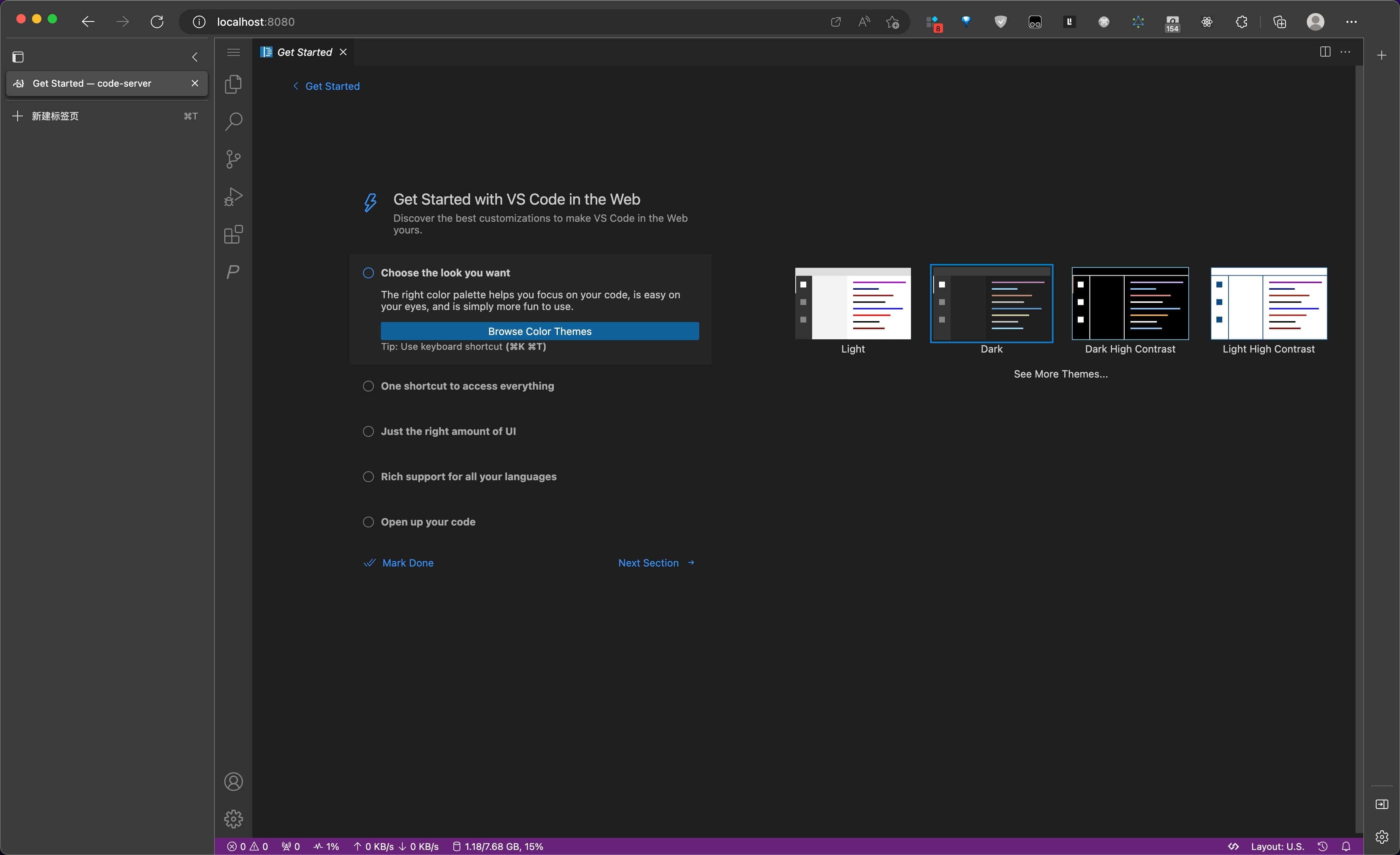


What is it?
Web-IDE is a comprehensive web-based integrated development environment (IDE) that includes all the tools you need for an enjoyable coding experience, out-of-the-box.
Features
- Start the IDE with a single command line, powered by Docker and code-server.
- Access IDE through your browser and code from any machine, anywhere.
- A wealth of pre-installed development tools for an out-of-the-box coding experience:
- Node (including frontend development tool chain)
- Go
- Python
- Java
Usage
docker run -itd -p 8080:8080 -e PASSWORD=your_password --name web-ide zengmingjian/web-ide
After running the command, open http://127.0.0.1:8080 in your browser, enter your password and start coding!
Note: If you are using macOS, mounting volume will be unstable to use pnpm. Check this issue. The workaround is setting the container file sharing to
gRPC FUSEimplementation. Check this comment.
Advanced Usage
-
Add more CLI options for
web-ideat the end of the command.docker run -itd --net host -e PASSWORD=your_password --name web-ide zengmingjian/web-ide --bind-addr 0.0.0.0:9090 -
Run
docker run -it --rm zengmingjian/web-ide --helpfor more information. -
To check the environment configuration, run
cat ~/.zshrcinside a container. Feel free to edit it.
FAQ
Q: Some shortcuts conflict between web-vscode and the browser. How can I avoid this?
A: Convert this web vscode into a Progressive Web App (PWA).
Q: Some extensions, which use iframes to render their UI, don't work properly, like
git graph. How can I solve this problem?
A: This issue occurs when you access vscode in the browser with a website address that is not localhost and a protocol that is not https. Here are some solutions:
- Set up a forward proxy with the command
ssh -CqTnNfL 8080:127.0.0.1:8080 my-remote-server. Then access vscode viahttp://localhost:8080. - Open
chrome://flags/#unsafely-treat-insecure-origin-as-securein your browser to trust insecure origins. Then access vscode viahttp://some-ip-or-domain:8080. - Use an
httpsprotocol instead ofhttp.
Q: This Docker container is unable to log in to another remote server via SSH. What could be the cause, and how can it be resolved?
A: Probably, the remote server does not support the rsa algorithm due to security concerns. Here are two alternatives:
- Generate your SSH key using the
ed25519algorithm, withssh-keygen -t ed25519. - Add
HostkeyAlgorithms +ssh-rsa\n PubkeyAcceptedAlgorithms +ssh-rsa\n PubkeyAcceptedKeyTypes +ssh-rsato~/.ssh/config. For example:Hostname [email protected]\n HostkeyAlgorithms +ssh-rsa\n PubkeyAcceptedAlgorithms +ssh-rsa\n PubkeyAcceptedKeyTypes +ssh-rsa\n
Show your support
Give a ⭐️ if this project helped you!
License
MIT
Tag summary
Content type
Image
Digest
sha256:0d332f38f…
Size
940.1 MB
Last updated
over 1 year ago
docker pull zengmingjian/web-ide