zeroexistence/saleor-storefront
Saleor Storefront Image
141
zeroexistence/saleor-storefront repository overview
Saleor Storefront
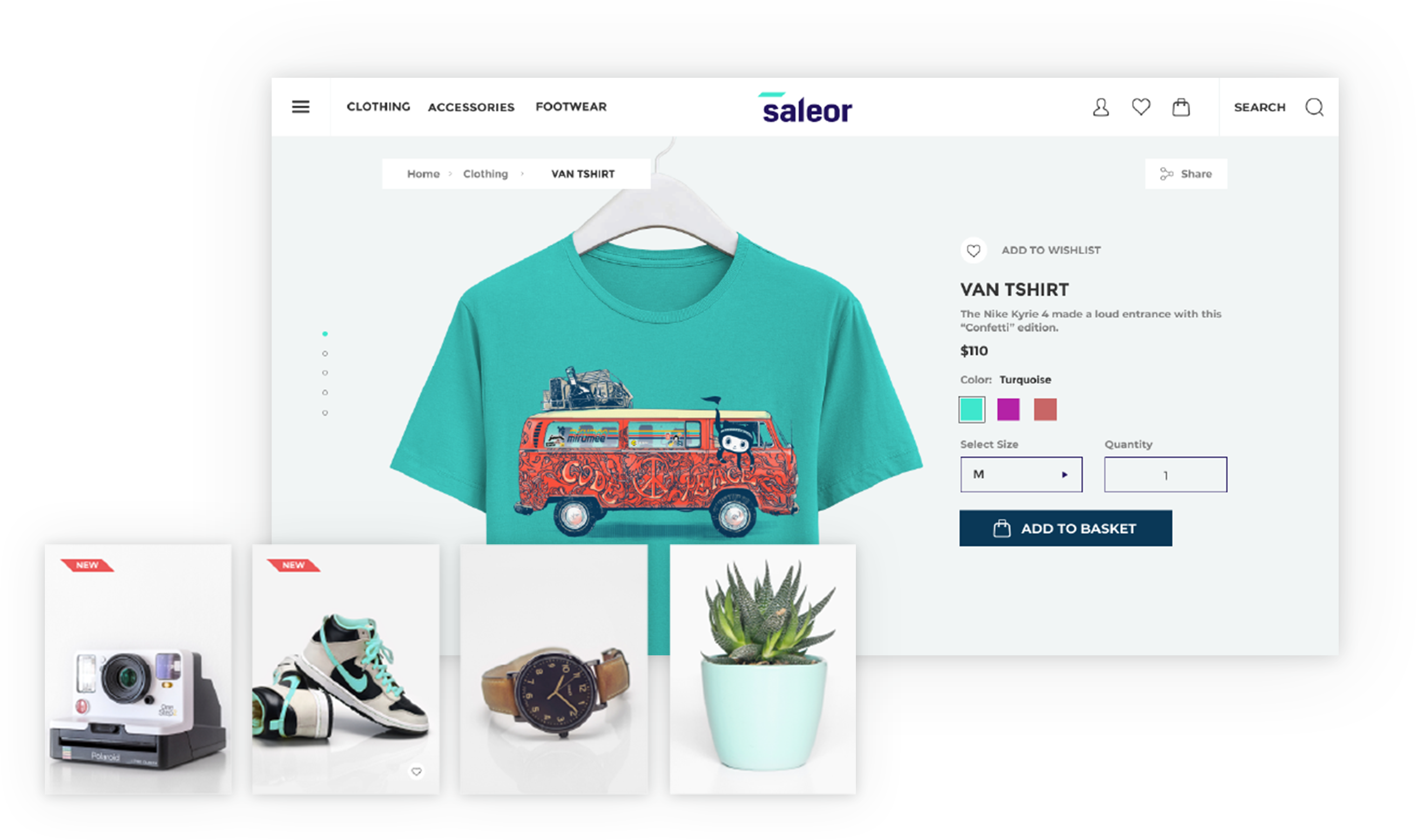
Note: This project is beta quality. We don't advise using it in production.
A GraphQL-powered, PWA, single-page application storefront for Saleor.
Features
- Headless ecommerce storefront built with GraphQL, Apollo Client, React and Typescript
- Offline mode (beta)
- Saleor GraphQL API integration
- Single-page application experience
- Braintree Payment Gateway integration
Demo
See the public demo of Saleor Storefront!
Or launch the demo on a free Heroku instance.

Getting Started
These instructions will get you a copy of the project up and running on your local machine for development and testing purposes.
Prerequisites
-
Node.js 10.0+
-
A running instance of Saleor.
To run the storefront, you have to set the
API_URIenvironment variable to point to the Saleor GraphQL API. If you are running Saleor locally with the default settings, setAPI_URIto:http://localhost:8000/graphql/.
Installing
Clone the repository:
git clone https://github.com/mirumee/saleor-storefront.git
Enter the project directory:
cd saleor-storefront
Using stable release
To use the official stable release, checkout to a release tag:
$ git checkout 2.10.4
See the list of all releases here: https://github.com/mirumee/saleor-storefront/releases/
Using development version
If you want to use the latest development version, checkout to the master branch:
$ git checkout master
Install NPM dependencies:
npm i
Run the development server:
npm start
Go to http://localhost:3000 to access the storefront.
Cypress tests
If you want to run Cypress tests, make sure that all dependecies (including Cypress) are installed by running the install command.
npm i
Following environment variables are required to be set in order to be able to run tests properly:
API_URI- GraphQL API address.STATIC_URL- static files destination url, eg. S3 bucketCYPRESS_USER_NAME- username (email) forStorefrontuser.CYPRESS_USER_PASSWORD- for the user mentioned above.
If you are runninng the Storefront from the perspective of Docker container, then you can run tests using following commands:
Headless mode:
cy:run
Cypress UI mode:
cy:open
If you want to run tests against your local development environment then use following commands:
Headless mode:
test:e2e:run
Cypress UI mode:
test:e2e:dev
Creating new components
All new components should follow Atomic Design Guidelines and be placed in src/@next/components directory.
Files structure can be generated using plop:
npm run generate
Modifying the Storefront
Important Files
- saleor-storefront/config/webpack/config.base.js - Base webpack config file.
- Can change name of the app (displayed when installed on mobile)
- saleor-storefront/src/index.html - Main template file that contains the
- Can change title of storefront here
- saleor-storefront/src/index.tsx - Main entry point file. Render's the component, apollo-client, and others to the root div in index.html file above.
- saleor-storefront/src/core/config.ts - Controls number of products shown per page, support email, gateway providers, social media, and some meta.
- Can change support email
- Can change products shown per page
- Can change gateway providers
- Can change social media links that are displayed in the footer
- Can change some meta options
- saleor-storefront/src/images/ - Holds all the images for logo, cart, favicon, etc.
- Can change storefront logo, favicon, or add new images here.
- saleor-storefront/src/globalStyles/scss/variables.scss - Contains base styles like colors, font size, container width, media breakpoints and more.
- saleor-storefront/src/@next/globalStyles/ - Contains more base styles, themes, media, and constants.
- saleor-storefront/src/views/ - This folder controls the views, or what is displayed for each page. Most views have a file named "Page.tsx" that controls the layout of the page and a file named "View.tsx" that calls the query and renders the component with the data.
- Can add another view to storefront here. Requires adding a route (see routes below).
- saleor-storefront/src/@next/pages/ - Second spot for modifying/adding different pages. This is the recommended directory to add new pages.
- saleor-storefront/src/app/routes/ - This folder contains the paths as well as holds the component. Here is where you add a new path and route.
- Export a new path in paths.ts
- Inside AppRoutes.tsx import your new view (see views above) and create a new route with path={paths.newPath} and component={newViewPage}
- To link to your new view import { Link } from "react-router-dom" and use new path you created in paths.ts (make sure to import it)
- saleor-storefront/src/app/App.tsx - This is main component that renders the , (explained below), and a couple other components.
Adding a Payment Gateway
- saleor-storefront/src/core/config.ts - Add new gateway provider name here.
- saleor-storefront/src/@next/components/organisms/ - Create a new folder for new payment gateway component here.
- saleor-storefront/src/@next/components/organisms/PaymentGatewaysList/PaymentGatewaysList.tsx - Import new gateway component, create a new switch case to handle your gateway component.
Receiving confirmation emails
- Set EMAIL_URL environment variable for Saleor core.
- Using Docker - Add EMAIL_URL as new enviornment variable to both the api and worker service following the format here.
- Issues getting emails working?
- Gmail
- Check to see that "Less secure app access" is turned ON. Under "Manage your Google Account" > Go to the security tab. By default, the setting is off for security reasons.
- If using 2FA make sure to set an app password and use that in place of your normal login password.
- Gmail
License
This project is licensed under the BSD-3-Clause License - see the LICENSE file for details
Crafted with ❤️ by Mirumee Software
Tag summary
Content type
Image
Digest
Size
53.9 MB
Last updated
almost 6 years ago
docker pull zeroexistence/saleor-storefront:2.11