zhf883680/layerwatch
AI-powered 3D print monitoring, anomaly detection, and timelapse via Home Assistant.
2.4K
zhf883680/layerwatch repository overview

LayerWatch
AI-powered 3D print monitoring, failure detection, and timelapse video generation for Bambu Lab printers through Home Assistant.
GitHub · Documentation · Releases
Why LayerWatch?
LayerWatch uses AI vision to watch your Bambu Lab print through a Home Assistant camera and detect failures early:
- Spaghetti and failed extrusion
- Clogging or severe material buildup
- Print or support displacement
- Nozzle collisions
- Unknown or uncertain print states
The same captured frames can also be encoded into a timelapse video automatically.
Features
- Works with Bambu Lab printers through Home Assistant
- Uses an existing Home Assistant camera entity
- AI anomaly detection with OpenAI-compatible vision endpoints
- Trigger by layer change or fixed time interval
- Shared capture pipeline for AI analysis and timelapse video
- Automatic MP4 encoding with built-in FFmpeg defaults
- Home Assistant persistent notifications
- Optional Bark push notifications
- Optional Home Assistant-controlled lighting for night captures
- Automatic data retention and cleanup
- Chinese and English web interface
- No RTSP, go2rtc, webhook, or image host configuration required
Supported Architectures
linux/amd64
linux/arm64
linux/arm/v7
Quick Start
No source checkout or compilation is required.
mkdir -p "$HOME/layerwatch/data"

docker run -d \
  --name layerwatch \
  --restart unless-stopped \
  --pull always \
  -p 19091:19091 \
  -v "$HOME/layerwatch/data:/app/data" \
  -e TZ=Asia/Shanghai \
  zhf883680/layerwatch:latest
Open the web interface:
http://<server-ip>:19091
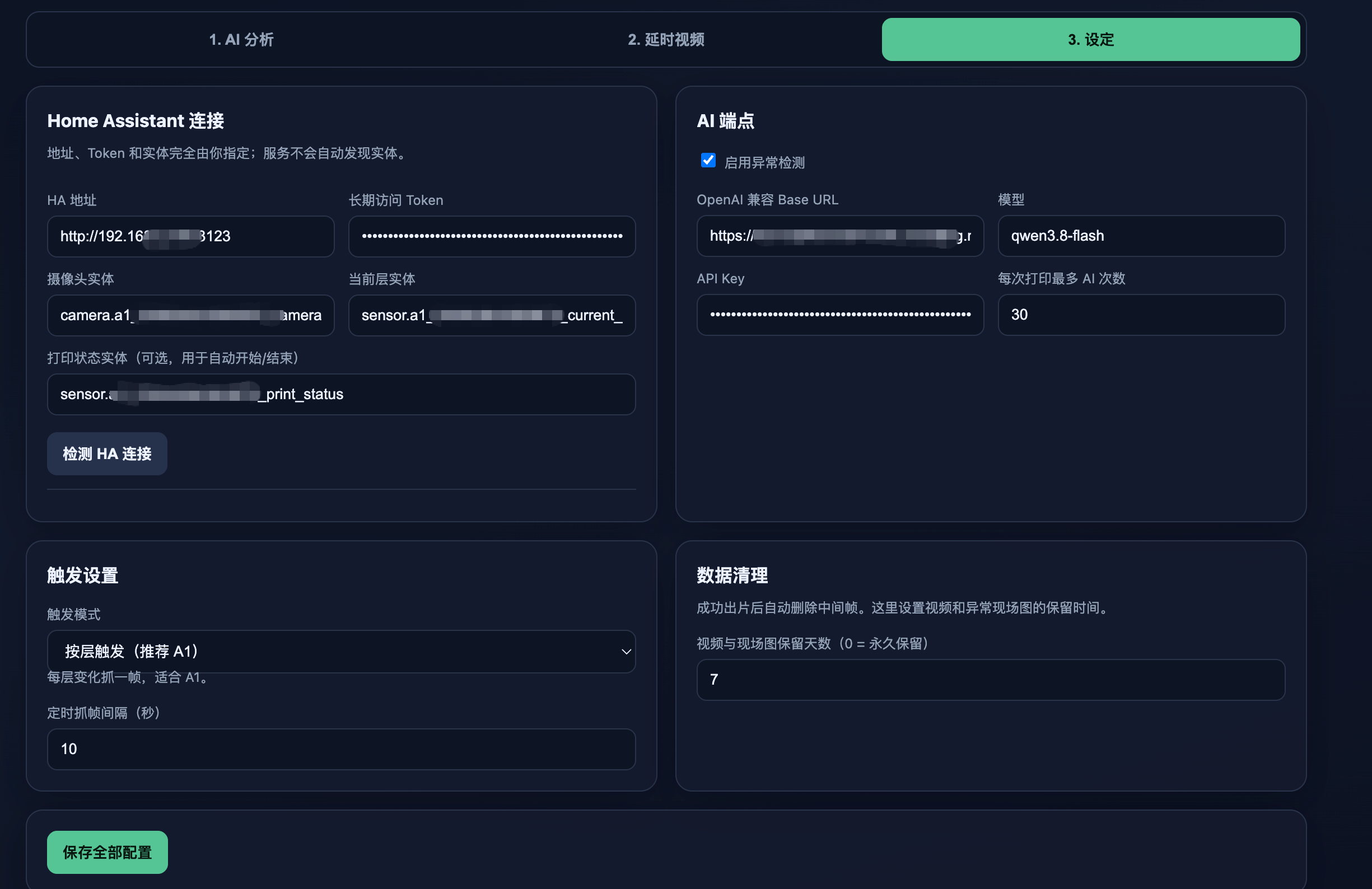
Go to Settings and configure:
- Home Assistant URL and long-lived access token
- Camera, current-layer, and optional print-status entities
- AI endpoint, API key, model, and maximum calls per print
- Layer or interval trigger mode
- Automatic light control with configurable pre-capture delay
- Home Assistant and Bark notifications
Configuration and data are preserved in:
$HOME/layerwatch/data/config.yaml
$HOME/layerwatch/data/monitor.db
$HOME/layerwatch/data/frames/
$HOME/layerwatch/data/videos/
$HOME/layerwatch/data/events/
Screenshots
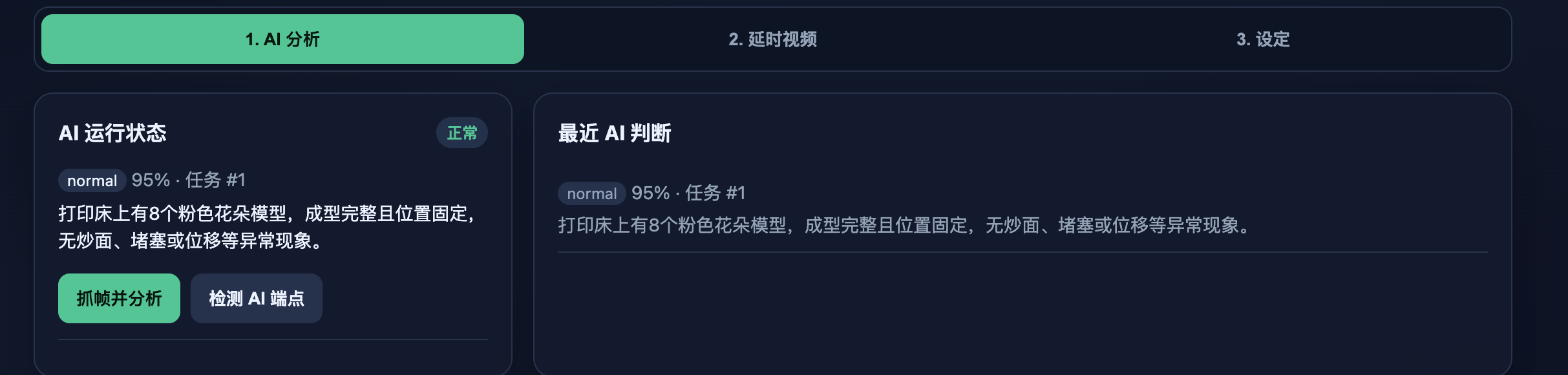
AI Analysis
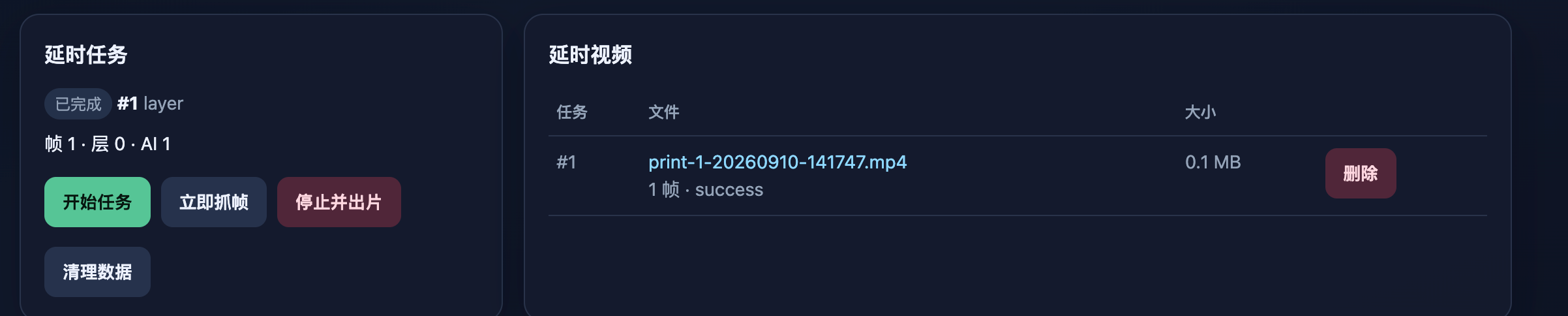
Timelapse
Settings
Update
docker pull zhf883680/layerwatch:latest
docker rm -f layerwatch
Run the same docker run command again. The mounted data directory is preserved.
Docker Tags
zhf883680/layerwatch:latest
zhf883680/layerwatch:main
zhf883680/layerwatch:vX.Y.Z
zhf883680/layerwatch:sha-<commit>
AI Cost
Using the example pricing for qwwen-3.7-flash:
- Normal input: CNY 0.2 per million tokens
- Cache-hit input: CNY 0.02 per million tokens
- Output: CNY 0.8 per million tokens
At an estimated 30 AI calls per 3D print, the estimated AI cost is approximately:
CNY 0.0098 per print
≈ 0.98 Chinese cents
See the complete calculation in the GitHub documentation.
Environment Variables
| Variable | Default | Description |
|---|---|---|
TZ | UTC | Container timezone |
ADDR | :19091 | HTTP listening address |
CONFIG_PATH | /app/data/config.yaml | Configuration file path |
DATA_DIR | /app/data | Database, frames, videos, and alert images |
FFMPEG_BINARY | ffmpeg | FFmpeg executable path |
Source Code
GitHub: https://github.com/zhf883680/LayerWatch
If LayerWatch is useful to you, consider giving the repository a star.
Tag summary
Content type
Image
Digest
sha256:e69a051e3…
Size
56.3 MB
Last updated
about 2 months ago
docker pull zhf883680/layerwatch