zhongwei/faceswap repository overview
Notice: This repository is not operated or maintained by /u/deepfakes. Please read the explanation below for details.
deepfakes_faceswap
Faceswap is a tool that utilizes deep learning to recognize and swap faces in pictures and videos.
- Manifesto
- How To setup and run the project
- Help I need support!
- How to contribute
- About github.com/deepfakes
- About machine learning
Manifesto
Faceswap is not porn.
When faceswaping using an AI was first developed and became published, the technology was groundbreaking, it was a huge step in AI development. It was also completely ignored outside of academia. The code was confusing and fragmentary, it required a thorough understanding of state of the art AI techniques and a lot of effort to get anything out of it. One individual brought it together into one cohesive collection. It ran, it worked, and as is so often the way with new technology emerging on the internet, it was immediately used to create porn. The problem was that this was the first AI code that anyone could download, run and learn by experimentation without becoming a PHD candidate in math, computer theory, psychology, and more. Before "deepfakes" these techniques were like black magic, only practiced by those who could understand all of the inner workings as described in esoteric and endlessly complicated books and papers.
"Deepfakes" changed all that and anyone could participate in AI development. To us developers, the release of this code has opened up a fantastic learning opportunity. To build on ideas developed by others, to collaborate with coders with a huge variety of skills, to experiment with AI whilst learning new skills and ultimately contribute towards an emerging technology which will only see more mainstream use as it progresses.
Are there some out there doing horrible things with similar software? Yes. And because of this, the developers have been following strict ethical standards. Many of us don't even use it to create videos at all, we just tinker with the code to see what it all does. Sadly, the media concentrates only on the unethical uses of this software. That is unfortunately a nature of how it was first exposed to the public, but it is not representative of why it was created, how we use it now, or what we see in it's future. Like any technology, it can be used for good or it can be abused. It is our intention to develop faceswap in a way that it's potential for abuse is minimized whilst maximizing it's potential as a tool for learning, experimenting and, yes, for legitimate faceswaping.
We are not trying to denigrate celebrities or to demean anyone. We are programmers, we are engineers, we are Hollywood VFX artists, we are activists, we are hobbyists, we are human beings. To this end, we feel that it's time to come out with a standard statement of what this software is and isn't as far as us developers are concerned.
- Faceswap is not for creating porn
- Faceswap is not for changing faces without consent or with the intent of hiding it's use.
- Faceswap is not for any illicit, unethical, or questionable purposes.
- Faceswap exists to experiment and discover AI techniques, for social or political commentary, for movies, and for any number of ethical and reasonable uses.
We are very troubled by the fact that faceswap can be used for unethical and disreputable things. However, we support the development of tools and techniques that can be used ethically as well as provide education and experience in AI for anyone who wants to learn it hands-on. We will take a zero tolerance approach to anyone using this software for any unethical purposes and will actively discourage any such uses.
How To setup and run the project
Faceswap is a Python program that will run on multiple Operating Systems including Windows, Linux and MacOS.
See INSTALL.md for full installation instructions. You will need a modern GPU with CUDA support for best performance.
Overview
The project has multiple entry points. You will have to:
- Gather photos (or use the one provided in the training data provided below)
- Extract faces from your raw photos
- Train a model on your photos (or use the one provided in the training data provided below)
- Convert your sources with the model
Check out USAGE.md for more detailed instructions.
Extract
From your setup folder, run python faceswap.py extract. This will take photos from src folder and extract faces into extract folder.
Train
From your setup folder, run python faceswap.py train. This will take photos from two folders containing pictures of both faces and train a model that will be saved inside the models folder.
Convert
From your setup folder, run python faceswap.py convert. This will take photos from original folder and apply new faces into modified folder.
GUI
Alternatively you can run the GUI by running python faceswap.py gui
General notes:
- All of the scripts mentioned have
-h/--helpoptions with arguments that they will accept. You're smart, you can figure out how this works, right?!
NB: there is a conversion tool for video. This can be accessed by running python tools.py effmpeg -h. Alternatively you can use ffmpeg to convert video into photos, process images, and convert images back to video.
Some tips:
Reusing existing models will train much faster than starting from nothing.
If there is not enough training data, start with someone who looks similar, then switch the data.
Help I need support!
Discord Server
Your best bet is to join the Faceswap Discord server where there are plenty of users willing to help. Please note that, like this repo, this is a SFW Server!
Faceswap-Playground
Alternatively you can post questions in the Faceswap Playground. Please do not post general support questions in this repo.
How to contribute
For people interested in the generative models
- Go to the 'faceswap-model' to discuss/suggest/commit alternatives to the current algorithm.
For devs
- Read this README entirely
- Fork the repo
- Download the data with the link provided above
- Play with it
- Check issues with the 'dev' tag
- For devs more interested in computer vision and openCV, look at issues with the 'opencv' tag. Also feel free to add your own alternatives/improvments
For non-dev advanced users
- Read this README entirely
- Clone the repo
- Download the data with the link provided above
- Play with it
- Check issues with the 'advuser' tag
- Also go to the 'faceswap-playground' repo and help others.
For end-users
- Get the code here and play with it if you can
- You can also go to the 'faceswap-playground' repo and help or get help from others.
- Be patient. This is relatively new technology for developers as well. Much effort is already being put into making this program easy to use for the average user. It just takes time!
- Notice Any issue related to running the code has to be open in the 'faceswap-playground' project!
For haters
Sorry, no time for that.
About github.com/deepfakes
What is this repo?
It is a community repository for active users.
Why this repo?
The joshua-wu repo seems not active. Simple bugs like missing http:// in front of urls have not been solved since days.
Why is it named 'deepfakes' if it is not /u/deepfakes?
- Because a typosquat would have happened sooner or later as project grows
- Because we wanted to recognize the original author
- Because it will better federate contributors and users
What if /u/deepfakes feels bad about that?
This is a friendly typosquat, and it is fully dedicated to the project. If /u/deepfakes wants to take over this repo/user and drive the project, he is welcomed to do so (Raise an issue, and he will be contacted on Reddit). Please do not send /u/deepfakes messages for help with the code you find here.
About machine learning
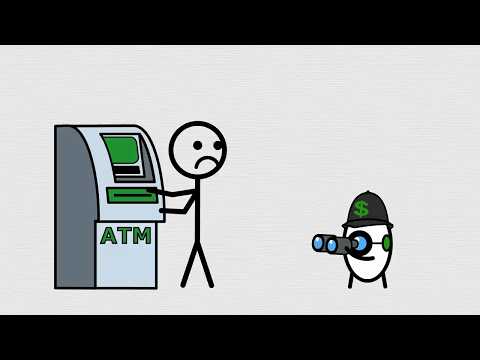
How does a computer know how to recognise/shape a faces? How does machine learning work? What is a neural network?
It's complicated. Here's a good video that makes the process understandable:
Here's a slightly more in depth video that tries to explain the basic functioning of a neural network:
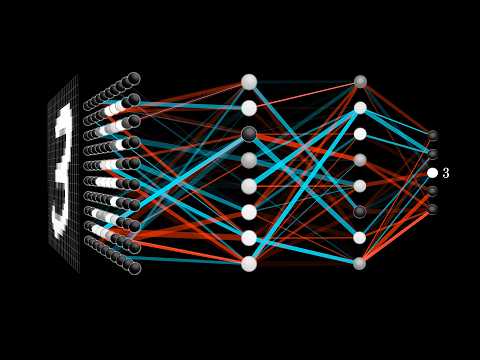
tl;dr: training data + trial and error
Tag summary
Content type
Image
Digest
Size
707.7 MB
Last updated
over 7 years ago
docker pull zhongwei/faceswap