zzeneg/apprise-api repository overview
Apprise API
Take advantage of Apprise through your network with a user-friendly API.
- Send notifications to more then 50+ services.
- An incredibly lightweight gateway to Apprise.
- A production ready micro-service at your disposal.
Apprise API was designed to easily fit into existing (and new) eco-systems that is looking for a simple notification solution.






Screenshots
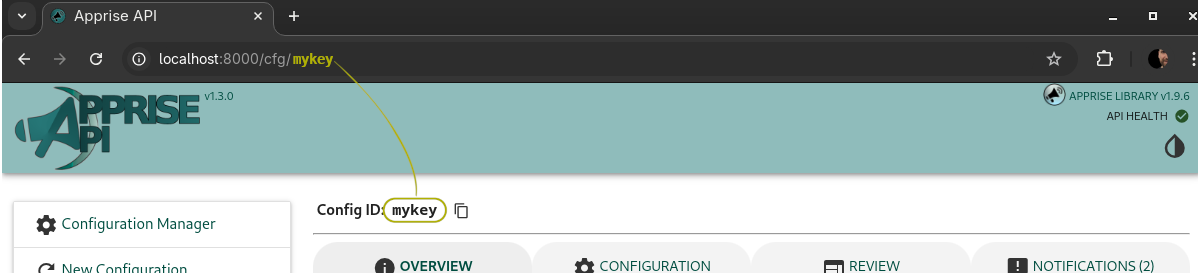
There is a small built-in Configuration Manager that can be optionally accessed through your web browser accessible via /cfg/{KEY}:
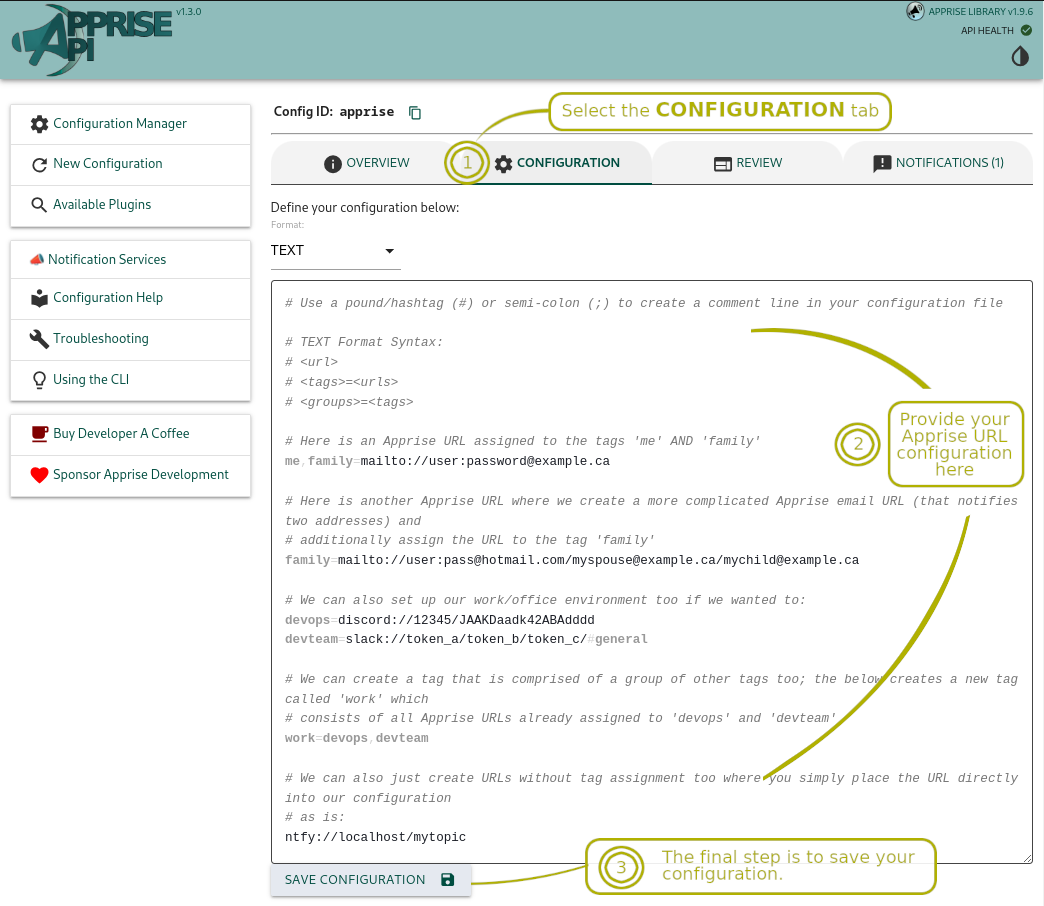
Below is a screenshot of how you can set either a series of URL's to your {KEY}, or set your YAML and/or TEXT configuration below.
Once you've saved your configuration, you'll be able to use the Notification tab to send to messages to one or more of the services defined in your configuration. You can use the tag all to notify all of your services regardless of what tag had otherwise been assigned to them.

At the end of the day, the GUI just simply offers a user friendly interface to the API developers can directly interface with if they wish to.
Installation
The following options should allow you to access the API at: http://localhost:8000/ from your browser.
Using dockerhub, you can do the following:
# Retrieve container
docker pull caronc/apprise:latest

# Start it up:
# /config is used for a persistent store, you do not have to mount
#         this if you don't intend to use it.
docker run --name apprise \
   -p 8000:8000 \
   -v /var/lib/apprise/config:/config \
   -d caronc/apprise:latest
A docker-compose.yml file is already set up to grant you an instant production ready simulated environment:
# Docker Compose
docker-compose up
Apprise URLs
📣 In order to trigger a notifications, you first need to create one or more Apprise URLs. Apprise supports well over 50 notification services today and is always expanding to add support for more! Visit https://github.com/caronc/apprise/wiki to see all of the supported Apprise services and how you can generate your own URLs from them.
API Details
Stateless Solution
Some people may wish to only have a sidecar solution that does require use of any persistent storage. The following API endpoint can be used to directly send a notification of your choice to any of the supported services by Apprise without any storage based requirements:
| Path | Method | Description |
|---|---|---|
/notify/ | POST | Sends one or more notifications to the URLs either specified as part of the payload, or those identified in the environment variable APPRISE_STATELESS_URLS. Parameters 📌 urls: One or more URLs identifying where the notification should be sent to. If this field isn't specified then it automatically assumes the settings.APPRISE_STATELESS_URLS value or APPRISE_STATELESS_URLS environment variable.📌 body: Your message body. This is a required field. 📌 title: Optionally define a title to go along with the body. 📌 type: Defines the message type you want to send as. The valid options are info, success, warning, and error. If no type is specified then info is the default value used. |
Here is a stateless example of how one might send a notification (using /notify/):
# Send your notifications directly
curl -X POST -d '{"urls": "mailto://user:[email protected]", "body":"test message"}' \
    -H "Content-Type: application/json" \
    http://localhost:8000/notify
Persistent Storage Solution
You can pre-save all of your Apprise configuration and/or set of Apprise URLs and associate them with a {KEY} of your choosing. Once set, the configuration persists for retrieval by the apprise CLI tool. The built in website associated with comes with a user interface that you can usse to leverage these API calls. However those who wish to build their own application around this can use the following API end points:
| Path | Method | Description |
|---|---|---|
/add/{KEY} | POST | Saves Apprise Configuration (or set of URLs) to the persistent store. Parameters 📌 urls: Define one or more Apprise URL(s) here. Use a comma and/or space to separate one URL from the next. 📌 config: Provide the contents of either a YAML or TEXT based Apprise configuration. 📌 format: This field is only required if you've specified the config parameter. Used to tell the server which of the supported (Apprise) configuration types you are passing. Valid options are text and yaml. |
/del/{KEY} | POST | Removes Apprise Configuration from the persistent store. |
/get/{KEY} | POST | Returns the Apprise Configuration from the persistent store. This can be directly used with the Apprise CLI and/or the AppriseConfig() object (see here for details). |
/notify/{KEY} | POST | Sends a notification based on the Apprise Configuration associated with the specified {KEY}. Parameters 📌 body: Your message body. This is the only required field. 📌 title: Optionally define a title to go along with the body. 📌 type: Defines the message type you want to send as. The valid options are info, success, warning, and error. If no type is specified then info is the default value used.📌 tag: Optionally notify only those tagged accordingly. |
/json/urls/{KEY} | GET | Returns a JSON response object that contains all of the URLS and Tags associated with the key specified. |
As an example, the /json/urls/{KEY} response might return something like this:
{
   "tags": ["devops", "admin", "me"],
   "urls": [
      {
         "url": "slack://TokenA/TokenB/TokenC",
         "tags": ["devops", "admin"]
      },
      {
         "url": "discord://WebhookID/WebhookToken",
         "tags": ["devops"]
      },
      {
         "url": "mailto://user:[email protected]",
         "tags": ["me"]
      }
   ]
}
Here is an example using curl as to how someone might send a notification to everyone associated with the tag abc123 (using /notify/{key}):
# Send notification(s) to a {key} defined as 'abc123'
curl -X POST -d '{"body":"test message"}' \
    -H "Content-Type: application/json" \
    http://localhost:8000/notify/abc123
🏷️ You can also leverage tagging which allows you to associate one or more tags with your Apprise URLs. By doing this, notifications only need to be referred to by their easy to remember notify tag name such as devops, admin, family, etc. You can very easily group more then one notification service under the same tag allowing you to notify a group of services at once. This is accomplished through configuration files (documented here) that can be saved to the persistent storage (Apprise API) supports.
# Send notification(s) to a {key} defined as 'abc123'
# but only notify the URLs associated with the 'devops' tag
curl -X POST -d '{"tag":"devops", "body":"test message"}' \
    -H "Content-Type: application/json" \
    http://localhost:8000/notify/abc123
API Notes
{KEY}must be 1-64 alphanumeric characters in length. In addition to this, the underscore (_) and dash (-) are also accepted.- Specify the
Content-Typeofapplication/jsonto use the JSON support. - There is no authentication (or SSL encryption) required to use this API; this is by design. The intention here to be a lightweight and fast micro-service.
- There are no additional dependencies should you choose to use the optional persistent store (mounted as
/config).
Environment Variables
The use of environment variables allow you to provide over-rides to default settings.
| Variable | Description |
|---|---|
APPRISE_CONFIG_DIR | Defines an (optional) persistent store location of all configuration files saved. By default: - Configuration is written to the apprise_api/var/config directory when just using the Django manage runserver script. However for the path for the container is /config. |
APPRISE_STATELESS_URLS | For a non-persistent solution, you can take advantage of this global variable. Use this to define a default set of Apprise URLs to notify when using API calls to /notify. If no {KEY} is defined when calling /notify then the URLs defined here are used instead. By default, nothing is defined for this variable. |
SECRET_KEY | A Django variable acting as a salt for most things that require security. This API uses it for the hash sequences when writing the configuration files to disk. |
ALLOWED_HOSTS | A list of strings representing the host/domain names that this API can serve. This is a security measure to prevent HTTP Host header attacks, which are possible even under many seemingly-safe web server configurations. By default this is set to * allowing any host. Use space to delimit more then one host. |
DEBUG | This defaults to False however can be set to True if defined with a non-zero value (such as 1). |
Development Environment
The following should get you a working development environment to test with:
# Create a virtual environment in the same directory you
# cloned this repository to:
python -m venv .

# Activate it now:
. ./bin/activate

# install dependencies
pip install -r dev-requirements.txt -r requirements.txt

# Run a dev server (debug mode) accessible from your browser at:
# -> http://localhost:8000/
./manage.py runserver
Some other useful development notes:
# Check for any lint errors
flake8 apprise_api

# Run unit tests
pytest apprise_api
Apprise Integration
Apprise CLI Pull Example
A scenario where you want to poll the API for your configuration:
# A simple example of the Apprise CLI
# pulling down previously stored configuration
apprise --body="test message" --config=http://localhost:8000/get/{KEY}
AppriseConfig() Pull Example
Using the Apprise Python library, you can easily pull your saved configuration off of the API to use for future notifications.
import apprise

# Point our configuration to this API server:
config = apprise.AppriseConfig()
config.add('http://localhost:8000/get/{KEY}')

# Create our Apprise Instance
a = apprise.Apprise()

# Store our new configuration
a.add(config)

# Send a test message
a.notify('test message')
Tag summary
Content type
Image
Digest
Size
240.8 MB
Last updated
over 6 years ago
docker pull zzeneg/apprise-api