bloodstar/vim
"dockerized" Vim 。Vim IDE 中文化环境 > 集成中文字体,中文locale环境
10K+
bloodstar/vim repository overview
Vim IDE 中文化环境
升级到最新版,新增中文字体,中文locale环境,解决中文乱码。
Docker Hub bloodstar/vim:latest
GitHub appotry/alpine-vim
个人博客:-blog.17lai.site-orange)
Edit From JAremko/alpine-vim

For the more "IDE like experience" try bloodstar/drop-in

Or Vim/Emacs hybrid jare/spacemacs
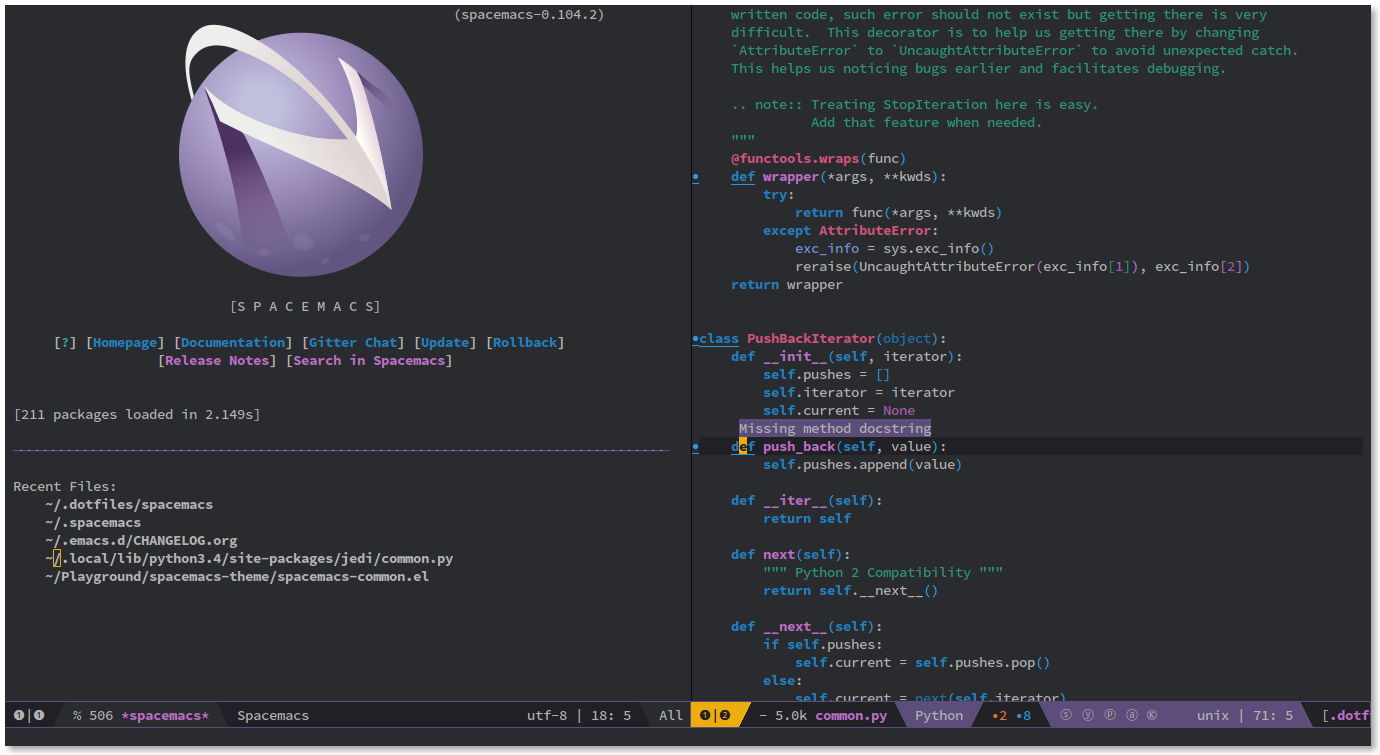
Based on "The Ultimate vimrc"
Make sure to use "Solarized Dark" compatible theme or color palette may look weird.
You can configure terminal color mode by setting TERM variable docker run ... -e TERM=<VALUE> bloodstar/vim
By default the <VALUE> is xterm-256color but for the "less colorful" terminals set it to xterm.
The best way to use:
Make an alias:
alias edit='docker run -ti --rm -v $(pwd):/home/developer/workspace bloodstar/vim'
Have fun! edit some.file
Also You can use this one for getting updates: alias edit_update="docker pull bloodstar/vim:latest"
How to disable some plugins:
docker run ... -e DISABLE="'vim-airline', 'nerdtree'" ... bloodstar/vim
How to add your plugins and .vimrc:
- Create a folder with your
.vimrcfile and, if you want to add plugins, subfolder calledbundlewith them. - mount it:
docker run ... -v <***>/my-stuff:/ext/ ... bloodstar/vimBut the best way will be extending this container.
Plugins:
- Airline Lean & mean status/tabline for vim that's light as air
- Tagbar Plugin that displays tags in a window, ordered by scope
- EasyGrep Fast and Easy Find and Replace Across Multiple Files
- Bufexplorer BufExplorer Plugin for Vim
- CtrlP Fuzzy file, buffer, mru, tag, ... finder with regexp support
- The NERD Tree A tree explorer plugin for vim
- NERDTree tabs NERDTree and tabs together in Vim, painlessly
- Syntastic Syntax checking hacks for vim
- Vim-Scala Integration of Scala into Vim - not a ton here, but useful
- Solarized Colorscheme for Vim Solarized Colorscheme
- Taglist Source code browser (supports C/C++, java, perl, python, tcl, sql, php, etc)
- Vim-expand-region Visual selection of increasingly larger regions using the same key combination
- Fugitive fugitive.vim: a Git wrapper so awesome, it should be illegal
- Gitgutter Plugin which shows a git diff in the gutter (sign column) and stages/reverts hunks
- Vim-go Go development plugin for Vim
- Vim-markdown Vim Markdown runtime files
- Vim-indent-object Defines a new text object representing lines of code at the same indent level
- Vim-multiple-cursor True Sublime Text style multiple selections for Vim
- Vim-repeat Enable to repeat last change by non built-in commands
- Vim-surround surround.vim: quoting/parenthesizing made simple
- The Most Recently Used (MRU) Plugin to manage Most Recently Used (MRU) files
- YankRing Maintains a history of previous yanks, changes and deletes
- Vim-HAML Vim runtime files for Haml, Sass, and SCSS
- snipMate & UltiSnip Snippets vim-snipmate default snippets (Previously snipmate-snippets)
- Easymotion Vim motions on speed!
- Undotree The ultimate undo history visualizer for VIM
- Vim-javascript Vastly improved Javascript indentation and syntax support in Vim.
- NerdCommenter Plugin for intensely orgasmic commenting
- Tabular Script for text filtering and alignment
- DelimitMate Plugin, provides insert mode auto-completion for quotes, parens, brackets, etc.
- Vim-indent-guides A Vim plugin for visually displaying indent levels in code
- Vim-less vim syntax for LESS (dynamic CSS)
- HTML5.vim HTML5 omnicomplete and syntax
- Vim-json Syntax highlighting for JSON in Vim
- Vim-addon-mw-utils vim: interpret a file by function and cache file automatically
- Tlib Some utility functions for VIM
- Vim-tmux-navigator to navigate seamlessly between vim and tmux splits using a consistent set of hotkeys
- UltiSnips The ultimate snippet solution for Vim!
- YouCompleteMe Fast, as-you-type, fuzzy-search code completion
- Vimproc.vim Interactive command execution in Vim
- Dockerfile.vim syntax file for Docker's Dockerfile and snippets for snipMate
Working with Golang:
- For the full Golang support you need to mount
/usr/lib/go. For example, runjare/go-tools in the detached modedocker create -v /usr/lib/go --name vim-go-tools jare/go-tools /bin/trueand mount its volumes like thisdocker run ... --volumes-from vim-go-tools ... bloodstar/vimor add it to the aliasalias edit="docker run -ti --rm --volumes-from go-tools -v $(pwd):/home/developer/workspace bloodstar/vim" - If you want to use a go-tool , but vim-go doesn't provide a shorthand - you can simply type, for example,
:!gofmt %and it will output formatted source of the current buffers(%:pabsolute file path,%:hhead of the file name and%:p:his the current directory). If you want to overwrite - use:% ! gofmt %Thegofmttool used as an example, actually, it covered in vim-go.
Alternatively, you can put something like this into .bashrc to automatically bootstrap all containers:
#docker vim
function ed() {
 local dtc_id=$(docker ps -a -q --filter 'name=vim-go-tools')
 if [[ -z "${dtc_id}" ]]; then
  echo 'vim-go-tools container not found. Creating...'
  docker create -v '/usr/lib/go' --name 'vim-go-tools' \
    'bloodstar/go-tools' '/bin/true'
  echo 'Done!'
 fi
 echo 'Starting Vim'
 docker run -ti --rm -p 8080:8080 --volumes-from 'vim-go-tools' \
   -v $('pwd'):/home/developer/workspace 'bloodstar/vim' "${@}"
}
export -f ed
Keep in mind:
- With something like GNOME terminal You should be able to:
- drag and drop text into the Vim.
- use mouse right button menu by holding
Shift.
<Leader>mapped to,. I use the basic mappings from the great amix .vimrc- You can set the user with the ENV variables in the Dockerfile
- If Vim or Powerline doesn't look right in the tmux try
tmux -2 - If the Golang auto-complete doesn't work try
go installpackage - Leave a comment if you found a bug or if you have a suggestion
- Any contribution are greatly appreciated as well as new runtime containers!
Tag summary
Content type
Image
Digest
sha256:8db6bb5dc…
Size
560.4 MB
Last updated
almost 2 years ago
docker pull bloodstar/vim