scottibyte/multiview-web
Browser dashboard for ScottiBYTE MultiView Server with Login, TOTP, and Docker.
434
scottibyte/multiview-web repository overview
ScottiBYTE MultiView Web
ScottiBYTE MultiView Web is a self-hosted browser dashboard for viewing cameras from a paired ScottiBYTE MultiView Server.
This container provides the web dashboard only. Install and configure MultiView Server first, then deploy MultiView Web as the browser-based viewer. MultiView Web does not configure cameras or replace MultiView Server.
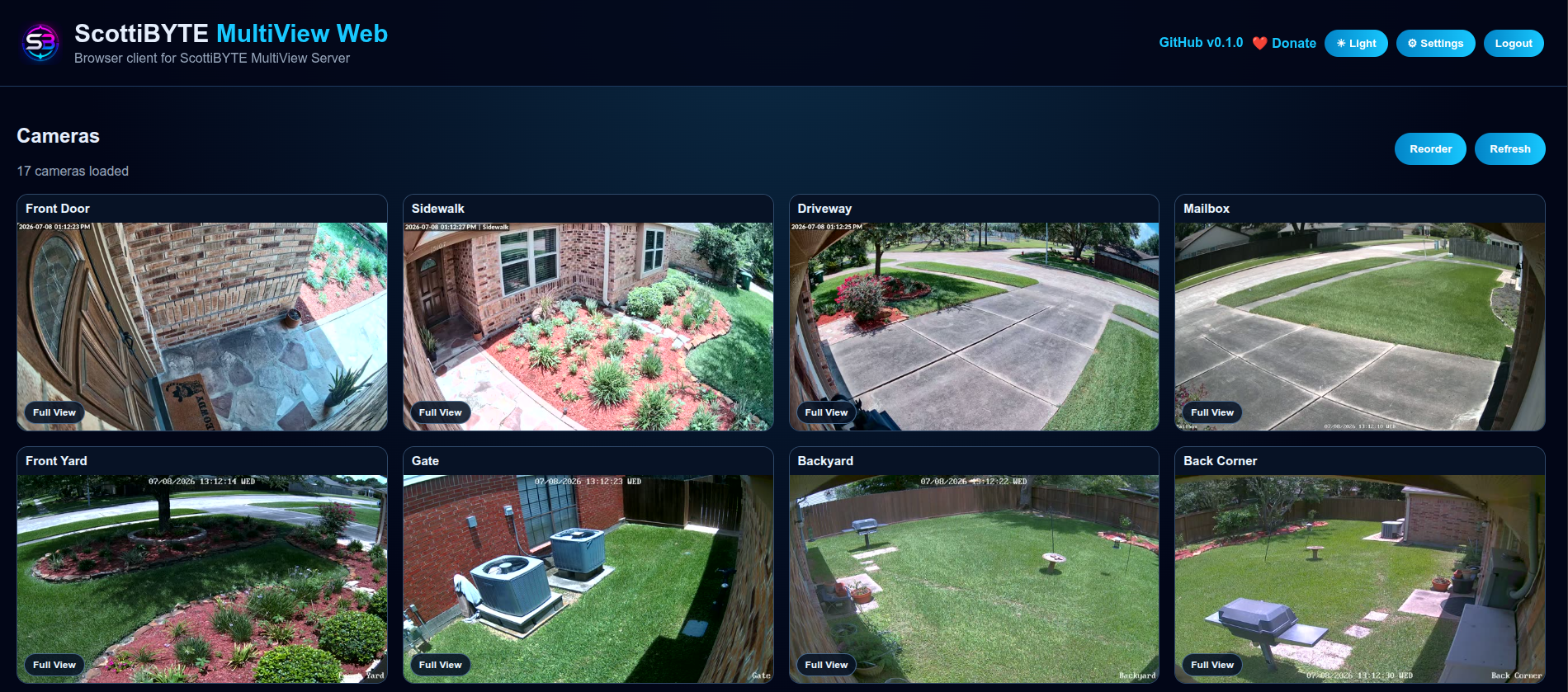
Latest Release: v1.1.1
v1.1.1 fixes Firefox HLS live playback and includes all camera rotation features introduced in v1.1.0.
Fixed in v1.1.1
- Loads the locally bundled hls.js library before the application script, enabling Firefox HLS playback where Media Source Extensions and the stream codecs are supported.
- Applies to both live camera tiles and Full View.
- Preserves native HLS playback in browsers that support it.
- Serves hls.js locally without an external CDN and includes its license.
- Updates the interface and package version to v1.1.1.
After updating, press Ctrl+Shift+R to refresh cached browser assets.
Camera Rotation Features Included
- Rotate mode for cycling through cameras in Full View.
- Custom camera rotation selection.
- Numbered badges showing selected camera rotation order.
- Start Custom Rotation for selected cameras.
- Rotate All when no cameras are selected.
- Rotation speed selector.
- Stop Rotation returns to rotation selection mode and keeps custom selections.
- Exit Rotate Mode leaves rotation mode and clears the current selection.
- Visual highlighting for selected rotation cameras.
- Improved Rotate, Start Rotation, and Stop Rotation button styling.
Docker Pull
docker pull scottibyte/multiview-web:1.1.1
Pin this release in Docker Compose:
image: scottibyte/multiview-web:1.1.1
The latest tag also points to v1.1.1 at the time of this release.
What You Need First
Before using this image, you need a working ScottiBYTE MultiView Server. It manages:
- Camera configuration
- Camera stream URLs
- Remote client authorization
- Pairing and approval of clients
- Stream access control
MultiView Web connects to MultiView Server and provides:
- A browser-based camera dashboard
- Optional web-user login
- Admin and viewer roles
- Required TOTP authentication for admin accounts when Web Login is enabled
- Per-browser display settings
- Full live camera viewing and camera rotation
Related Docker Image
Install ScottiBYTE MultiView Server first.
Related GitHub Projects
The GitHub README is the authoritative application documentation.
Related MultiView Clients
ScottiBYTE MultiView provides several client options:
- ScottiBYTE MultiView TV — Android TV / Fire TV style client for television viewing.
- ScottiBYTE MultiView Mobile — mobile client for phones and tablets.
- ScottiBYTE MultiView Web — browser-based camera dashboard.
All MultiView clients rely on MultiView Server for camera configuration, stream access, and client authorization.
Simple Explanation for New Users
Cameras → MultiView Server → MultiView Web → Browser
MultiView Server talks to your cameras. MultiView Web connects to MultiView Server, and your browser opens MultiView Web.
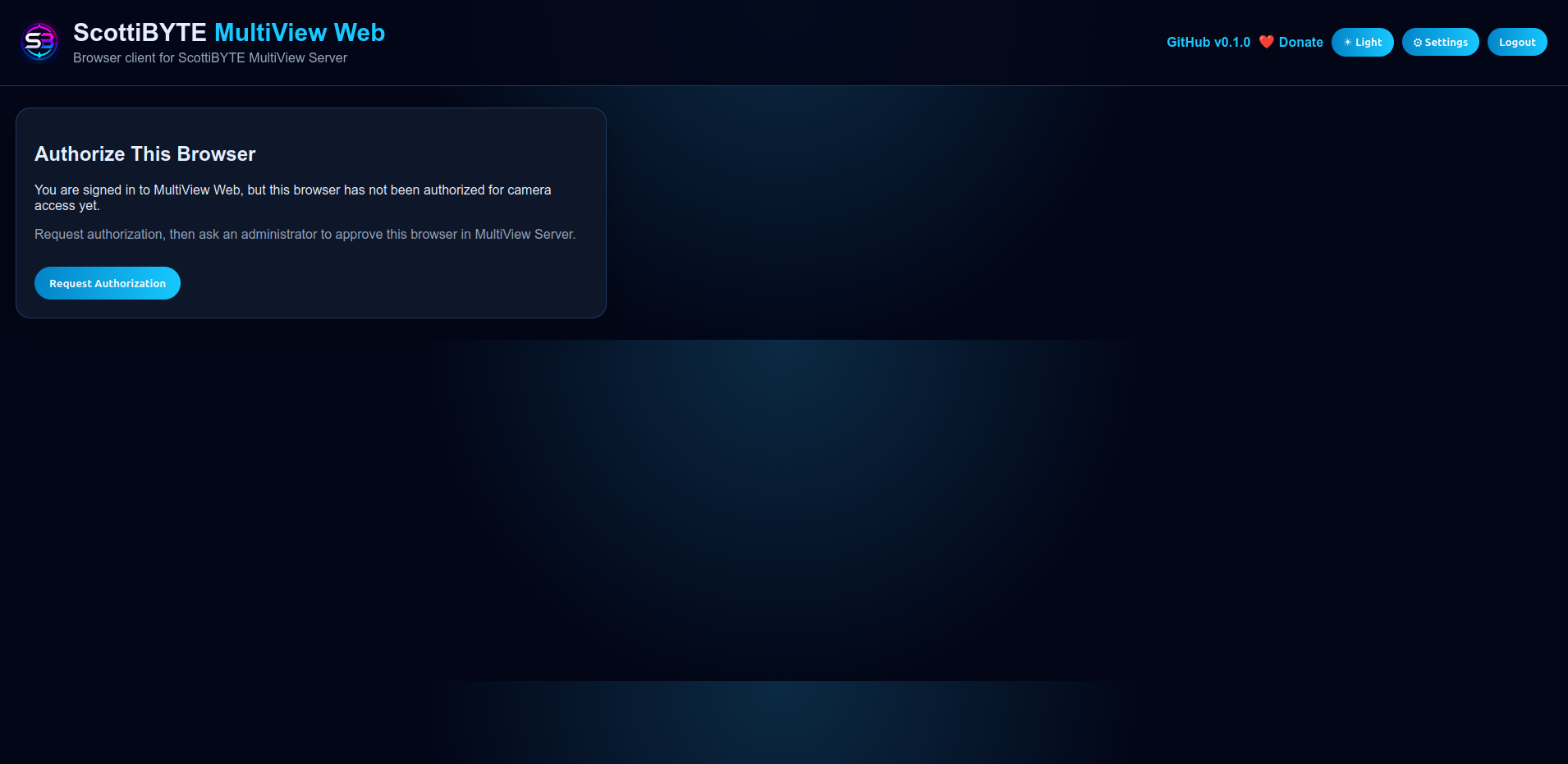
Each browser must be authorized before it can view cameras. A new browser requests an authorization code, and an administrator approves the matching request in MultiView Server under Remote Clients.
Features
- Browser-based camera dashboard
- MultiView Server browser authorization flow
- Optional Web Login
- Admin and viewer roles
- Required TOTP authenticator setup for admin accounts when Web Login is enabled
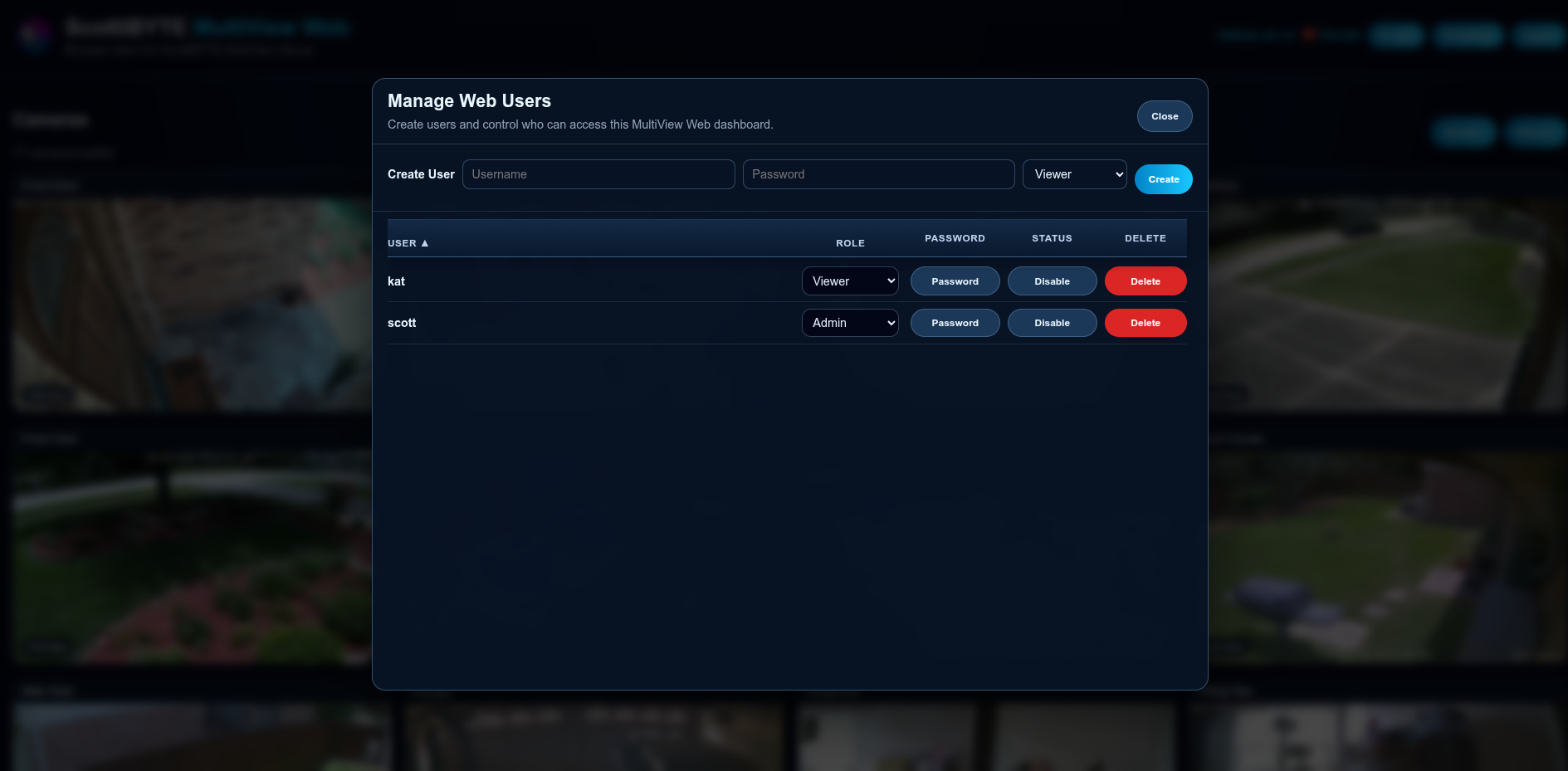
- Admin user management
- Camera thumbnail grid
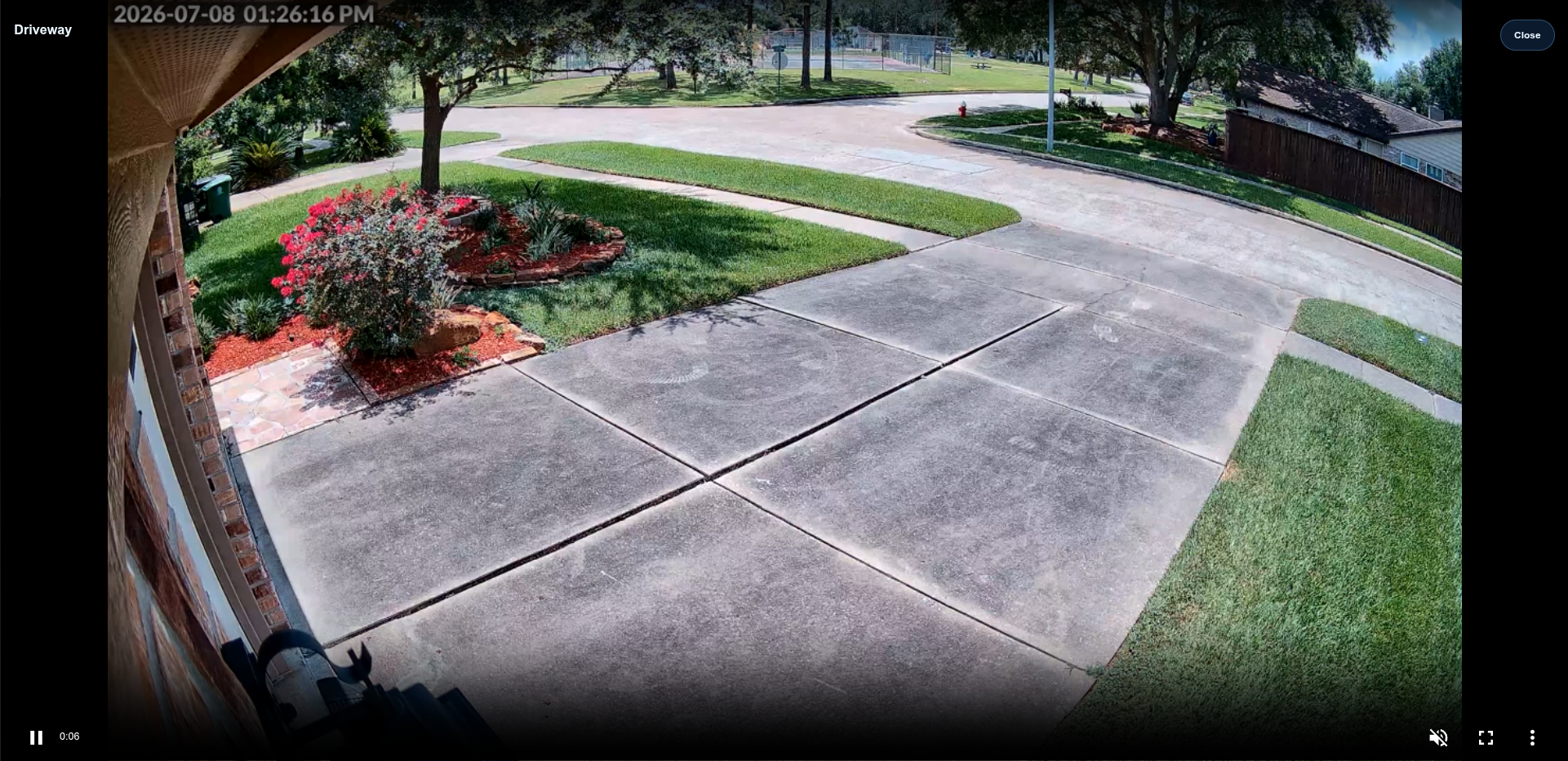
- Full live camera view
- Firefox HLS playback through locally bundled hls.js
- Native HLS playback where supported
- Keyboard navigation in Full View
- Camera rotation with custom selection, ordered badges, and speed control
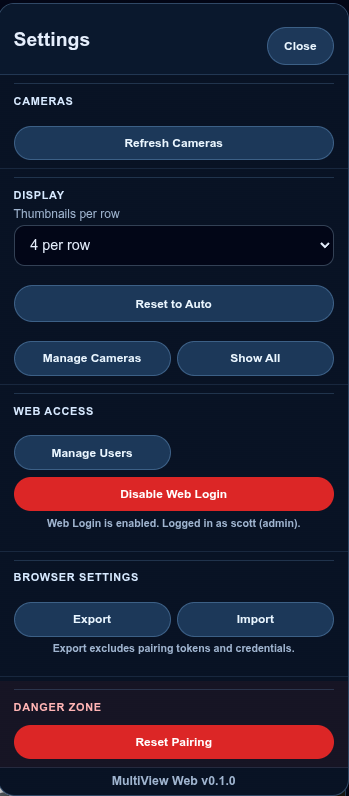
- Configurable thumbnails per row
- Per-browser camera visibility controls
- Drag-and-drop camera ordering
- Safe browser settings import/export
- Dark and light mode
- Docker and Docker Compose deployment support
Browser Compatibility
Live viewing requires browser support for the camera stream's video and audio codecs. hls.js supplies HLS playback through Media Source Extensions; it does not add unsupported codec decoders.
If Firefox displays “No video with supported format and MIME type found” on an older release, update to v1.1.1 or newer and hard-refresh the page with Ctrl+Shift+R.
Screenshots
Browser Authorization
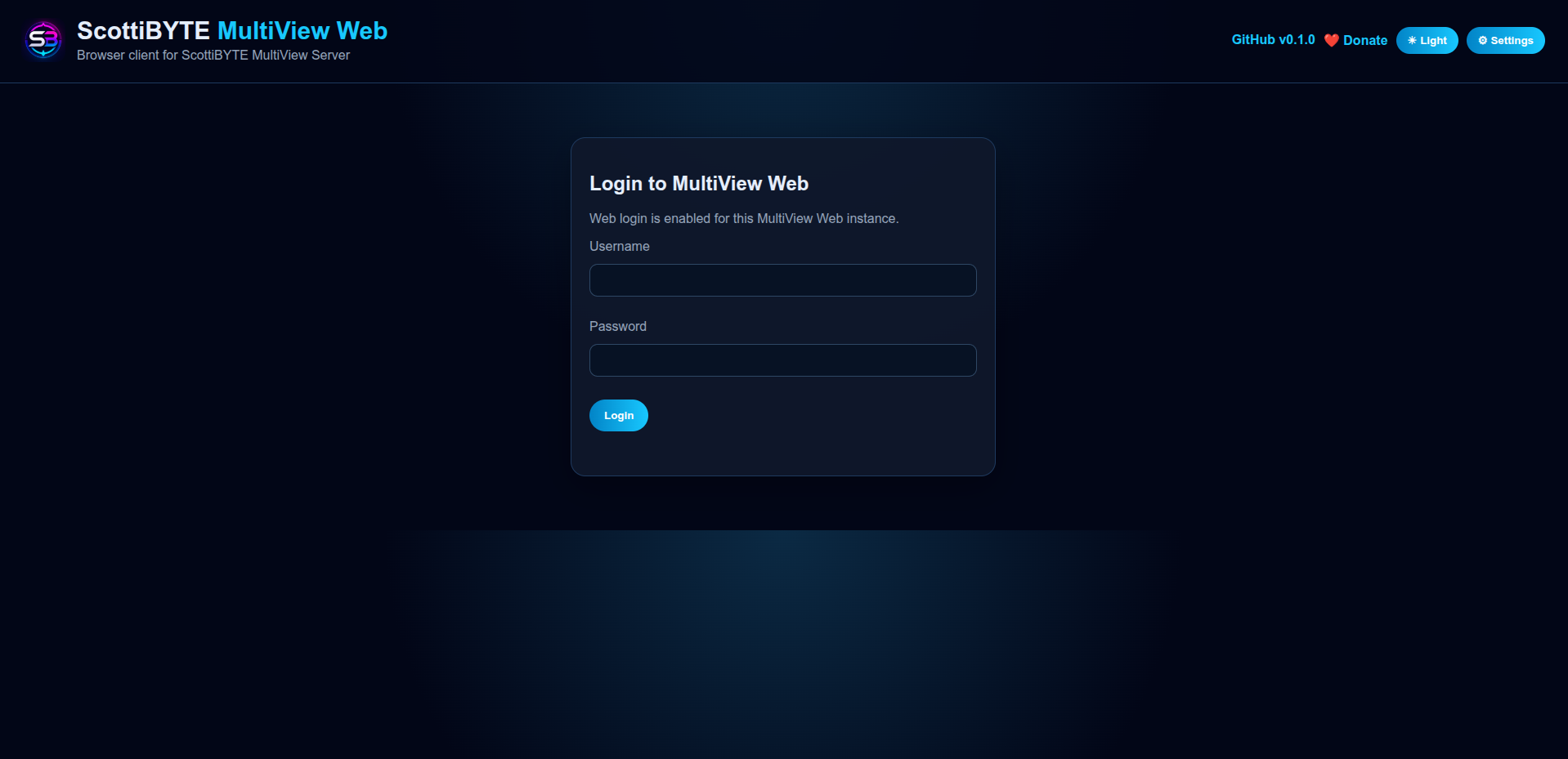
Login
Settings
User Management
Full View
Docker Tags
Pinned stable release:
docker pull scottibyte/multiview-web:1.1.1
Latest published release:
docker pull scottibyte/multiview-web:latest
Use 1.1.1 for a fixed version or latest to follow future releases when pulling updates.
Docker Compose Setup
Create the application directory:
mkdir -p multiview-web/config multiview-web/data/sessions
cd multiview-web
Create .env:
cat > .env <<ENVEOF
PUID=$(id -u)
PGID=$(id -g)
MULTIVIEW_SERVER_URL=https://multiview-server.example.com
ENVEOF
Replace the example URL with the actual address of your MultiView Server, including its configured port when connecting directly. For a server listening on port 8080, use:
MULTIVIEW_SERVER_URL=http://192.168.1.50:8080
For a server published through an HTTPS reverse proxy, use its public URL:
MULTIVIEW_SERVER_URL=https://multiview-server.example.com
Create docker-compose.yml:
services:
  multiview-web:
    image: scottibyte/multiview-web:latest
    container_name: multiview-web
    user: "${PUID}:${PGID}"
    restart: unless-stopped
    ports:
      - "8090:8090"
    environment:
      NODE_ENV: production
      PORT: 8090
      MULTIVIEW_SERVER_URL: ${MULTIVIEW_SERVER_URL}
    volumes:
      - ./config:/app/config
      - ./data:/app/data
To pin v1.1.1, change the image line to:
image: scottibyte/multiview-web:1.1.1
Start the container:
docker compose up -d
Open MultiView Web at:
http://SERVER-IP:8090
Example:
http://192.168.1.60:8090
View container logs:
docker compose logs -f multiview-web
First-Time Browser Authorization
- Open MultiView Web and click Request Authorization.
- Note the authorization code displayed.
- Open MultiView Server.
- Go to Remote Clients.
- Approve the matching browser/client request.
- Return to MultiView Web.
- The camera dashboard should load.
MultiView Server remains in control of which clients can view cameras.
Optional Web Login
MultiView Web can protect the dashboard with its own login system. This is separate from MultiView Server browser authorization.
Viewer accounts can:
- Log in with username and password
- View authorized cameras
- Use Full View
Admin accounts can:
- Manage users
- Enable or disable Web Login
- Create viewer and admin accounts
- Use admin-only settings
Admin accounts require a TOTP authenticator code when Web Login is enabled.
Persistent Data
Persist both folders:
config/
data/
The config/ folder stores local web authentication data, including auth.json and session-secret. The data/ folder stores session data.
Keep both folders mounted as persistent volumes so Web Login configuration and browser sessions survive container updates. Back up both folders before making deployment changes.
Environment Variables
| Variable | Required | Description |
|---|---|---|
MULTIVIEW_SERVER_URL | Yes | URL of the MultiView Server this web instance connects to; include its port when needed |
PORT | No | Internal web server port; defaults to 8090 |
NODE_ENV | No | Use production for Docker deployments |
PUID | Recommended | Host user ID substituted into the Compose user setting |
PGID | Recommended | Host group ID substituted into the Compose user setting |
PUID and PGID are Compose substitutions in this example. If you change PORT, update the container side of the port mapping to match.
Security Notes
- MultiView Server remains responsible for camera/client authorization.
- MultiView Web login protects browser access to the dashboard.
- Admin accounts require TOTP when Web Login is enabled.
- The MultiView Server URL is configured server-side with
MULTIVIEW_SERVER_URL. - Browser users do not enter or edit the MultiView Server URL.
- Exported browser settings do not include pairing tokens or web credentials.
Updating
For deployments using latest:
docker compose pull
docker compose up -d
For deployments pinned to a version, change the image tag in docker-compose.yml to the desired release before running those commands.
After updating, press Ctrl+Shift+R in the browser to load the updated interface and playback assets.
Source Code and Documentation
- MultiView Web — source and authoritative documentation
- MultiView Web v1.1.1 release
- MultiView Server — source and documentation
MultiView TV and MultiView Mobile are also part of the ScottiBYTE MultiView ecosystem.
Tag summary
Content type
Image
Digest
sha256:408df0ec5…
Size
70.1 MB
Last updated
14 days ago
docker pull scottibyte/multiview-web